MyMap – Track Visited Places

MyMap – Track Visited Places

ダウンロード: App Store
ロゴ: MyMap – Track Visited Places

MyMap – 訪れた場所を記録:思い出とビジネスのための究極のカスタムマップ

基本的なピンを超えて。お気に入りのレストラン、旅行の宝石、クライアントの場所を、カラーコード化されたカテゴリ、無制限の写真、友人やチームとのシームレスな共有で整理しましょう。

開発元

KAZUNORI WAKAMATSU

カテゴリ

Navigation

ダウンロード

3K+

ユーザー評価

4.5/5

評価数

100

対応言語

5

あなたの世界を視覚化

このインターフェースを利用する 3K+ 人のユーザー.

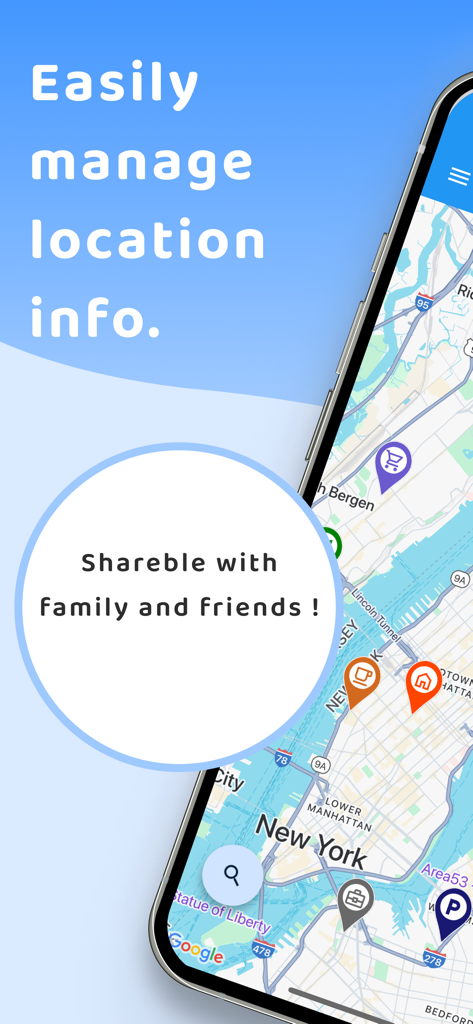
MyMapのモバイルアプリのスクリーンショット。ニューヨーク市のマップにカスタムカテゴリアイコンと、場所情報の管理と共有に関するテキストが表示されています。

MyMapのモバイルアプリのスクリーンショット。ニューヨーク市のマップにカスタムカテゴリアイコンと、場所情報の管理と共有に関するテキストが表示されています。

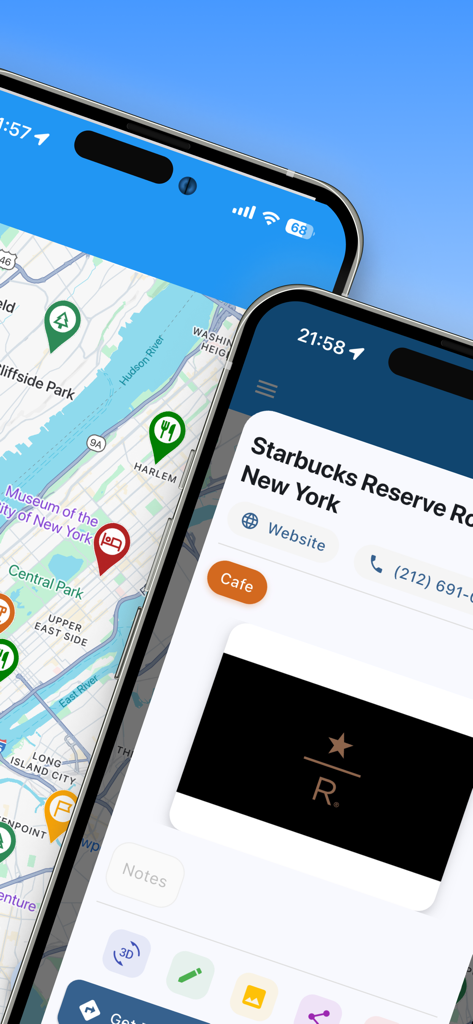
MyMapアプリのインターフェース。ニューヨーク市のマップ上にカラーコード化されたピンと、カフェの特定の場所の詳細が表示されています。

MyMapアプリのインターフェース。ニューヨーク市のマップ上にカラーコード化されたピンと、カフェの特定の場所の詳細が表示されています。

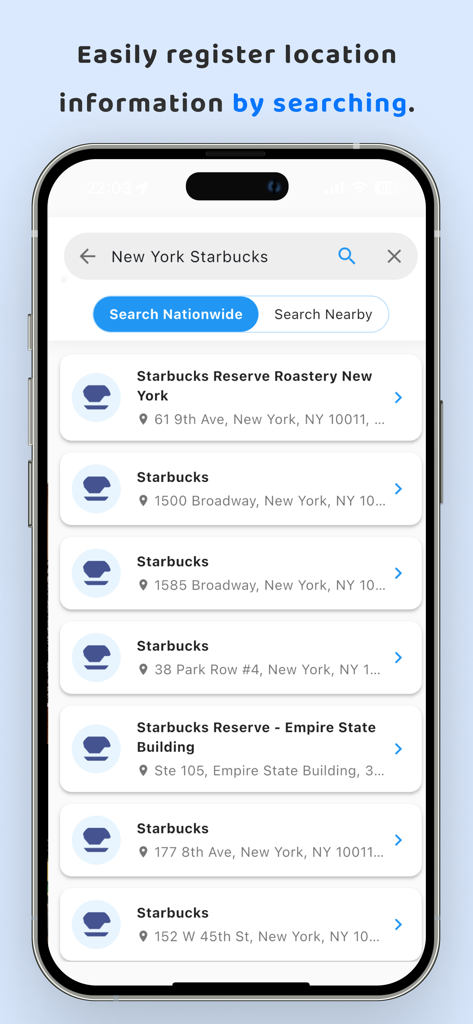
MyMapアプリのモバイルインターフェース。ニューヨーク市のスターバックスの場所の検索結果が表示されています。

MyMapアプリのモバイルインターフェース。ニューヨーク市のスターバックスの場所の検索結果が表示されています。

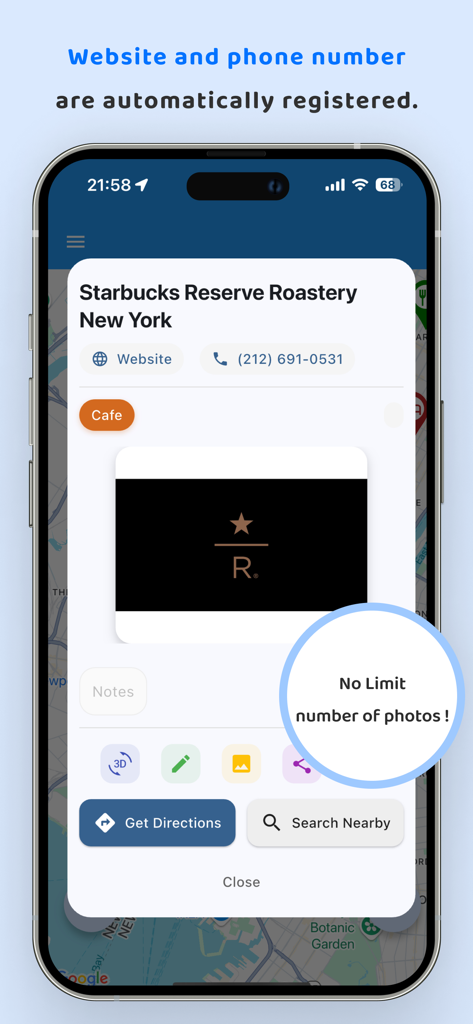
MyMapアプリで保存された場所の詳細ビュー。自動的にウェブサイトと電話番号が登録され、無制限の写真ストレージが利用できます。

MyMapアプリで保存された場所の詳細ビュー。自動的にウェブサイトと電話番号が登録され、無制限の写真ストレージが利用できます。

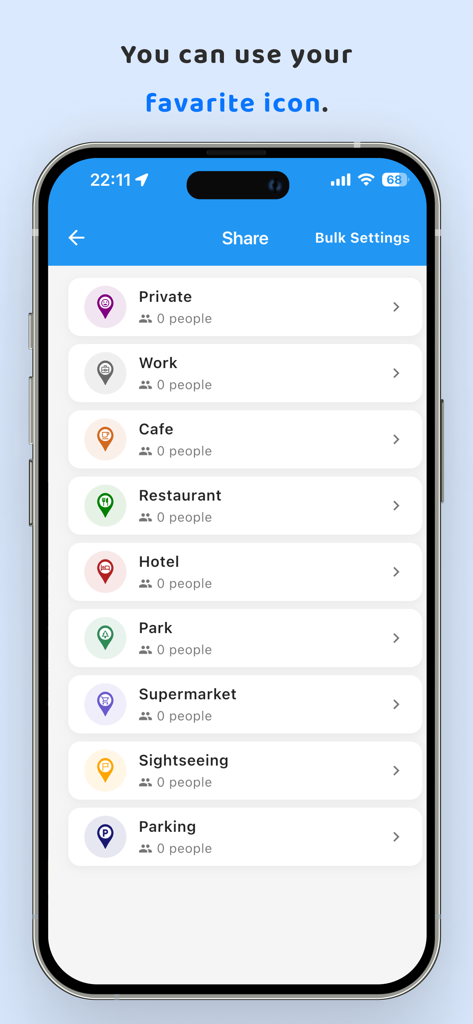
MyMapアプリの画面。カフェ、レストラン、仕事などのさまざまなアイコンを持つ、カスタマイズ可能な場所カテゴリのリストが表示されています。

MyMapアプリの画面。カフェ、レストラン、仕事などのさまざまなアイコンを持つ、カスタマイズ可能な場所カテゴリのリストが表示されています。

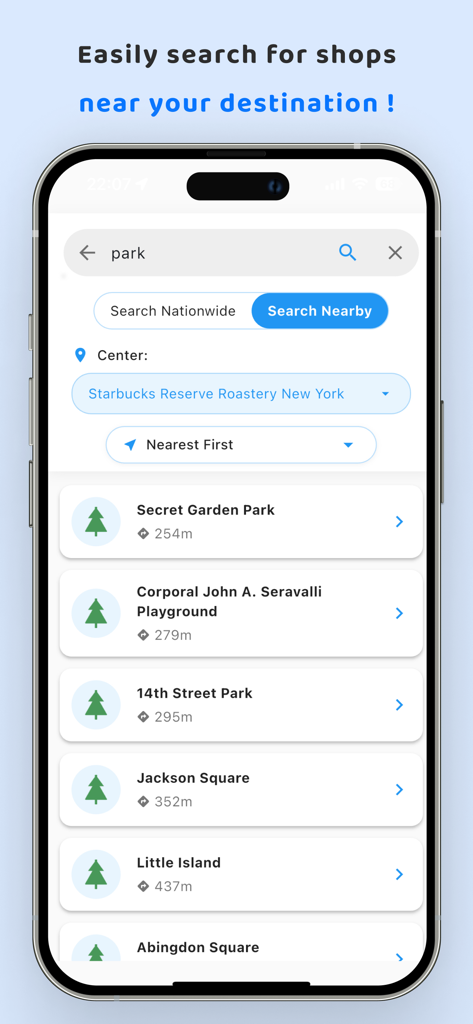
MyMapアプリのインターフェース。ニューヨーク市の特定の場所の近くで検索された公園のリストが表示されています。

MyMapアプリのインターフェース。ニューヨーク市の特定の場所の近くで検索された公園のリストが表示されています。

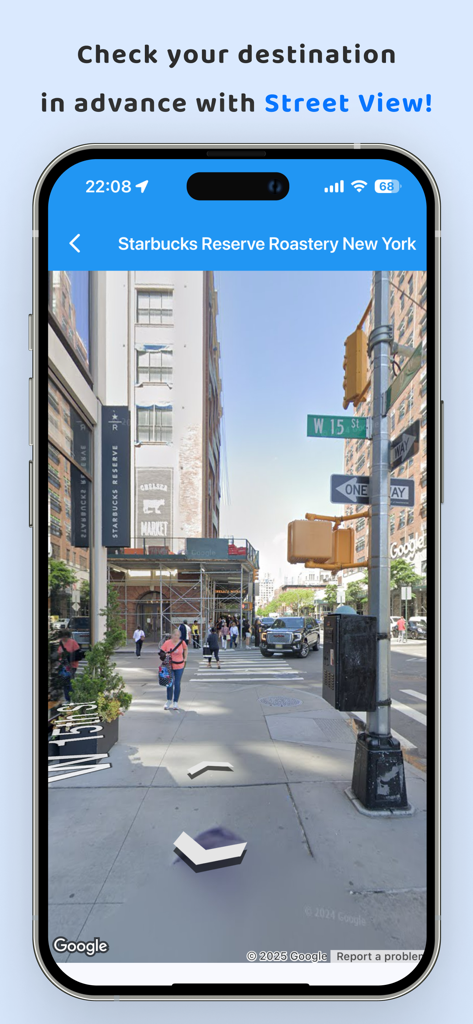
MyMapナビゲーションアプリを使用して、ニューヨークの目的地をストリートビューでプレビューします。

MyMapナビゲーションアプリを使用して、ニューヨークの目的地をストリートビューでプレビューします。

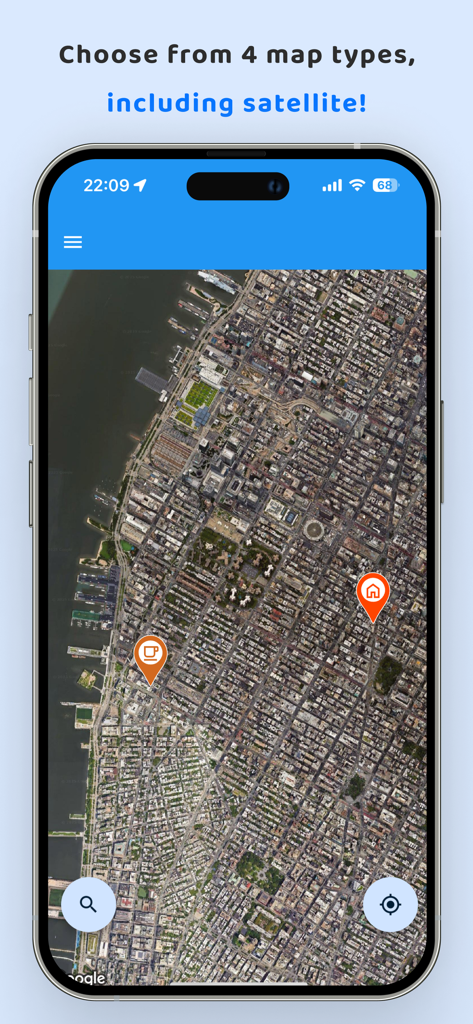
MyMapアプリでカスタムの場所ピンが表示された衛星マップビュー。

MyMapアプリでカスタムの場所ピンが表示された衛星マップビュー。

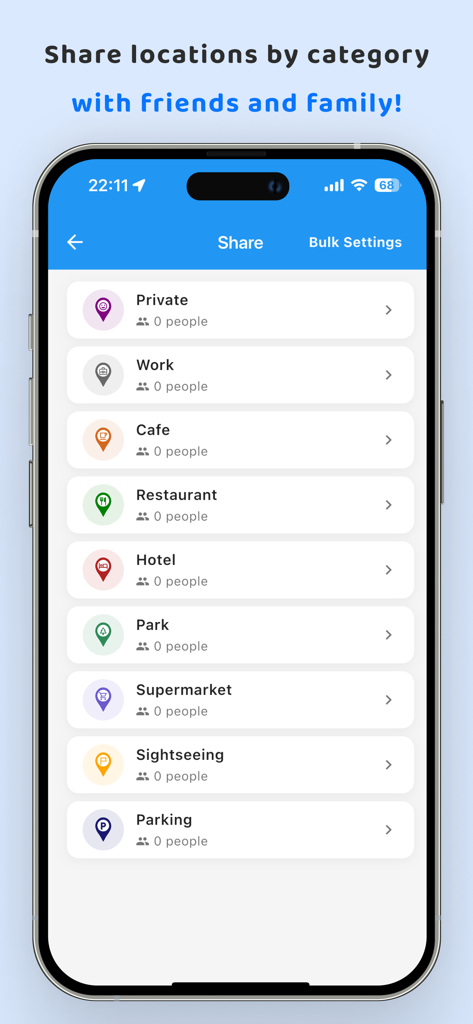
MyMapアプリのスクリーンショット。友人との共有のために、仕事、カフェ、レストランなどのカテゴリが表示されています。

MyMapアプリのスクリーンショット。友人との共有のために、仕事、カフェ、レストランなどのカテゴリが表示されています。

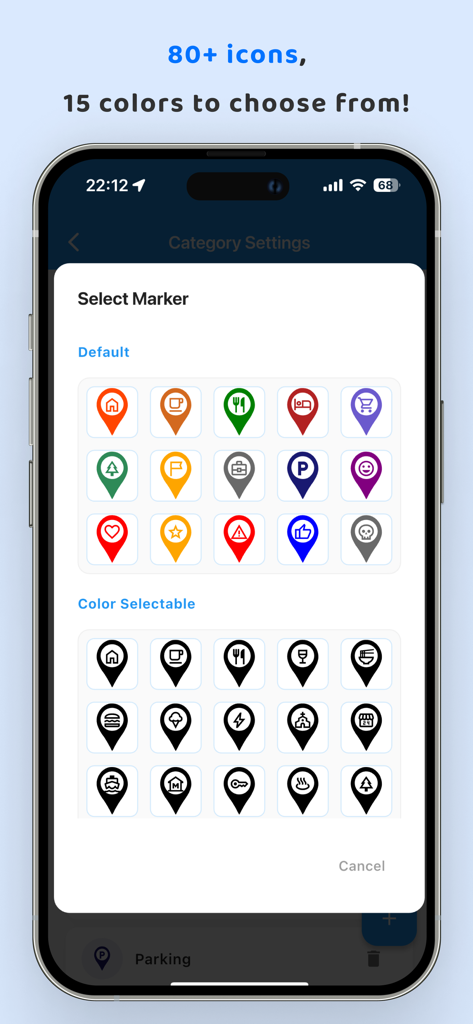
MyMapアプリのインターフェースで、80を超えるカスタムマップマーカーアイコンと色の選択画面。

MyMapアプリのインターフェースで、80を超えるカスタムマップマーカーアイコンと色の選択画面。

MyMapアプリのGoogle Maps連携とナビゲーション機能を示すスクリーンショット。

MyMapアプリのGoogle Maps連携とナビゲーション機能を示すスクリーンショット。

MyMapアプリの旅行ジャーナル機能のスクリーンショット。写真付きで場所の詳細が表示されています。

MyMapアプリの旅行ジャーナル機能のスクリーンショット。写真付きで場所の詳細が表示されています。

MyMapアプリのビジネスクライアント整理機能を示すスクリーンショット。クライアントの場所が色分けされて表示されています。

MyMapアプリのビジネスクライアント整理機能を示すスクリーンショット。クライアントの場所が色分けされて表示されています。

MyMapアプリのクラウド同期とバックアップ機能を示すスクリーンショット。

MyMapアプリのクラウド同期とバックアップ機能を示すスクリーンショット。

MyMapアプリのオフラインマップアクセスのスクリーンショット。インターネット接続なしでマップを表示できます。

MyMapアプリのオフラインマップアクセスのスクリーンショット。インターネット接続なしでマップを表示できます。

MyMapアプリで作成された個人の世界マップのスクリーンショット。カスタマイズされたピンとカテゴリが表示されています。

MyMapアプリで作成された個人の世界マップのスクリーンショット。カスタマイズされたピンとカテゴリが表示されています。

MyMapアプリのiOSおよびAndroid互換性を示すスクリーンショット。

MyMapアプリのiOSおよびAndroid互換性を示すスクリーンショット。

MyMapアプリで保存された場所のメモと詳細を表示するスクリーンショット。

MyMapアプリで保存された場所のメモと詳細を表示するスクリーンショット。

MyMapアプリのフードマップカスタマイズ機能を示すスクリーンショット。レストランの場所が色分けされています。

MyMapアプリのフードマップカスタマイズ機能を示すスクリーンショット。レストランの場所が色分けされています。

MyMapアプリのハイキングトレイルマップ機能を示すスクリーンショット。ハイキングコースがマップ上に表示されています。

MyMapアプリのハイキングトレイルマップ機能を示すスクリーンショット。ハイキングコースがマップ上に表示されています。

あなたの世界を完璧に整理

このアプリを際立たせるツール、 3K+ 人のユーザーが選択.

📸

ビジュアルな思い出のジャーナル

あらゆる場所に無制限の写真と詳細なメモを添付できます。その正確な夕日の眺めや、お気に入りのカフェの隠しメニューアイテムを覚えておくのに最適です。

🎨

スマートなカテゴリ分け

カラーコード化されたマーカーとカスタムカテゴリでマップを整理しましょう。「ビジネスクライアント」と「週末のハイキング」を1回のタップで切り替えることができます。

👥

共同編集による共有

グループ旅行の調整や、テリトリーの管理を容易にします。「表示のみ」または「編集可能」の柔軟な権限を使用して、特定のカテゴリを友人や同僚と共有できます。

アプリについて

について知っておくべきこと MyMap – Track Visited Places.

説明

Easily register and manage location information on a map with this map app. Use it to record "restaurants," "travel destinations," "business clients," "memorable places," and more. You can attach an unlimited number of photos to each location! ------------------------------------------------ Features of My Map ------------------------------------------------ 1. Easy Registration of Location Information! You can attach detailed text and photos to the registered locations. To register, simply long-press on the desired location on the map. Keep important information and memories with texts and photos! 2. Register Locations from Searches! Search for locations using free text, and register them directly. If the place is a store, the store's website URL and phone number will be automatically registered. Temporarily register any store you like! This way, you can easily access the website or make a call anytime. 3. Route Search to Locations! Search for routes from registered locations. You can select the starting point from your current location or another registered location. Never get lost on your way to your destination again! 4. Categorize Location Information Categories can be freely added. You can toggle the display of location information by category. Even as you register more locations, you can temporarily hide categories you don't need to see. 5. Freely Set the Color of Location Markers You can set colors for markers by category. Even as you add more locations, it's clear at a glance on the map what type of locations they are! 6. Save Data on the Cloud By registering an account and logging in, you can save your data in the cloud. This allows for seamless continued use, even when changing devices. 7. Share Registered Locations with Family, Friends, and Colleagues Sharing can be set by category. You can choose between "view only" and "editable" for sharing. Share travel plans and memories with your family! Share customer information with your colleagues! ------------------------------------------------ User Feedback ------------------------------------------------ Female in her 20s: "I use it to register restaurants I want to visit!" Male in his 40s: "I've registered all my valued customers." Male in his 30s: "I use it to keep travel memories." ------------------------------------------------ Frequently Asked Questions ------------------------------------------------ Q. My map is cluttered because I've registered too many locations. A. You can categorize location information and choose whether to display each category on the map. Use this feature to toggle the display of relevant categories as needed. Q. Is there a limit to the number of photos I can attach? A. There's no limit to the number of photos you can attach. Feel free to add as many as you like! Q. I want to know how to get to a registered location. A. Use the route search feature from the location information dialog. You can search for routes from your current location or another registered location. More features are coming soon. Please enjoy using My Map! Terms of Use https://www.apple.com/legal/internet-services/itunes/dev/stdeula/ Privacy Policy https://doc-hosting.flycricket.io/maidi-tu-privacy-policy/45bf0659-caf5-4ed7-9b59-4e88a6d8d032/privacy

最新バージョン

2.0.60

サイズ

88.6 MB

リリース日

2023年12月25日

旅をマップする準備はできましたか?

何千人もの探検家や専門家が、お気に入りの場所、旅行の思い出、ビジネスのリードを1か所で整理しています。今すぐMyMapをダウンロードして、二度と場所を忘れないようにしましょう。

ダウンロード: App Store

App information, icons, screenshots, and descriptions displayed on this page are sourced from the Apple App Store and are the property of their respective developers. Download estimates and rankings are based on MWM's proprietary models and may not reflect actual figures. This page is provided for informational and analytical purposes only.

Believe this page infringes your intellectual property? File a dispute