myTracks - The GPS-Logger

myTracks - The GPS-Logger


ダウンロード: App Store
ロゴ: myTracks - The GPS-Logger

myTracks - GPSロガー:あなたのプライベートな世界を地図に。

探検家や写真家向けの究極のプロフェッショナルグレードトラッカー。オフライン地図とApple Watch連携で全ての旅を記録し、データは100%プライベートに保ちます—ログインや登録は不要です。

開発元

Dirk Stichling

カテゴリ

Navigation

ダウンロード

607K+

ユーザー評価

3.3/5

評価数

900

対応言語

6

冒険を視覚化

このインターフェースを利用する 607K+ 人のユーザー.

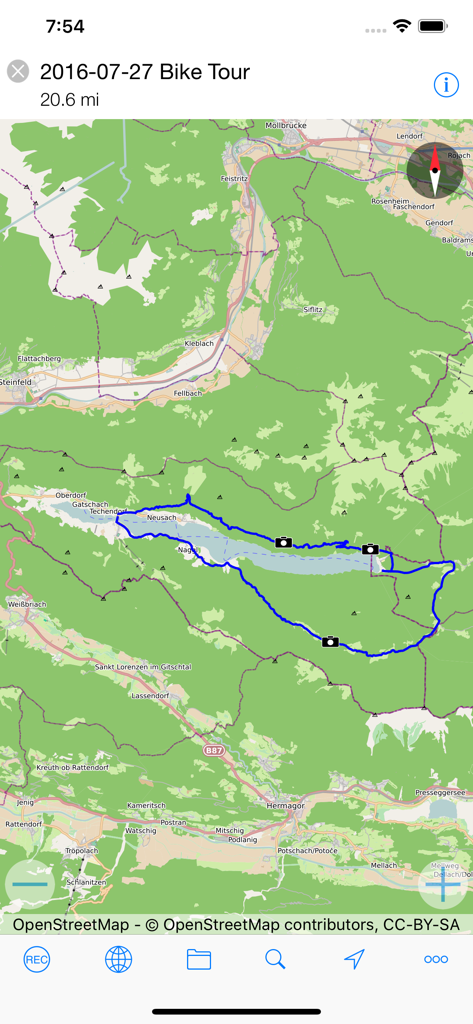
myTracks GPSロガーアプリの自転車ツアー記録の地図ビュー。ルートと写真の位置が表示されている。

myTracks GPSロガーアプリの自転車ツアー記録の地図ビュー。ルートと写真の位置が表示されている。

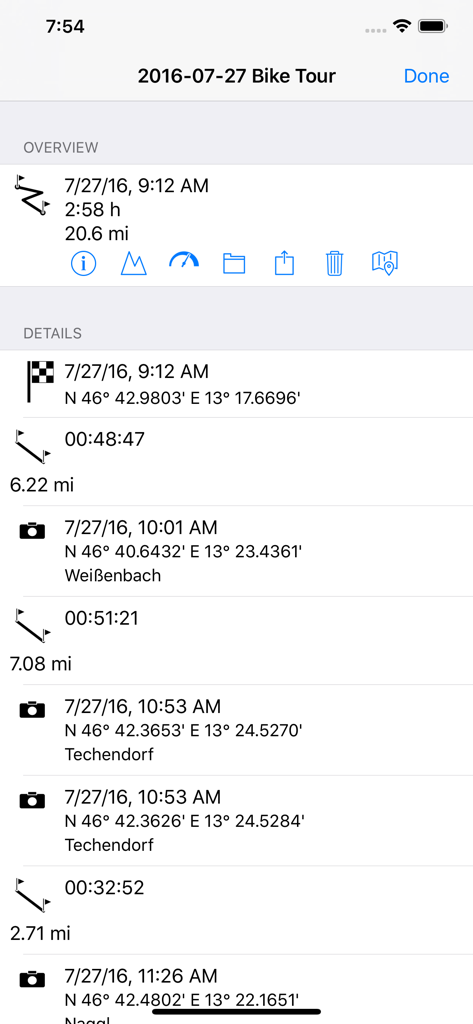
距離、時間、ウェイポイント座標を含む詳細な自転車ツアーGPSログ。

距離、時間、ウェイポイント座標を含む詳細な自転車ツアーGPSログ。

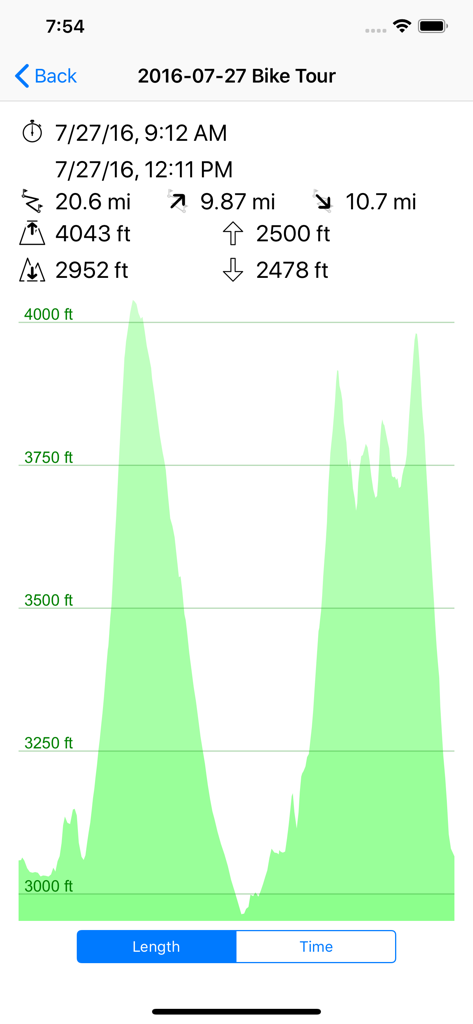
myTracksで記録された自転車ツアーの標高プロファイルグラフと旅行統計。

myTracksで記録された自転車ツアーの標高プロファイルグラフと旅行統計。

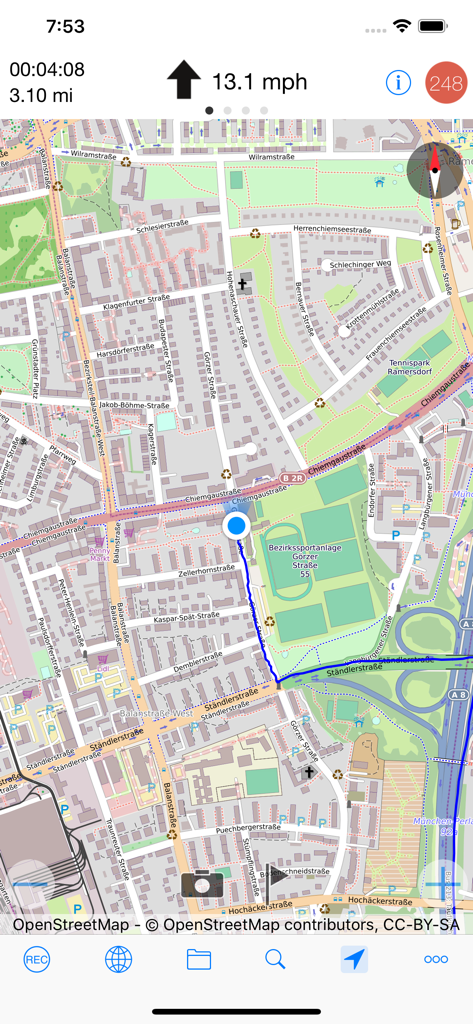
myTracksアプリの地図インターフェース。記録された青いGPS経路とリアルタイムの速度、距離の指標が表示されている。

myTracksアプリの地図インターフェース。記録された青いGPS経路とリアルタイムの速度、距離の指標が表示されている。

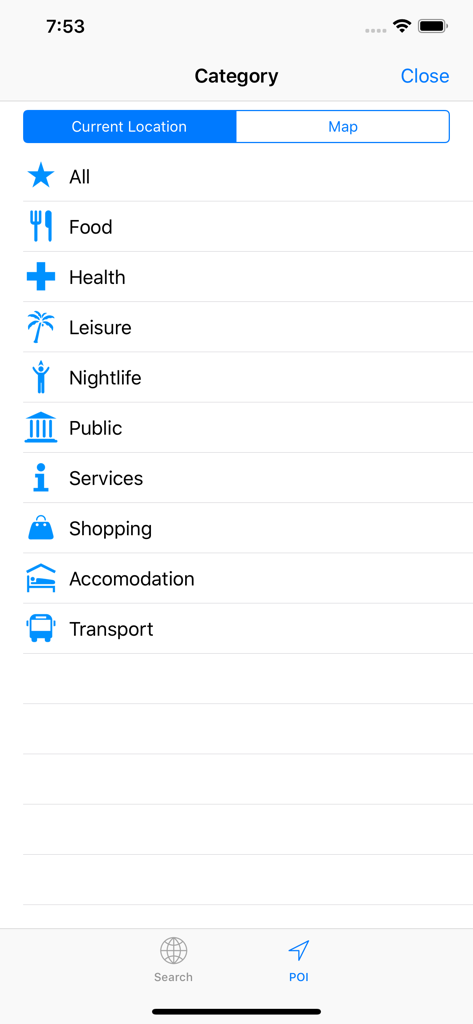
myTracks GPSロガーのPOI(興味のある地点)カテゴリ

myTracks GPSロガーのPOI(興味のある地点)カテゴリ

あなたの旅、あなたのデータ、完全にプライベート

このアプリを際立たせるツール、 607K+ 人のユーザーが選択.

🛡️

設計によるプライバシー

登録やログインは不要です。GPSデータはデバイスまたは個人のiCloudにのみ保存され、あなたの移動履歴はあなただけが見ることができます。

🗺️

オフグリッドの独立性

セルラー接続なしでナビゲートし、トラックを記録します。高品質なオフライン地図を使用して、人里離れた自然や国立公園を完全に自信を持って探検してください。

Appleエコシステムの同期

Apple Watchで録音を開始し、iPhoneで管理し、Macにアーカイブします。写真をパスにシームレスにリンクして、豊かな視覚的な旅行履歴を作成します。

アプリについて

について知っておくべきこと myTracks - The GPS-Logger.

説明

myTracks turns your iPhone or Apple Watch into a fully functional GPS logger. The GPS recordings can be displayed on different maps, which are also available without an internet connection if required. During a recording you can place and name waypoints to mark important locations. In addition to the waypoints, you can also take photos in myTracks, which are then assigned directly to the GPS track. The GPS tracks are stored exclusively on your iPhone, which means you don't have to register or log in anywhere. If you want, you can sync all your GPS tracks between your devices (iOS and macOS) via iCloud. You can start and stop GPS recordings individually or use the energy-saving diary mode, where myTracks automatically creates a single track with the most important positions for each day. You can conveniently manage the GPS tracks in the track library. From there you can export the tracks or the associated photos, e.g. by e-mail and publish them on social networks. The integrated Apple Watch app shows information about the current GPS recording. This includes the start time, distance covered, current, minimum and maximum altitude and the current map section. The GPS recording of the iPhone can be started and stopped via the Apple Watch and waypoints can be added. Since myTracks 5 you can also record directly with the Apple Watch. Features of myTracks: - Record GPS tracks with iPhone or Apple Watch - Display of the tracks on various maps - Optionally, the maps are also available offline, i.e. no internet connection is required. - Waypoints and photos can be added to the track during a GPS recording. - GPS tracks can be sent via email. - Photos can be emailed or posted on social networks. - The GPS tracks can be sent as GPX, KML, KMZ or ZIP files or opened in other apps. - Recorded GPS tracks can be synced to Mac. - GPS tracks and photos can be synced via iCloud. - Apple Watch app including recording function - myTracks is ad-free In principle, myTracks can be used free of charge. However, some features require a premium subscription. IMPORTANT INFORMATION: Continued use of the GPS function (even in the background or on standby) can dramatically reduce battery life. LANGUAGES: - German - English - French - Japanese - Chinese TERMS OF USE: https://www.apple.com/legal/internet-services/itunes/dev/stdeula/

最新バージョン

8.2.3

サイズ

273.4 MB

リリース日

2010年3月19日

あなたのプライベートな冒険ログを今すぐ開始

プロフェッショナルなGPS追跡とオフライン地図で、旅の細部まで捉えましょう。アカウント不要—あなたのデータはあなたのものであり、iPhone、Watch、Mac間でシームレスに同期されます。

ダウンロード: App Store

App information, icons, screenshots, and descriptions displayed on this page are sourced from the Apple App Store and are the property of their respective developers. Download estimates and rankings are based on MWM's proprietary models and may not reflect actual figures. This page is provided for informational and analytical purposes only.

Believe this page infringes your intellectual property? File a dispute