Nearpod

Nearpod

ダウンロード: App Store
ロゴ: Nearpod

Nearpod:すべての授業で生徒のエンゲージメントを100%引き出す

インタラクティブなスライド、リアルタイムのインサイト、22,000以上の基準準拠リソースで教室に力を与えましょう。VRフィールドトリップからゲーミフィケーションされた評価まで、授業計画の時間を節約しながら、すべての生徒に発言の機会を与えましょう。

開発元

NEARPOD INC

カテゴリ

Education

ダウンロード

3M+

ユーザー評価

3.6/5

評価数

5K+

対応言語

1

実践される教室の魔法

このインターフェースを利用する 3M+ 人のユーザー.

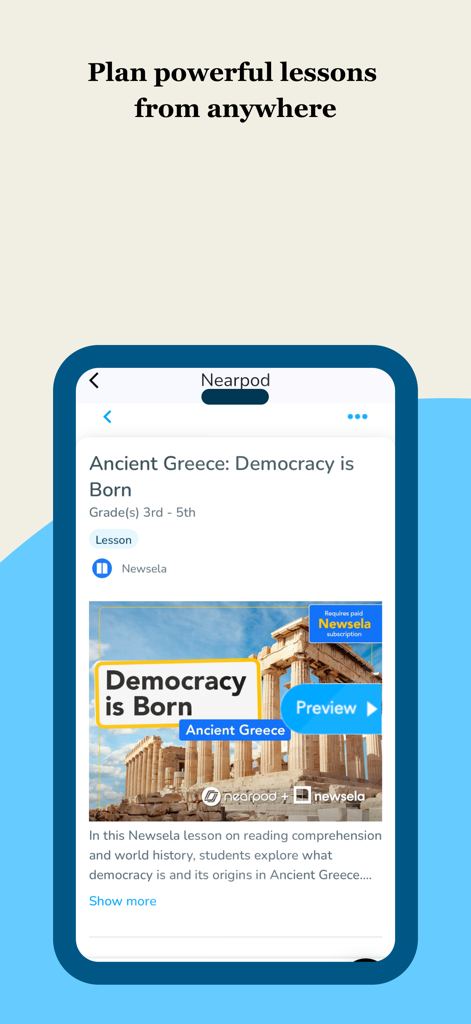
Nearpodアプリのインターフェース。古代ギリシャをテーマにした3〜5年生向けのインタラクティブな授業計画を表示

Nearpodアプリのインターフェース。古代ギリシャをテーマにした3〜5年生向けのインタラクティブな授業計画を表示

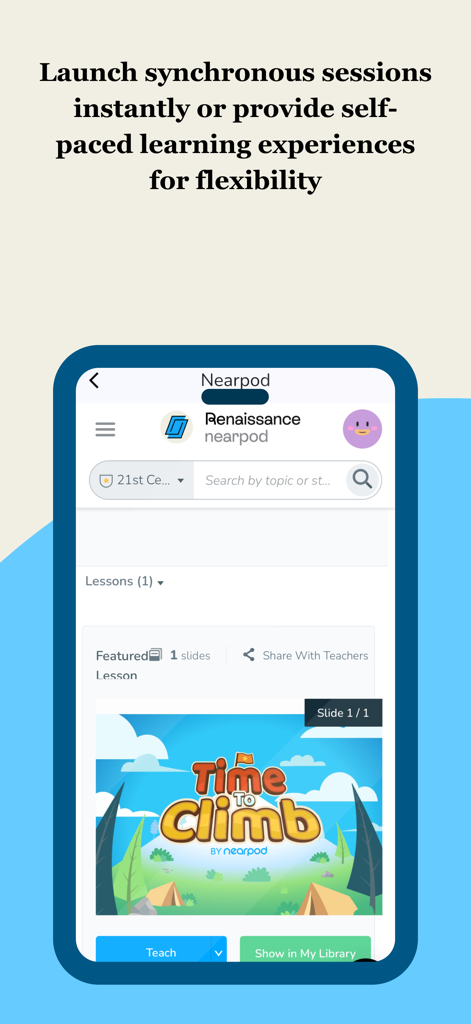
Nearpodモバイルアプリのインターフェース。「Time to Climb」ゲーミフィケーションアクティビティを特徴とする同期またはペース学習の開始オプションを表示

Nearpodモバイルアプリのインターフェース。「Time to Climb」ゲーミフィケーションアクティビティを特徴とする同期またはペース学習の開始オプションを表示

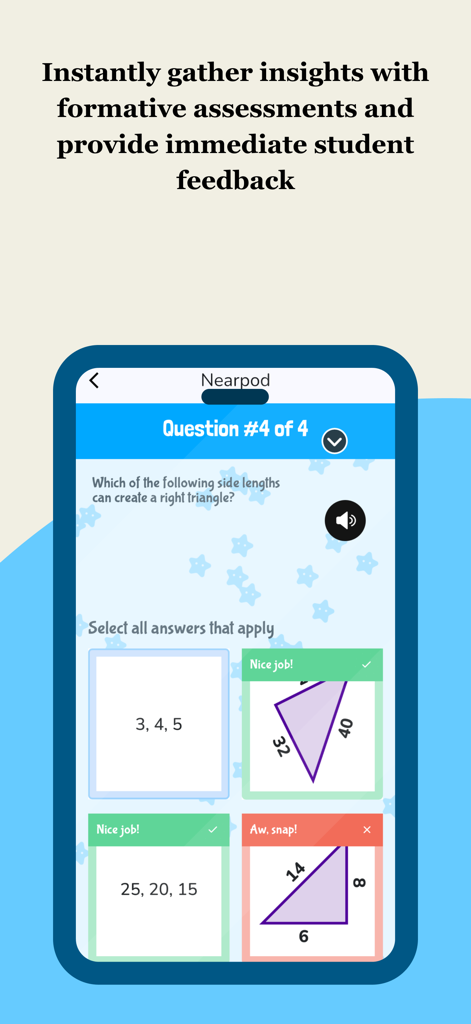
Nearpodモバイルアプリのインターフェース。生徒のフィードバック付きの数学形成的評価を表示

Nearpodモバイルアプリのインターフェース。生徒のフィードバック付きの数学形成的評価を表示

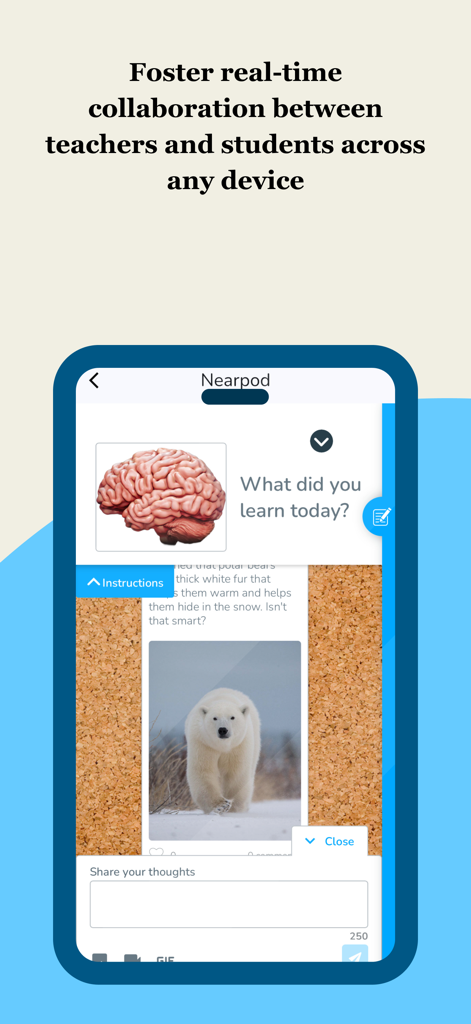
Nearpodアプリのインターフェース。生徒のフィードバックとリアルタイムエンゲージメントのためのインタラクティブなコラボレーションボードを表示

Nearpodアプリのインターフェース。生徒のフィードバックとリアルタイムエンゲージメントのためのインタラクティブなコラボレーションボードを表示

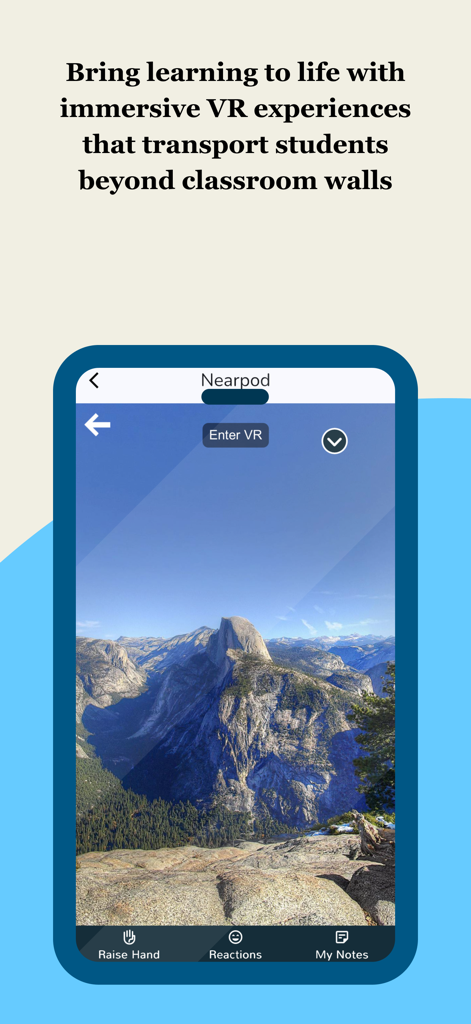
Nearpodアプリの画面。山の頂上の没入型VRフィールドトリップを表示し、「VRに入る」ボタンを表示。

Nearpodアプリの画面。山の頂上の没入型VRフィールドトリップを表示し、「VRに入る」ボタンを表示。

すべての授業をアクティブな体験に変える

このアプリを際立たせるツール、 3M+ 人のユーザーが選択.

🚀

生徒の参加率100%

無関心の「ブラックホール」をなくしましょう。インタラクティブなスライド、VRフィールドトリップ、ゲーミフィケーションされたアクティビティを使用して、すべての生徒、たとえ内気な生徒でも、発言できるようにしましょう。

📊

即時のインサイト、採点ゼロ

生徒一人ひとりの理解度をリアルタイムで把握できる「スーパーパワー」ビューを取得します。手作業での採点の負担なしに、リアルタイムの形成的評価データを使用して指導を調整します。

⏱️

22,000以上の基準準拠授業

すぐに使えるリソースのライブラリで週末を取り戻すか、既存のGoogleスライドをシームレスにインポートして、数分で計画から指導に移りましょう。

アプリについて

について知っておくべきこと Nearpod.

説明

Nearpod: Interactive Lessons That Engage Every Student 

 Nearpod helps K–12 teachers create engaging, student-centered learning experiences that drive participation and deepen understanding. Whether you're teaching math, science, ELA, or any other subject, Nearpod gives you the tools to bring your lessons to life. 
Use interactive features like polls, quizzes, and virtual reality to spark curiosity and keep students involved. Monitor progress with real-time formative assessments and adjust instruction based on instant feedback. With flexible teaching modes, you can lead live lessons or assign student-paced activities that fit your classroom flow. Why Teachers Love Nearpod: 

 Interactive slides, videos, and activities that promote active learning 
 Real-time insights to support data-informed instruction 

 Seamless integration with Google Slides, YouTube, and your LMS 
 Access to 22,000+ standards-aligned lessons and resources 

 Tools for differentiation and student voice 

 
 Nearpod works with the platforms you already use and adapts to your teaching style. Whether you're enhancing your curriculum or building lessons from scratch, Nearpod helps you deliver instruction that sticks. How Nearpod works: 1. Learning experiences are created by teachers from scratch, uploading slides, with AI (on tablet or web), or selected from a catalogue of over 22,000 experiences found in the Nearpod Library.

 2. Students join synchronous learning experiences led by their teachers or learn at their own pace.
 3. Students actively engage in interactive media, formative assessments, and activities such as videos, quizzes, polls, 3D objects, virtual reality, drawing tools, and more. 4. Teachers receive immediate insights into student learning, allowing them to provide feedback, correct misconceptions, and adjust instruction.

5. Students are introduced to content through dynamic multimedia that includes VR Field trips, 3D objects, PhET simulations, BBC videos and more.
 
 
To make your technology integration as seamless as possible, Nearpod has partnered with: Apple Google Microsoft Canvas Schoology Brightspace by D2L Blackboard Moodle Clever ClassLink 
What teachers are saying: 
"Nearpod provides me and my teachers with an excellent tool for engaging students. Activities and the different functions offer opportunities for differentiation and collection of assessment data. Nearpod is a game changer for teachers and students." - Matthew M., Assistant Principal 
"Nearpod gives teachers a wonderful superpower. It allows us to see the answer every students would give to every question we ask in class and allows students to feel more comfortable taking risks with their learning and growth." - Ann K., Instructional Coach 

Nearpod consistently gets me 90-100% engagement by keeping students active in their learning while helping build a stronger learning environment. - Amanda D., High school teacher

 SUBSCRIBING IN-APP: - Subscribe to Nearpod Gold Edition annually ($159.99). You will be charged in your local currency at the prevailing exchange rate as defined by the App Store. - Payment will be charged to your Apple ID account at confirmation of purchase. - Subscription automatically renews unless auto-renew is turned off at least 24-hours before the end of the current period. - Account will be charged for renewal within 24-hours prior to the end of the current period, and identify the cost of the renewal. - Subscriptions may be managed by the user and auto-renewal may be turned off by going to the user’s Account Settings after purchase. - No cancellation of the current subscription is allowed during the active subscription period. - Privacy policy: nearpod.com/privacy-policy - Terms of use: nearpod.com/terms-conditions - Any unused portion of a free trial period, if offered, will be forfeited when the user purchases a subscription. 
 Download Nearpod now and sign up for a FREE account or log in to start experiencing the magic of Nearpod!

最新バージョン

14.1.2

サイズ

23.1 MB

リリース日

2012年5月10日

今日、あなたの指導力を解き放ちましょう

300万人以上の教育者に加わり、生徒が愛するインタラクティブな授業の作成を始めましょう。Nearpodをダウンロードして、すべてのスライドを発見の瞬間に変えましょう。

ダウンロード: App Store
FAQ

よくある質問

について知っておくべきこと Nearpod

Nearpodとは何ですか?また、どのようなことができますか?

Nearpodは、投票、クイズ、仮想現実などの機能を使用して、K–12の教師が魅力的な授業を作成するのを支援するインタラクティブな学習プラットフォームです。リアルタイムの評価と柔軟な指導モードのためのツールを提供します。

Nearpodは生徒向けの仮想現実体験を提供していますか?

はい、Nearpodは、VRフィールドトリップや3Dオブジェクトなど、没入型の仮想現実体験を提供し、生徒を教室の外に連れ出し、学習に命を吹き込みます。

教師はNearpodで自分の教材を使用できますか?

はい、教師は自分のスライドをアップロードして、最初から学習体験を作成できます。また、AIを使用して授業作成を支援したり、Nearpodライブラリから選択したりすることもできます。

Nearpodは教師が生徒の進捗状況を監視するのにどのように役立ちますか?

Nearpodは、リアルタイムの形成的評価と生徒の学習状況に関する即時の洞察を提供します。これにより、教師はフィードバックを提供し、誤解を修正し、指導を効果的に調整することができます。

Nearpodはどのような統合をサポートしていますか?

Nearpodは、Googleスライド、YouTube、およびCanvas、Schoology、Moodleなどのさまざまな学習管理システム(LMS)などの人気のあるプラットフォームとシームレスに統合されます。

Nearpod Gold Editionのサブスクリプションはいくらですか?

Nearpod Gold Editionのサブスクリプションは年間159.99ドルです。支払いはApple IDアカウントに請求され、自動更新がオフにされていない限り自動的に更新されます。

Nearpodを無料で利用できますか?

はい、ユーザーはNearpodをダウンロードし、無料アカウントにサインアップして、すぐに費用をかけずにその機能と能力を体験し始めることができます。

Nearpodは生徒ペースの学習アクティビティをサポートしていますか?

はい、Nearpodは柔軟な指導モードを提供しており、教師は生徒ペースのアクティビティを割り当てることができ、生徒は自分のペースと都合に合わせて学習できます。

生徒はNearpodの授業や機能とどのようにやり取りしますか?

生徒は、インタラクティブなメディア、形成的評価、アクティビティを通じてNearpodの授業に積極的に参加します。これらには、ビデオ、クイズ、投票、3Dオブジェクト、仮想現実、描画ツールが含まれます。

Nearpodの授業は教育基準に準拠していますか?

はい、Nearpodは、ライブラリ内で22,000以上の基準に準拠した授業とリソースへのアクセスを提供しています。教師は、カリキュラムのためにこれらの既製の体験を選択できます。

App information, icons, screenshots, and descriptions displayed on this page are sourced from the Apple App Store and are the property of their respective developers. Download estimates and rankings are based on MWM's proprietary models and may not reflect actual figures. This page is provided for informational and analytical purposes only.

Believe this page infringes your intellectual property? File a dispute