One Loop

One Loop

ダウンロード: App Store
ロゴ: One Loop

One Loop:ポケットに入るプロ仕様10トラック・スタジオ・ルーパー

スタジオグレードのエフェクト、MIDIサポート、高度なレイヤーコントロールで、ひらめきを捉えよう。現代のソングライターやライブパフォーマーのために設計されています。

ダウンロード: App Store

開発元

Caelum Audio Ltd

カテゴリ

Music

ダウンロード

9K+

ユーザー評価

3.7/5

評価数

0

対応言語

-

あなたのポケットスタジオ

このインターフェースを利用する 9K+ 人のユーザー.

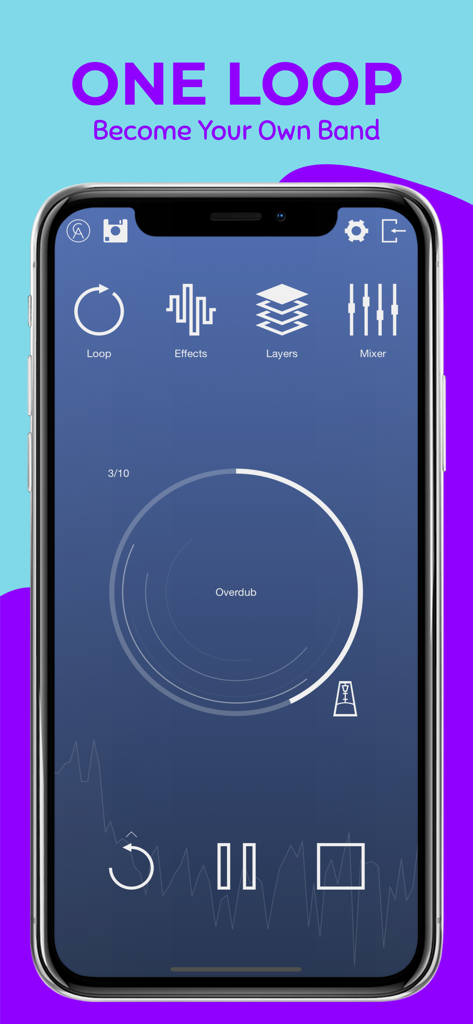
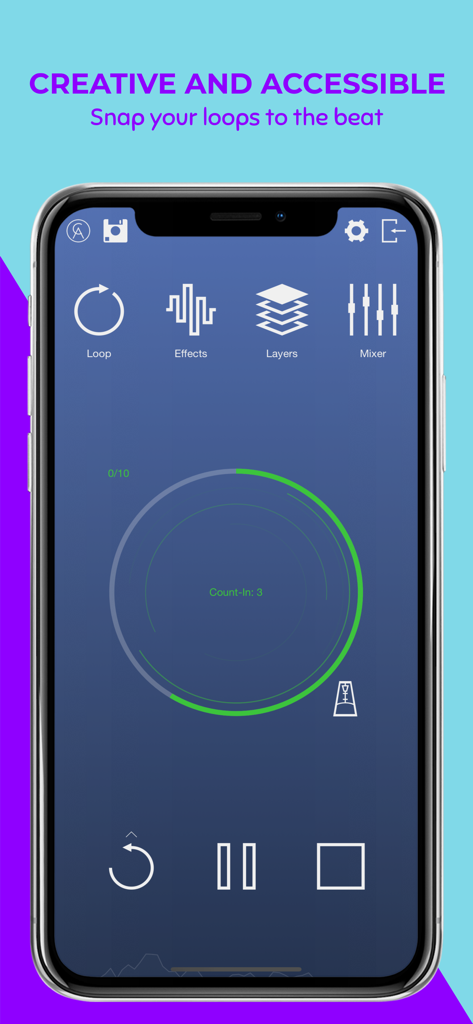
One Loopモバイルアプリのスクリーンショット。オーバーダビングステータスとエフェクトレイヤーおよびミキサーのナビゲーションが表示されたメイン録音インターフェース

One Loopモバイルアプリのスクリーンショット。オーバーダビングステータスとエフェクトレイヤーおよびミキサーのナビゲーションが表示されたメイン録音インターフェース

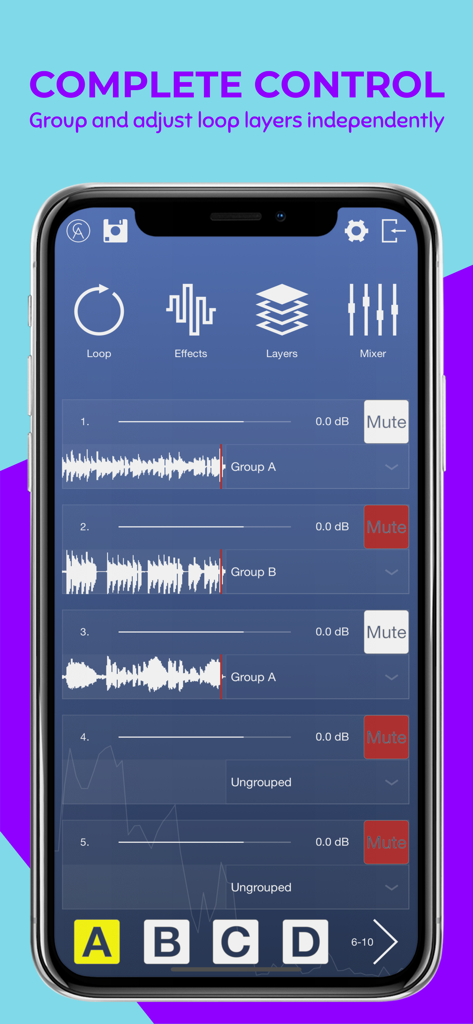
One Loop音楽アプリのインターフェース。複数のオーディオレイヤーと、iPhoneでの音楽制作のためのグループコントロールを表示

One Loop音楽アプリのインターフェース。複数のオーディオレイヤーと、iPhoneでの音楽制作のためのグループコントロールを表示

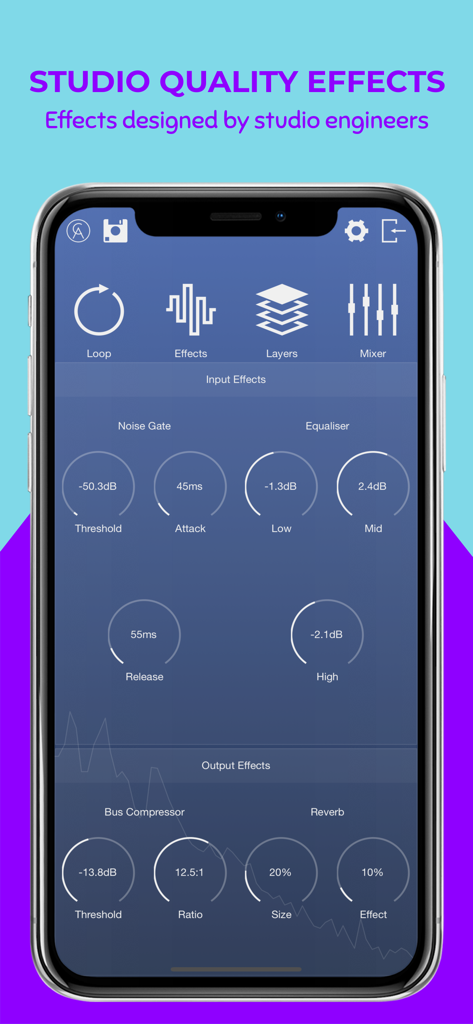
One Loopアプリのインターフェース。ノイズゲート、イコライザー、バスコンプレッサー、リバーブコントロールを含むスタジオ品質のオーディオエフェクトを表示

One Loopアプリのインターフェース。ノイズゲート、イコライザー、バスコンプレッサー、リバーブコントロールを含むスタジオ品質のオーディオエフェクトを表示

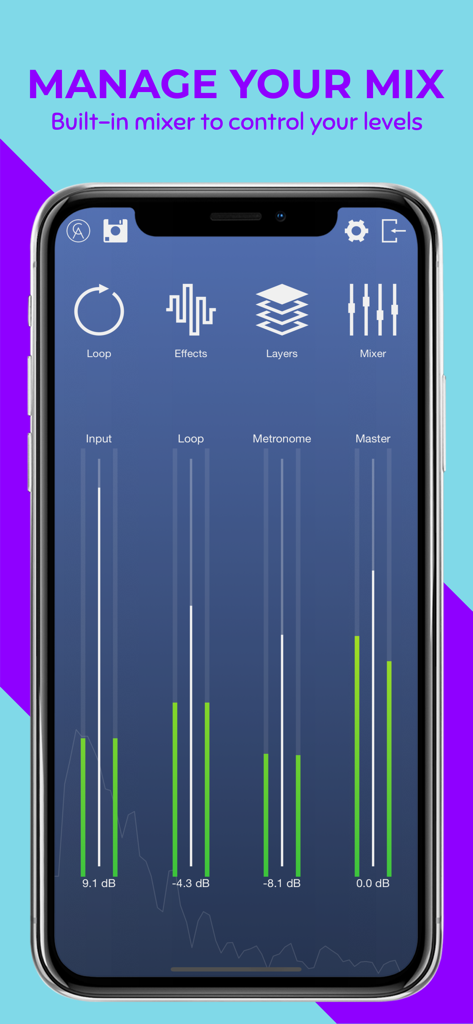
One Loopアプリのインターフェース。入力およびループのオーディオレベルコントロールを備えた内蔵ミキサーを表示

One Loopアプリのインターフェース。入力およびループのオーディオレベルコントロールを備えた内蔵ミキサーを表示

One Loopモバイルアプリのインターフェース。スマートフォンの画面にスタジオ品質のルーピングおよび録音ツールを表示

One Loopモバイルアプリのインターフェース。スマートフォンの画面にスタジオ品質のルーピングおよび録音ツールを表示

クリエイティブな流れを解き放つ

このアプリを際立たせるツール、 9K+ 人のユーザーが選択.

🎙️

10レイヤー・スタジオ・トラッキング

最大10の高忠実度レイヤーを重ね、インテリジェントなグルーピングを使用して、ヴァースやコーラスなどのセクションを即座に切り替えましょう。

🎚️

プログレード・ミキシングツール

エンジニアが設計したコンプレッサー、EQ、リバーブでサウンドを磨き上げ、モバイルセッションをプロのスタジオ録音のようにしましょう。

🔌

シームレスなハードウェア同期

外部オーディオインターフェースやMIDIフットペダルを接続し、ポケットに収まるハンズフリーのマルチチャンネル・パフォーマンス・セットアップを実現しましょう。

アプリについて

について知っておくべきこと One Loop.

説明

One Loop is a 10-track loop-station designed for singers, songwriters & instrumentalists. Whether you want a personalised backing track, or need to record an idea for your next big hit, One Loop brings performance and recording straight to your phone. Features: • Simple, easy to use looping. • Built-in studio quality effects: Noise Gate, EQ, Compression & Reverb. • Advanced layer control and grouping. • Metronome selection with a variety of backing percussion. • MIDI support and mappable control for hands free performance. • Supports external audio interfaces; up to 8 channels of audio input. Recording Whether you choose your device’s built-in microphone for quick and easy use, or an external interface for multiple routing options, One Loop encourages portable creativity. Don’t be restricted by the limitations of a computer when all you need is your phone… and something to record! Enjoy the app’s seamless looping and build up to 10 beautiful layers with ease. Save your projects for later reference, you’ll never forget those 3am ideas ever again! Make sure to wear headphones for clean recordings with no feedback issues. Complete Control One Loop gives you complete control to form your best ideas. Each layer is mute-able and has an adjustable volume slider to shape your overall sound. Assign each layer to a bank of 4 groups (A to D) for quick variation of instrumentation, or different sections of a song. Setup your Bluetooth or USB midi devices and assign their parameters to trigger any of One Loop’s functions for greater control and smooth performances. Manage Your Mix One Loop gives you the controls to refine your recordings with studio quality effects designed by audio engineers: Noise Gate, EQ, Compression and Reverb. Wherever you’re recording, either in a quiet room or a busy outdoor environment, you can reduce any unwanted noise by adjusting the Noise Gate’s threshold and envelope, to create cleaner recordings. Boost or Cut the Input’s EQ frequency bands (Low, Mid and High) with a +/- 15dB range to shape the sound of your loop layers. Adjust the acoustic environment of your mix, from a small garage to a large cathedral, by changing the size & effect percentage of the Reverb. Settle a busy, complex layered mix using the Bus Compressor’s threshold and ratio controls.

最新バージョン

1.1

サイズ

76.9 MB

リリース日

2019年12月12日

次のヒット曲を録音する準備はできましたか?

深夜のアイデアを逃さないで。クリエイター革命に参加して、今すぐiPhoneをプロ仕様の10トラック・スタジオに変えましょう。

ダウンロード: App Store

App information, icons, screenshots, and descriptions displayed on this page are sourced from the Apple App Store and are the property of their respective developers. Download estimates and rankings are based on MWM's proprietary models and may not reflect actual figures. This page is provided for informational and analytical purposes only.

Believe this page infringes your intellectual property? File a dispute