PDF Library eBook Reader

PDF Library eBook Reader


ダウンロード: App Store
ロゴ: PDF Library eBook Reader

PDFライブラリ電子書籍リーダー:学生と専門家のための究極のデジタル本棚

散らばったドキュメントを美しく整理されたライブラリに変えましょう。Mac、iPad、iPhone間でリサーチ、教科書、マニュアルをシームレスに同期。邪魔にならず、サブスクリプション不要の読書体験をお楽しみください。

開発元

Verbia Systems (Pty) Ltd

カテゴリ

Books

ダウンロード

5K+

ユーザー評価

4.3/5

評価数

0

対応言語

6

あなたのデジタル本棚を再定義する

このインターフェースを利用する 5K+ 人のユーザー.

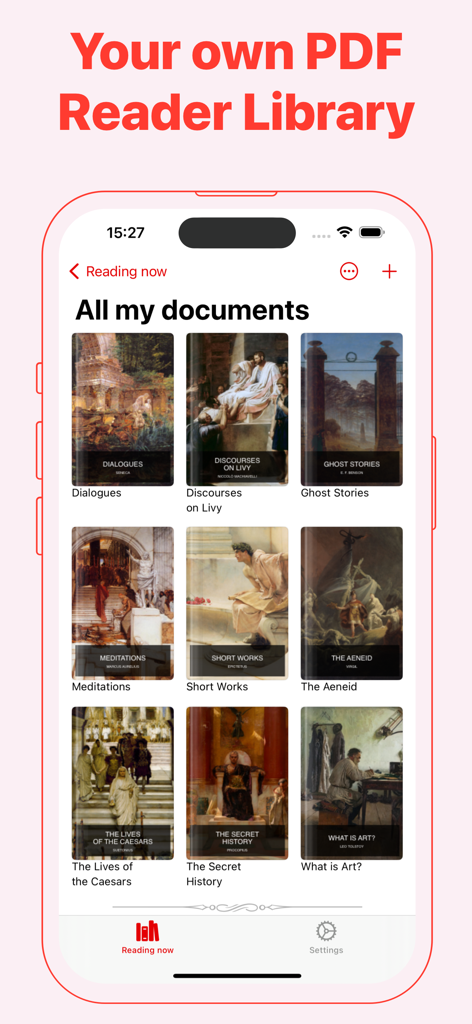
PDFライブラリアプリのメインインターフェイス。iPhone上にグリッド状に並べられた電子書籍の表紙が表示されています。

PDFライブラリアプリのメインインターフェイス。iPhone上にグリッド状に並べられた電子書籍の表紙が表示されています。

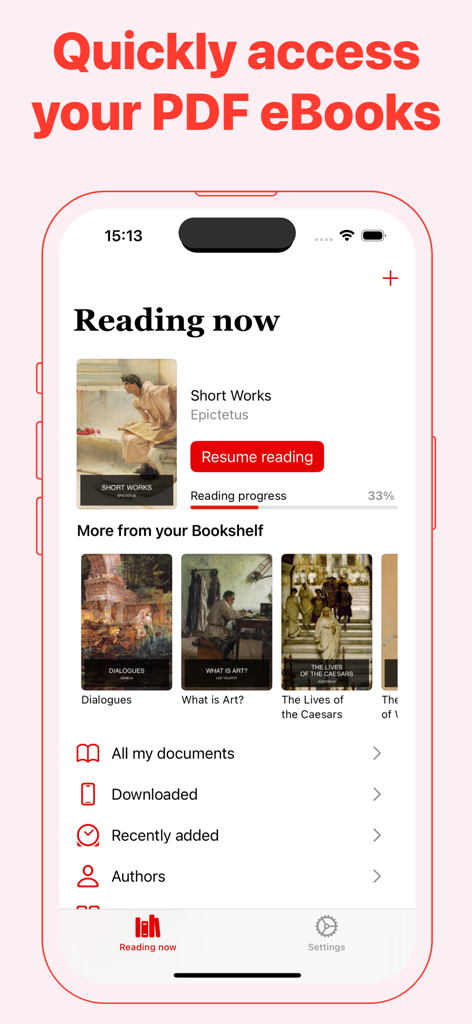
iPhone上のPDFライブラリアプリのユーザーインターフェイス。現在の読書進捗と電子書籍の本棚が表示されています。

iPhone上のPDFライブラリアプリのユーザーインターフェイス。現在の読書進捗と電子書籍の本棚が表示されています。

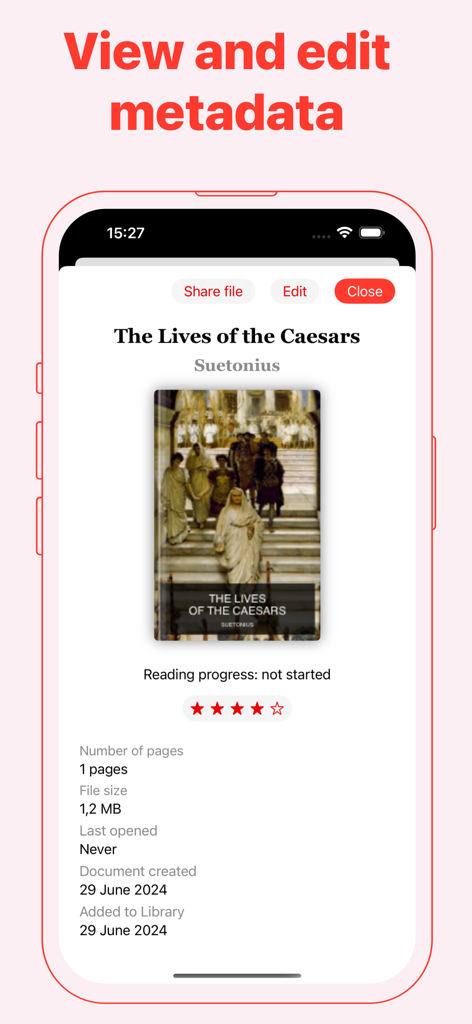
スマートフォン画面に、PDFライブラリアプリ内のタイトル、著者、ファイル詳細などの電子書籍のメタデータが表示されています。

スマートフォン画面に、PDFライブラリアプリ内のタイトル、著者、ファイル詳細などの電子書籍のメタデータが表示されています。

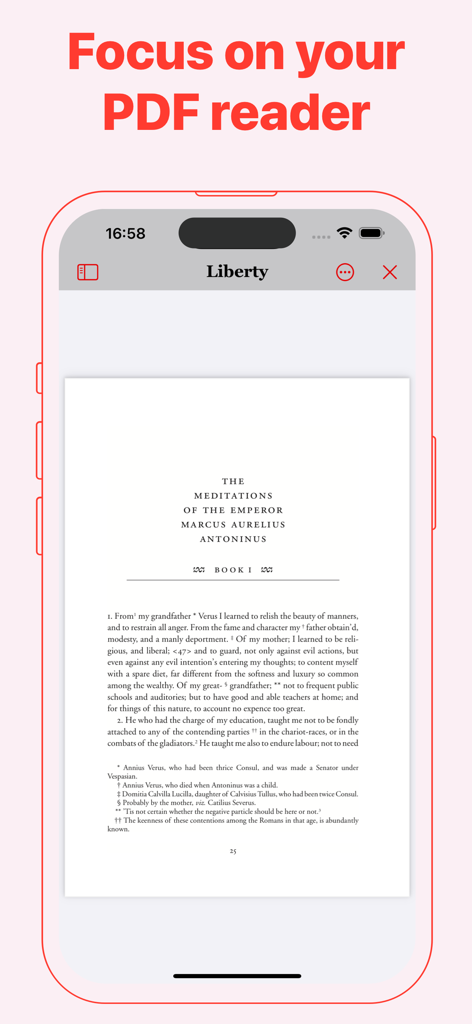
iPhone上のPDFライブラリアプリの電子書籍リーダーモードのインターフェイス。

iPhone上のPDFライブラリアプリの電子書籍リーダーモードのインターフェイス。

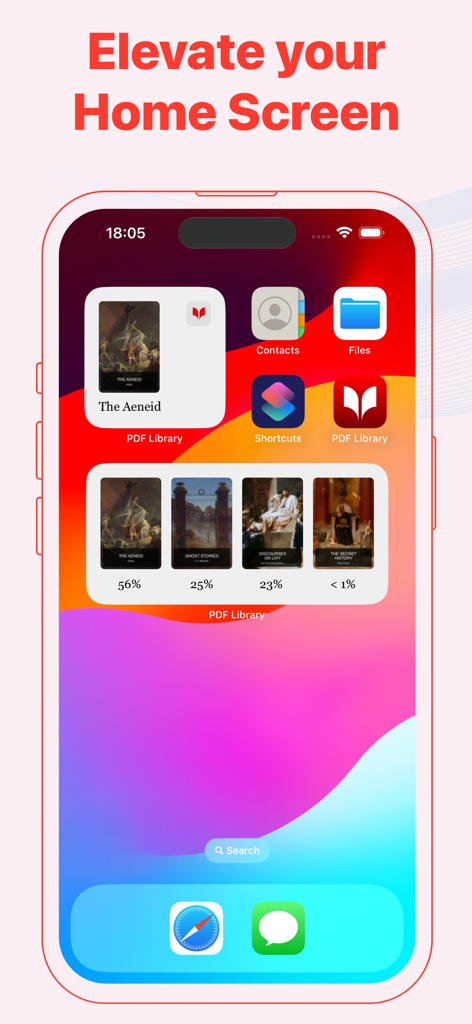
iPhoneのホーム画面上のPDFライブラリアプリのウィジェット。本の表紙と読書進捗率が表示されています。

iPhoneのホーム画面上のPDFライブラリアプリのウィジェット。本の表紙と読書進捗率が表示されています。

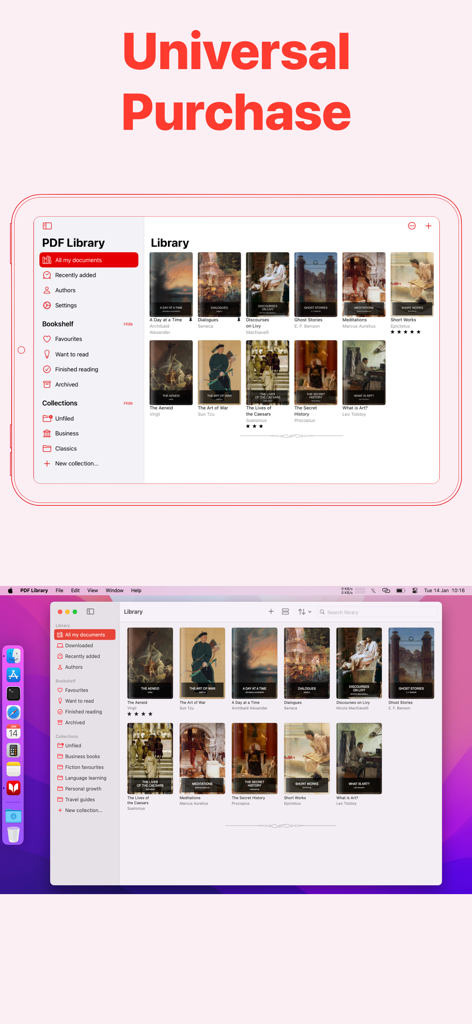
iPadとMac上のPDFライブラリ電子書籍リーダーのインターフェイス。ユニバーサル購入とクロスデバイス同期を強調しています。

iPadとMac上のPDFライブラリ電子書籍リーダーのインターフェイス。ユニバーサル購入とクロスデバイス同期を強調しています。

読書ワークフローを向上させる

このアプリを際立たせるツール、 5K+ 人のユーザーが選択.

🔄

シームレスなAppleエコシステム同期

Macで開始し、iPadで注釈を付け、iPhoneで参照できます。iCloudによる瞬時かつ安全な同期が可能です。

📚

プロフェッショナルなライブラリキュレーション

カスタムコレクションにリサーチ論文や教科書を整理し、パーソナライズされた表紙アートを追加して、デジタル上の散らかりを解消しましょう。

👁️

読書耐久性に最適化

セピアモードと自動保存機能で、長時間の学習セッション中の目の疲れを最小限に抑え、中断した箇所を正確に記憶します。

アプリについて

について知っておくべきこと PDF Library eBook Reader.

説明

Read, Organize, and Sync Your PDF eBooks Effortlessly PDF Library is the ultimate solution for reading long-form PDF documents and eBooks. Seamlessly manage, organize, and sync your PDF collection across all your devices, ensuring you have easy access wherever you are. Key Features: - Flexible Display Options: View your documents as customizable cards or a streamlined list in your Library. - Pin Your Favorites: Keep important PDFs at the top of your Library for quick access. - Dark Mode: Enjoy comfortable reading with less eye strain, day or night. - Custom App Icons: Personalize your home screen with unique app icons. - iCloud Sync: Securely sync your entire PDF Library across iPhone, iPad and Mac. - Home Screen Widgets: Instantly access recent PDFs right from your home screen. PDF Reader Features: - Auto-Save Reading Progress: Your place is saved automatically, so you’ll never lose track of where you left off. - Flexible Reading Modes: Read in Single-Page or Continuous mode, with both horizontal and vertical scrolling options. - Sepia Reading Mode: Reduce eye strain with a warm, soft color filter that provides a gentler reading experience. - Easy Navigation: Use the built-in Table of Contents for quick jumps to sections within any document. Organize Your PDF Library: - Track Reading Status: Mark PDFs as "Read Next", "Finished", or add them to your Favourites list for easy access. - Archive Documents: Clear up your Library by moving completed or inactive PDFs to the Archive. PDF Library Pro – Unlock Advanced Features: Enjoy PDF Library free with no limits on the number of PDFs you can store. Upgrade to PDF Library Pro with a one-time purchase to enhance your reading experience and support independent app development. Pro Features Include: - Organize into Collections: Create personalized Collections to group and sort your PDFs. - Edit Titles & Authors: Customize your Library’s display by editing document titles and authors. - Change Cover Art: Update the cover images of your PDFs for better organization and visual appeal. PDF Library Pro supports Family Sharing – so you can share these advanced features with your family members at no extra cost! PDF Library is perfect for students, researchers, and professionals. Whether you're at uni, working on university papers, or diving into educational ebooks and scientific research, PDF Library makes reading and managing your documents effortless. With features designed to streamline your workflow, it's ideal for organizing class notes, research papers, and ebooks for study or work. Privacy Policy: https://verbia.com/privacy Terms of Use: https://verbia.com/terms

最新バージョン

2025.4

サイズ

5.2 MB

リリース日

2024年7月21日

究極のデジタル本棚を構築する

リサーチ、教科書、専門ドキュメントをiPhone、iPad、Mac間でシームレスに同期。今日から無料で整理を始めましょう。

ダウンロード: App Store

App information, icons, screenshots, and descriptions displayed on this page are sourced from the Apple App Store and are the property of their respective developers. Download estimates and rankings are based on MWM's proprietary models and may not reflect actual figures. This page is provided for informational and analytical purposes only.

Believe this page infringes your intellectual property? File a dispute