Photo Editor:AI Photo Enhancer

Photo Editor:AI Photo Enhancer


ダウンロード: App Store
ロゴ: Photo Editor:AI Photo Enhancer

Photo Editor: AI Photo Enhancer – 現代のクリエイターのためのプロレベルのビジュアル

平均的なショットに妥協するのはやめましょう。AI搭載のスカイ置換、シネマティックカラーグレーディング、バイラルレトロエフェクトで、あなたのフィードを変革しましょう。ソーシャルライフが求めるスピードで、プロフェッショナルなデスクトップソフトウェアの精度を手に入れましょう。

開発元

Xiamen Suijisenlin Technology Co., Ltd.

カテゴリ

Photo & Video

ダウンロード

209K+

ユーザー評価

4.5/5

評価数

8K+

対応言語

3

アクションにおけるビジュアルエクセレンス

このインターフェースを利用する 209K+ 人のユーザー.

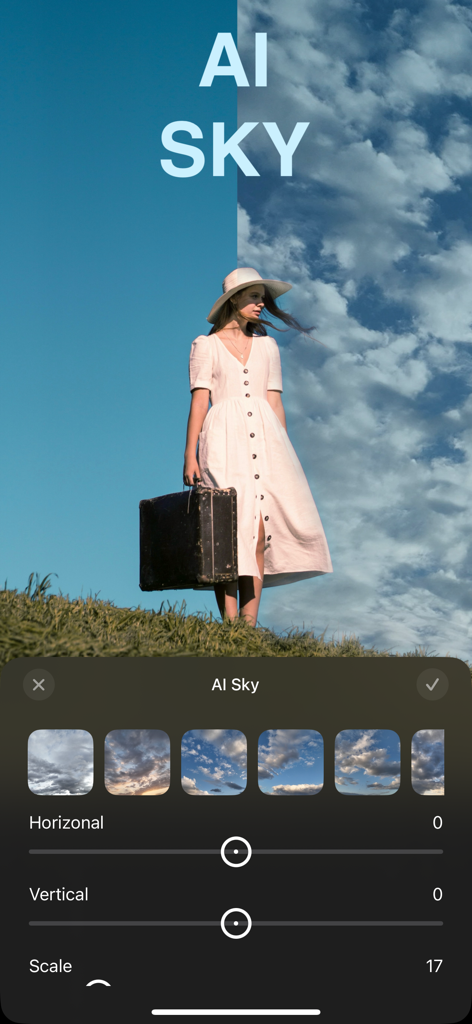
モバイル写真編集アプリのスクリーンショットで、雲のビフォーアフター比較を表示するAIスカイ置換機能を示しています。

モバイル写真編集アプリのスクリーンショットで、雲のビフォーアフター比較を表示するAIスカイ置換機能を示しています。

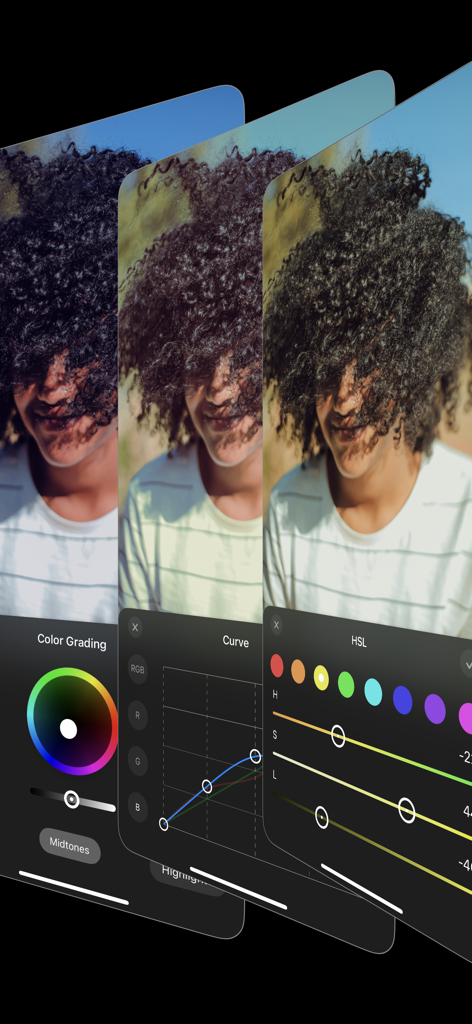
カラーグレーディングカーブ調整やHSLスライダーなどのプロの写真編集ツールを示すモバイルアプリインターフェイス

カラーグレーディングカーブ調整やHSLスライダーなどのプロの写真編集ツールを示すモバイルアプリインターフェイス

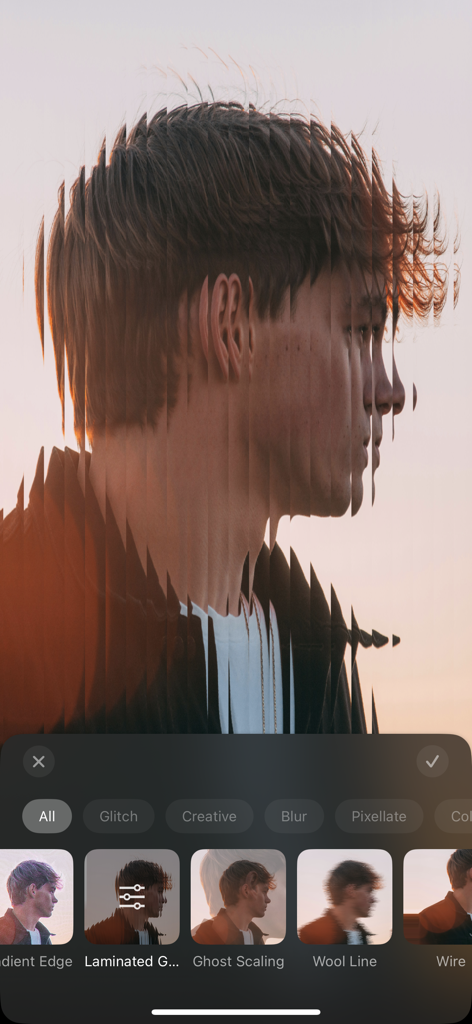
モバイル写真編集者を使用して適用された、縦型ラミネートグリッチエフェクトを持つポートレート写真

モバイル写真編集者を使用して適用された、縦型ラミネートグリッチエフェクトを持つポートレート写真

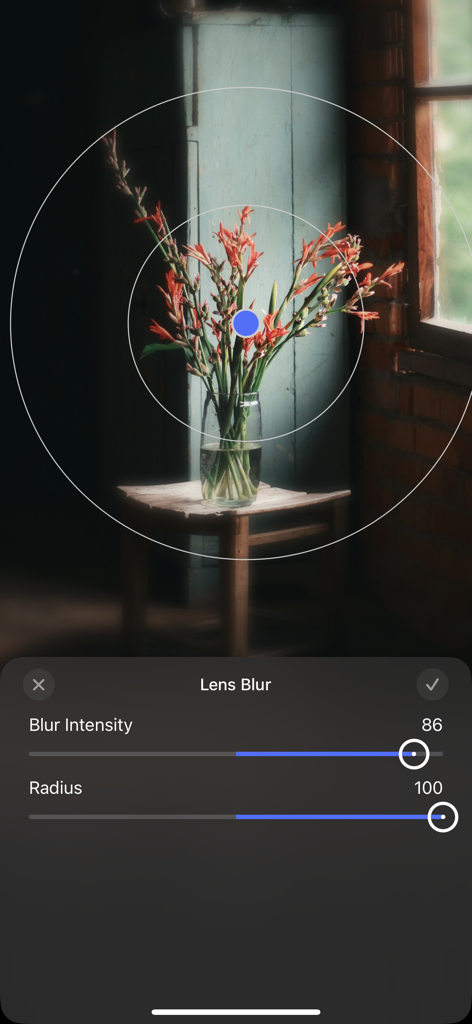
アプリインターフェイスで花の画像にレンズぼかしの強度と半径を調整しています

アプリインターフェイスで花の画像にレンズぼかしの強度と半径を調整しています

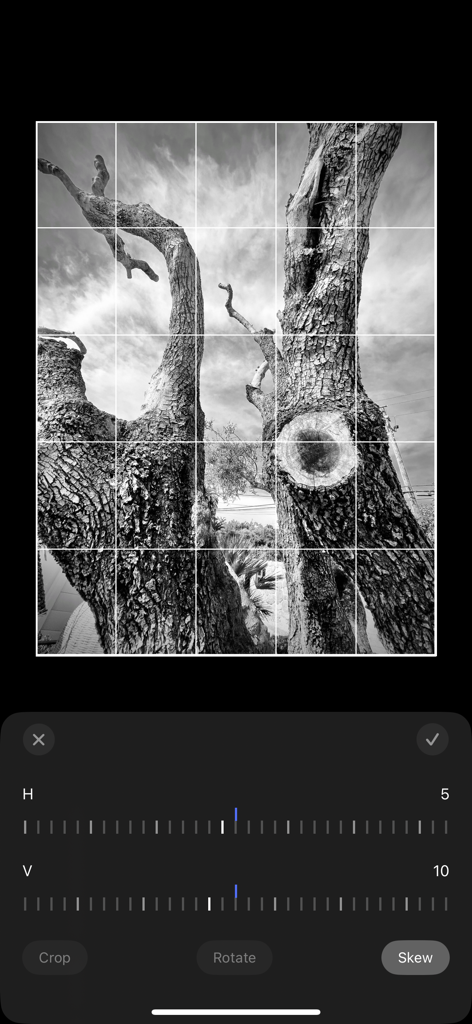
木の白黒写真に遠近法補正および歪み調整ツールを示すモバイルアプリインターフェイス

木の白黒写真に遠近法補正および歪み調整ツールを示すモバイルアプリインターフェイス

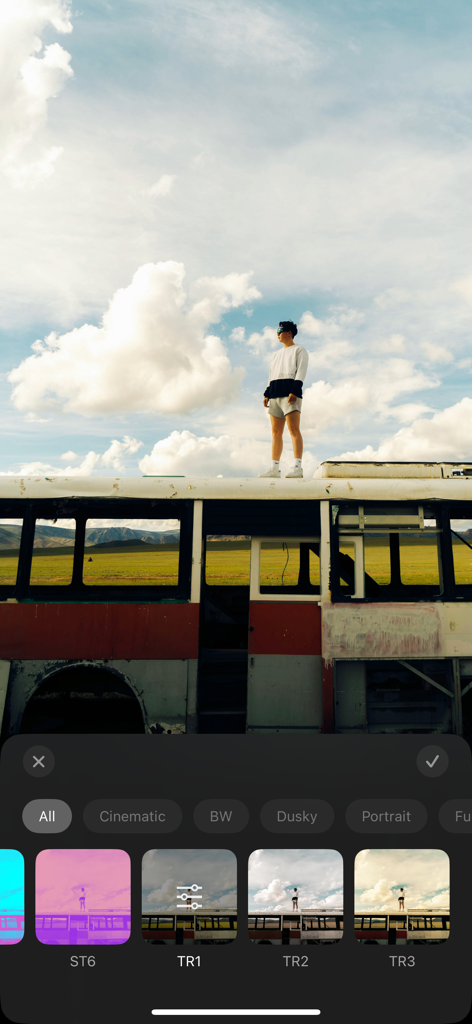
さまざまなカラーフィルターとクリエイティブプリセットを示すモバイル写真編集アプリのインターフェイス

さまざまなカラーフィルターとクリエイティブプリセットを示すモバイル写真編集アプリのインターフェイス

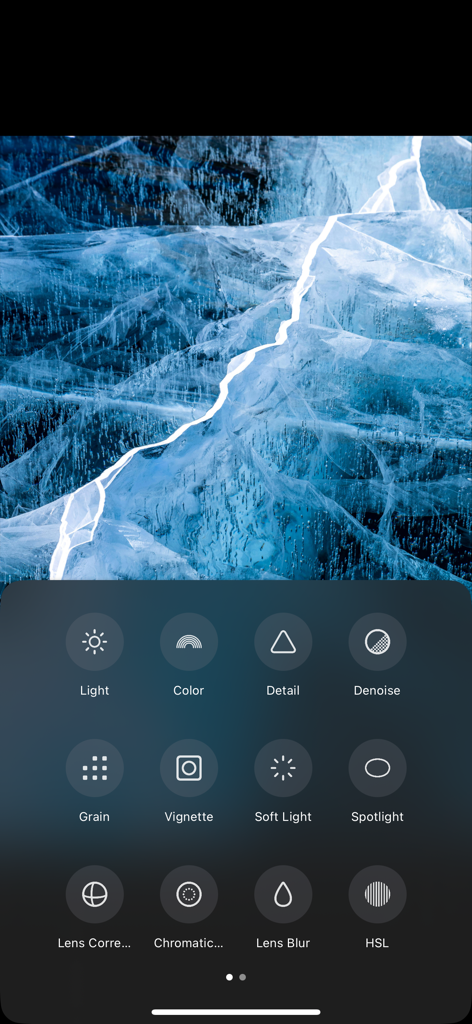
編集された青い氷の画像の下に、HSLグレインやレンズぼかしなどのプロの編集ツールを示すAI Photo Enhancerアプリのモバイルインターフェイス。

編集された青い氷の画像の下に、HSLグレインやレンズぼかしなどのプロの編集ツールを示すAI Photo Enhancerアプリのモバイルインターフェイス。

AIでプロフェッショナルな美学を解き放つ

このアプリを際立たせるツール、 209K+ 人のユーザーが選択.

インテリジェントAIエンハンスメント

露出、肌のトーン、鮮明度を自動的に最適化し、数秒でプロレベルの仕上がりを実現します。

🌄

シネマティックスカイ&カラー

曇り空を息をのむような夕焼けに置き換え、HSLツールを使用して精密でスタジオ品質のカラーグレーディングを行います。

👾

バイラルクリエイティブエフェクト

VHS、グリッチアート、レトロプリセットでトレンドを維持し、ソーシャルメディアフィードを際立たせます。

アプリについて

について知っておくべきこと Photo Editor:AI Photo Enhancer.

説明

This is a powerful, professional-grade AI photo editing app that combines advanced artificial intelligence technology with a wide range of image editing tools, making it easy for users to achieve both creative and professional-level photo retouching. Key Features: - Composition & Adjustment - Cropping: Supports multiple common aspect ratios, perfectly adapting to various image requirements. - Rotation & Flipping: Precise rotation adjustments, 90-degree rotation, and 180-degree flipping, allowing for easy angle adjustments. - Perspective Correction: Smartly corrects the tilt of buildings or landscapes to maintain image proportions. - Image Tools - Brightness Adjustment: Fine-tune exposure, brightness, contrast, highlights, and shadows to optimize every detail. - Color Adjustment: Smart adjustments for color temperature, hue, skin tone, and saturation, bringing natural and vibrant colors to life. - Detail Enhancement: Sharpen, texture enhancement, and dehaze functions to improve image clarity and visual impact. - Noise Reduction & Effects: Intelligent noise reduction, noise removal, soft focus, vignette, color fringing correction, as well as lens blur and spotlight effects. - Color Grading: AI-powered color grading and HSL adjustments, delivering cinematic-level effects. - Advanced Features: AI Sky Replacement, frames, curve adjustments, highlight-shadow tone adjustments, and other powerful tools to meet professional retouching needs. - Creative Presets Offers a collection of carefully designed creative filters, tailored for various scenes, enabling quick and easy processing for unique visual effects. - Unique Effects A rich library of effects including Instant Motion, Clone, VHS Retro, Fisheye, Dreamy, Starburst, Glitch Art, Scanlines, Neon Glow, Dynamic Water Ripple, and more, adding creativity and vitality to your work with ease. Privacy Policy: http://www.sjslai.com/privacy.html Terms of Use: http://www.sjslai.com/terms.html

最新バージョン

1.11.5

サイズ

131.4 MB

リリース日

2024年8月10日

完璧な投稿のアートをマスターする準備はできましたか?

AIを使用して日常の瞬間をプロの傑作に変える、20万人以上のクリエイターに参加しましょう。今日からあなたのクリエイティブな旅のための究極のツールキットを手に入れましょう。

ダウンロード: App Store
FAQ

よくある質問

について知っておくべきこと Photo Editor:AI Photo Enhancer

Photo Editor:AI Photo Enhancerとは何ですか?

Photo Editor:AI Photo Enhancerは、プロレベルのAI写真編集アプリです。高度なAI技術と幅広い画像編集ツールを組み合わせて、クリエイティブでプロフェッショナルな写真のレタッチを実現します。

Photo Editor:AI Photo EnhancerはAIスカイレプレイスメントを提供していますか?

はい、Photo Editor:AI Photo Enhancerには高度な機能としてAIスカイレプレイスメントが含まれています。ユーザーは、水平、垂直、スケールなどのパラメータを調整して、正確な空の変更を行うことができます。

Photo Editor:AI Photo Enhancerで利用できる画像調整ツールは何ですか?

Photo Editor:AI Photo Enhancerは、明るさ、色、ディテールの調整を提供します。具体的なツールには、露出、コントラスト、色温度、色相、シャープ、テクスチャ、かすみ除去機能が含まれており、包括的な画像最適化が可能です。

ユーザーはPhoto Editor:AI Photo Enhancerでクリエイティブなエフェクトを適用できますか?

はい、Photo Editor:AI Photo Enhancerは、ユニークなエフェクトの豊富なライブラリを提供しています。これには、インスタントモーション、クローン、VHSレトロ、グリッチアート、ダイナミックウォーターリップルなどが含まれ、写真に創造性を加えることができます。

Photo Editor:AI Photo Enhancerはパースペクティブ補正をサポートしていますか?

はい、Photo Editor:AI Photo Enhancerはパースペクティブ補正をサポートしています。建物の傾きや風景をインテリジェントに補正し、画像の比率を維持して視覚的な正確性を確保します。

Photo Editor:AI Photo Enhancerのプライバシーポリシーはどこで見られますか?

Photo Editor:AI Photo Enhancerのプライバシーポリシーは、公式ウェブサイトでご覧いただけます。直接のリンクはこちらです:http://www.sjslai.com/privacy.html。

Photo Editor:AI Photo Enhancerでプロフェッショナルなカラーグレーディングを実行できますか?

はい、Photo Editor:AI Photo Enhancerには、AI搭載のカラーグレーディングとHSL調整が含まれています。これらのツールにより、ユーザーはシネマティックレベルのエフェクトと正確なカラーコントロールを実現できます。

Photo Editor:AI Photo Enhancerはどのような高度な写真編集ツールを提供していますか?

Photo Editor:AI Photo Enhancerは、AIスカイレプレイスメント、フレーム、カーブ調整、ハイライト・シャドウのトーン調整などの高度なツールを提供しています。これらは、プロフェッショナルのレタッチニーズを効果的に満たします。

App information, icons, screenshots, and descriptions displayed on this page are sourced from the Apple App Store and are the property of their respective developers. Download estimates and rankings are based on MWM's proprietary models and may not reflect actual figures. This page is provided for informational and analytical purposes only.

Believe this page infringes your intellectual property? File a dispute