Photo finish app

Photo finish app

ダウンロード: App Store
ロゴ: Photo finish app

フォトフィニッシュアプリ:ポケットに入るプロの計時精度

0.004秒の精度でフィニッシュラインの論争をなくしましょう。トラック競技からサイクリングまで、スマートフォンだけであらゆるレースの決定的な視覚的証拠を捉えましょう。

開発元

IURII VOEVODIN

カテゴリ

Sports

ダウンロード

2K+

ユーザー評価

1.0/5

評価数

0

対応言語

1

すべてのピクセルに精確を

このインターフェースを利用する 2K+ 人のユーザー.

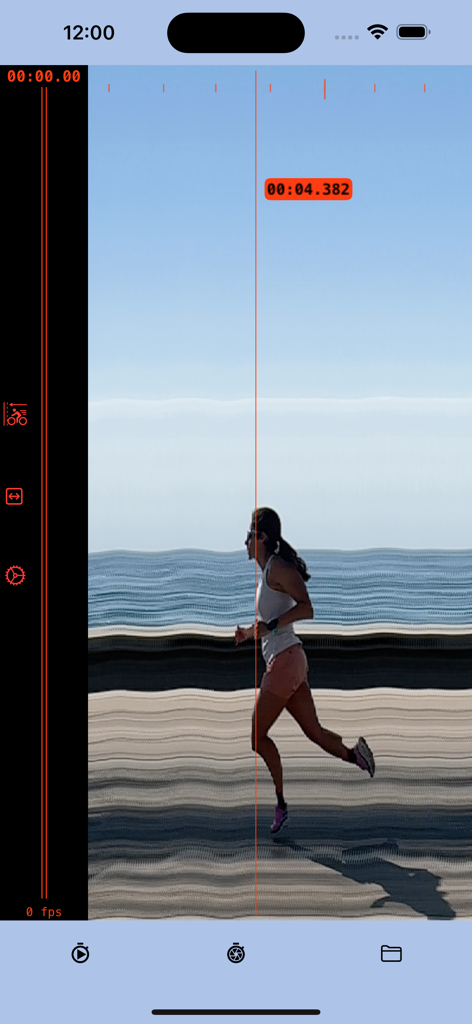
女性ランナーがゴールラインを通過するスリット写真キャプチャ。正確なタイムスタンプは4.382秒。

女性ランナーがゴールラインを通過するスリット写真キャプチャ。正確なタイムスタンプは4.382秒。

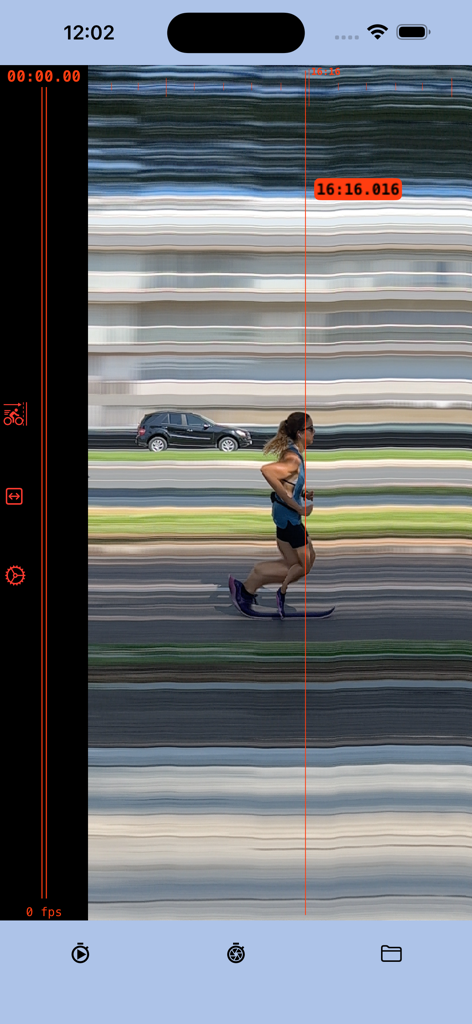
フォトフィニッシュアプリのスクリーンショット。ランナーがゴールラインを通過し、正確なタイムスタンプは16:16.016。

フォトフィニッシュアプリのスクリーンショット。ランナーがゴールラインを通過し、正確なタイムスタンプは16:16.016。

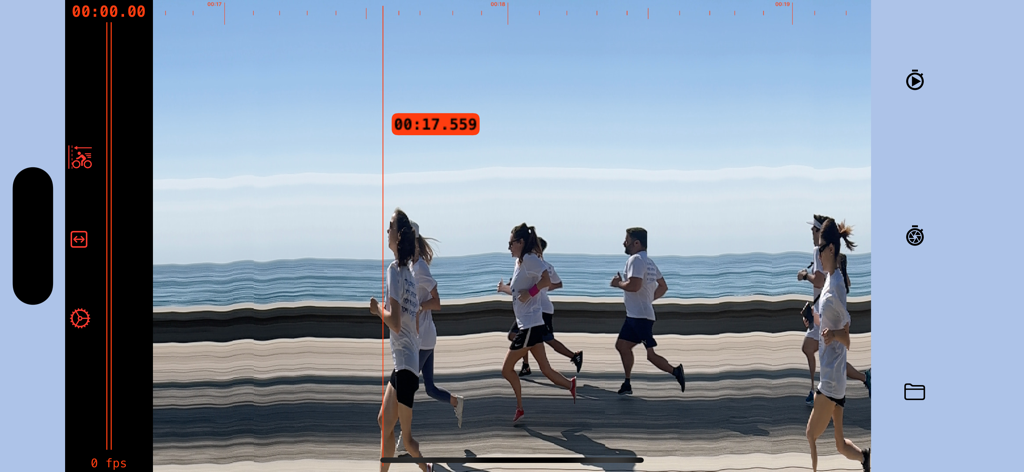
ランナーがゴールラインを通過するデジタルフォトフィニッシュ画面。正確なタイムスタンプは17.559秒。

ランナーがゴールラインを通過するデジタルフォトフィニッシュ画面。正確なタイムスタンプは17.559秒。

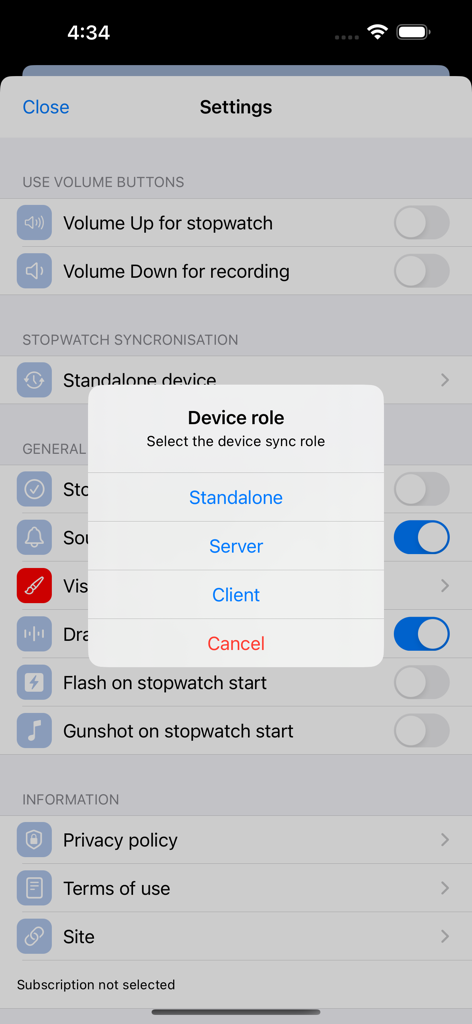
フォトフィニッシュアプリの設定画面にあるデバイスロール選択。

フォトフィニッシュアプリの設定画面にあるデバイスロール選択。

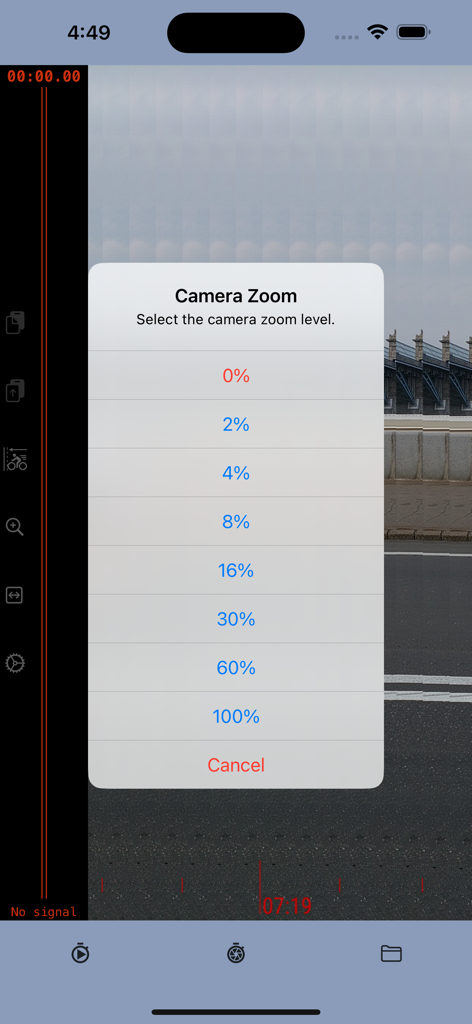
フォトフィニッシュアプリのカメラズームレベル選択メニュー。

フォトフィニッシュアプリのカメラズームレベル選択メニュー。

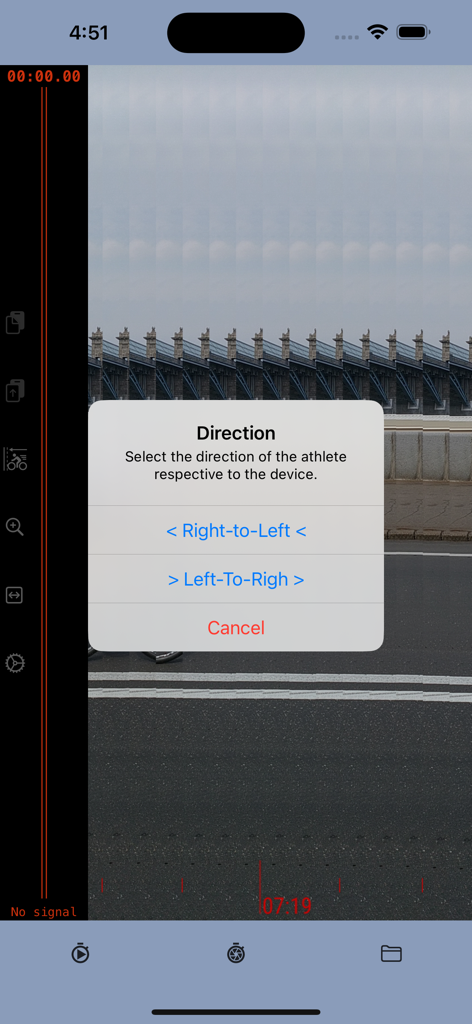
フォトフィニッシュアプリのインターフェース。アスリートの進行方向を右から左または左から右に選択するポップアップメニューを表示。

フォトフィニッシュアプリのインターフェース。アスリートの進行方向を右から左または左から右に選択するポップアップメニューを表示。

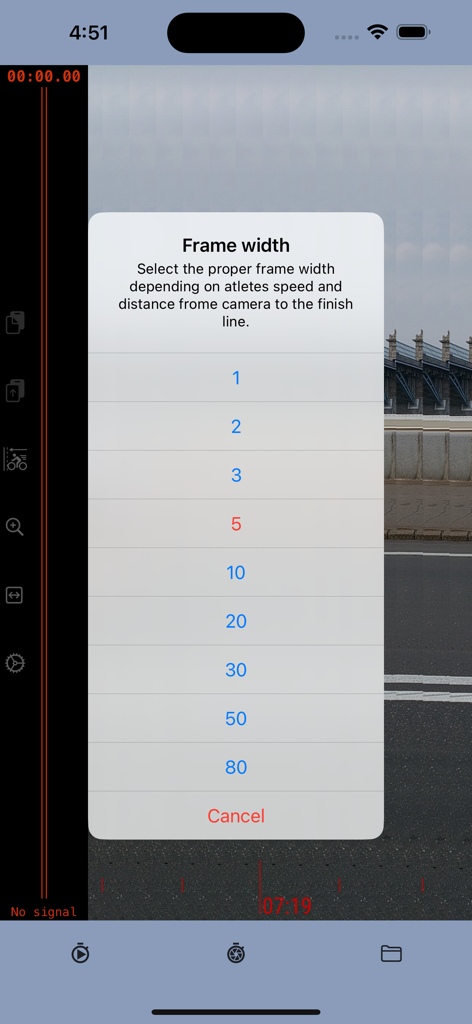
アスリートの速度とカメラの距離に基づいて、フォトフィニッシュアプリでフレーム幅設定を選択するメニュー。

アスリートの速度とカメラの距離に基づいて、フォトフィニッシュアプリでフレーム幅設定を選択するメニュー。

すべてのフィニッシュラインのためのプロレベルの精度

このアプリを際立たせるツール、 2K+ 人のユーザーが選択.

⏱️

0.004秒の精度計時

ミリ秒単位の精度を実現する高速240fpsカメラ技術を活用します。手動ストップウォッチでは決して達成できない正確な結果を得られます。

🏁

議論の余地のない視覚的証拠

フィニッシュラインでの議論を止めましょう。正確に誰がいつ最初に通過したかを明確に示す、時系列のスリット写真を生成します。

📊

プロの結果、DIY予算

高価な計時ハードウェアを、ポケットに入るプロツールに置き換えましょう。高校のトラック競技、サイクリング、アマチュアレースに最適です。

アプリについて

について知っておくべきこと Photo finish app.

説明

The photo-finish technique enables the precise measurement of the finishing time in any race event and provides a detailed image to accurately determine the winner. The photo-finish application enables you to measure finish time with a precision of 0.004 seconds, identify the race winner, and save a picture as evidence of the winner and results. The app captures a sequence of slit photos of the finish line, with each photo frame featuring a timestamp indicating a precise time. When the frame shows the crossing of the finish line, the timestamp of that specific frame serves as the defining finish time. Instructions: 1. Position the camera to capture the finish line within the frame borders. 2. Initiate the stopwatch at the beginning of the race. 3. Commence recording as the winning participant nears the finish line. 4. Cease recording once the athlete has crossed the finish line. 5. Identify the frame capturing the winner crossing the finish line; the timestamp at the cursor line indicates the precise result. Direction: The application employs the slit-photo technique, merging a sequence of frames into a chronological resulting image. The top scale on the resulting image provides an approximate timeline. Depending on the winner's approach to the finish line, it is advisable to combine frames in either "left to right" or "right to left" order. For instance, if the camera is positioned inside the stadium track, the direction should be "right to left"; if outside, then "left to right" would be appropriate. Frame width.  The frame width setting is contingent upon the distance between the camera and the track, as well as the speed of the athlete. If the camera is too close or the winner's speed is high, there's a risk of the winner crossing the frame sector too rapidly, potentially compromising the clarity of the image. Therefore, it is advisable to increase the frame width. However, it's essential to consider that the size of the resulting image is constrained. If the frame width is excessively wide, it may limit the time available to record the winner's result. Striking a balance between frame width and image size is crucial for optimal performance.us it is better to increase the image width. From another point, the size of the resulting image is limited. If the frame is too wide then you will have less time to record the winner result. Precision Note: The estimated measurement precision is approximately 0.004 seconds, with the main determinant being the camera frame rate. The iPhone camera, for instance, supports 240 frames per second (fps), resulting in a precision of 1:240, equivalent to 0.0041 Subscription Guidelines: 1. A complimentary trial period of 14 days is accessible for new users exclusively. The trial period does not automatically renew. 2. Payment will be debited from the iTunes Account upon confirmation of purchase. 3. Subscriptions, excluding the trial, automatically renew unless the auto-renewal feature is disabled at least 24 hours before the ongoing period concludes. 4. The account will incur charges for renewal within 24 hours prior to the termination of the ongoing period, specifying the renewal cost. 5. Users can manage subscriptions, and auto-renewal can be deactivated by navigating to the user's Account Settings post-purchase. 6. During the active subscription period, cancellation of the current subscription is not permitted. 7. Any remaining unused duration of a complimentary trial, if provided, will be forfeited upon the user's subscription purchase for that publication. Please read the: 1. Privacy Policy https://photo-finish.app/contacts/privacy-policy/ 2. Terms of Use https://www.apple.com/legal/internet-services/itunes/dev/stdeula/

最新バージョン

2.52

サイズ

18.5 MB

リリース日

2022年10月13日

真の勝者を決める準備はできましたか?

手動ストップウォッチへの依存をやめ、フィニッシュラインの論争をなくしましょう。14日間の無料トライアルを開始して、0.004秒の精度とプロのスリット写真証拠をポケットに入れましょう。

ダウンロード: App Store

App information, icons, screenshots, and descriptions displayed on this page are sourced from the Apple App Store and are the property of their respective developers. Download estimates and rankings are based on MWM's proprietary models and may not reflect actual figures. This page is provided for informational and analytical purposes only.

Believe this page infringes your intellectual property? File a dispute