Plannera Restaurant Bookings

Plannera Restaurant Bookings


ダウンロード: App Store
ロゴ: Plannera Restaurant Bookings

Planneraレストラン予約:あなたの完璧なテーブルのための即時予約

スマートメインボードでダイニング体験を完全にコントロールしましょう。リアルタイムの空き状況を閲覧し、お気に入りの席を選び、家族、アクセシビリティ、食事制限などの特別なタグで訪問をカスタマイズできます。すべて数回のタップで完了します。

ダウンロード: App Store

開発元

FUGA BAR LTD

カテゴリ

Food & Drink

ダウンロード

300

ユーザー評価

1.0/5

評価数

0

対応言語

1

あなたのテーブルを視覚化

このインターフェースを利用する 300 人のユーザー.

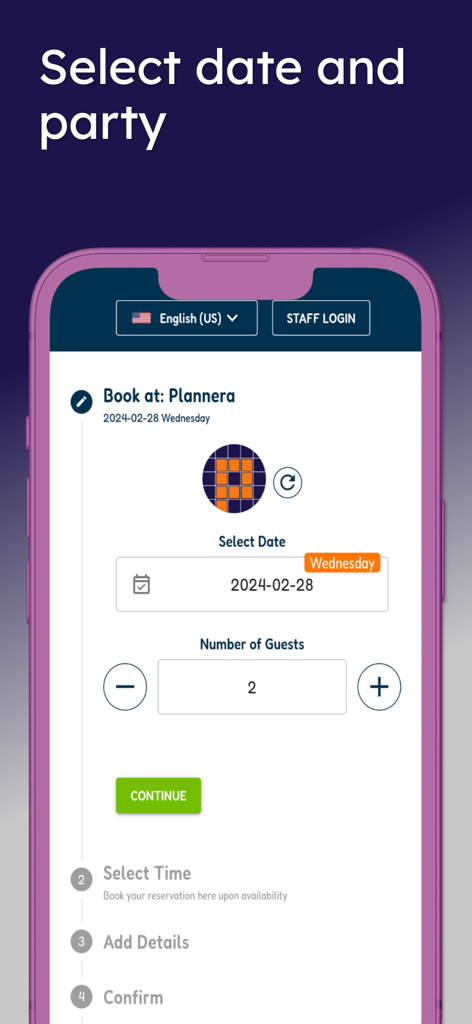
Planneraアプリの予約日とゲスト数を選択する画面

Planneraアプリの予約日とゲスト数を選択する画面

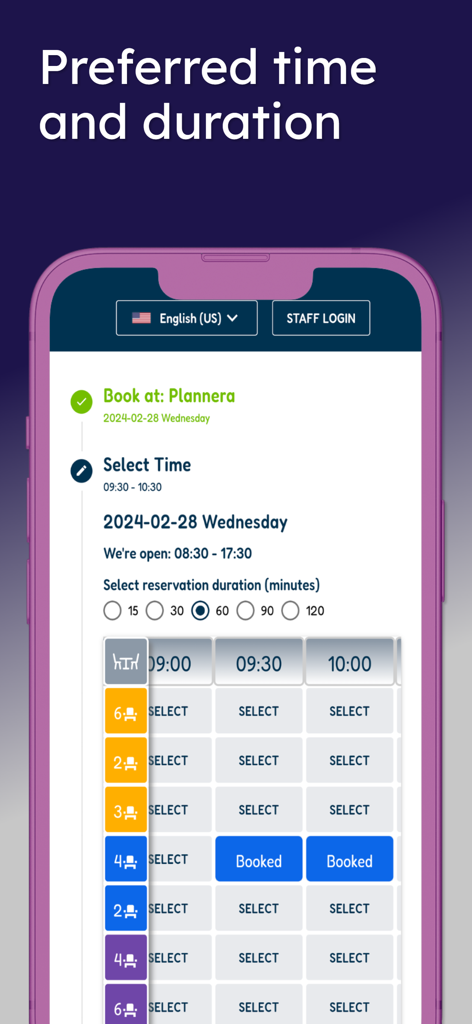
Planneraアプリの画面、テーブルの空き状況と予約時間の選択を表示

Planneraアプリの画面、テーブルの空き状況と予約時間の選択を表示

Planneraアプリの画面、「レストラン予約が簡単」というテキストとワイングラスとダイニングテーブルのアイコンが表示

Planneraアプリの画面、「レストラン予約が簡単」というテキストとワイングラスとダイニングテーブルのアイコンが表示

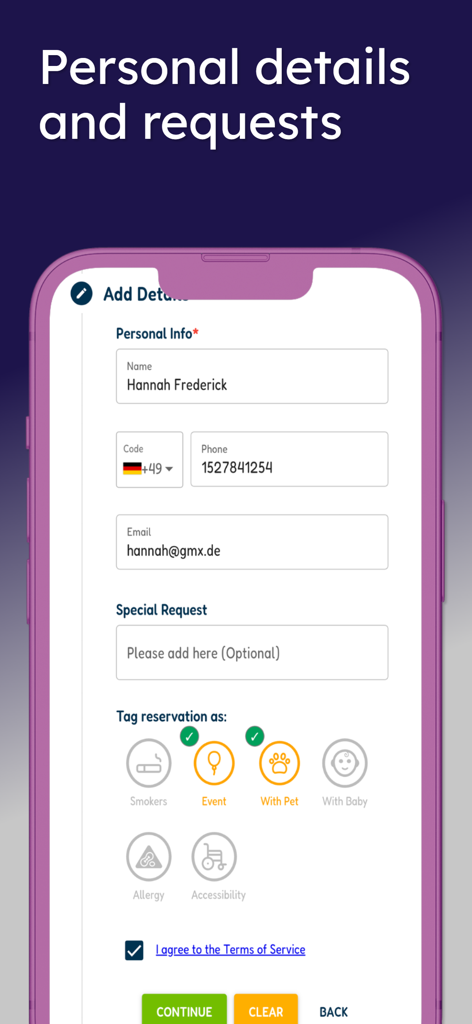
Planneraアプリの画面、個人情報とペットやイベントなどの特別なリクエストタグのフィールドがある予約フォームを表示

Planneraアプリの画面、個人情報とペットやイベントなどの特別なリクエストタグのフィールドがある予約フォームを表示

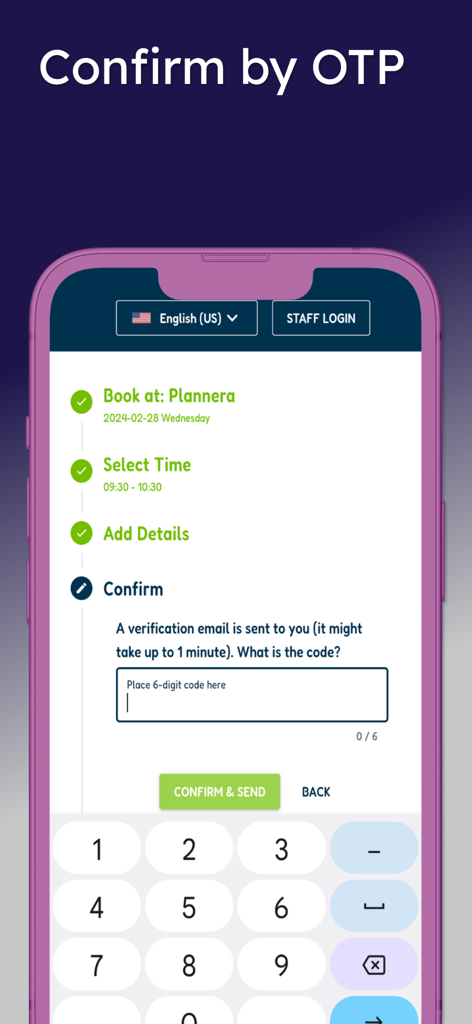
Planneraでのレストラン予約のためのOTP検証プロセスを示すモバイルアプリ画面

Planneraでのレストラン予約のためのOTP検証プロセスを示すモバイルアプリ画面

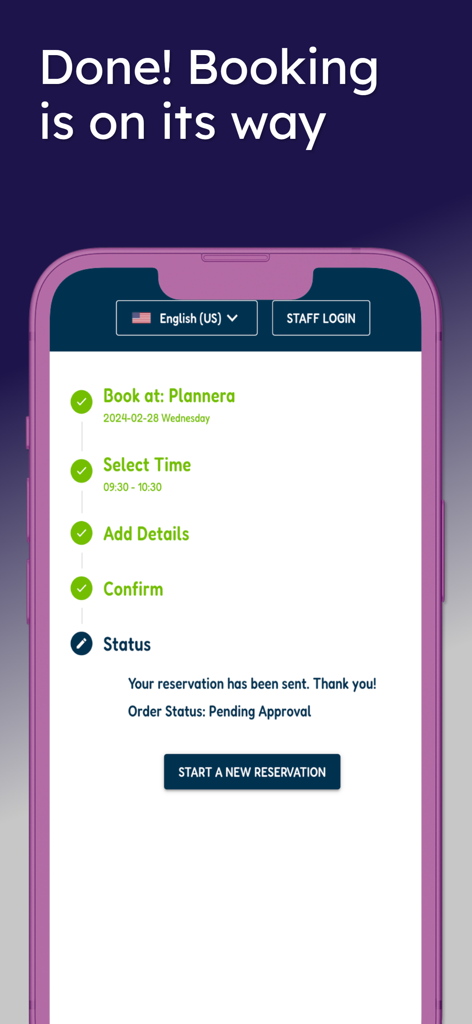
保留中の承認ステータスと完了した予約ステップのチェックリストが表示される、Planneraアプリからの予約確認のモバイル画面

保留中の承認ステータスと完了した予約ステップのチェックリストが表示される、Planneraアプリからの予約確認のモバイル画面

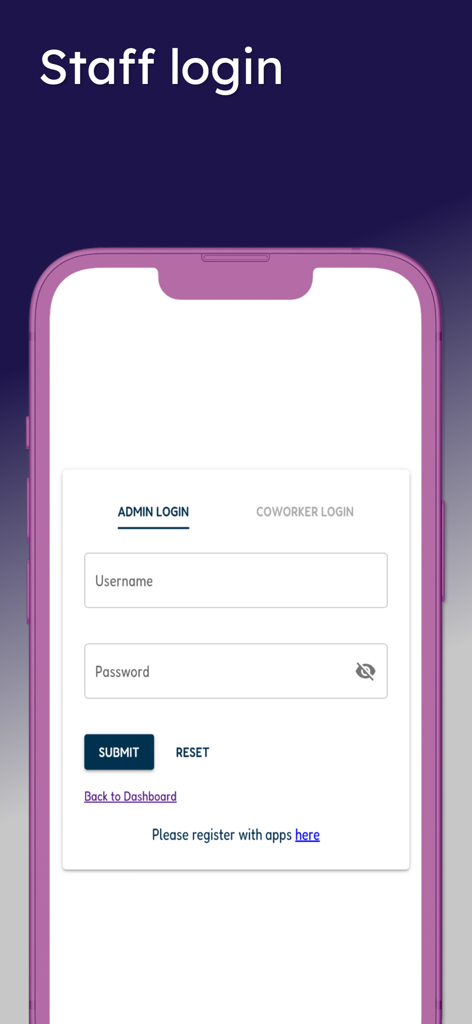
管理者と同僚のログインオプションを備えたPlanneraスタッフログイン画面

管理者と同僚のログインオプションを備えたPlanneraスタッフログイン画面

ダイニングプランをコントロールする

このアプリを際立たせるツール、 300 人のユーザーが選択.

🖼️

視覚的なテーブル発見

スマートメインボードを閲覧して、リアルタイムで利用可能なテーブルを正確に確認してください。グループのサイズと希望の時間に合った完璧な場所を選びましょう。

👨‍👩‍👧‍👦

パーソナライズされた対応

ベビーチェア、アクセシビリティのニーズ、または食事制限のアラートをワンタップでリクエストできます。あなたの特定の好みがレストランスタッフに即座に同期されます。

📱

ワンタップで安全な予約

クイックコードで本人確認を行い、予約を即座に確定します。仲介者も不確実性もありません。テーブルへの直接の席だけです。

アプリについて

について知っておくべきこと Plannera Restaurant Bookings.

説明

Plannera enables clients to set self-bookings and reservations for their favorite registered restaurant, subject to availability, with this app! Here's how to get started: - Search and select your favorite business (if not auto-redirected). - Specify the desired date and number of guests. - The smart mainboard will display all available possibilities for any time and table, depending on your guests' number. - To make your booking, click "SELECT" on the appropriate cell, which will then change to "BOOKED" - and it's all yours! - Continue by filling in your details, requesting special needs, or tagging a relevant icon (Smokers, Baby chair, Allergy, Accessibility, etc.). - Enter a valid email, which will be code-verified (OTP), before proceeding to the final booking step. - Once verified, confirm your reservation, and you're set! Your booking is instantly updated on the restaurant's Table Planner mainboard. Please note that some businesses may want to double-check it with you by sending a confirmation message via SMS, WhatsApp, or email. Staff member? Log in to the top bar with the same app credentials to enjoy a mobile version of the front desk dashboard. Enjoy your booking! == About Plannera == Plannera specializes in reservation and appointment planners, focusing on collaborative teamwork and shared access. Available on multiple platforms, this includes Admin and Coworkers native apps for mobile devices and Client Online and Walk-In Reservations Dashboards for web and mobile devices. Visit the plannera.app to learn more.

最新バージョン

20251029

サイズ

8.9 MB

リリース日

2023年10月16日

完璧なテーブルを確保する準備はできましたか?

次の食事を偶然に任せないでください。今すぐPlanneraをダウンロードして、あなたの席を確保し、あなたのニーズを指定し、完全な透明性でダイニングを体験してください。

ダウンロード: App Store

App information, icons, screenshots, and descriptions displayed on this page are sourced from the Apple App Store and are the property of their respective developers. Download estimates and rankings are based on MWM's proprietary models and may not reflect actual figures. This page is provided for informational and analytical purposes only.

Believe this page infringes your intellectual property? File a dispute