QR Code Reader: Code Scanner

QR Code Reader: Code Scanner

ダウンロード: App Store
ロゴ: QR Code Reader: Code Scanner

QRコードリーダー:コードスキャナー - スキャン&作成のための究極のツール

バーコードを簡単にスキャンし、カスタムQRコードを生成し、デジタルライフを整理しましょう。生産性とスマートショッピングのための最速のオールインワンソリューション。

開発元

Tech Nest IT Services

カテゴリ

Utilities

ダウンロード

48K+

ユーザー評価

3.3/5

評価数

0

対応言語

1

効率を一目で確認

このインターフェースを利用する 48K+ 人のユーザー.

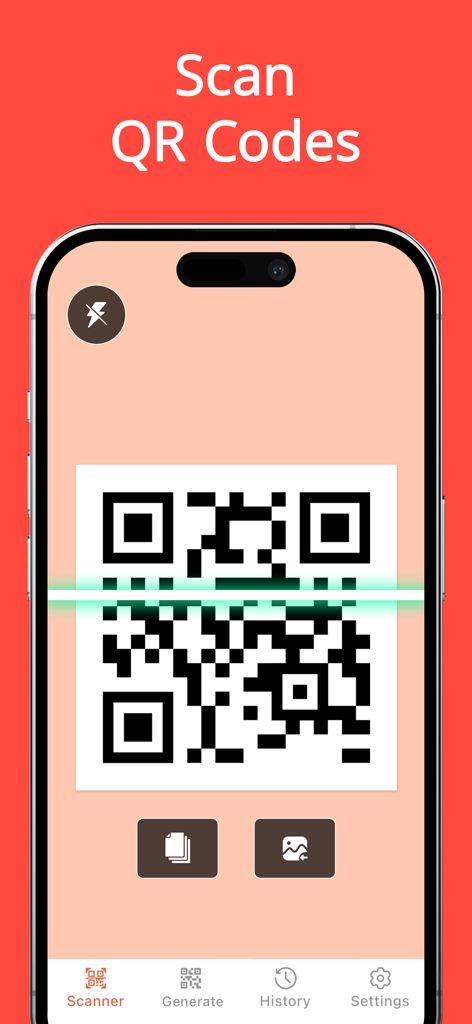
QRコードスキャンインターフェースが表示されたiPhone画面、コードの上に緑色のスキャンラインが表示されています

QRコードスキャンインターフェースが表示されたiPhone画面、コードの上に緑色のスキャンラインが表示されています

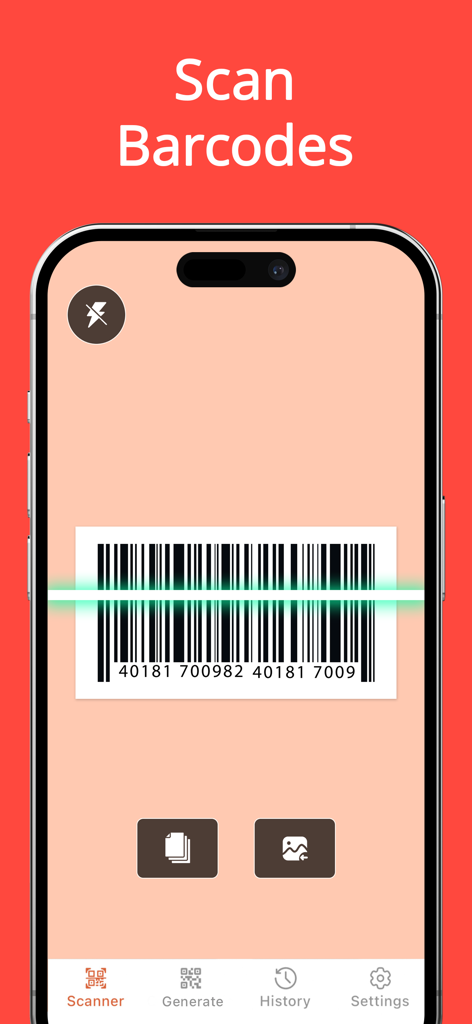
iPhoneでバーコードをスキャンしているQRコードリーダーアプリのインターフェース

iPhoneでバーコードをスキャンしているQRコードリーダーアプリのインターフェース

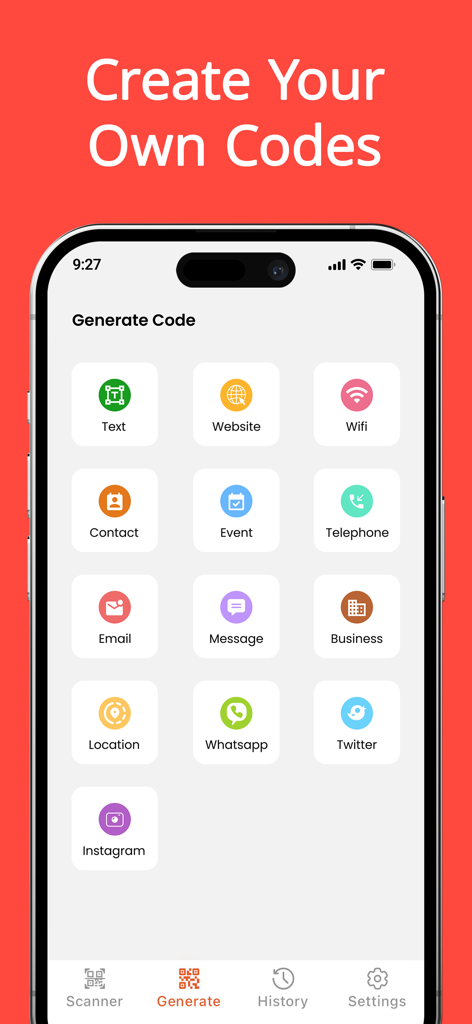
Wi-Fi、ウェブサイト、ソーシャルメディア向けのカスタムQRコード作成オプションが表示されたモバイルアプリのインターフェース

Wi-Fi、ウェブサイト、ソーシャルメディア向けのカスタムQRコード作成オプションが表示されたモバイルアプリのインターフェース

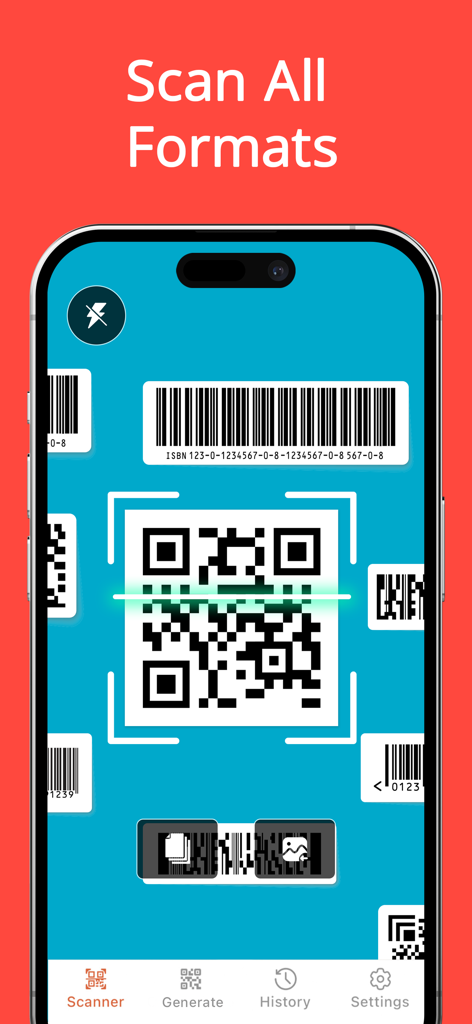
QRコードリーダーアプリのiPhoneインターフェース、さまざまなQRおよびバーコード形式のスキャンを表示

QRコードリーダーアプリのiPhoneインターフェース、さまざまなQRおよびバーコード形式のスキャンを表示

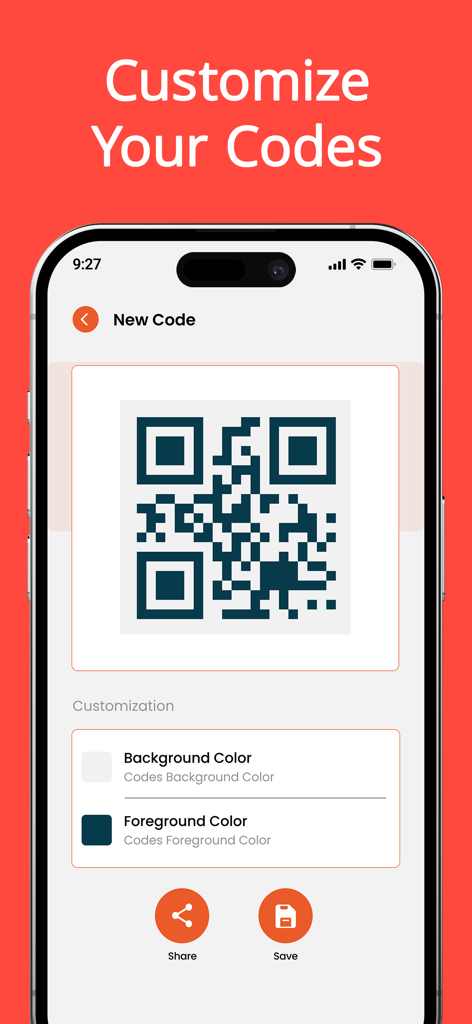
背景色と前景色をカスタマイズするオプションが表示されたQRコードジェネレーターを表示するスマートフォンの画面

背景色と前景色をカスタマイズするオプションが表示されたQRコードジェネレーターを表示するスマートフォンの画面

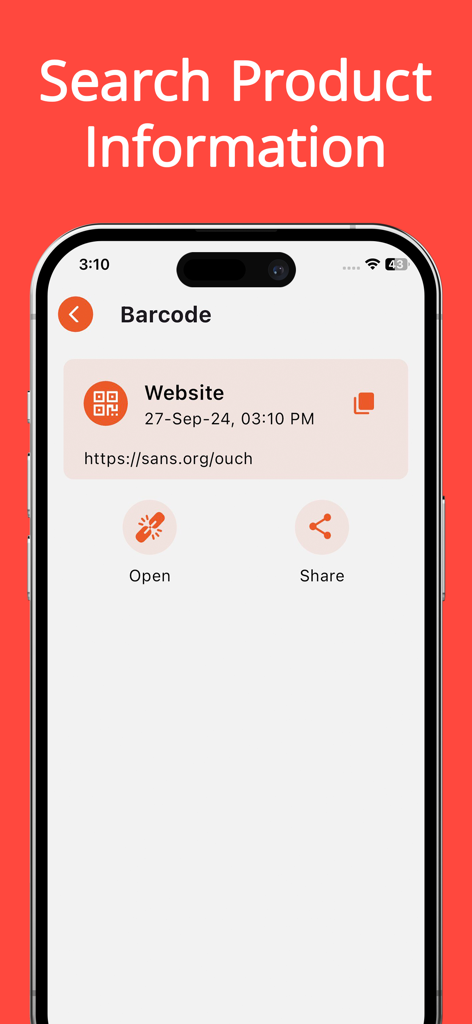
ウェブサイトリンクや開く/共有オプションを含む、スキャンされたバーコードの結果を表示するiPhone画面

ウェブサイトリンクや開く/共有オプションを含む、スキャンされたバーコードの結果を表示するiPhone画面

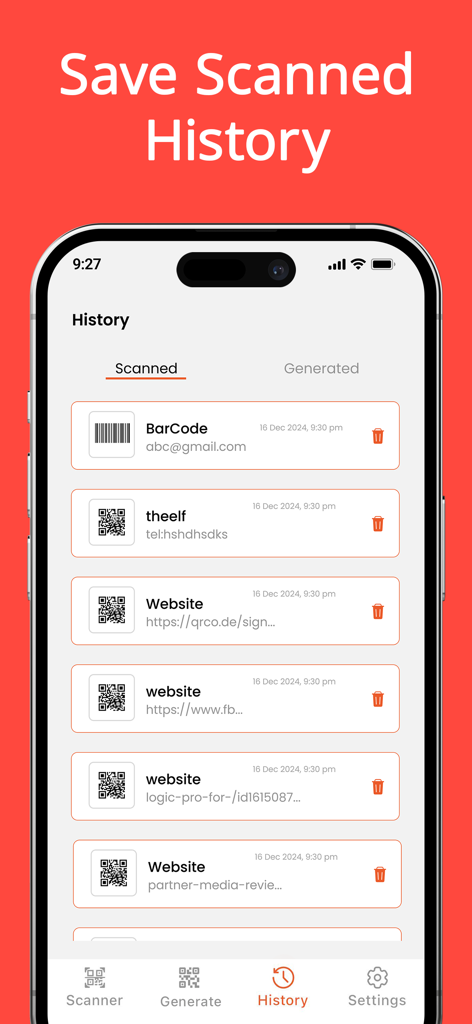
アプリの履歴セクションにあるスキャンされたQRコードとバーコードのリスト

アプリの履歴セクションにあるスキャンされたQRコードとバーコードのリスト

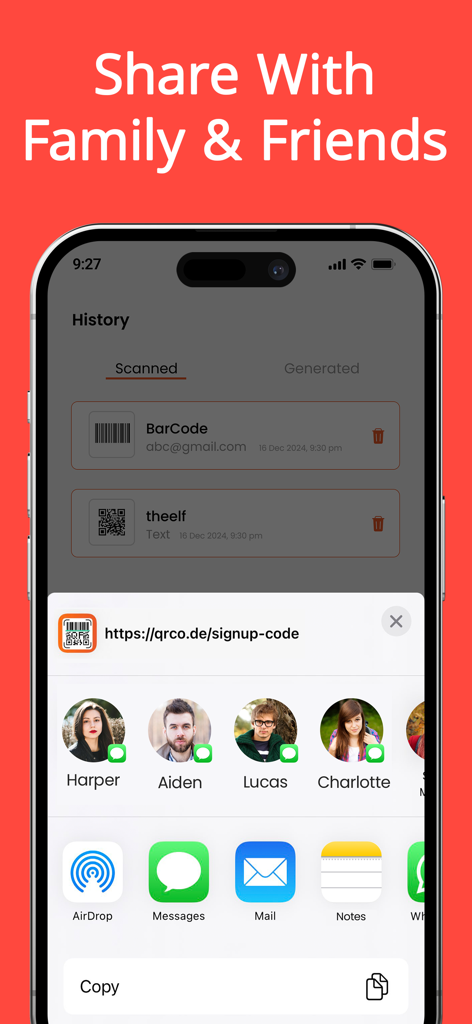
スキャンされた履歴と、友人や家族とリンクを共有するオプションが表示されたQRコードスキャナーアプリのインターフェース

スキャンされた履歴と、友人や家族とリンクを共有するオプションが表示されたQRコードスキャナーアプリのインターフェース

スキャンと作成のためのよりスマートな方法

このアプリを際立たせるツール、 48K+ 人のユーザーが選択.

超高速精度

あらゆるQRまたはバーコード形式のインスタント検出を体験してください。遅延なく、製品情報、割引、Wi-Fiネットワークに即座にアクセスできます。

🎨

カスタムコードジェネレーター

ビジネスやソーシャルメディア用にパーソナライズされたQRコードをデザインします。ブランドに合わせて色と背景をカスタマイズし、プロフェッショナルな外観にします。

📂

整理されたスキャン履歴

重要なリンクを失うのはやめましょう。スキャンをカスタムフォルダに保存し、デジタルメニューから保証まで、あらゆるものの検索可能な履歴を保持します。

アプリについて

について知っておくべきこと QR Code Reader: Code Scanner.

説明

QR Code Reader: Code Scanner is the fastest QR code reader and barcode scanner App. Quickly and efficiently scan any QR code or barcode with QR Code Reader: Code Scanner, your go-to QR scanner. . Its powerful QR code generator is designed to streamline both scanning and generating QR codes and barcodes. Whether you need to access information, share data, or create custom codes, our Barcode Scanner app provides unparalleled performance and versatility. Our app features a powerful QR Reader, enabling you to instantly scan and access links. QR Code Reader: Code Scanner, The Ultimate QR code reader & Barcode Scanner for free. Free Features: • Effortless Scanning: o With an advance Barcode reader, experience the fastest and most straight forward way to scan any QR code or barcode. The QR scanner ensures instant and accurate results, making it an essential tool for quick data retrieval. o Utilize the code scanner app’s user-friendly interface to scan QR codes and barcodes effortlessly, using your camera, media library, or by manually entering code serial numbers. The intuitive design of Barcode Scanner simplifies the scanning process. • Create Custom Codes: o Generate personalized QR codes with our QR code generator, perfect for Wi-Fi access, email addresses, URLs, phone numbers, messages, and more. The QR code maker feature allows you to design and create custom codes tailored to your specific needs in seconds. o Enhance your personal or business communications by crafting unique codes using our QR code generator & QR Reader feature. • Access Comprehensive Information: o One of the standout features of our app is the built-in QR scanner, making it easy for users to scan and access information instantly. Code scanner allows you to retrieve detailed information from any scanned code, including discounts, pricing history, phone numbers, login credentials, payment details, and product links by using barcode reader feature of our app. • Organize and Manage: o QR scanner allows you to save and organize all your scanned codes using the app’s easy-to-use folders. • Wide Format Support: o QR Code Reader: Code Scanner supports numerous types of QR codes and barcodes, such as EQS, QRCode, Data Matrix, EAN 8, and more. As a versatile QR code generator, it accommodates various code formats seamlessly. Pro Features: • Custom Code Styling: o Personalize your QR codes with various colors and backgrounds using our advanced QR code generator. o The QR code maker feature allows you to create codes for different social media platforms. • Unlimited Functionality: o Enjoy unlimited exports of QR codes and barcodes with the barcode generator. Create an unlimited number of folders and perform fast batch scanning to process multiple codes simultaneously with our advanced Barcode Scanner features. • Ad-Free Experience: o Upgrade to the Pro version of barcode generator for a completely ad-free experience Subscription Details: • Free Download: Start using QR Code Reader: Code Scanner to access all the essential features at no cost. • Upgrade to Premium: Unlock full access to Code Scanner Pro features with a subscription. For app support, please contact us at: Terms of Use: https://sites.google.com/view/technestitservices/qr-code-scanner-for-iphone/terms-of-use Privacy Policy: https://sites.google.com/view/technestitservices/qr-code-scanner-for-iphone/privacy-policy Download QR Code Reader: Code Scanner and discover the best in QR code scanning!

最新バージョン

1.1.0

サイズ

41.1 MB

リリース日

2024年10月1日

プロのようにスキャン、作成、整理する準備はできましたか?

究極のQR&バーコードツールキットで日常業務を簡素化している48,000人以上のユーザーに加わりましょう。今すぐダウンロードして、カスタムコードを生成し、履歴を保存し、数秒で最良の取引を見つけましょう。

ダウンロード: App Store
FAQ

よくある質問

について知っておくべきこと QR Code Reader: Code Scanner

QR Code Reader: Code Scannerとは何ですか?

QR Code Reader: Code Scannerは、強力なQRコードジェネレーターも備えた、高速なQRコードリーダーおよびバーコードスキャナーアプリです。さまざまなコードのスキャン、生成、管理を可能にします。

QR Code Reader: Code ScannerはQRコードとバーコードの両方をスキャンできますか?

はい、QR Code Reader: Code ScannerはQRコードとバーコードの両方をスキャンします。EQS、QRCode、Data Matrix、EAN 8など、さまざまな形式をサポートしています。

QR Code Reader: Code Scannerは無料で使用できますか?

はい、QR Code Reader: Code Scannerは無料でダウンロードでき、基本的な機能は無料で提供されます。プレミアム機能はサブスクリプションで利用できます。

QR Code Reader: Code Scannerでどのようなカスタムコードを生成できますか?

ユーザーは、Wi-Fi、メール、URL、電話番号、メッセージ、連絡先、イベント、ビジネス、WhatsApp、Twitter、Instagramなどのソーシャルメディアプラットフォーム用のカスタムQRコードを生成できます。

QR Code Reader: Code Scannerは広告なしのエクスペリエンスを提供しますか?

はい、QR Code Reader: Code Scannerは、サブスクリプションでProバージョンにアップグレードしたユーザーに広告なしのエクスペリエンスを提供します。

QR Code Reader: Code Scannerはスキャンしたコードを保存できますか?

はい、QR Code Reader: Code Scannerでは、アプリのフォルダを使用してスキャンしたすべてのコードを保存および整理し、履歴セクションで表示できます。

QR Code Reader: Code Scannerはどのようにコードをスキャンできますか?

QR Code Reader: Code Scannerは、デバイスのカメラ、メディアライブラリを使用してスキャンするか、コードのシリアル番号を手動で入力することでスキャンできます。

QR Code Reader: Code Scannerでコードをスキャンすると、どのような情報にアクセスできますか?

コードをスキャンすることで、ユーザーは割引、価格履歴、電話番号、ログイン資格情報、支払い詳細、製品リンクなどの情報にアクセスできます。

QR Code Reader: Code Scannerで生成されたQRコードの外観をカスタマイズできますか?

はい、QR Code Reader: Code ScannerのProバージョンでは、さまざまな色と背景でQRコードをパーソナライズして、ユニークなデザインを作成できます。

QR Code Reader: Code Scannerはバッチスキャンをサポートしていますか?

はい、QR Code Reader: Code ScannerのProバージョンは、高速バッチスキャンをサポートしており、複数のコードを同時に処理して生産性を向上させます。

App information, icons, screenshots, and descriptions displayed on this page are sourced from the Apple App Store and are the property of their respective developers. Download estimates and rankings are based on MWM's proprietary models and may not reflect actual figures. This page is provided for informational and analytical purposes only.

Believe this page infringes your intellectual property? File a dispute