Receipt Scanner・Track Expenses

Receipt Scanner・Track Expenses


ダウンロード: App Storeダウンロード: Google Play
ロゴ: Receipt Scanner・Track Expenses
レシート スキャナー・経費管理:現代のソロプレナーのための簡単な簿記

手作業でのデータ入力をやめ、時間を奪い返しましょう。スマートOCR技術を使用して、紙のレシートをプロフェッショナルな経費レポートに変え、外出先でも税務申告の準備をしましょう。

開発元

Saldo Apps Inc.

カテゴリ

Finance

ダウンロード

82K+

ユーザー評価

4.6/5

評価数

4K+

対応言語

1

ペーパーレスの容易さを体験する

このインターフェースを利用する 82K+ 人のユーザー.

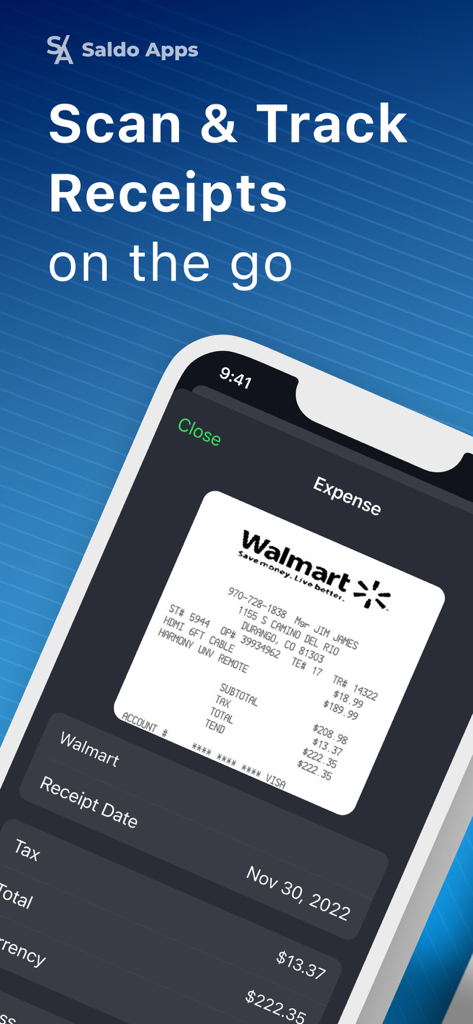
レシート スキャナー アプリの画面で、Walmartのレシートをスキャンしてビジネス経費を追跡しています

レシート スキャナー アプリの画面で、Walmartのレシートをスキャンしてビジネス経費を追跡しています

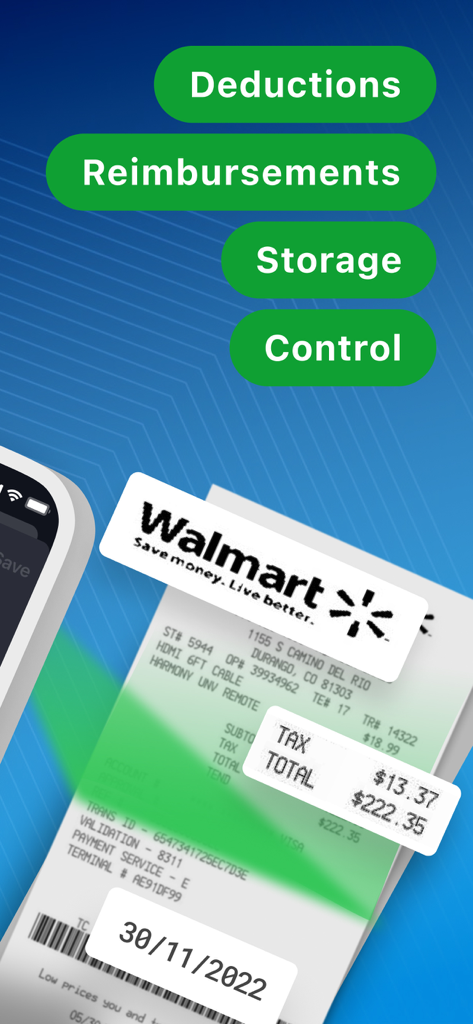
レシート スキャナー アプリのインターフェイスには、税金控除と払い戻しのためにレシートデータが自動抽出されている様子が表示されます

レシート スキャナー アプリのインターフェイスには、税金控除と払い戻しのためにレシートデータが自動抽出されている様子が表示されます

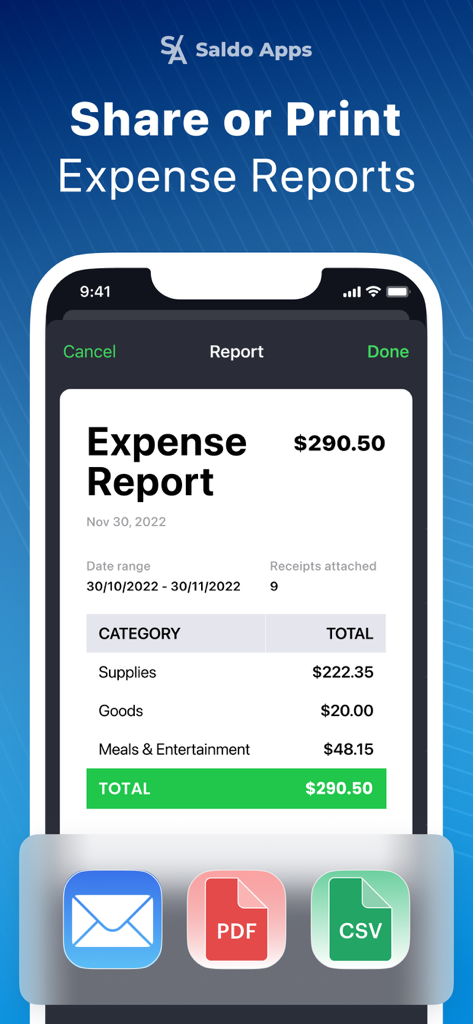
経費レポートのモバイルインターフェイスで、PDF、CSVとしてエクスポートしたり、メールで送信したりするオプションが表示されています

経費レポートのモバイルインターフェイスで、PDF、CSVとしてエクスポートしたり、メールで送信したりするオプションが表示されています

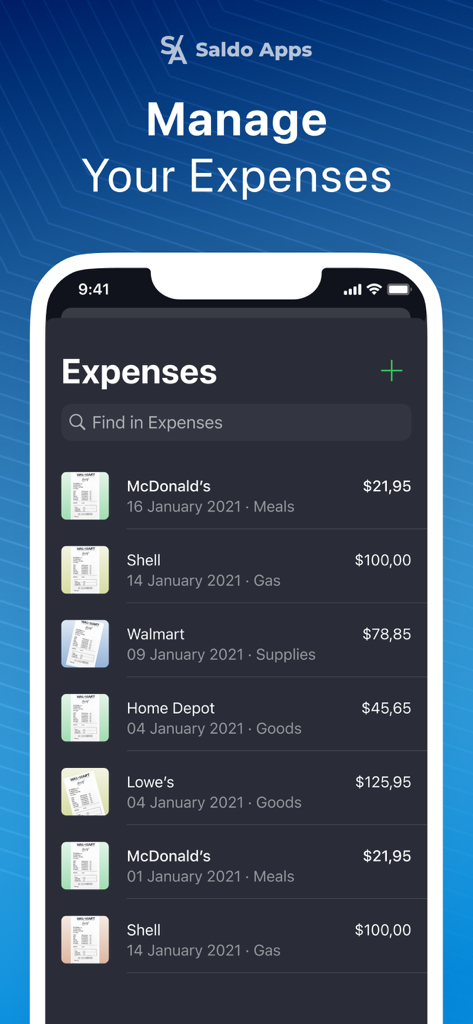
レシート スキャナー アプリの画面に、店舗名と金額が表示された追跡中のビジネス経費のリストが表示されます

レシート スキャナー アプリの画面に、店舗名と金額が表示された追跡中のビジネス経費のリストが表示されます

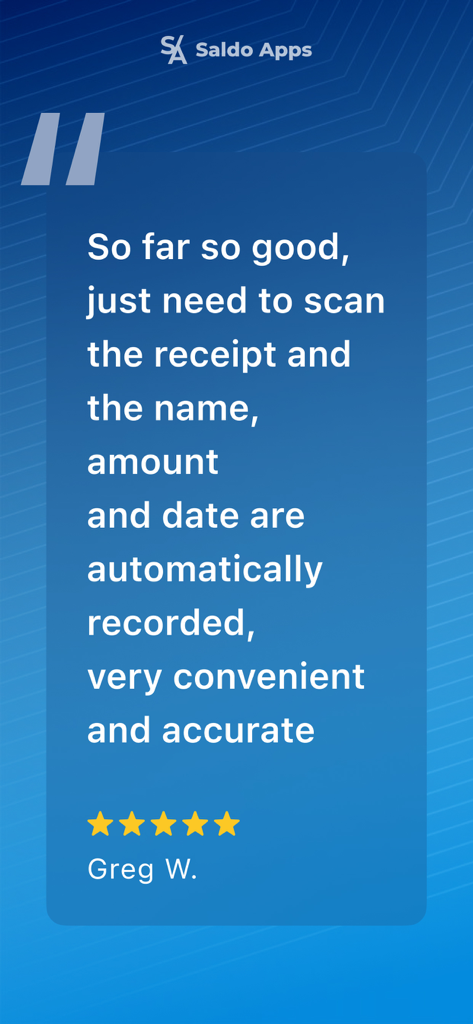
Greg Wによるレシート スキャナー アプリの5つ星レビューで、正確な自動経費追跡を強調しています

Greg Wによるレシート スキャナー アプリの5つ星レビューで、正確な自動経費追跡を強調しています

ビジネスの財務をマスターする

このアプリを際立たせるツール、 82K+ 人のユーザーが選択.

インスタントAIスキャン

写真を撮るだけで、高度なOCR技術が店舗名、日付、合計金額を正確に抽出し、数時間の手作業入力を節約します。

⚖️

税務申告に対応した整理

経費を簡単に分類し、レシートのデジタルコピーを安全に保管して、控除を最大化し、IRSへの完全な準拠を確保します。

📄

プロフェッショナルPDFレポート

その場で洗練された経費レポートを作成し、会計士やクライアントと共有して、迅速な払い戻しとストレスフリーな簿記を実現します。

レビュー分析

ユーザーレビューの分析.

感情スコア

25%
ネガティブ

概要

This receipt scanning app is largely met with negative feedback, primarily due to its high and often non-transparent subscription pricing, which many users deem predatory. Critical issues such as frequent app crashes, freezing, and significant data loss for scanned receipts are recurring complaints, severely impacting reliability. While some users find the initial scanning process easy, this positive aspect is undermined by a lack of essential reporting, categorization, and reliable export features, compounded by unresponsive customer support and denied refund requests. The app's scanning quality also receives criticism for not accurately recognizing information.

主なテーマ

Pricing(23)
Reliability and Bugs(16)
Reporting and Export Features(13)
Data Loss(7)
Customer Support(7)
Ease of Use(5)
Scanning Quality(3)

アプリについて

について知っておくべきこと Receipt Scanner・Track Expenses.

説明

Scan receipts and create expense reports to track your business and personal accounting. Our receipt scanner app uses OCR technology for smart receipts scanning to increase the speed and accuracy of your financial recordings. Key features: • Automatic receipt scanning • Snap a photo of any receipt or load it from your mobile phone and receipt tracker generates expense item. • All details are captured automatically, including merchant's name, date and total amount. Manual detail adding: • Pick a category for expense or create a new category. • Add and edit notes. • Take a quick photo or add a picture of business tax receipt to certify expense. Report generation: • Make business related or personal budget report based on the logged expenses. • Email, share online or print PDF reports. • Automatic currency conversion for travel expense management. Other features: • Add expenses manually. • Work with any currency. • Enjoy light and dark themes. More features are coming soon for your small business accounting and personal bookkeeping purposes. Whether you are self employed or business owner, expense manager helps you ride the wave. Reciept organizer is your free business expense tracker and report keeper. Get started with a free plan, then upgrade to Pro account for unlimited expense tracking and report creating. For support, email us support@saldoapps.com Terms of use: https://saldoapps.com/saldo-apps-terms-of-use Privacy policy: https://saldoapps.com/saldo-apps-privacy-policy by S/A Saldo Apps

最新バージョン

6.0.1

サイズ

192.8 MB

リリース日

2021年2月13日

税金控除を最大化する準備はできましたか?

82,000人以上のソロプレナーや専門家が、靴箱を捨て、スマートで監査に強い経費管理を取り入れています。今すぐダウンロードして、最初のレシートを無料でスキャンしましょう。

ダウンロード: App Storeダウンロード: Google Play

App information, icons, screenshots, and descriptions displayed on this page are sourced from the Apple App Store and are the property of their respective developers. Download estimates and rankings are based on MWM's proprietary models and may not reflect actual figures. This page is provided for informational and analytical purposes only.

Believe this page infringes your intellectual property? File a dispute