Recording App - Rec-all

Recording App - Rec-all


ダウンロード: App Store
ロゴ: Recording App - Rec-all

録音アプリ - Rec-all:iPhone向けのプロ仕様通話レコーダー&文字起こし

ビジネス通話、インタビュー、口頭での合意内容を細部まで安全に記録。無制限の録音、即時の文字起こし、簡単な共有機能により、プロフェッショナルな活動を整理し、信頼性を高めます。

開発元

Appsverse Inc.

カテゴリ

Business

ダウンロード

2M+

ユーザー評価

3.7/5

評価数

2K+

対応言語

1

プロ仕様の精度を一目で確認

このインターフェースを利用する 2M+ 人のユーザー.

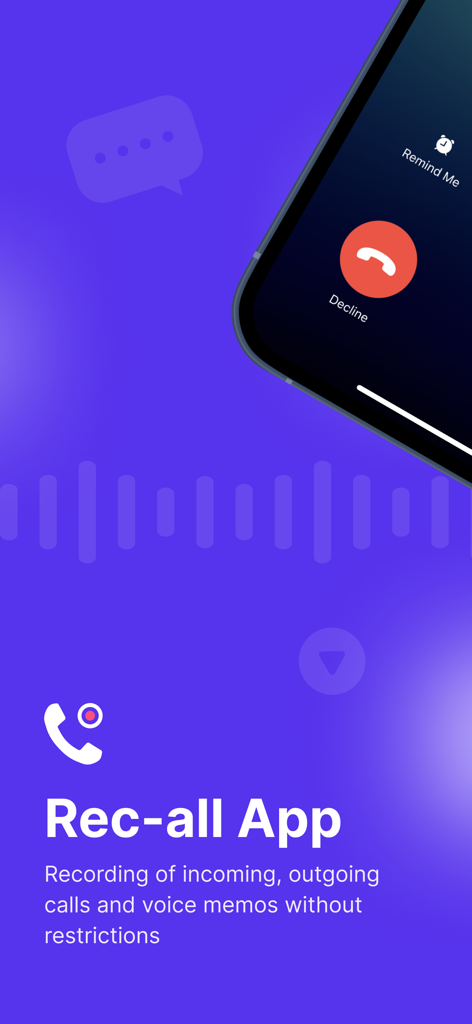
iPhone上の着信録音とボイスメモ機能を表示するRec-allアプリのインターフェース

iPhone上の着信録音とボイスメモ機能を表示するRec-allアプリのインターフェース

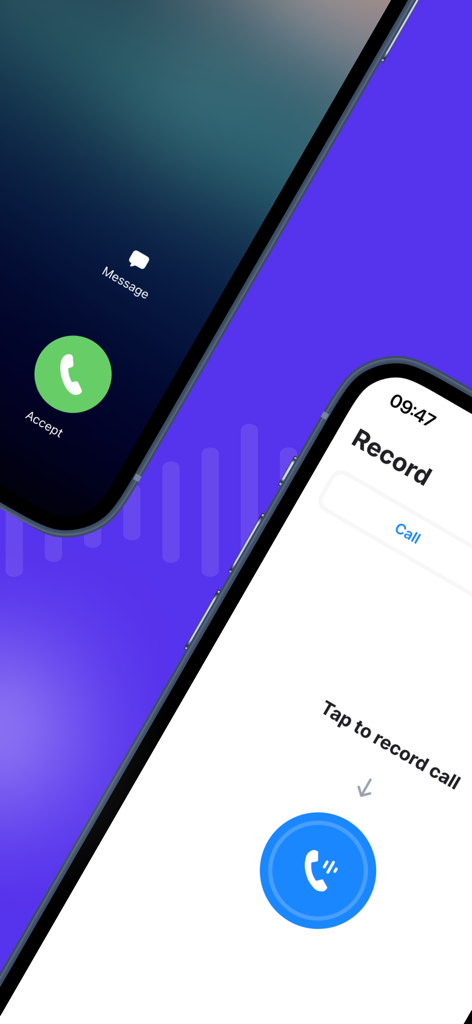
着信インターフェースと、大きな青いボタンがあるRec-allアプリの録音画面を表示する2つのiPhone画面

着信インターフェースと、大きな青いボタンがあるRec-allアプリの録音画面を表示する2つのiPhone画面

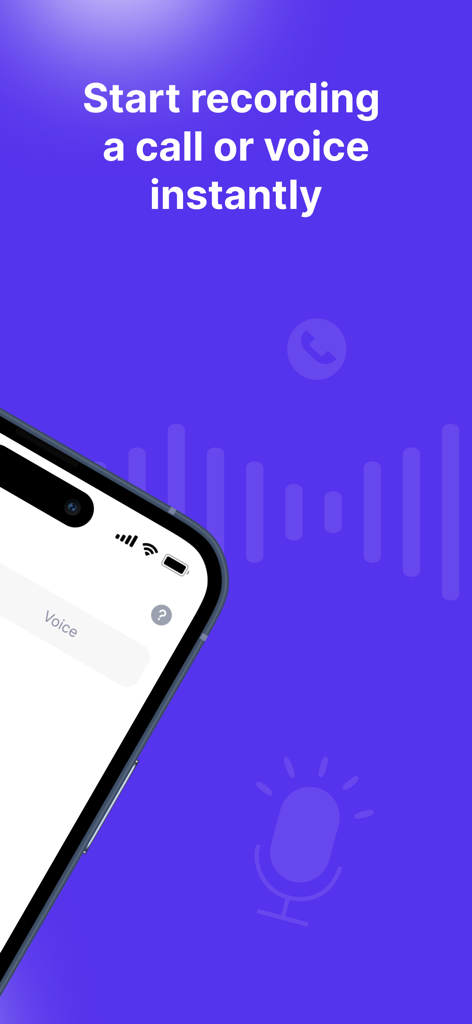
「通話や音声を即座に録音開始」というテキストが表示されたRec-allアプリの紫色の画面と、音声録音インターフェースを表示するiPhoneの部分的なビュー

「通話や音声を即座に録音開始」というテキストが表示されたRec-allアプリの紫色の画面と、音声録音インターフェースを表示するiPhoneの部分的なビュー

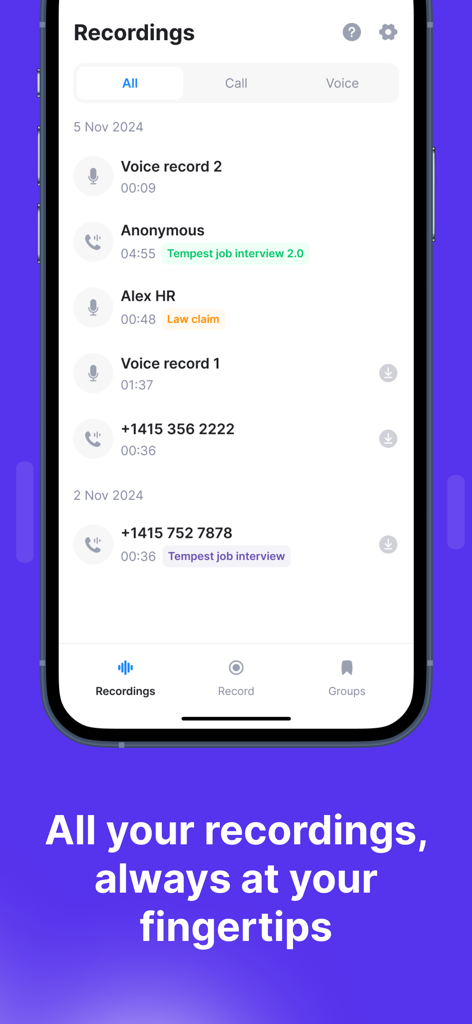
Rec-allアプリ内の整理された通話録音と音声録音の時系列リストを表示するスマートフォンの画面

Rec-allアプリ内の整理された通話録音と音声録音の時系列リストを表示するスマートフォンの画面

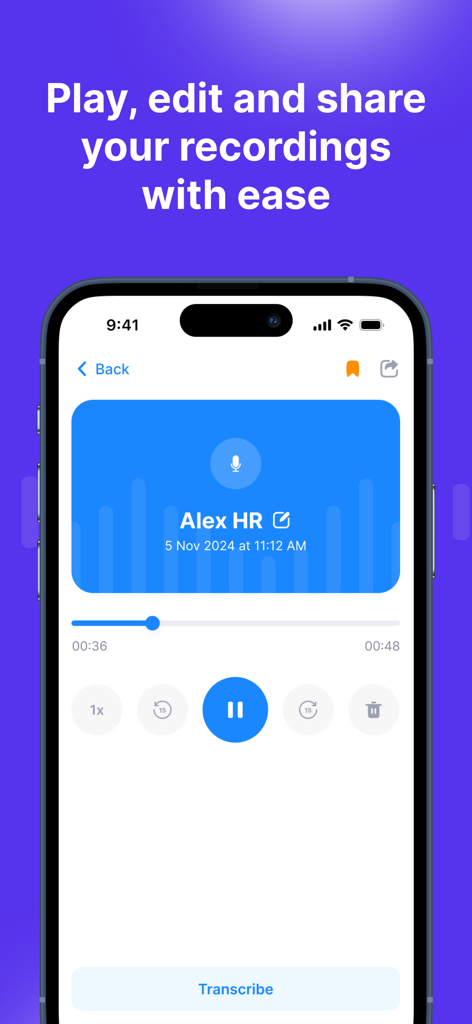
録音された通話の再生コントロールと文字起こしボタンを表示するRec-allアプリのインターフェース

録音された通話の再生コントロールと文字起こしボタンを表示するRec-allアプリのインターフェース

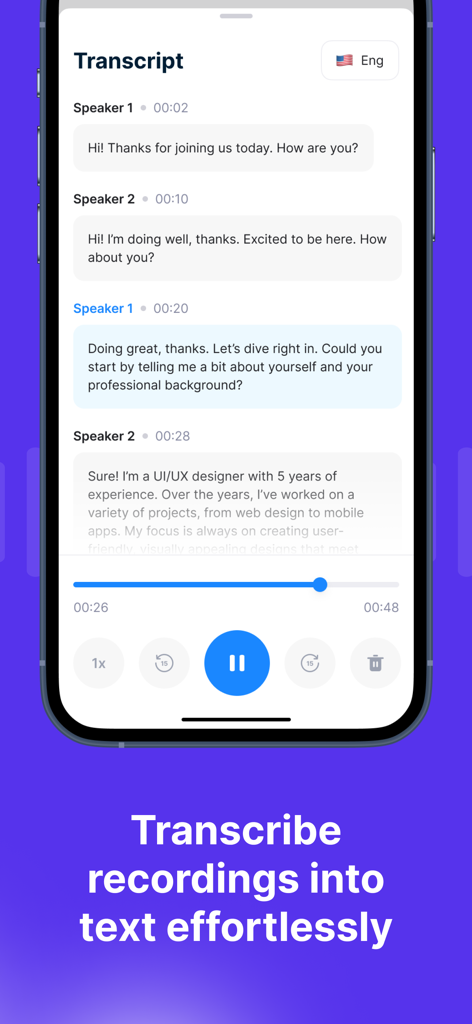
話者識別と再生コントロールを備えた自動通話文字起こしを表示するRec-allアプリの画面

話者識別と再生コントロールを備えた自動通話文字起こしを表示するRec-allアプリの画面

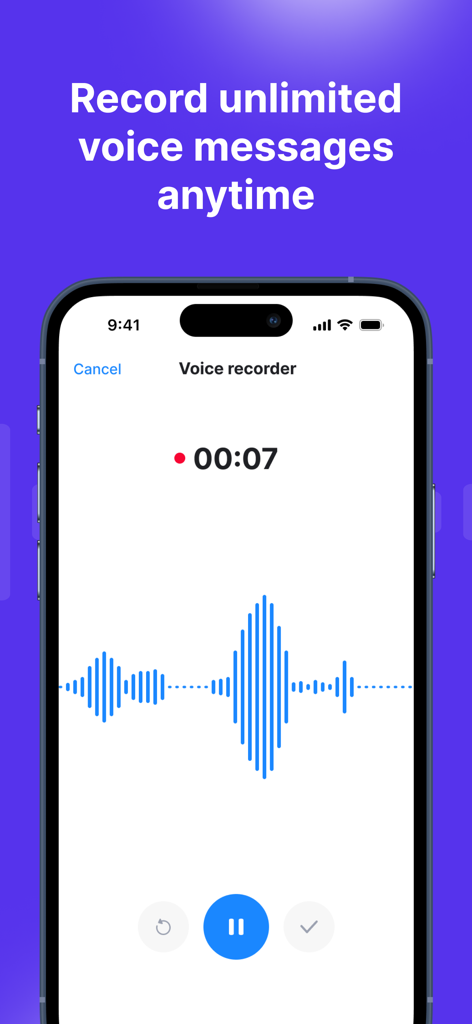
iPhone上で青いオーディオ波形と録音タイマーを表示するRec-allアプリのボイスレコーダー・インターフェース

iPhone上で青いオーディオ波形と録音タイマーを表示するRec-allアプリのボイスレコーダー・インターフェース

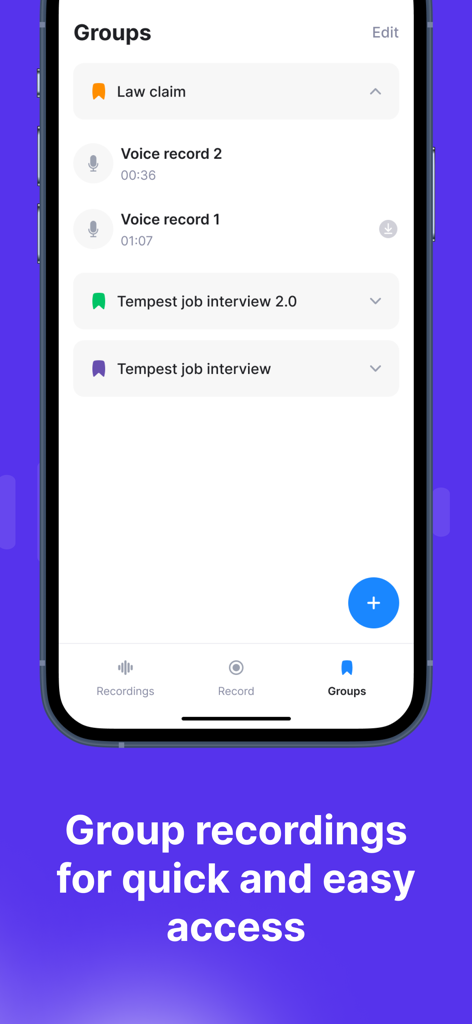
法律上の請求や採用面接などのカスタムグループに整理された通話録音を表示するRec-allアプリのインターフェースのスクリーンショット

法律上の請求や採用面接などのカスタムグループに整理された通話録音を表示するRec-allアプリのインターフェースのスクリーンショット

プロフェッショナルとしての信頼性を高める

このアプリを際立たせるツール、 2M+ 人のユーザーが選択.

🤖

AI搭載の文字起こし

手書きのメモはもう不要。すべての会話を正確なテキストに自動変換するため、クライアントや戦略に完全に集中できます。

📞

無制限の録音機能

国内・国際通話を問わず、録音時間の制限なしで記録。会話履歴のすべてを将来の参照用に安全に保存します。

💼

スムーズなビジネス連携

録音データや文字起こしをメールや安全なリンクで即座に共有。法務チーム、管理者、CRMシステムへの情報共有を円滑にします。

レビュー分析

ユーザーレビューの分析.

感情スコア

33%
ネガティブ

概要

Users are largely frustrated with this app's misleading 'free trial' and subscription model, frequently reporting unexpected charges, difficulty canceling, and being forced into expensive credit purchases after short trials. While some appreciate its good call recording quality, noting clear audio and effective performance for specific needs, many find the app difficult to use or set up correctly. Additionally, several users experienced issues with app functionality, such as inability to restore purchases or country-specific limitations, further contributing to a negative user experience. Overall, the app faces significant criticism regarding its monetization practices and usability.

主なテーマ

Pricing & Subscription Model(28)
App Functionality(12)
Ease of Use(8)
Call Recording Quality(7)
Cancellation Process(5)
Regional Limitations(3)

アプリについて

について知っておくべきこと Recording App - Rec-all.

説明

Rec-all Call Recorder is the app that does it all for recording on your iPhone. The recording app allows you to record incoming and outgoing calls whether it is international or domestic. + Unlimited call recording available + Record and tape incoming and outgoing calls. + Unlimited voice call recorder + Manage, listen and delete audio call recordings. + Transcribe recordings. + Share and email call recordings to anyone. + Recordings are available within seconds of call completion. + Record team conversations, business conversations, interviews, etc How do I record both incoming & outgoing calls? ------------------------------------------------- Just tap on the red recording button and it will walk you through the steps to record calls with your cell phone. Watch our tutorial by tapping on the help icon. Unlimited recording plans are available for call recording using cellular and your phone caller ID. Rec-all Call Recorder offers a subscription plan for your premium numbers and unlimited call recording. - Your subscription automatically renews unless auto-renewal is turned off at least 24 hours before the end of the current subscription. - Your account will be charged for a renewed subscription within 24 hours prior to the end of current subscription. - Your account will auto renew once a month or yearly depending on the package you choose and provide you access to premium phone numbers and recording services. - Payment will be charged to iTunes Account at confirmation of purchase - You can manage your subscription and switch off the auto-renewal by accessing your account settings after purchase. - You cannot cancel the current subscription during the active subscription period. - Unused portion of free trial will be forfeited when user cancels subscription. Privacy Policy: https://www.appsverse.com/privacy-mobile/ Terms of Use: https://www.appsverse.com/terms-mobile/

最新バージョン

5.08

サイズ

36.0 MB

リリース日

2017年2月2日

ビジネスの記録を残す準備はできましたか?

無制限の通話録音と即時の文字起こしにRec-allを活用している200万人以上のプロフェッショナルの仲間に加わりましょう。あらゆる詳細を記録するために、今すぐアプリをダウンロードしてください。

ダウンロード: App Store
FAQ

よくある質問

について知っておくべきこと Recording App - Rec-all

Rec-all Call Recorderアプリで通話を録音するにはどうすればよいですか?

Rec-all Call Recorderで通話を録音するには、赤い録音ボタンをタップします。その後、アプリが手順を案内します。さらに詳しいサポートについては、ヘルプアイコンからチュートリアルも利用できます。

Rec-all Call Recorderは、すべての通話タイプの録音をサポートしていますか?

はい、Rec-all Call Recorderは、着信通話と発信通話の両方の録音を許可しています。これには、国際通話と国内通話、ボイスメモが含まれ、制限はありません。

Rec-all Call Recorderで無制限の通話録音は利用できますか?

はい、Rec-all Call Recorderは無制限の通話録音を提供します。この機能はサブスクリプションプランの一部であり、プレミアム番号や録音サービスへのアクセスも提供します。

Rec-all Call Recorderは録音を文字起こしできますか?

はい、Rec-all Call Recorderには文字起こし機能が搭載されています。ユーザーは、録音した通話やボイスメモをアプリ内で直接テキストに簡単に文字起こしできます。

Rec-all Call Recorderアプリで録音を管理するにはどうすればよいですか?

Rec-all Call Recorderは、録音の包括的な管理を可能にします。ユーザーは、音声通話の録音を聴いたり、管理したり、削除したりできます。すべての録音は、完了後数秒以内に利用可能になります。

Rec-all Call Recorderのサブスクリプション条件は何ですか?

Rec-all Call Recorderは、自動更新されるサブスクリプションプラン(月次または年次)を提供しています。購入確認時に、お支払いはiTunesアカウントに請求されます。ユーザーはアカウント設定で自動更新設定を管理できます。

Rec-all Call Recorderから録音を共有することは可能ですか?

はい、Rec-all Call Recorderはユーザーが録音を共有できるようにします。アプリケーション内から直接、通話録音を誰とでも簡単に共有したり、メールで送信したりできます。

Rec-all Call Recorderのプライバシーポリシーはどこで確認できますか?

Rec-all Call Recorderのプライバシーポリシーはオンラインでアクセスできます。詳細については、https://www.appsverse.com/privacy-mobile/で完全なドキュメントを確認してください。

Rec-all Call Recorderは、どのような種類の会話を録音できますか?

Rec-all Call Recorderは、チームディスカッション、ビジネス通話、インタビュー、一般的な着信および発信通話など、さまざまな会話を録音し、すべてのコミュニケーションタイプをカバーします。

Rec-allアプリはボイスメモの録音を許可していますか?

はい、Rec-allアプリはボイスメモの録音をサポートしています。ユーザーは、アプリケーション内でいつでも無制限のボイスメッセージを直接録音できます。

Rec-allアプリで録音をグループ化できますか?

はい、Rec-allアプリは録音のグループ化機能を提供します。ユーザーは、アプリケーションインターフェース内で録音をグループ化して、すばやく簡単にアクセスできます。

App information, icons, screenshots, and descriptions displayed on this page are sourced from the Apple App Store and are the property of their respective developers. Download estimates and rankings are based on MWM's proprietary models and may not reflect actual figures. This page is provided for informational and analytical purposes only.

Believe this page infringes your intellectual property? File a dispute