Rhythm Sight Reading Trainer

Rhythm Sight Reading Trainer

ダウンロード: App Store
ロゴ: Rhythm Sight Reading Trainer

リズム譜読みトレーナー:プロの精度で全てのビートをマスターする

即時フィードバック、段階的な練習問題、そして真剣なミュージシャンのために設計されたMIDIサポートで、タイミングの精度と譜読みスキルを加速させましょう。

開発元

Rolf Steenge

カテゴリ

Music

ダウンロード

371K+

ユーザー評価

4.6/5

評価数

800

対応言語

1

全てのビートをマスターする

このインターフェースを利用する 371K+ 人のユーザー.

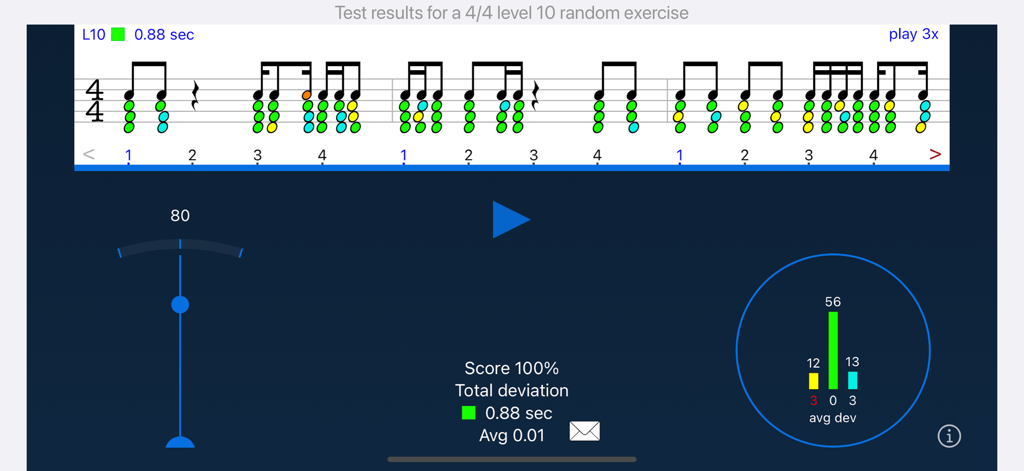
リズム譜読みトレーナーアプリのテスト結果画面、100%のスコアとタイミング精度の視覚フィードバックが表示されている。

リズム譜読みトレーナーアプリのテスト結果画面、100%のスコアとタイミング精度の視覚フィードバックが表示されている。

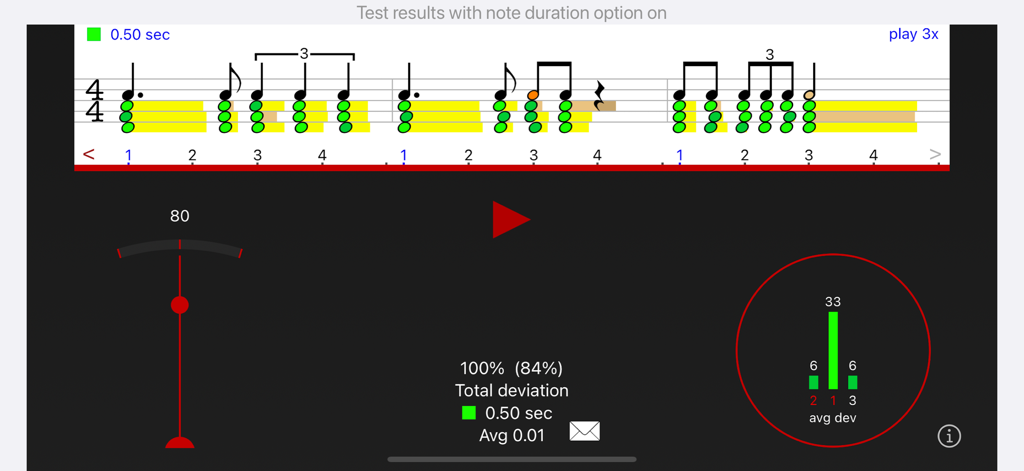
リズム譜読みトレーナーアプリのスクリーンショット、緑色のタイミングフィードバックと詳細なパフォーマンス統計が表示された楽譜。

リズム譜読みトレーナーアプリのスクリーンショット、緑色のタイミングフィードバックと詳細なパフォーマンス統計が表示された楽譜。

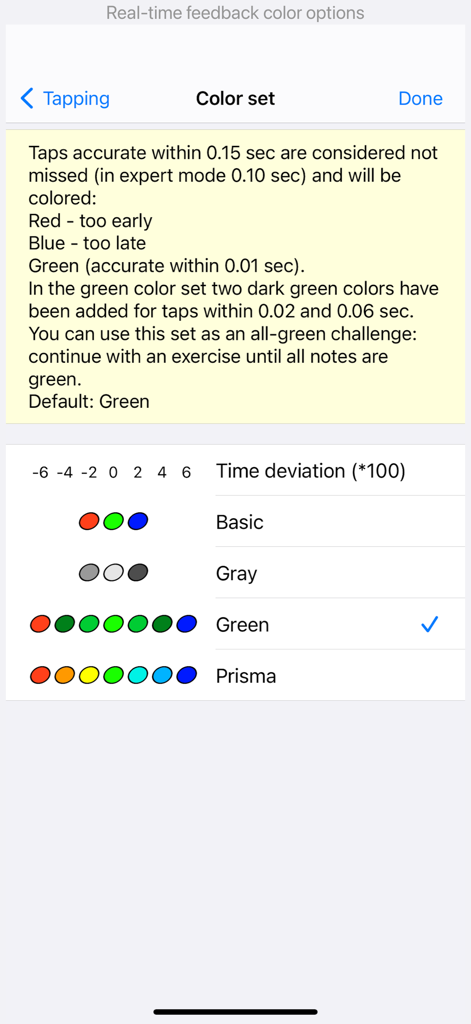
リズムトレーナーアプリで、タップの精度に基づいた視覚フィードバックの色を選択するための設定画面。

リズムトレーナーアプリで、タップの精度に基づいた視覚フィードバックの色を選択するための設定画面。

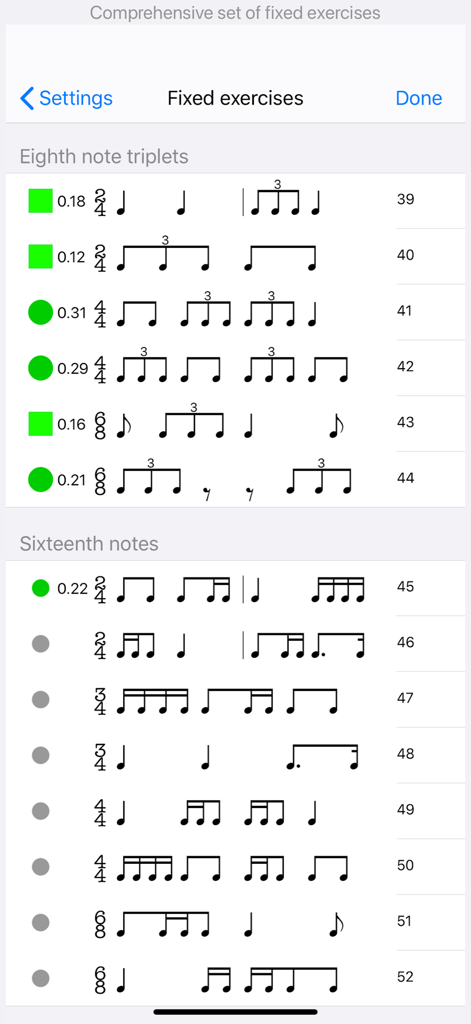
トリプレットと16分音符の練習進捗状況インジケーターが表示された、固定リズム練習問題のリスト。

トリプレットと16分音符の練習進捗状況インジケーターが表示された、固定リズム練習問題のリスト。

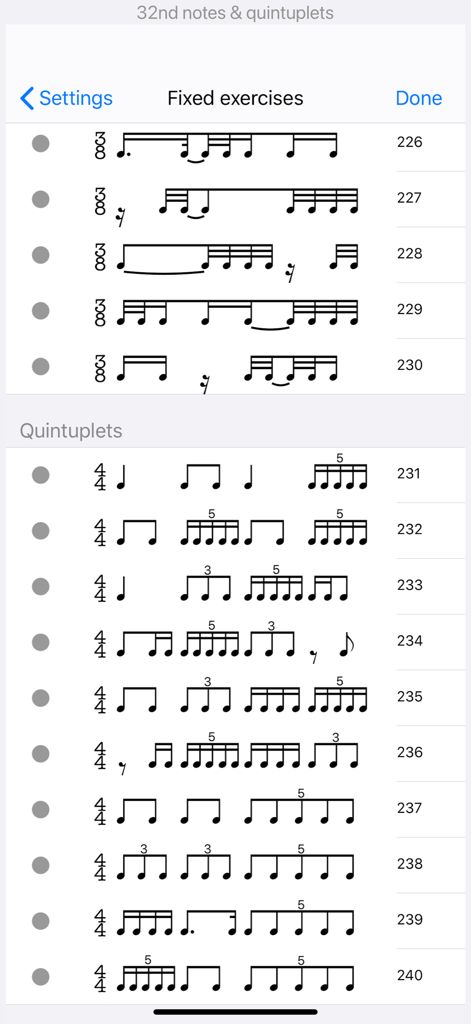
リズム譜読みトレーナーアプリの、クインテプレットと32分音符を特徴とする固定リズム練習問題のリスト。

リズム譜読みトレーナーアプリの、クインテプレットと32分音符を特徴とする固定リズム練習問題のリスト。

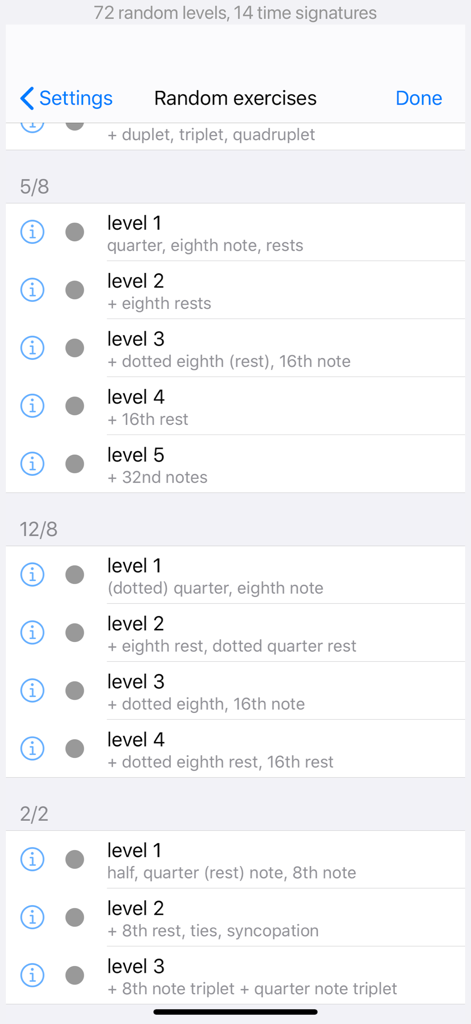
5/8、12/8、2/2拍子で様々な難易度のランダムリズム練習問題のリスト。

5/8、12/8、2/2拍子で様々な難易度のランダムリズム練習問題のリスト。

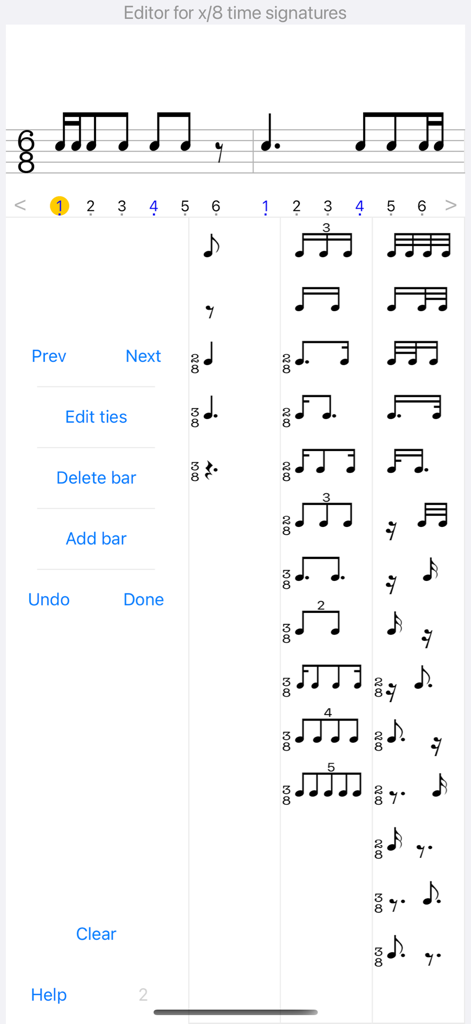
リズム譜読みトレーナーアプリでカスタム練習問題を作成するためのリズム記譜法エディタインターフェース。

リズム譜読みトレーナーアプリでカスタム練習問題を作成するためのリズム記譜法エディタインターフェース。

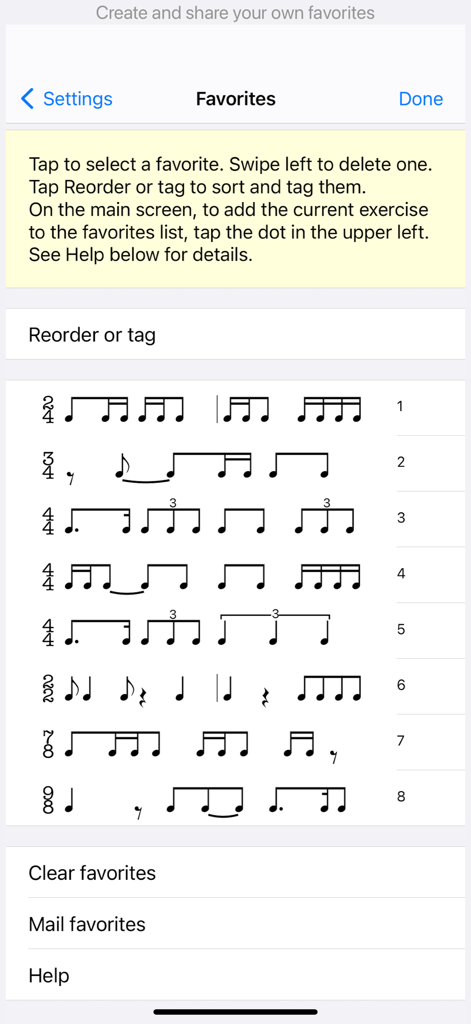
アプリのお気に入りメニュー内で、様々な拍子記号の保存済みリズム練習問題のリスト。

アプリのお気に入りメニュー内で、様々な拍子記号の保存済みリズム練習問題のリスト。

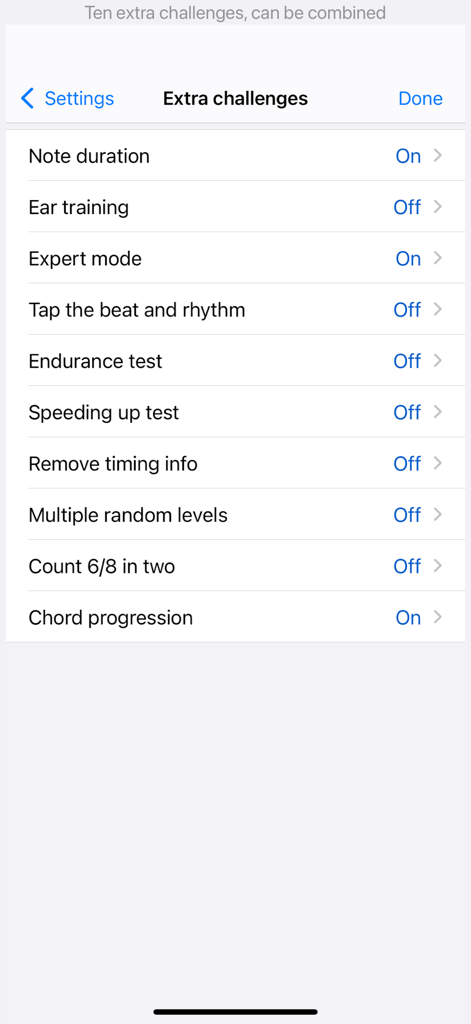
リズム譜読みトレーナーアプリの設定にある追加チャレンジのリスト。

リズム譜読みトレーナーアプリの設定にある追加チャレンジのリスト。

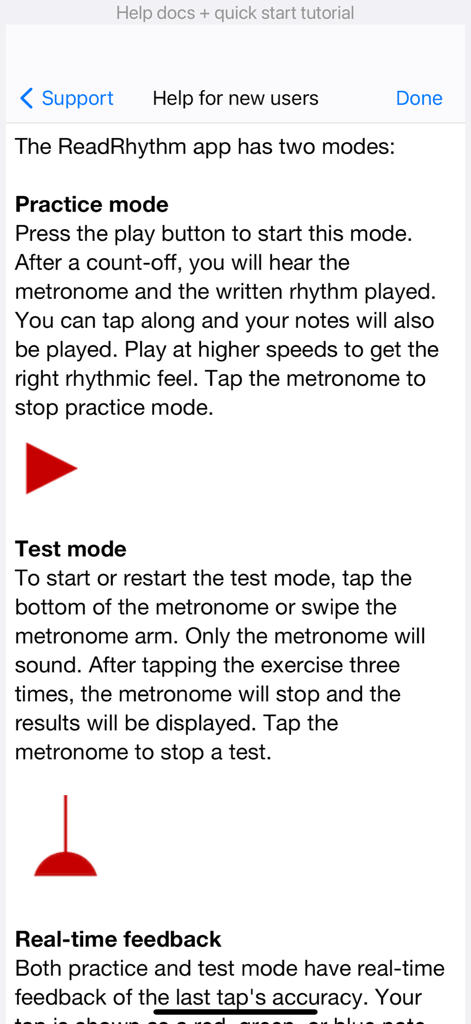
リズム譜読みトレーナーアプリの練習モードとテストモードを説明するチュートリアルページ。

リズム譜読みトレーナーアプリの練習モードとテストモードを説明するチュートリアルページ。

精度で全てのビートをマスターする

このアプリを際立たせるツール、 371K+ 人のユーザーが選択.

🎯

即時精確フィードバック

タイミングの精度を追跡するリアルタイムの視覚フィードバックで推測を排除し、間違いが発生した瞬間に修正するのに役立ちます。

🎹

実際の楽器との統合

MIDI経由で接続するか、マイクを使用して自分の楽器、ドラムスティック、または手拍子で練習し、ステージへのシームレスな移行を実現します。

📈

データに基づいた進捗追跡

音楽のインストラクターと直接共有できる詳細な頻度チャートとパフォーマンスレポートで、あなたの成長を監視します。

アプリについて

について知っておくべきこと Rhythm Sight Reading Trainer.

説明

Accelerate your sight reading skills with instant feedback on timing accuracy. Our carefully graduated levels, from beginner to professional, allow you to start at your optimal skill level and progress at your own pace. You'll improve more rapidly than practicing solely on your instrument. Practice anytime and anywhere. Many advanced features. KEY FEATURES DIVERSE EXERCISES - Explore common and rare rhythms from 2 to 12 beats per bar (2/2, 3/2, 4/2, 2/4, 3/4, 4/4, 5/4, 6/4, 7/4, 3/8, 5/8, 6/8, 7/8, 9/8, 12/8). - More than 200 fixed exercises (100 (longer ones) on iPad). - Thousands of random exercises. - Suitable for absolute beginners as well as professionals. - Challenge yourself with exercises involving rests, ties, syncopations, duplets, triplets, quadruplets and quintuplets. - Add swing to quarter note meter exercises with varying degrees of swing intensity. - Automatic count-off with one or two bars. - Longer (random) exercises in landscape orientation. PRACTICE & TEST MODE - Practice mode: listen or tap along while the rhythm is played. - Test mode: hear the metronome and read/tap the rhythm. - Visual feedback instantly displays accuracy with each tap (color and position). - Easily adjust metronome tempo by sliding or keypad. - Two tap buttons for higher tempos or tapping with alternating fingers. RHYTHM EDITOR - Edit any exercise to suit your preferences. - Intuitive editor with minimal taps. - Includes an editor for ties. - Unlimited undo. - Add your exercises to favorites. - Share exercises with others. EXTRA CHALLENGES - Expert mode: higher default tempo and more accuracy required. - Endurance test (continuous reading). - Speeding-up tests. - Left- and right-hand independence: tap the beat and rhythm with two buttons. - Note duration test. - Count 6/8 in two (dotted quarter as the beat). - Ear training function for rhythmic dictation. - Maintain rhythm focus while notes from a chord progression are played. REPORTING - View a frequency chart of your tap results. - Access progress reports for fixed and random exercises. - Share your results, such as a 100% score graphic or progress reports, via email. SOUNDS - Choose from various percussive instruments for app player, metronome, and taps. - Play chord progressions with guitar, e-piano, marimba, or bass. - Optional stereo sound with taps in the right ear and metronome/player in the left ear. - Optional beat-counting voice function. MICROPHONE - Utilize the microphone for an alternative to tap buttons. - Play rhythms with hand claps, finger-snaps, or an instrument. - Adjust sensitivity settings. - Supports external microphones. MIDI - Receive taps from a Midi device connected via Apple USB camera adapter or USB-C (e.g., keyboard, guitar, drum kit). - Automatic device detection. - Touch-sensitivity support. - Export any exercise as a MIDI file. OTHER FEATURES - Experience very low latency with instant response. - Support for left-handed tapping. - Choose between classical and flat interface themes. - Support for dark mode (iOS13+). - Universal app (iPhone, iPad and iPod Touch). - Supports all screen sizes. - Tested on iOS and iPadOS 26.

最新バージョン

12.11

サイズ

46.1 MB

リリース日

2010年10月12日

全てのリズムをマスターする準備はできましたか?

完璧なタイミングのための業界標準ツールを使用している371,000人以上の学生やプロフェッショナルに加わりましょう。今日からiPhoneとiPadで進歩を加速させましょう。

ダウンロード: App Store

App information, icons, screenshots, and descriptions displayed on this page are sourced from the Apple App Store and are the property of their respective developers. Download estimates and rankings are based on MWM's proprietary models and may not reflect actual figures. This page is provided for informational and analytical purposes only.

Believe this page infringes your intellectual property? File a dispute