Route Maker - Route Planner

Route Maker - Route Planner

ダウンロード: App Store
ロゴ: Route Maker - Route Planner

Route Maker - ルートプランナー:あらゆる旅のための簡単な複数目的地最適化

行き止まりをやめて、時間の節約を始めましょう。フィールドセールス、配達、または完璧なロードトリップの管理であっても、当社のスマートオプティマイザーは最大30の地点を処理して最も効率的な経路を見つけます。

ダウンロード: App Store

開発元

TAIKI HIRATA

カテゴリ

Navigation

ダウンロード

509K+

ユーザー評価

3.2/5

評価数

200

対応言語

2

動きの中での効率

このインターフェースを利用する 509K+ 人のユーザー.

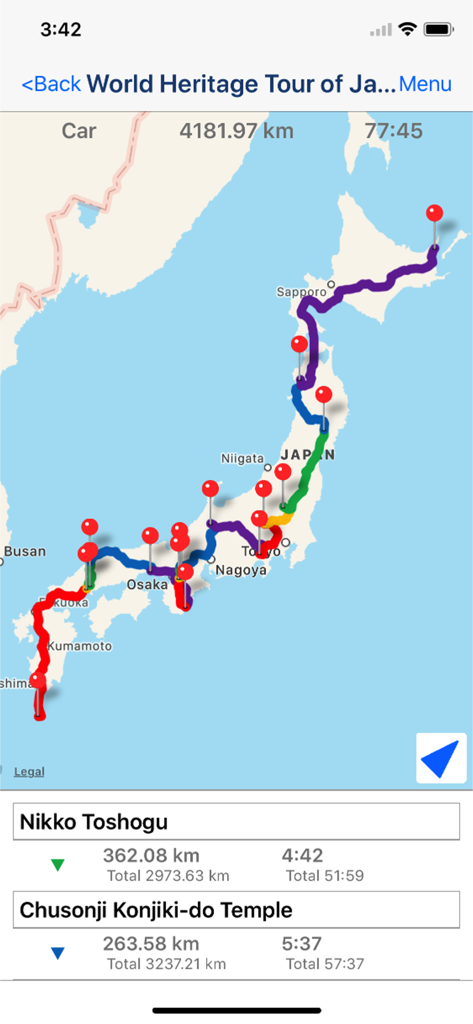
Route Makerアプリの複数目的地ルートマップ。日本の遺産ツアーの移動距離と時間が表示されています。

Route Makerアプリの複数目的地ルートマップ。日本の遺産ツアーの移動距離と時間が表示されています。

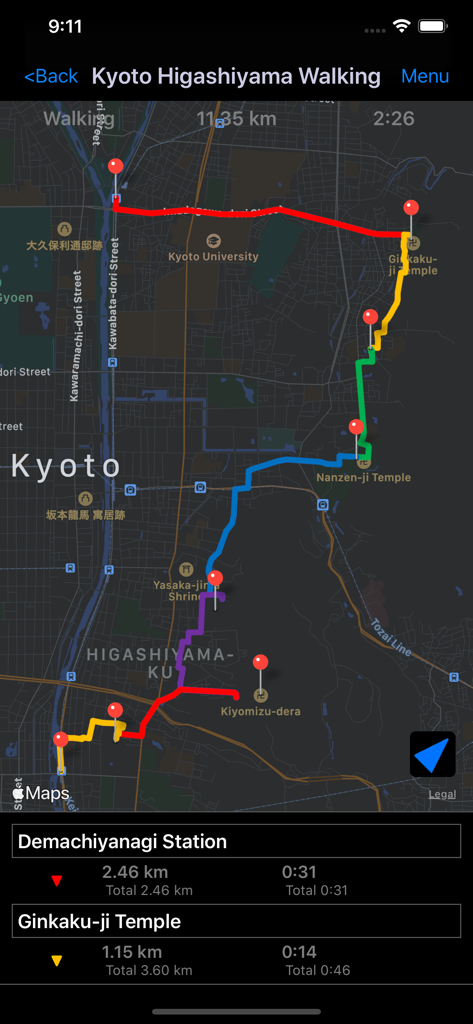
Route Makerアプリのスクリーンショット。京都の複数目的地ウォーキングルートと、地図上のピン、距離が表示されています。

Route Makerアプリのスクリーンショット。京都の複数目的地ウォーキングルートと、地図上のピン、距離が表示されています。

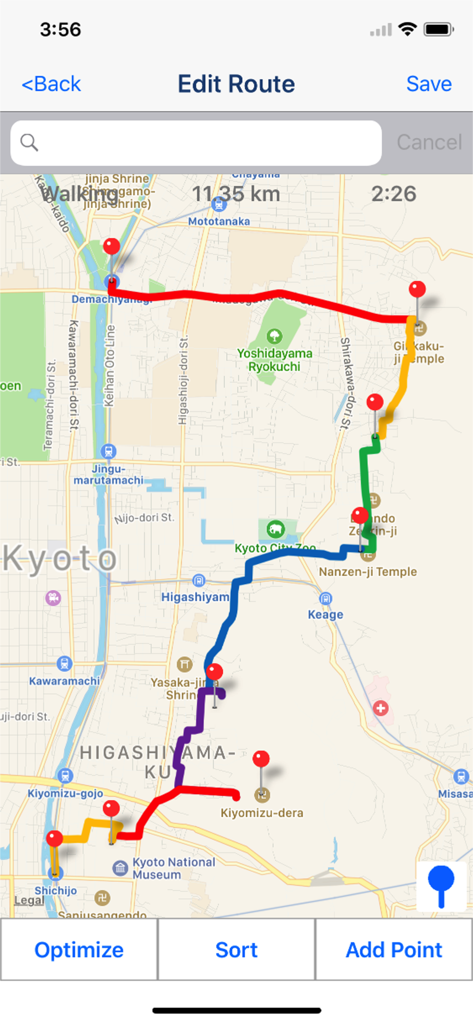
Route Makerアプリの画面。最適化された複数目的地ウォーキングルートが地図上に表示され、距離と時間の詳細が示されています。

Route Makerアプリの画面。最適化された複数目的地ウォーキングルートが地図上に表示され、距離と時間の詳細が示されています。

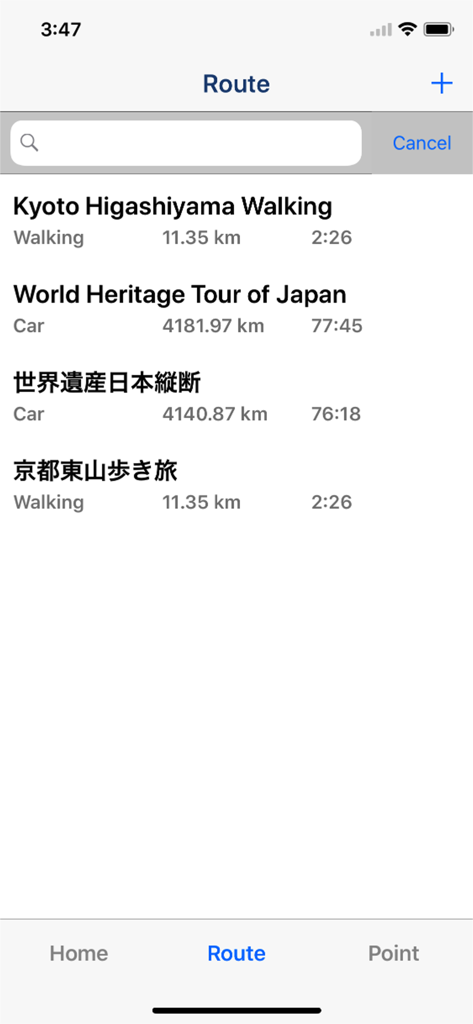
Route Makerアプリのスクリーンショット。保存されたウォーキングルートとドライビングルートのリストが表示され、距離と推定移動時間が示されています。

Route Makerアプリのスクリーンショット。保存されたウォーキングルートとドライビングルートのリストが表示され、距離と推定移動時間が示されています。

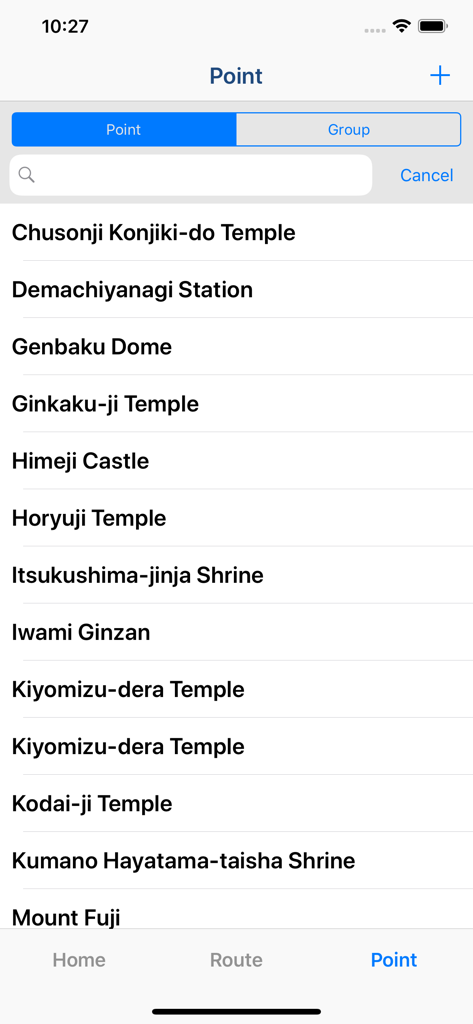
Route Makerアプリに保存された目的地ポイントのリスト。

Route Makerアプリに保存された目的地ポイントのリスト。

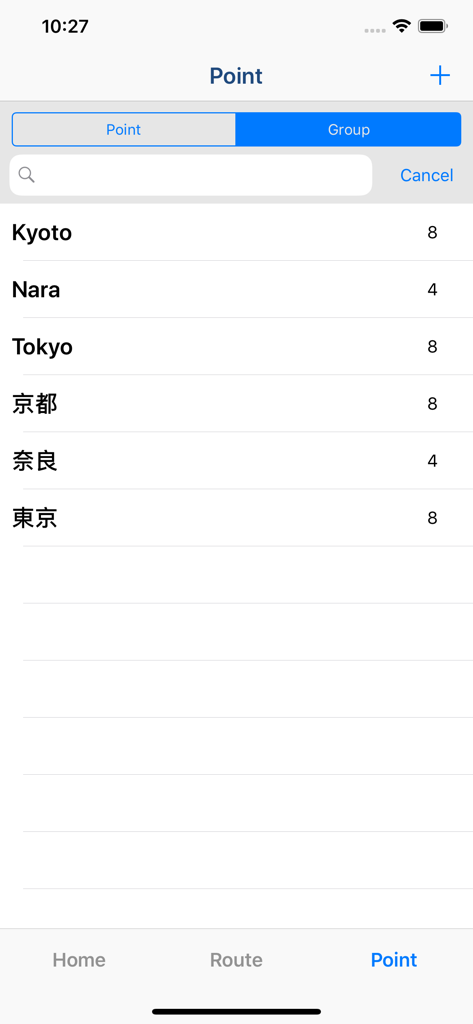
Route Makerナビゲーションアプリの保存されたウェイポイントとグループのリスト。

Route Makerナビゲーションアプリの保存されたウェイポイントとグループのリスト。

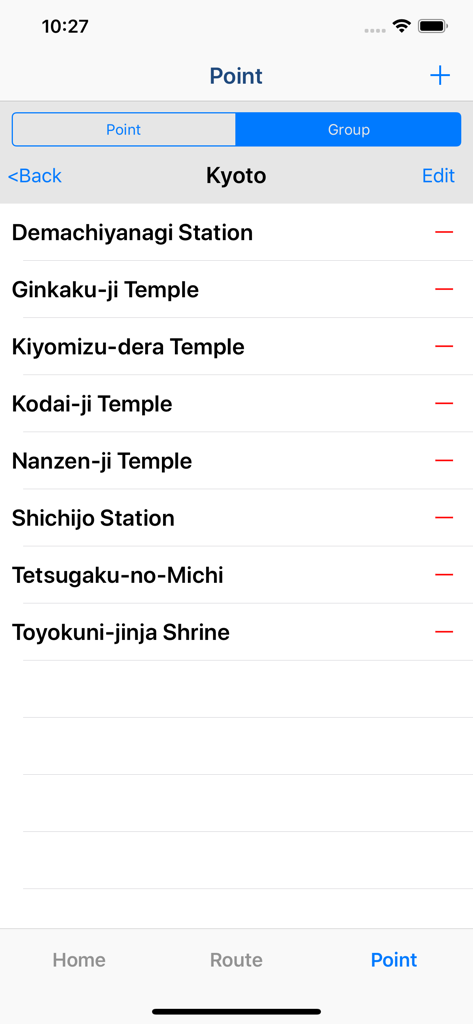
Route Makerアプリのポイント管理画面。京都ルートの保存された場所のリストが表示されています。

Route Makerアプリのポイント管理画面。京都ルートの保存された場所のリストが表示されています。

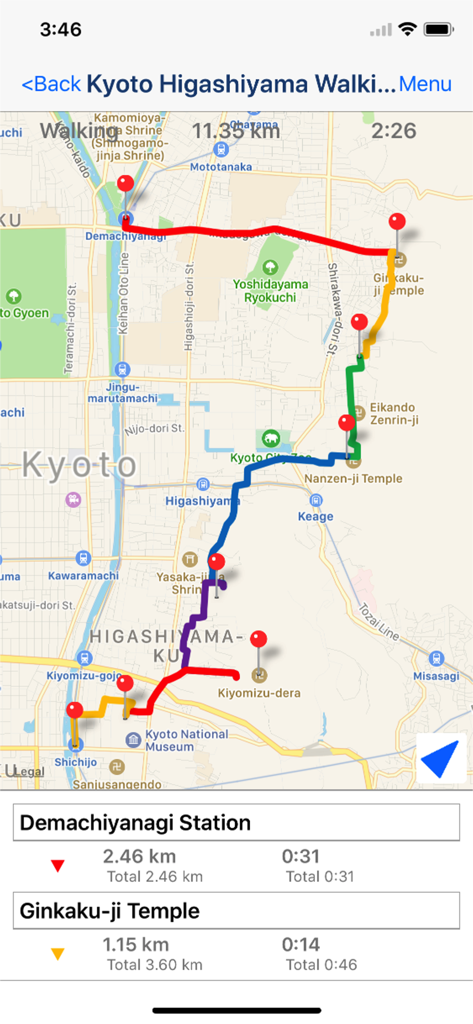
Route Makerアプリのインターフェース。京都の地図上に複数目的地ウォーキングルートが表示され、距離と移動時間が示されています。

Route Makerアプリのインターフェース。京都の地図上に複数目的地ウォーキングルートが表示され、距離と移動時間が示されています。

スマートルーティングでスケジュールをマスター

このアプリを際立たせるツール、 509K+ 人のユーザーが選択.

インテリジェントルート最適化

行き止まりをやめましょう。最大30の地点を自動的に並べ替えて、最も速い経路を見つけ、毎日貴重な時間と燃料費を節約します。

⏱️

正確な時間と距離の追跡

正確な到着時間を確認しましょう。旅全体と各地点間の詳細な指標を取得し、スケジュールを正確に維持します。

📁

プロフェッショナルなグループ化と共有

クライアントやランドマークをカスタムグループに整理し、GoogleマイマップにKML経由でルートをエクスポートして、シームレスなプロフェッショナルな連携を実現します。

アプリについて

について知っておくべきこと Route Maker - Route Planner.

説明

Multiple Waypoints Route Planner Apps ! You can make trip route including multiple tourist attraction, when you plan travel. You can make business route to visit multiple customers, when you must do route sales. You can make drive route, when you must do delivery business. "Route maker" is app for making route including multiple waypoints. You can make route including multiple waypoints easily by using "Route Maker". You can know the time and distance of the entire interval. And you can also know the time and distance between each waypoints. If you purchase Add-on, you will be able to use additional functions for sharing your route with your friends. And you can make KML file. ■Function List 1. Make Point ・You can register point for making route by searching the location information from the facility name or address. ・You can include the facility name, address and phone number to the point. 2. Grouping points ・You can create a group of points and manage the registered points. 3. Make Route ・You can make route including multiple waypoints by using registered points. *Max number of waypoints is 10 in normally. If you purchase add-on, max number of waypoints will be 10 or more. ・You can sort waypoints freely, and optimize route. *Optimization is up to 30 points. ・Also you can use as a simple navigation apps by displaying your current location on map. ・You can know the time and distance of the entire interval. And you can also know the time and distance between each waypoints. 4. Share route by using "Route Maker" You can share your route with friends who use "Route Maker" by making Route File. *If you want to make route file, you need to purchase Add-on. 5. Share route by using "Google My Maps" You can share your route with friends through Google My Maps by making KML file. *If you want to make KML file, you need to purchase Add-on. ■About In-app Advertising Banner Advertising is displayed in Home Screen. You can hide these Advertising by purchasing "Additional Function Add-on".

最新バージョン

2.5

サイズ

4.8 MB

リリース日

2015年3月9日

行き止まりをやめて、今すぐルートの最適化を始めましょう

App Storeで最もスマートな複数目的地プランナーで、時間と燃料を節約している50万人以上のプロフェッショナルや旅行者に加わりましょう。

ダウンロード: App Store

App information, icons, screenshots, and descriptions displayed on this page are sourced from the Apple App Store and are the property of their respective developers. Download estimates and rankings are based on MWM's proprietary models and may not reflect actual figures. This page is provided for informational and analytical purposes only.

Believe this page infringes your intellectual property? File a dispute