RTA

RTA

ダウンロード: App Store
ロゴ: RTA

RTA:手のひらサイズのプロフェッショナル音響分析とルームチューニング

iPhoneまたはiPadを、キャリブレーション済みのANSI規格測定ツールに変えましょう。サウンドシステムをチューニングし、部屋の音響を分析し、ラボグレードの精度でデータをエクスポートします。

ダウンロード: App Store

開発元

Andrew Smith

カテゴリ

Music

ダウンロード

259K+

ユーザー評価

3.8/5

評価数

300

対応言語

8

一目でわかる精度

このインターフェースを利用する 259K+ 人のユーザー.

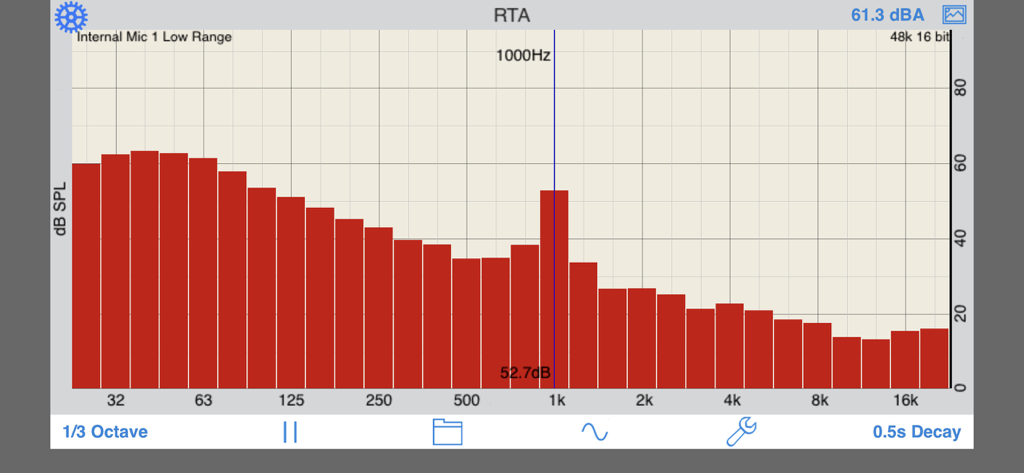
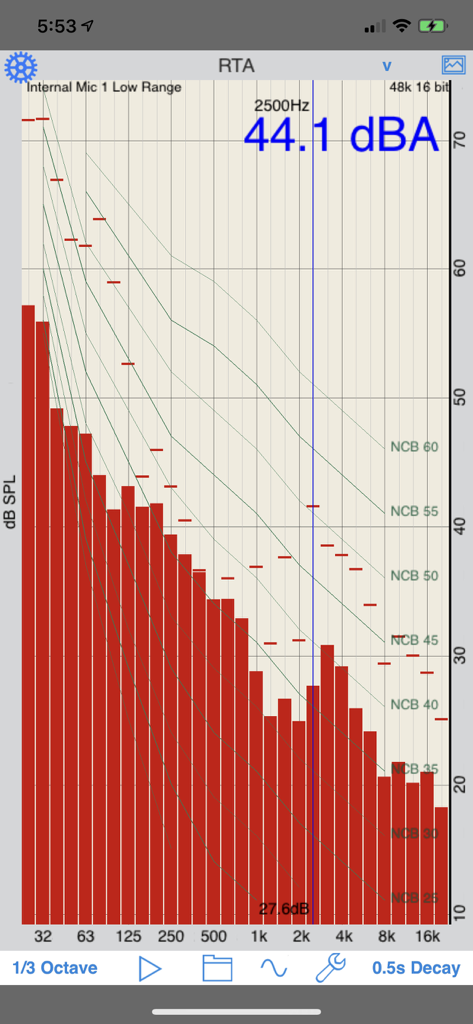
RTAアプリが、デシベルレベルとともにリアルタイムのオーディオ周波数スペクトルグラフを表示しています。

RTAアプリが、デシベルレベルとともにリアルタイムのオーディオ周波数スペクトルグラフを表示しています。

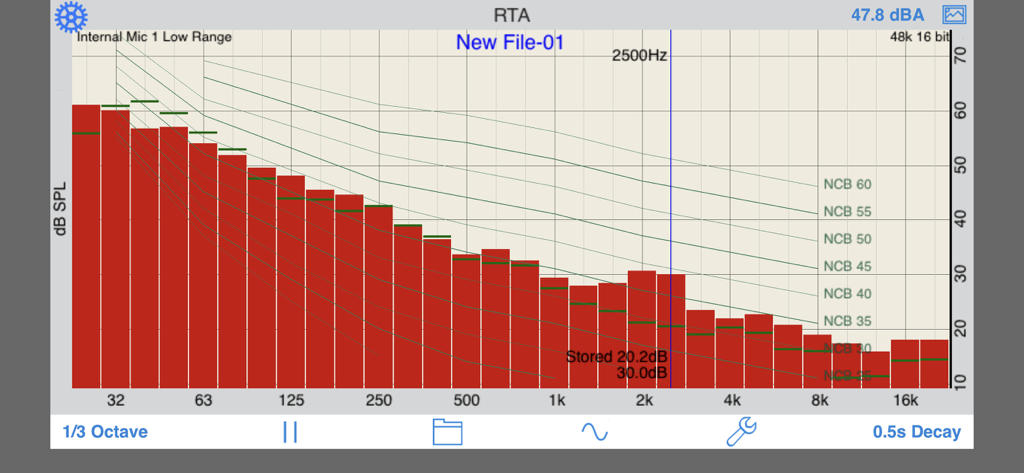
リアルタイムアナライザーアプリが、ノイズカーブオーバーレイ付きの1/3オクターブ周波数スペクトルを表示しています。

リアルタイムアナライザーアプリが、ノイズカーブオーバーレイ付きの1/3オクターブ周波数スペクトルを表示しています。

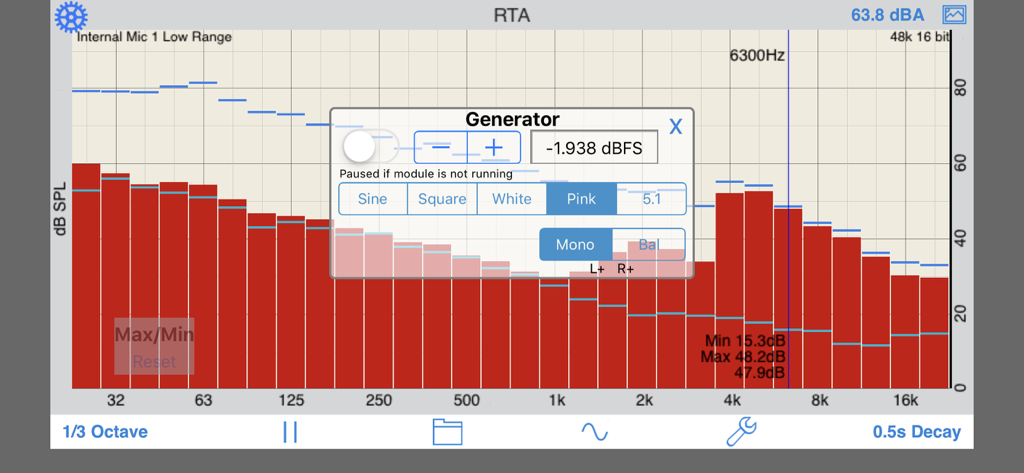
RTAアプリのインターフェースには、1/3オクターブ周波数スペクトルとオーディオ信号ジェネレータのポップアップが表示されています。

RTAアプリのインターフェースには、1/3オクターブ周波数スペクトルとオーディオ信号ジェネレータのポップアップが表示されています。

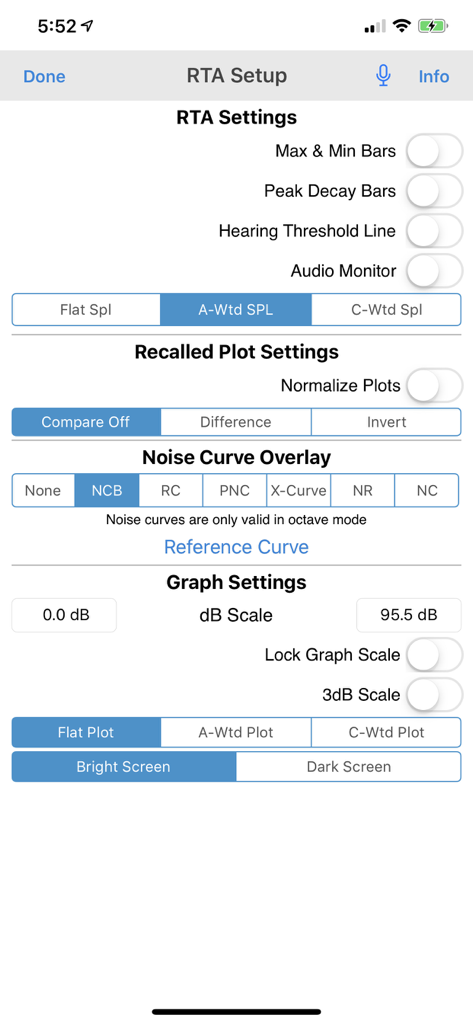
RTAアプリの設定画面には、SPL重み付けやノイズカーブオーバーレイなど、さまざまなオーディオ分析設定が表示されています。

RTAアプリの設定画面には、SPL重み付けやノイズカーブオーバーレイなど、さまざまなオーディオ分析設定が表示されています。

RTAアプリのインターフェースには、ノイズ基準バランスカーブオーバーレイ付きの1/3オクターブ周波数スペクトルが表示されています。

RTAアプリのインターフェースには、ノイズ基準バランスカーブオーバーレイ付きの1/3オクターブ周波数スペクトルが表示されています。

どこでも精密オーディオエンジニアリング

このアプリを際立たせるツール、 259K+ 人のユーザーが選択.

🎙️

自動マイクキャリブレーション

すべてのiOSデバイスに対応するカスタム補正ファイルにより、プロフェッショナルグレードの精度が得られます。測定値は、ハイエンドハードウェアアナライザーの数dB以内に収まります。

📏

業界標準準拠

ANSIおよびIECクラス1フィルターと、NC、RC、NRを含むプロフェッショナルノイズカーブオーバーレイを使用して、認定音響レポートのための重要な分析を実行します。

📈

プログレードのデータレポート

GPSタグ付きグラフで高解像度データをキャプチャし、XLSファイルとして結果をエクスポートして、高度な分析やプロフェッショナルレポートへのシームレスな統合を可能にします。

アプリについて

について知っておくべきこと RTA.

説明

A Real Time Analyzer for the iPhone, iPad and iPod Touch. Test your speakers, tune your room, do acoustical analysis work or just have a better understanding of audio frequencies. RTA is a professional-grade acoustical analysis tool. All filters meet or exceed ANSI and IEC Class 1 specifications. Includes Octave and 1/3 Octave modes, with selectable decay times, as well as Peak Hold and true linear Average mode. *** iOS Microphones We have analyzied every iOS device, including all of the iPads, all iPhones, and iPod touches, and have created microphone compensation files that are applied automatically. You can trust the results you are getting, often within just a few dB of a far more expensive analyzer. Calibration is updated regularly, automatically, from our cloud-based calibration database. Upgrade to our iTestMic or iAudioInterface2 to bring your system up to full professional specs. *** Save and Recall Graphs You can save and recall graphs, marked with the GPS location, date & time, and your comment, as well as store the image to your photo roll. Export the data as an XLS formatted file to your computer for inclusion in reports or further analysis. *** Max and Min Bars You can also turn on resettable Max/Min bars (see image #4) to capture peaks. Double-tap to reset the bars. *** Specifications and Devices The internal iPhone mic has a noise floor near 30 dB, and if your are running iOS 6, clips around 120 dB. *** Touch GUI Fully interactive touch GUI features includes scroll up/down, pinch to zoom or compress the vertical dB scale, or swipe horizontally to get a cursor that reads out the exact dB level and frequency across the screen. To make the cursor disappear, swipe it off the graph to the left. The landscape-mode display flips 180 degrees so that you can face the internal mic in either direction. *** Overlay Curves Also included are optional noise curve overlays, in NCB, RC, PNC, NC, X-Curve and NR mode. See picture #2 for an example. Use this feature to get a quick reading on the noise levels in a room. Also includes the cinema large-room X-curve overlay. *** Calibration RTA can be fully calibrated, whether you are using it with the internal iOS microphone, or one of our professional test & measurement mic solutions. And, if you are using iTestMic, the mic calibration is transmitted directly to the app, so you are always calibrated. *** RTA or FFT? If you are wondering if you should download this app or our FFT app, check out our website, we have a page devoted to this topic. See our other acoustics and audio apps, including AudioTools.

最新バージョン

11.8

サイズ

21.0 MB

リリース日

2008年12月14日

フィールドにラボグレードの分析をもたらす

ANSI仕様の精度をiOSデバイスに装備しましょう。業界標準のRTAをダウンロードして、プロフェッショナルな信頼性をもって測定を開始しましょう。

ダウンロード: App Store

App information, icons, screenshots, and descriptions displayed on this page are sourced from the Apple App Store and are the property of their respective developers. Download estimates and rankings are based on MWM's proprietary models and may not reflect actual figures. This page is provided for informational and analytical purposes only.

Believe this page infringes your intellectual property? File a dispute