Send Fax App-Faxes From iPhone

Send Fax App-Faxes From iPhone

ダウンロード: App Store
ロゴ: Send Fax App-Faxes From iPhone

Send Fax App:iPhoneからファックスをスキャン、署名、送信する最も信頼性の高い方法

かさばるハードウェアや電話回線はもう不要です。リアルタイム追跡とシームレスなクラウド統合により、最新のプロフェッショナル向けに、数秒で高品質で安全なファックスを世界中に送信できます。

ダウンロード: App Store

開発元

7 Mobile Teknoloji Anonim Sirketi

カテゴリ

Business

ダウンロード

116K+

ユーザー評価

4.2/5

評価数

1K+

対応言語

33

モダンスタイルのファックス

このインターフェースを利用する 116K+ 人のユーザー.

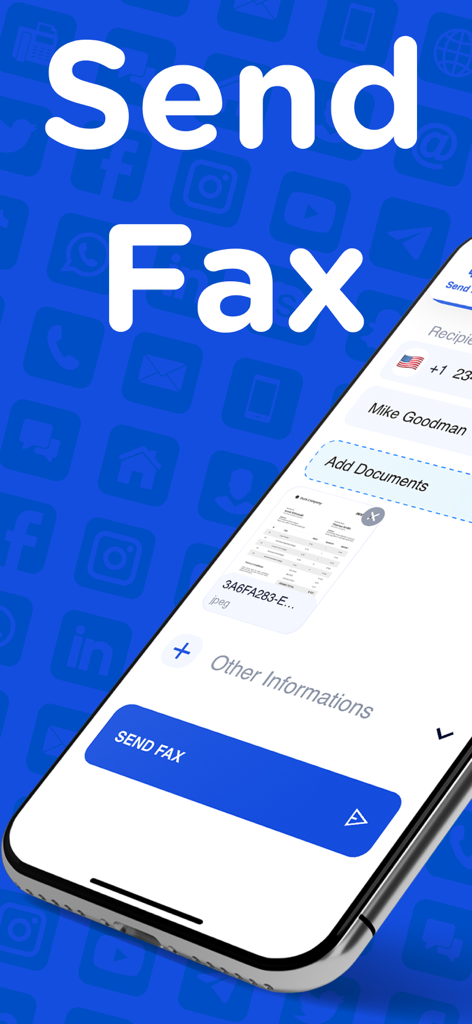
iPhone上のSend Fax Appのインターフェース。受信者の詳細と送信準備ができたドキュメントが表示されている。

iPhone上のSend Fax Appのインターフェース。受信者の詳細と送信準備ができたドキュメントが表示されている。

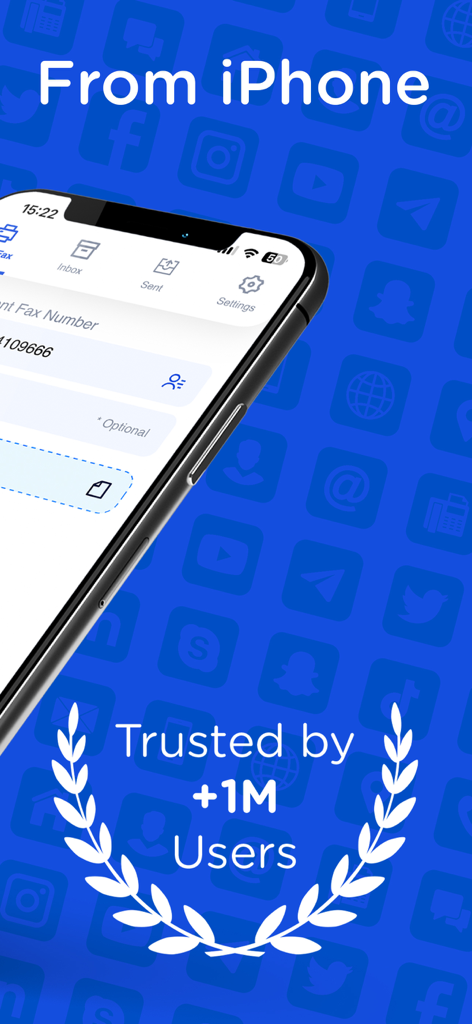
iPhone用Send Fax Appのインターフェース。100万人以上のユーザーに信頼されているというバッジが表示されている。

iPhone用Send Fax Appのインターフェース。100万人以上のユーザーに信頼されているというバッジが表示されている。

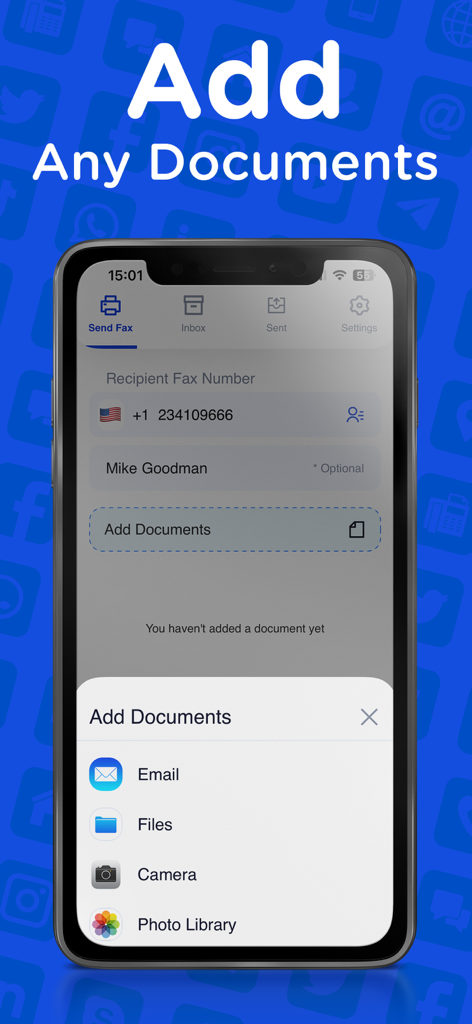
Send Fax Appのインターフェース。メール、ファイル、カメラ、フォトライブラリからドキュメントを追加するオプションが表示されている。

Send Fax Appのインターフェース。メール、ファイル、カメラ、フォトライブラリからドキュメントを追加するオプションが表示されている。

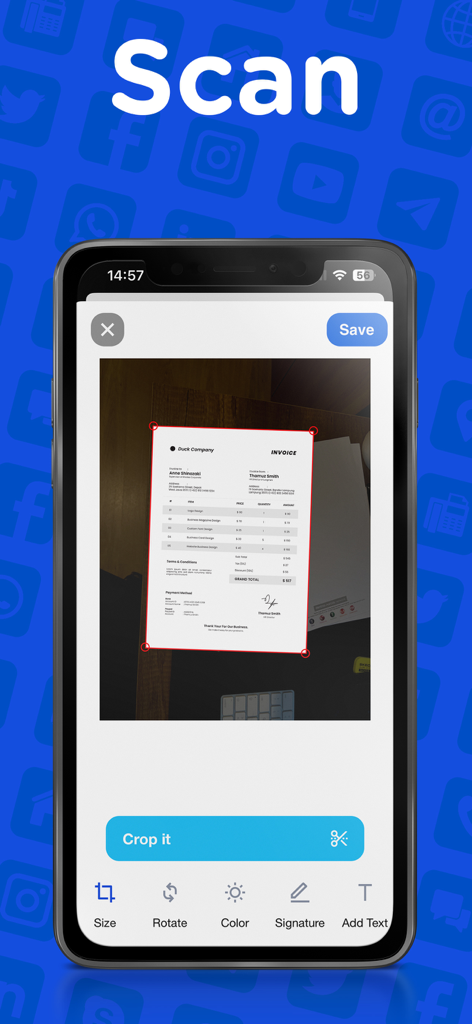
iPhone画面にSend Fax Appのドキュメントスキャンおよびクロップインターフェースが表示されている。

iPhone画面にSend Fax Appのドキュメントスキャンおよびクロップインターフェースが表示されている。

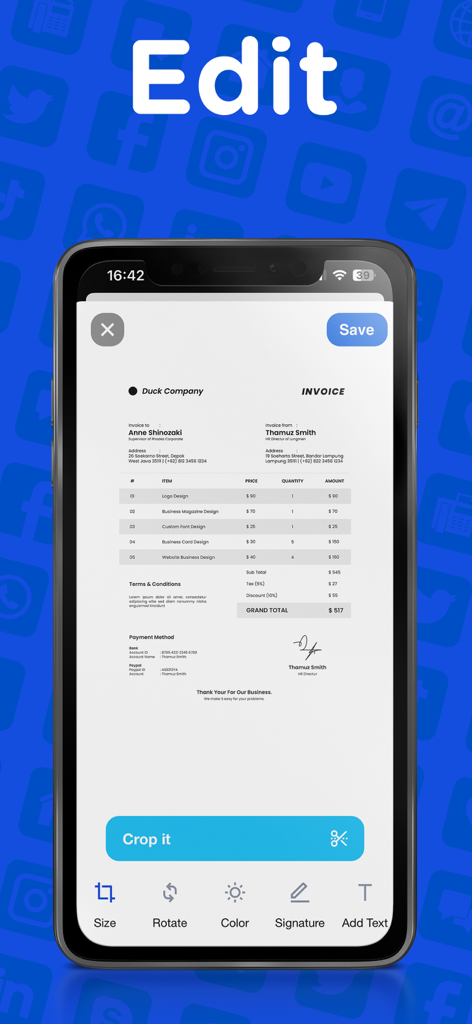
スマートフォンの画面に、請求書をクロップ、署名、テキスト追加するツールを備えたファックスアプリの編集インターフェースが表示されている。

スマートフォンの画面に、請求書をクロップ、署名、テキスト追加するツールを備えたファックスアプリの編集インターフェースが表示されている。

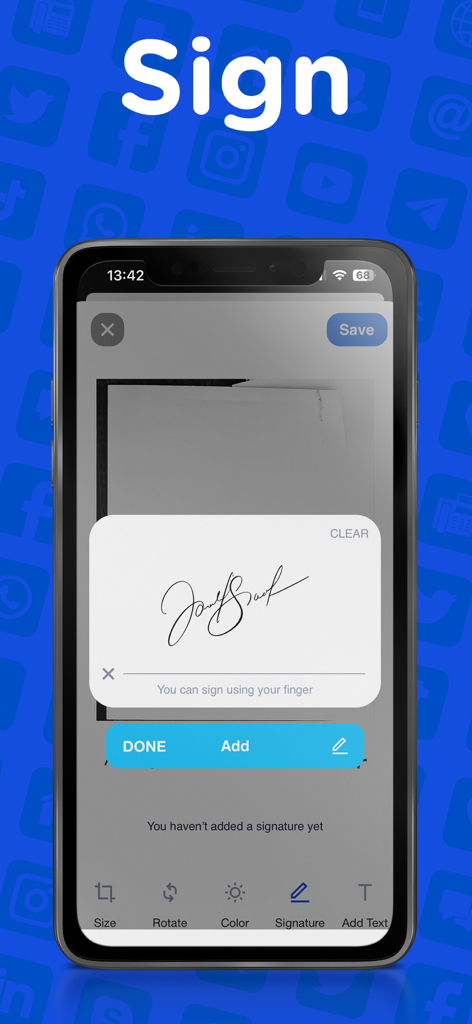
スマートフォンのインターフェース。ファックス用にドキュメントにデジタル署名を追加する方法を示している。

スマートフォンのインターフェース。ファックス用にドキュメントにデジタル署名を追加する方法を示している。

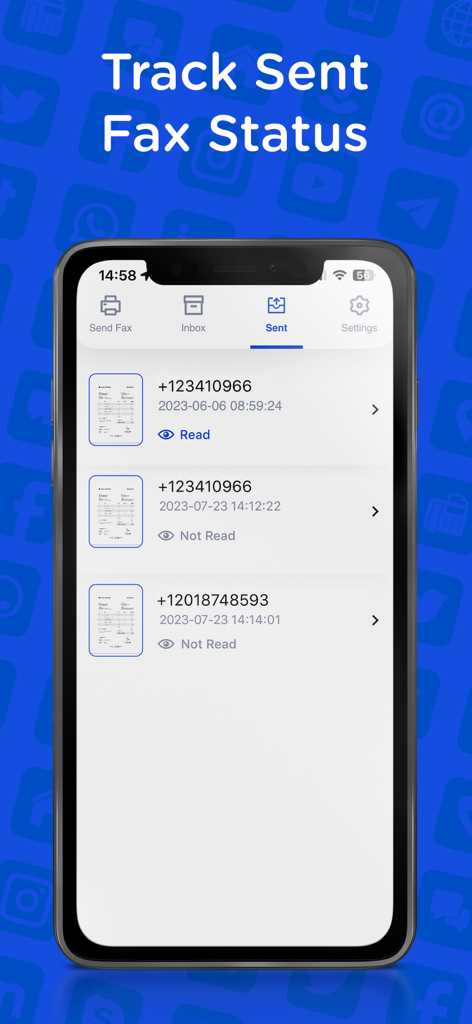
iPhoneのSend Fax Appのスクリーンショット。配信ステータスと受信者の電話番号を含む送信済みファックスの履歴が表示されている。

iPhoneのSend Fax Appのスクリーンショット。配信ステータスと受信者の電話番号を含む送信済みファックスの履歴が表示されている。

プロフェッショナルなファックスに必要なすべて

このアプリを際立たせるツール、 116K+ 人のユーザーが選択.

✍️

スキャン&デジタル署名

カメラを使ってドキュメントをスキャンし、すぐに署名を追加できます。プリンターをスキップして、すべての契約書で時間を節約しましょう。

🔔

インスタントステータスアップデート

リアルタイムの配信追跡で最新情報を入手できます。完全に安心するために、ファックスが宛先に届いた瞬間の確認を受け取れます。

🌍

グローバルクラウド接続

iCloud、Google Drive、Dropboxから直接ファイルをインポートできます。タップするだけで、あらゆるファイルタイプを世界中のあらゆるファックス番号に送信できます。

アプリについて

について知っておくべきこと Send Fax App-Faxes From iPhone.

説明

Send high-quality fax all around the world! Fast, reliable, fully capable fax app. Scan and send as many faxes as you want in seconds! This is not another fax app that can’t do the work. With our fax app, your documents will be cropped properly, will be sent and received with lightning-fast and high quality. This app is suitable for all your fax needs. Send your school or business documents, book pages, receipts, IDs, passports, licenses, certificates, music scores, and more! ALL OF OUR BEST FEATURES - HIGH QUALITY: Send readable documents of the best quality to anyone! - FAST & EASY: A few taps and you’re ready. Send fax apps just like sending a text! - EDIT & SIGN: Just take a photo or upload your document. Add comments and signature, fill forms. Edit, crop, and send in seconds. - SEE YOUR FAX STATUS: Watch the delivery status of your document and see any success or failure. - CROP PERFECTLY: Unlike other apps, your fax documents will be cropped and formatted properly and perfectly. - VIEW FAX HISTORY: See and organize your fax archive that many other apps don't have. - AUTO SCAN & AUTO DETECT: Our app recognizes your documents and helps you to scan & crop properly in the best way! - ANY FILE TYPES: Send a fax in any type of file. (PDF, DOC, JPG, PNG & TIFF, HTML) No need to convert your files! - ANYWHERE IN THE WORLD: Send and receive your fax documents all around the world. WHY SEND & RECEIVE FAX APP? * Perfect for iOS devices, this fax app will be the go-to app you can use from your iPhone & iPad. * No need for a fax machine or a dedicated phone line. * You can upload or attach documents from your device or your cloud storage, Dropbox, Google Drive, Box, iCloud Drive. * Resend your faxes to any fax machine. * Our modern layout will simply let you do everything you need. Just like sending a text, sending a fax is supposed to be fast and simple, not complicated. From a student to office employee, everyone needs to send a fax. If you’re looking for the right app that will help you to send fax documents, you’ve come to the right place. These days fax documents are still needed and we know how struggling to find an app that won't disappoint their users. You may only need to send a fax and you may try several services that are complicated, expensive, or low quality. Send & Receive Fax is the most affordable, easy, and fast way to send your documents from your iOS devices. No matter where you are if you have an iOS device, you can send your fax document anywhere in the world. Download and try now! Terms and Conditions: https://madduck.com/terms-of-use/ Privacy Policy: https://madduck.com/privacy-policy/ Support: https://support.madduck.app/fax/help-center

最新バージョン

5.4.1

サイズ

26.6 MB

リリース日

2019年3月3日

ファックス機はもういらない。今すぐiPhoneからファックスを始めましょう。

116,000人以上のプロフェッショナルが、固定電話なしで、いつでもどこでも、数秒で安全なドキュメントをスキャン、署名、送信しています。

ダウンロード: App Store

App information, icons, screenshots, and descriptions displayed on this page are sourced from the Apple App Store and are the property of their respective developers. Download estimates and rankings are based on MWM's proprietary models and may not reflect actual figures. This page is provided for informational and analytical purposes only.

Believe this page infringes your intellectual property? File a dispute