Shopping List - Simple & Easy

Shopping List - Simple & Easy

ダウンロード: App Store
ロゴ: Shopping List - Simple & Easy

ショッピングリスト - シンプル&簡単:あらゆる店舗をストレスなく管理する

携帯電話で紙のノートパソコンのシンプルさを体験してください。お気に入りの店舗用に再利用可能なリストを作成し、タップでアイテムにチェックを入れ、デジタルな煩雑さなしで買い物をより速く終わらせましょう。

開発元

Opulogic Inc.

カテゴリ

Shopping

ダウンロード

16K+

ユーザー評価

4.7/5

評価数

1K+

対応言語

5

一目でわかる整理

このインターフェースを利用する 16K+ 人のユーザー.

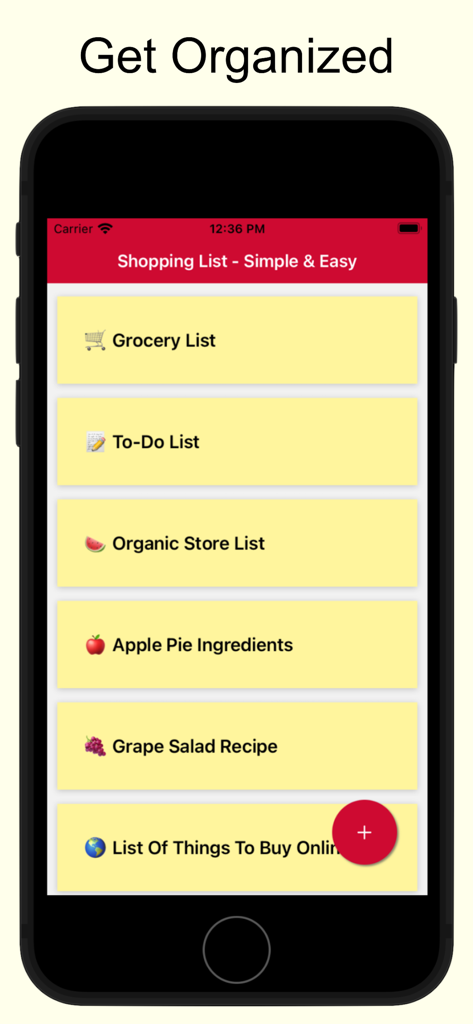
複数の整理された食料品やレシピのリストを示すショッピングリストアプリのホーム画面

複数の整理された食料品やレシピのリストを示すショッピングリストアプリのホーム画面

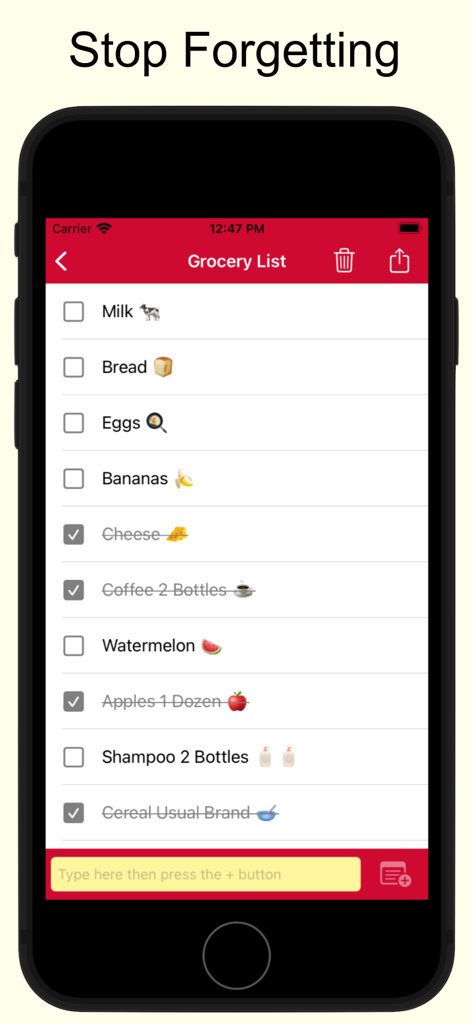
牛乳やパンのようなアイテム、一部はチェックされており、「忘れないように立ち止まる」というヘッダーの下に表示されている食料品の買い物リストが表示されているiPhone画面

牛乳やパンのようなアイテム、一部はチェックされており、「忘れないように立ち止まる」というヘッダーの下に表示されている食料品の買い物リストが表示されているiPhone画面

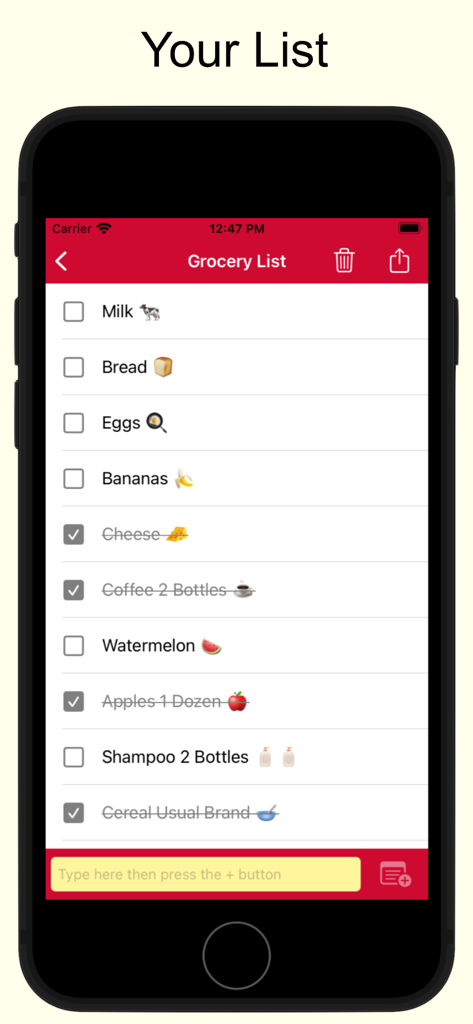
牛乳やパンのようなアイテムと、チェックを外すためのチェックボックスが表示されているシンプルなモバイルアプリのインターフェース

牛乳やパンのようなアイテムと、チェックを外すためのチェックボックスが表示されているシンプルなモバイルアプリのインターフェース

買い物のルーティンをシンプルに

このアプリを際立たせるツール、 16K+ 人のユーザーが選択.

🏬

店舗ごとのリスト

コストコ、クローガー、ターゲットの買い物を別々に整理しましょう。買い物の際に集中できるように、店舗別のリストを1回のタップで切り替えましょう。

🔄

再利用可能なリスト、手間いらず

毎週同じ必需品を買いますか?アイテムのチェックを外すだけでリストをリセットできます。主食を再度入力する必要がなく、時間を節約できます。

タップしてチェック、完了

携帯電話で紙のリストの満足感を体験してください。大きくてコントラストの高いテキストとシンプルなタップしてチェックするデザインにより、混雑した通路でも簡単に使用できます。

アプリについて

について知っておくべきこと Shopping List - Simple & Easy.

説明

This is a very simple shopping list app. Makes it very easy to create multiple lists. For example, you can create one for each store that you shop at. Use it for grocery shopping or any other listing needs that you may have. Here are the super simple instructions: * Click on the plus sign to create a new list. * Enter the items to buy in the yellow text box. * Tap to cross off the item when done. Some Helpful Tips * Lists are reusable. So for example, if you make a grocery list to shop for groceries at the local store, it can be reused over and over again. There is no need to keep making a new one each time. Just make it once, and after that just check and uncheck the items. It will be uniquely yours and will always have the items you buy. * Hit the trash icon to clean up and get rid of crossed items. * Emojis can be inserted using the built in function of your keyboard. This app contains ads. Ads can be removed with a premium subscription. Two options are available. A monthly subscription that bills once every month and a yearly subscription which bills once every year. Subscriptions renew automatically unless cancelled. Subscriptions can be cancelled under your Apple account's subscription settings. Terms of Use and Privacy Policy: https://opulogic.com/tos/tos.html

最新バージョン

2.25

サイズ

19.0 MB

リリース日

2022年7月24日

次の買い物をシンプルにする準備はできましたか?

紙切れを捨てた16,000人以上が参加しています。店舗別のリストを数秒で作成し、毎週再利用しましょう。アカウント不要、煩雑さなし、整理整頓の最も簡単な方法です。

ダウンロード: App Store

App information, icons, screenshots, and descriptions displayed on this page are sourced from the Apple App Store and are the property of their respective developers. Download estimates and rankings are based on MWM's proprietary models and may not reflect actual figures. This page is provided for informational and analytical purposes only.

Believe this page infringes your intellectual property? File a dispute