Simionic G1000 (MFD)

Simionic G1000 (MFD)

ダウンロード: App Store
ロゴ: Simionic G1000 (MFD)

Simionic G1000 (MFD): グラスコックピットの手順をマスターする

高忠実度G1000 MFDエミュレーションで、フライトシミュレーションと現実のギャップを埋めましょう。ボタン操作を完璧にし、自宅から複雑なIFR手順をマスターして、実際の訓練時間を大幅に節約しましょう。

ダウンロード: App Store

開発元

晨 李

カテゴリ

Utilities

ダウンロード

134K+

ユーザー評価

2.9/5

評価数

300

対応言語

1

指先での精度

このインターフェースを利用する 134K+ 人のユーザー.

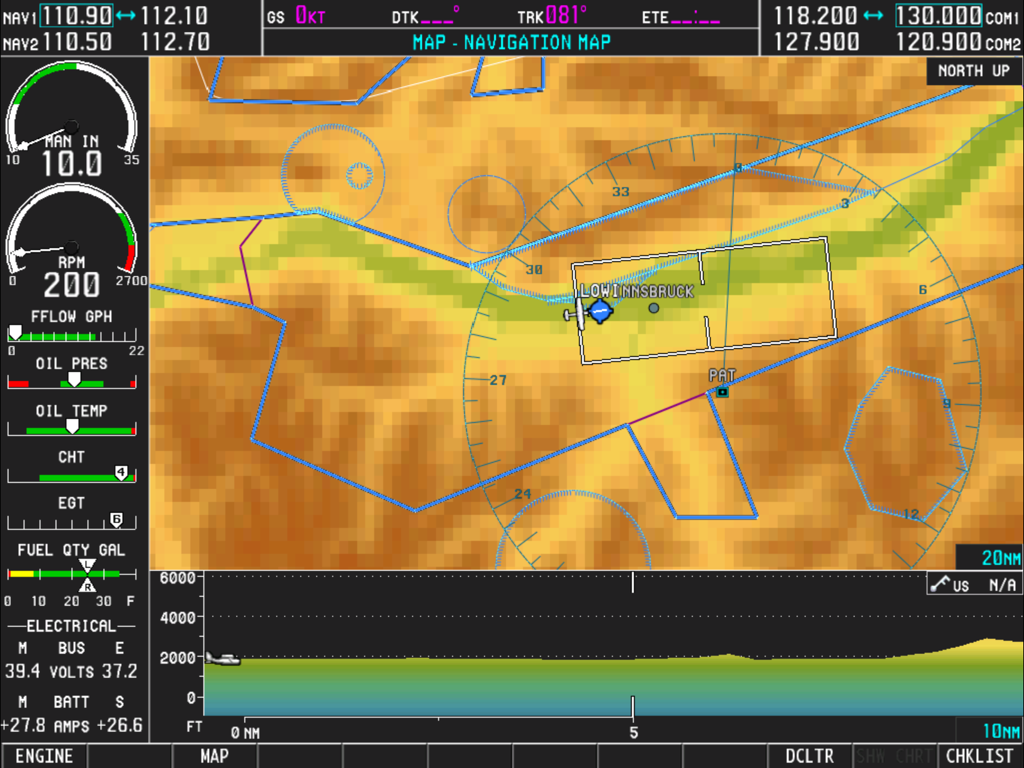
移動するナビゲーションマップと詳細なエンジンのパフォーマンス計器を備えたSimionic G1000 MFDのスクリーンショット

移動するナビゲーションマップと詳細なエンジンのパフォーマンス計器を備えたSimionic G1000 MFDのスクリーンショット

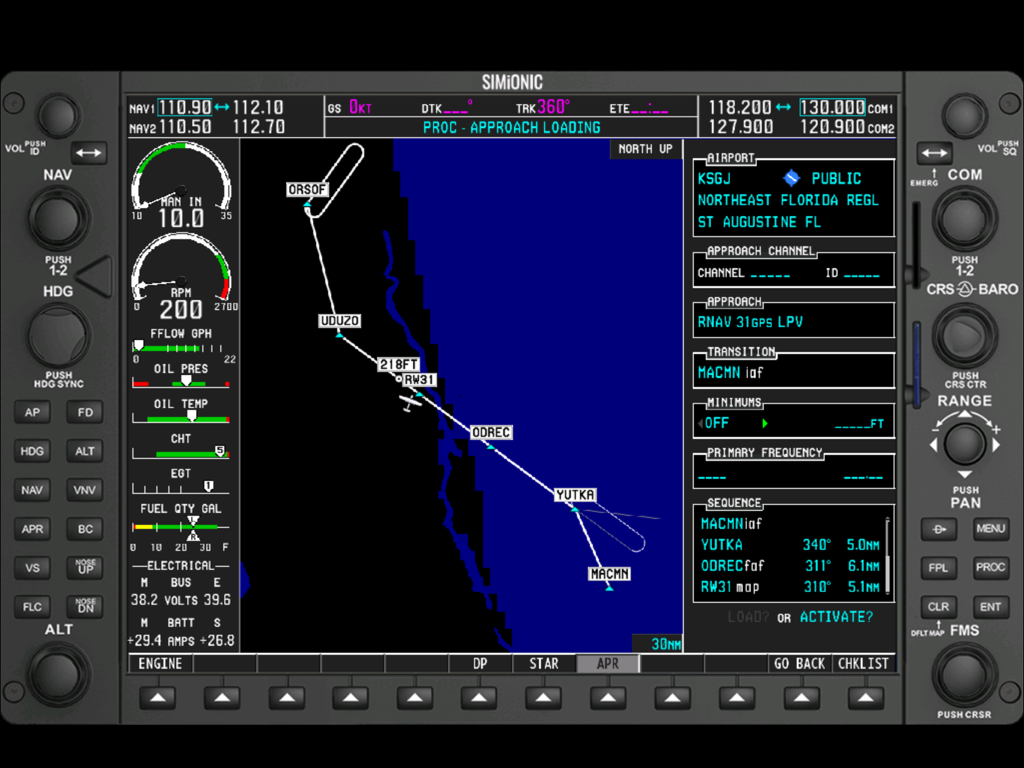
ナビゲーションマップとエンジンゲージを表示するSimionic G1000 MFDアプリのインターフェイス

ナビゲーションマップとエンジンゲージを表示するSimionic G1000 MFDアプリのインターフェイス

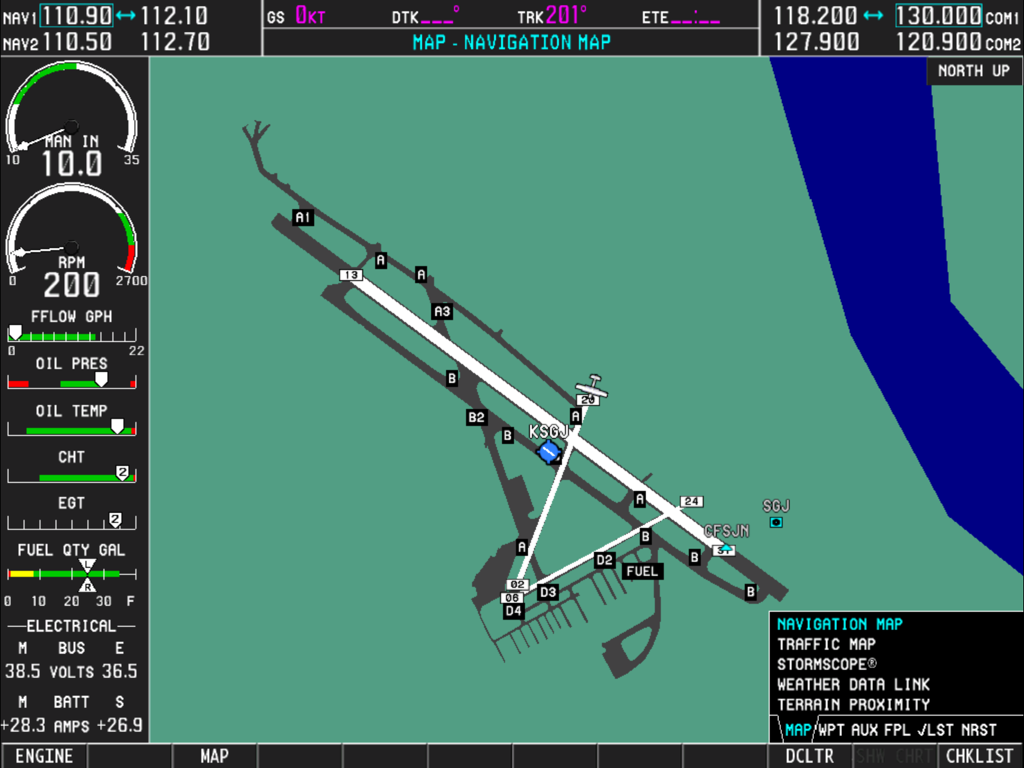
Garmin G1000ナビゲーションマップとエンジンゲージを表示するデジタルフライトインストゥルメントパネル

Garmin G1000ナビゲーションマップとエンジンゲージを表示するデジタルフライトインストゥルメントパネル

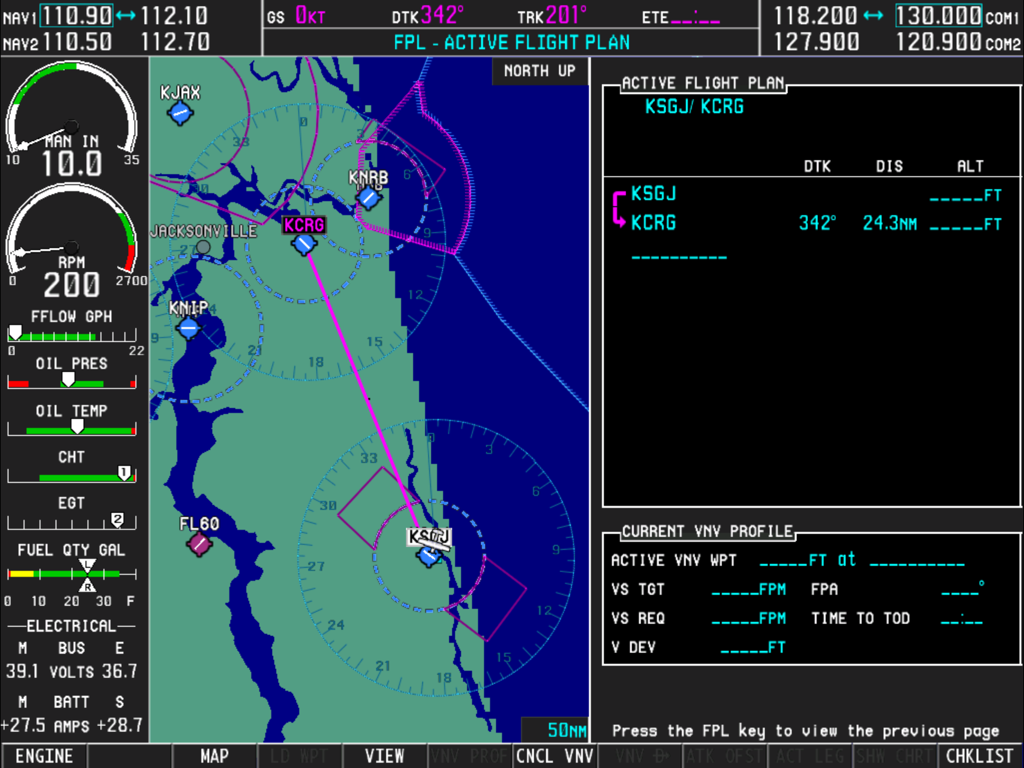
移動するナビゲーションマップ、エンジン計器、アクティブな飛行計画を表示するSimionic G1000 MFDインターフェイス

移動するナビゲーションマップ、エンジン計器、アクティブな飛行計画を表示するSimionic G1000 MFDインターフェイス

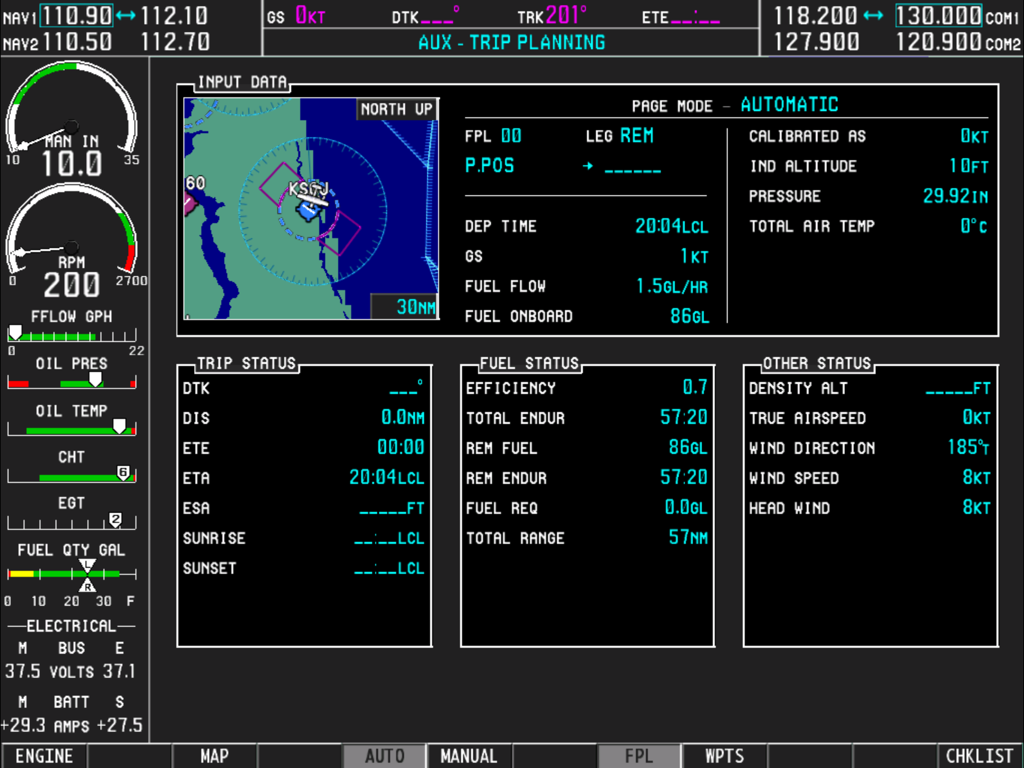
旅行計画ページとエンジン監視計器を表示するSimionic G1000 MFDインターフェイス

旅行計画ページとエンジン監視計器を表示するSimionic G1000 MFDインターフェイス

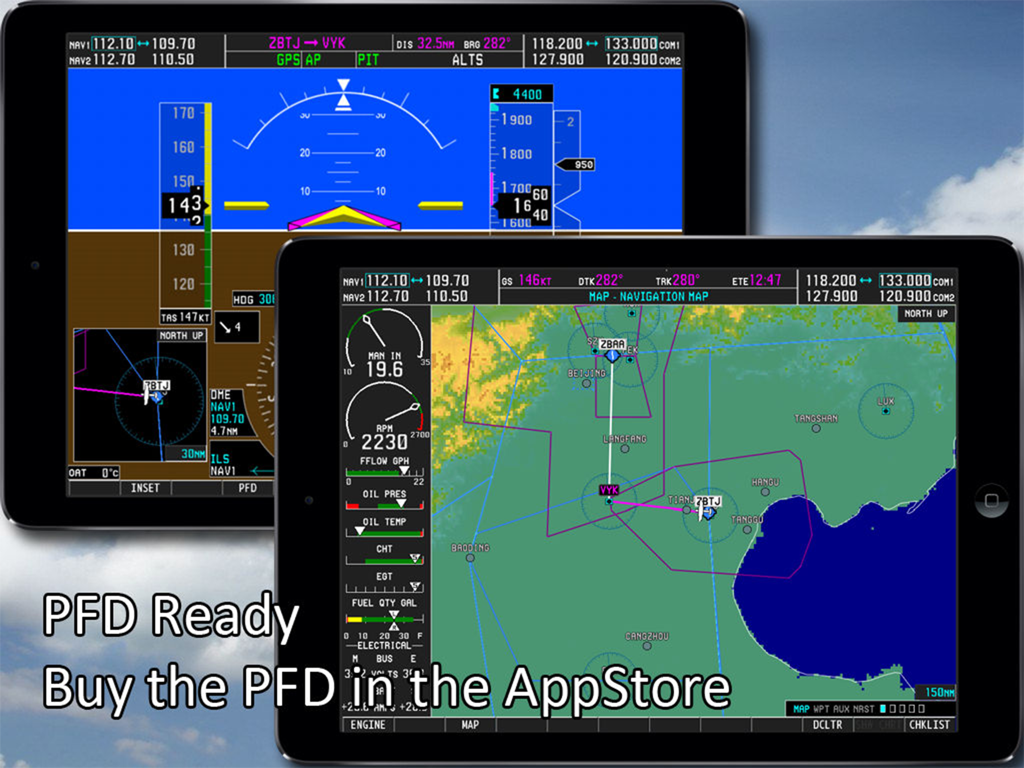
Simionic G1000 MFDおよびPFDフライトシミュレーターアプリを表示するデュアルiPadセットアップ

Simionic G1000 MFDおよびPFDフライトシミュレーターアプリを表示するデュアルiPadセットアップ

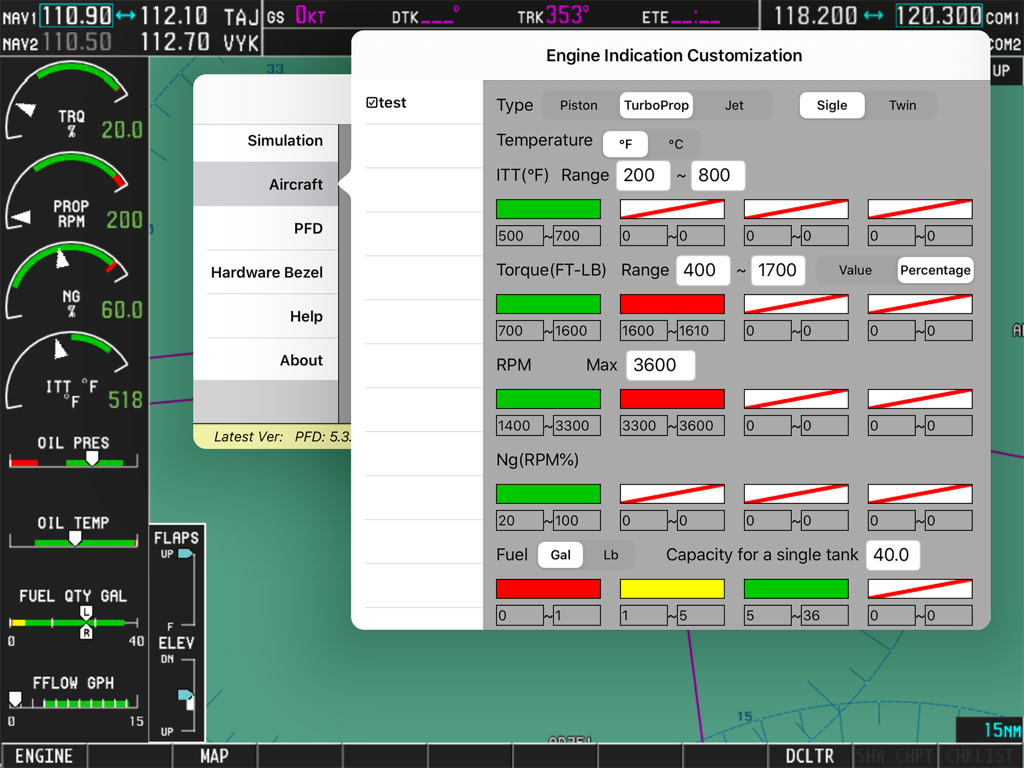
Simionic G1000 MFDエンジン表示カスタマイズ設定画面

Simionic G1000 MFDエンジン表示カスタマイズ設定画面

プロフェッショナルグレードの手順トレーニング

このアプリを際立たせるツール、 134K+ 人のユーザーが選択.

🗺️

完全なシステム忠実度

グローバルナビゲーションデータベース、ターミナル手続き、実際のGarminユニットにあるすべてのAUXページにアクセスして、「ボタン操作」をマスターしましょう。

🔗

シームレスなシム統合

Wi-Fi経由でX-Plane、Microsoft Flight Simulator、またはPrepar3Dに接続して、iPadを専用のアビオニクスパネルに変えましょう。

⏱️

高ROIの習熟度

自宅からIFR運用と飛行計画のための重要な筋力記憶を構築し、航空機レンタルと燃料費を大幅に節約しましょう。

アプリについて

について知っておくべきこと Simionic G1000 (MFD).

説明

Check out this video: https://www.youtube.com/watch?v=3xePnu3MsBQ IMPORTANT NOTICE: 1. This app emulates G1000 MFD functionalities only. It does not include PFD functionalities. To obtain PFD functionalities, download the PFD app from AppStore which can co-operate with this app(MFD) via wifi connection. Download address of PFD app: http://itunes.apple.com/us/app/id501990787?mt=8 2. This app is for practice only. The navigation database included in this app may be outdated and very possible to be different from what it is in real life. 3. Due to huge memory consumption, it's highly recommended that you install this app on an iPad which has at least 1G memory on board. Thus, install this app on iPad 1, iPad 2 or iPad mini is not recommended. Running this app on iPad Air or newer devices will get you a much better performance. Disclaimer: -Simionic and the seller are not affiliated with Garmin, -The app is not provided, approved, endorsed, or otherwise supported by Garmin. This is an app which simulates the Multi Function Display(MFD) of the Garmin G1000 used on Cessna 182T, 172S, 172R, 206H and Beechcraft Baron G58. It can also be configured to adapt piston, turboprop and jet engines. Most of the functionalities are implemented just as they are in the real life. It can be used by aviation enthusiasts as well as pilots to perform either an IFR training or just to familiarize the operations of G1000 MFD. This app is capable to connect to another app which simulates the G1000 PFD via wifi connection through which you can have a complete set of G1000 and make them work with FSX, Prepar3D , X-Plane or InfiniteFlight to get the best experience. G1000 is a highly integrated system, it is very powerful and also very complicated. It is recommended that you have a real G1000 user guide from Garmin. Details: 1. Global navigation database and topo data 2. Engine status simulation 3. Functional "Map Setup" 4. All pages including AUX pages are implemented 5. Terminal procedures are included 6. User waypoint creating/editing 7. User defined holding patterns 8. Flight plans storing/editing 9. Checklists for Cessna 182T, 172S, 172R and 206H are included 10. PFD connection via wifi

最新バージョン

7.5.1

サイズ

1.9 GB

リリース日

2014年3月5日

コックピットに入る前にG1000をマスターしよう

手順の熟練度を高め、飛行時間を節約しましょう。iPad向けの最も高度なMFDシミュレーションをダウンロードして、自宅のフライトシムと現実のギャップを埋めましょう。

ダウンロード: App Store

App information, icons, screenshots, and descriptions displayed on this page are sourced from the Apple App Store and are the property of their respective developers. Download estimates and rankings are based on MWM's proprietary models and may not reflect actual figures. This page is provided for informational and analytical purposes only.

Believe this page infringes your intellectual property? File a dispute