Sonance - Visual Music Player

Sonance - Visual Music Player

ダウンロード: App Store
ロゴ: Sonance - Visual Music Player

Sonance - プロフェッショナルなオーディオビジュアライゼーションでビートをすべて見る

オーディオファンのための究極のダッシュボード:高性能ミュージックプレーヤー、スペクトラムアナライザー、デシベルメーターが1つに。見事な波形と、安全な運転とホームミラーリングに最適化されたジェスチャーコントロールUIで、ローカルライブラリをレベルアップしましょう。

ダウンロード: App Store

開発元

Rare Works, LLC

カテゴリ

Entertainment

ダウンロード

239K+

ユーザー評価

1.6/5

評価数

0

対応言語

1

ビートをすべて見る

このインターフェースを利用する 239K+ 人のユーザー.

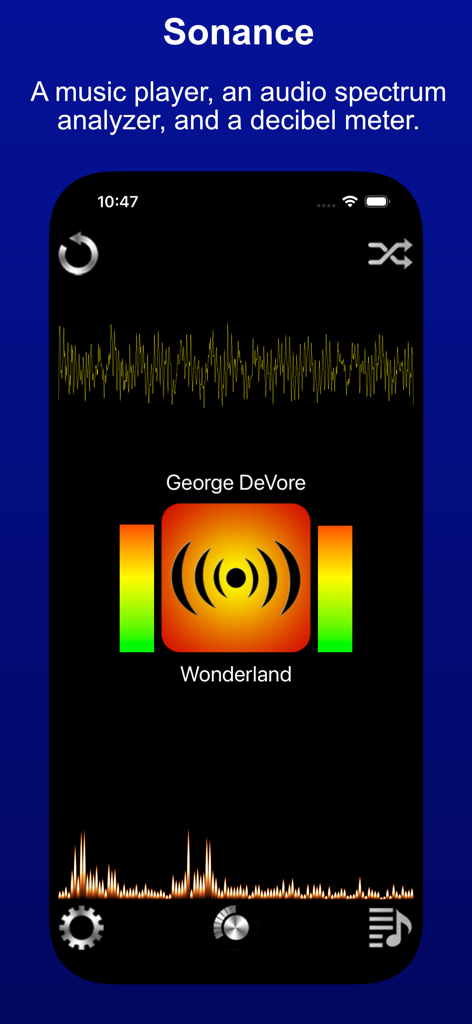
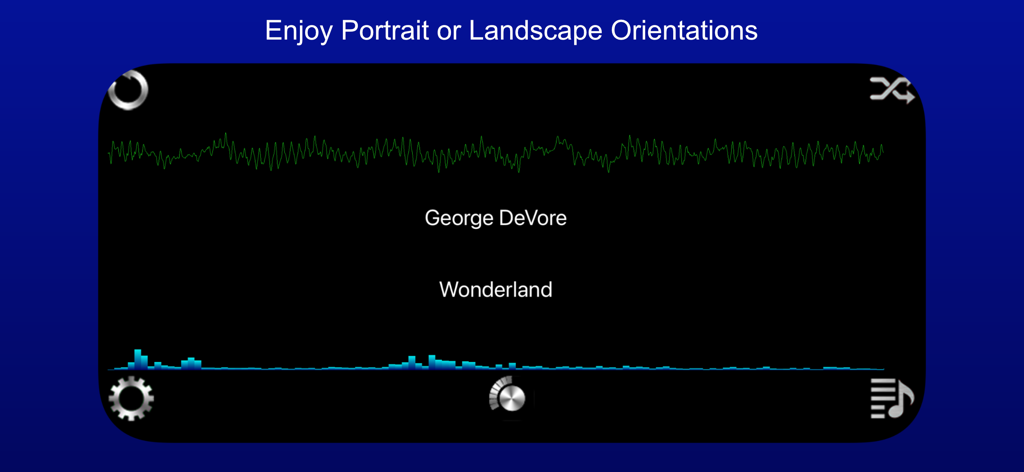
Sonanceアプリのインターフェース。オーディオ波形とスペクトラムアナライザーを表示

Sonanceアプリのインターフェース。オーディオ波形とスペクトラムアナライザーを表示

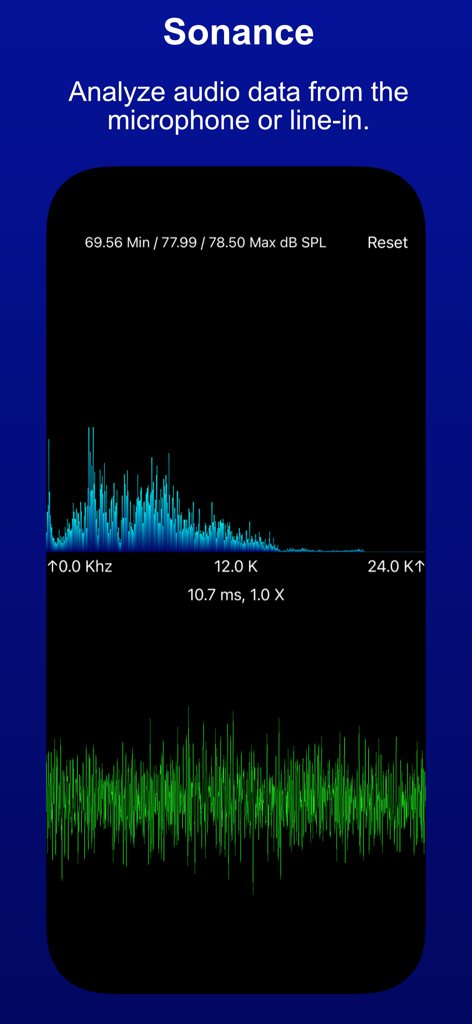
Sonanceビジュアルミュージックプレーヤー。オーディオスペクトルと波形分析を表示

Sonanceビジュアルミュージックプレーヤー。オーディオスペクトルと波形分析を表示

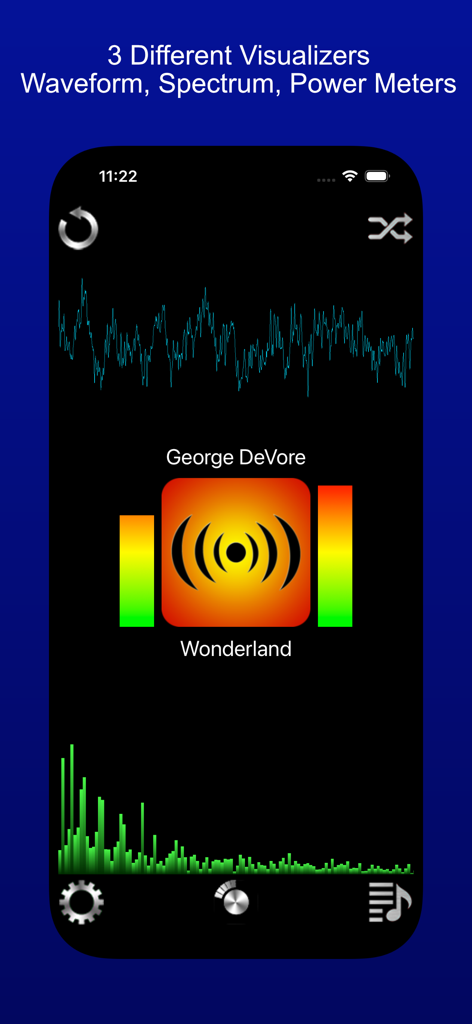
Sonanceアプリのインターフェース。波形スペクトラムアナライザーとパワーメーターのビジュアライザーを表示

Sonanceアプリのインターフェース。波形スペクトラムアナライザーとパワーメーターのビジュアライザーを表示

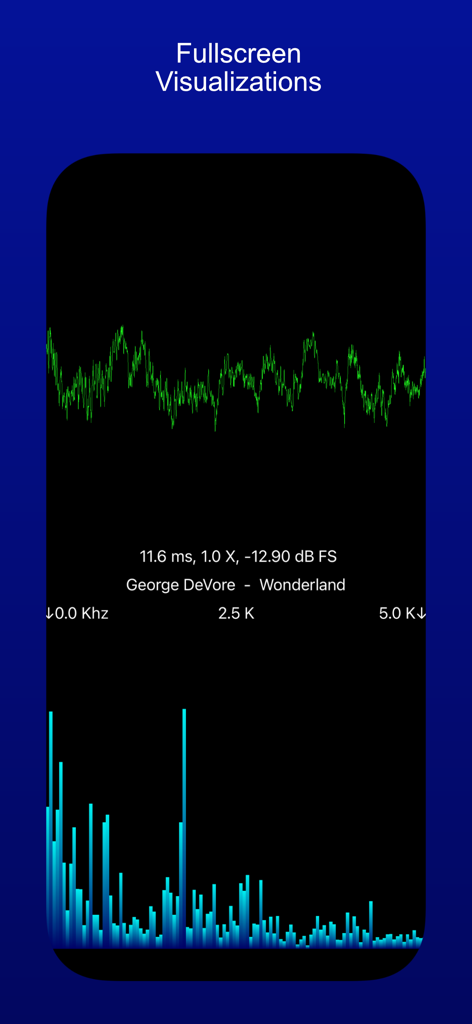
音楽トラックの緑色の波形と青色の周波数スペクトルバーを表示するフルスクリーンのオーディオビジュアライゼーション

音楽トラックの緑色の波形と青色の周波数スペクトルバーを表示するフルスクリーンのオーディオビジュアライゼーション

Sonanceアプリのインターフェース。横向き表示で、波形とスペクトラムアナライザーを備えた音楽ビジュアライゼーションを表示

Sonanceアプリのインターフェース。横向き表示で、波形とスペクトラムアナライザーを備えた音楽ビジュアライゼーションを表示

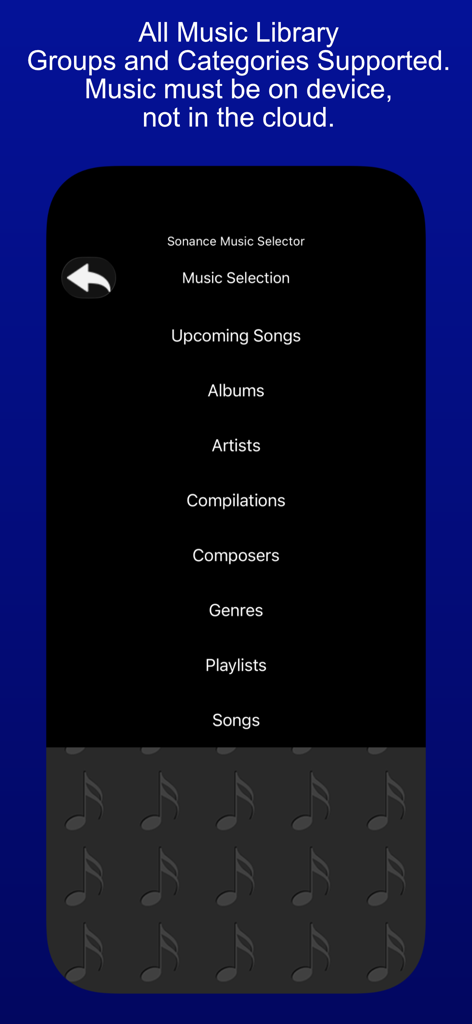
Sonanceアプリのミュージックセレクターメニュー。アルバムやアーティストなどのカテゴリがローカルミュージックファイルを表示

Sonanceアプリのミュージックセレクターメニュー。アルバムやアーティストなどのカテゴリがローカルミュージックファイルを表示

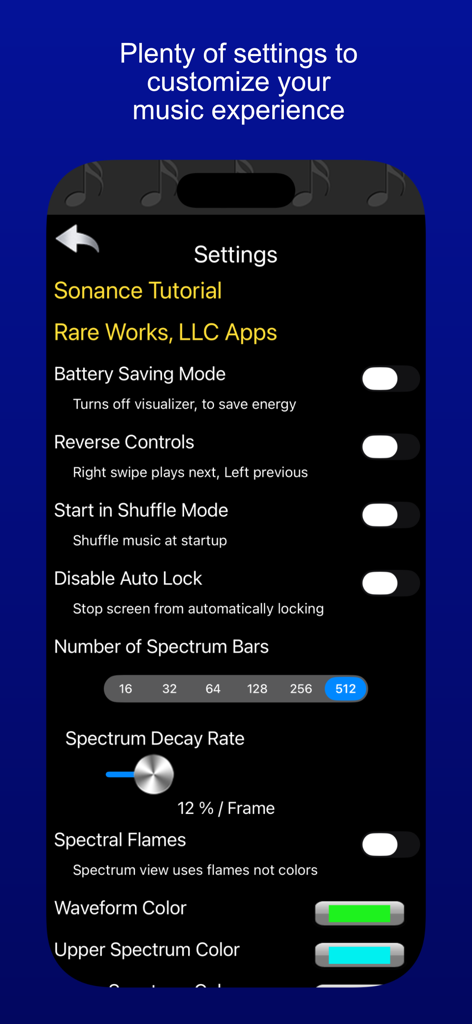
Sonanceアプリの設定メニュー。ビジュアライザーと再生カスタマイズオプションを表示

Sonanceアプリの設定メニュー。ビジュアライザーと再生カスタマイズオプションを表示

オーディオジャーニーをレベルアップ

このアプリを際立たせるツール、 239K+ 人のユーザーが選択.

見事なビジュアライゼーション

リアルタイムのスペクトラム分析とカスタマイズ可能な波形でビートを見て、音楽ライブラリをダイナミックなデジタルアートショーに変えましょう。

🚘

ロード向けに設計

大きめのボタンと直感的なスワイプジェスチャーを備えた特別な車載UIで、ライブラリを安全に操作し、注意散漫にならないコントロールを実現します。

📏

プログレードのオーディオモニタリング

0〜24kHzのデシベルレベルを追跡し、環境周波数を分析します。技術に精通した愛好家のために構築された精密ツールです。

アプリについて

について知っておくべきこと Sonance - Visual Music Player.

説明

Sonance - A music player, an audio spectrum analyzer, and a decibel meter. Sonance plays music that is on your device, and displays waveform and audio spectrum visualizations, plus power level meters. You can see the beat ! Sonance has an in-car user interface, with large buttons, and swipe gestures to move between songs. It's good to use while driving, since you don't have to focus much on it to make a desired change, yet it also has entertaining visualizations to enhance the musical experience, when you can focus on it. Sonance has an easy to use shuffle mode, as well as the ability to repeat one, or a queue of chosen songs. It has a variety of settings allowing personal customization of startup, user interface, and visualizer settings. The visualizer has a full screen mode, that allows for all manner of customization, via pinch and swipe gestures. Sonance also works well with AirPlay, and the visualizers look great when Mirroring your device. Sonance also has the ability to visualize input from the microphone. This allows you to have fun with sound ! It analyzes sound from the built in microphone, or from an attached external microphone, and displays both the audio input signal, and the "frequency bars", which are the results of the spectrum analysis. The audio input signal is displayed in the lower view as a waveform and the spectrum is displayed in the upper view as bars indicating the strength of that frequency within the audio input signal. Frequencies range from 0 hertz to 24000 Hertz or 24K, this is the range of the iPhone and iPad microphone, and also the general range of human hearing. The decibel meter shows audio levels in two metrics. Recorded audio levels are shown as dB FS ( Full Scale ), -120 db to 0 db. Where 0 db is the highest possible level. For audio levels from the microphone or line-in device, the levels are shown as dB SPL ( Sound Pressure Level ), 0 db to 100 db. 120 db can cause pain, 140 db can cause damage. You can use a horizontal and vertical pinches on either display to zoom in/out of the visualization. On the Spectrum display you can also use a slide gesture, to move the display left and right, allowing you to see specific frequencies in detail. Pinches are cumulative, so keep pinching. The settings panel allows you to reset the app to default settings, so have fun exploring sound !

最新バージョン

3.3

サイズ

11.4 MB

リリース日

2010年7月9日

音楽をフルスペクトルで体験する

239,000人以上のオーディオファンが参加。究極の3-in-1ビジュアライザー、プロフェッショナルスペクトラムアナライザー、デシベルメーターをダウンロードして、今日から音楽の聴き方と見方を変えましょう。

ダウンロード: App Store

App information, icons, screenshots, and descriptions displayed on this page are sourced from the Apple App Store and are the property of their respective developers. Download estimates and rankings are based on MWM's proprietary models and may not reflect actual figures. This page is provided for informational and analytical purposes only.

Believe this page infringes your intellectual property? File a dispute