Sound Game Training

Sound Game Training

ダウンロード: App Store
ロゴ: Sound Game Training

音ゲー・トレーニング:あらゆる譜面をマスターしてAll Perfectを達成

スロー再生、A-Bループ、ミラーモードで難解なパターンを分析。ゲーム内のスタミナを消費せずに、フルコンボ達成に必要な筋肉の記憶を鍛えましょう。

開発元

hiroki kawakami

カテゴリ

Music

ダウンロード

377K+

ユーザー評価

4.8/5

評価数

13K+

対応言語

5

全フレームを分析

このインターフェースを利用する 377K+ 人のユーザー.

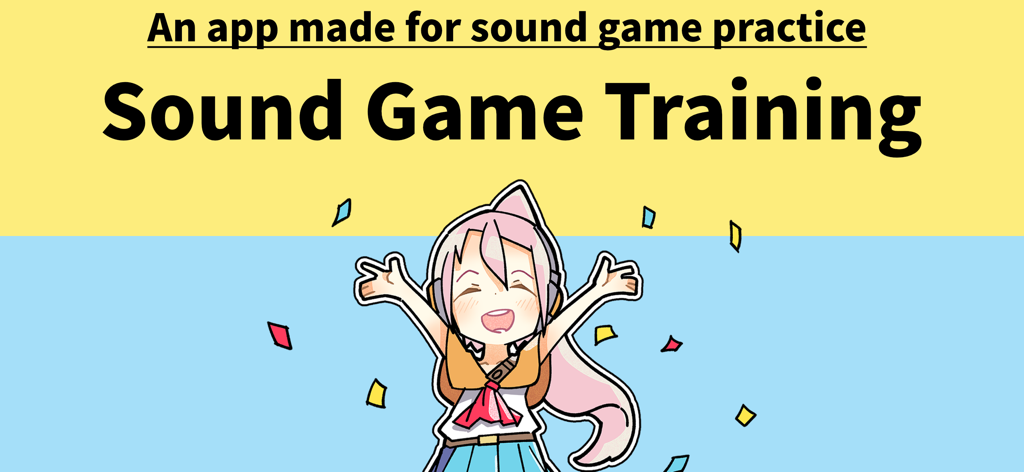
ヘッドホンと紙吹雪で祝うアニメキャラクターが描かれた「音ゲー・トレーニング」アプリのバナー

ヘッドホンと紙吹雪で祝うアニメキャラクターが描かれた「音ゲー・トレーニング」アプリのバナー

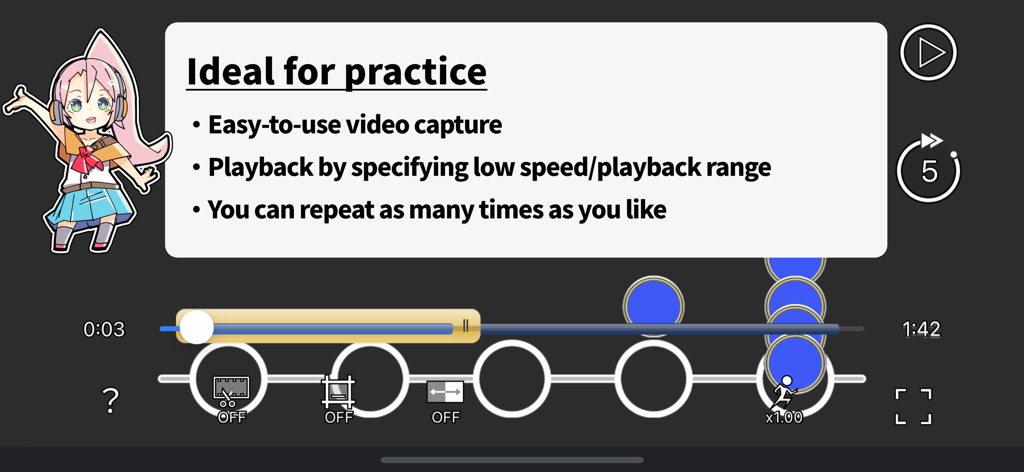
再生速度と範囲制御が表示された、音ゲー譜面の練習画面

再生速度と範囲制御が表示された、音ゲー譜面の練習画面

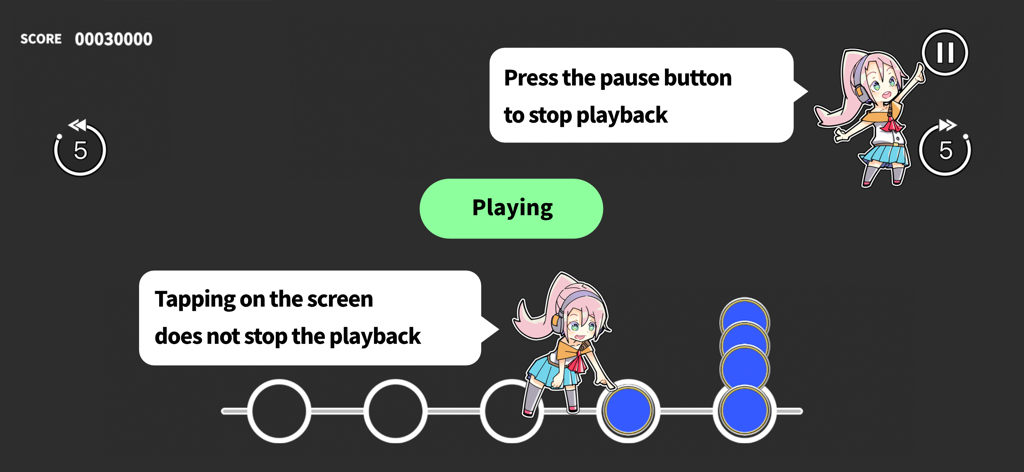
動画再生コントロールとタップ練習の指示が表示された、音ゲー・トレーニングのインターフェース

動画再生コントロールとタップ練習の指示が表示された、音ゲー・トレーニングのインターフェース

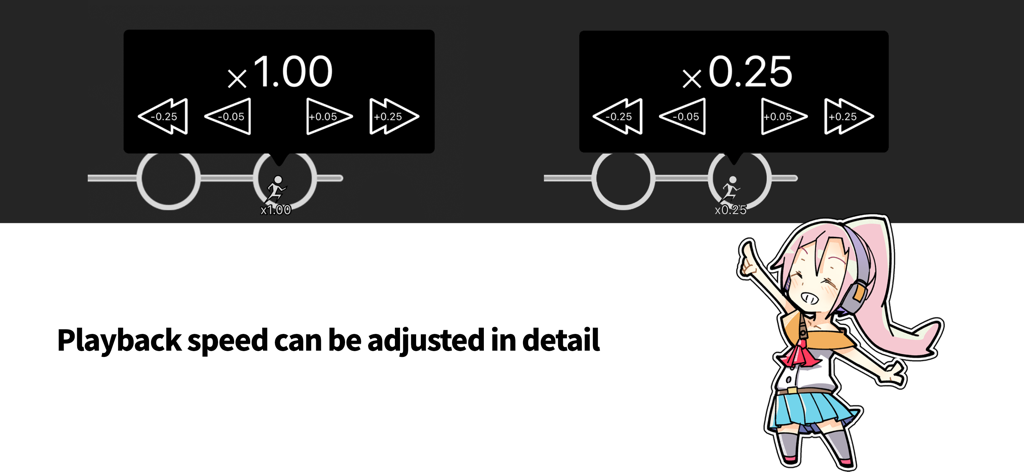
1.00倍から0.25倍までの詳細な再生速度調整コントロールが表示されたインターフェース

1.00倍から0.25倍までの詳細な再生速度調整コントロールが表示されたインターフェース

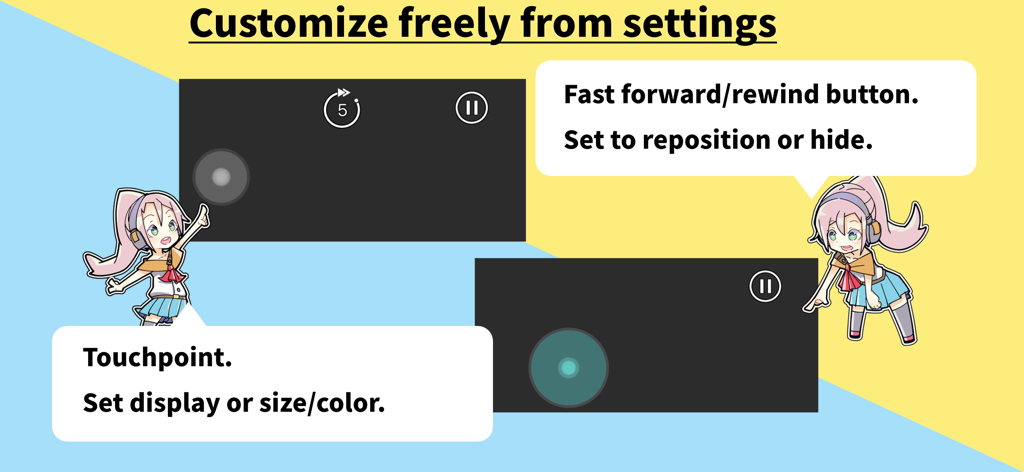
カスタマイズ可能なタッチポイントと再生ボタン、アニメキャラクターのガイドが表示されたインターフェース

カスタマイズ可能なタッチポイントと再生ボタン、アニメキャラクターのガイドが表示されたインターフェース

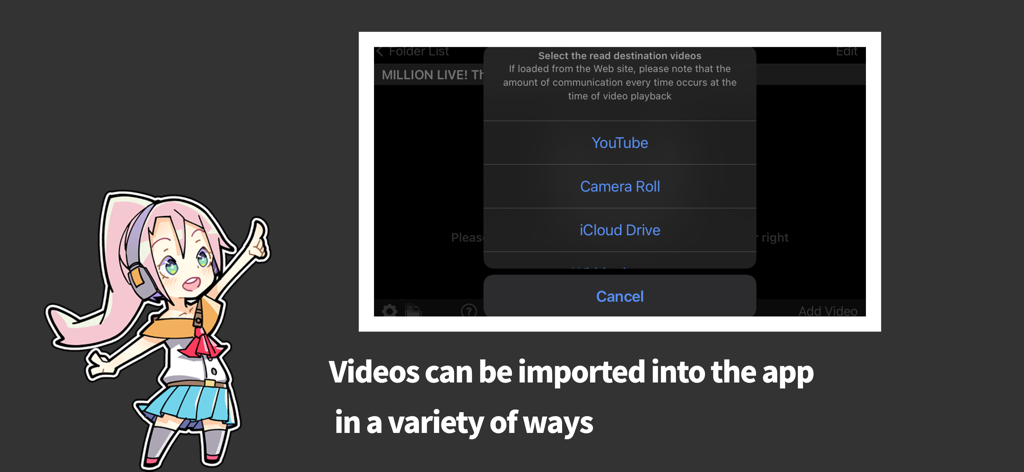
YouTube、カメラロール、iCloud Driveからの動画インポートオプションが表示されたインターフェース

YouTube、カメラロール、iCloud Driveからの動画インポートオプションが表示されたインターフェース

お気に入りの譜面をマスター

このアプリを際立たせるツール、 377K+ 人のユーザーが選択.

⏱️

フレーム単位の精密分析

0.25倍速まで落として、肉眼では追えない複雑な「発狂」や超高速パターンを解読。

🔁

「壁」を狙い撃ち

簡単な部分に時間をかける必要はありません。カスタムループポイントを設定して、筋肉が完璧に覚えるまで苦手な箇所を繰り返し練習。

🖐️

失敗を恐れない練習

動画を止めずに直接タップ。ミラー表示やズームを活用して、ゲーム内のスタミナやエネルギーを消費せずに指の動きを鍛えましょう。

アプリについて

について知っておくべきこと Sound Game Training.

説明

I can't do a full combo... I want to improve my score... I can't get the All Perfect... If you're like this, you need to train! This app specializes in training sound games with video. You can do the things you need to do to improve your score: memorize the chart, memorize the rhythm, and think about how to move your fingers. For example, to practice, you can do the following - Play the video at "slow speed" to see where you missed it. - Play full combo videos that others have uploaded to YouTube and learn the rhythm by touching the judging line. It's a video, so you can play it over and over again to review. Try to stay calm and review the difficult parts one at a time. Keep practicing the videos "at low speed" and "only the difficult parts over and over again" and you'll be able to improve your skills! ______________________________ MAIN FUNCTIONS - Play video in "Camera Roll", "iCloud Drive", "Transfer from iTunes", "YouTube". - Touching the screen during video playback will not pause the video. - Adjust the start/end position of video playback. - Zoom in or out on the video. - Adjust the video playback position. - Set the video playback speed from 0.25 to 2.00 times. - Set an area of the video playback. - Flip the video from left to right. - Support portrait and landscape video orientation. - Display the tap position line for some applications. - Easily rewind and fast forward during playback. What this app doesn't do - Video playback is not included. SUPPORTED APPLICATION The following mobile games support displaying the tap position line. - Deemo - VOEZ - Arcaea - Dynamix - BanG Dream! - HATSUNE MIKU: COLORFUL STAGE! - THE IDOLM@STER MILLION LIVE! Theater Days - THE IDOLM@STER CINDERELLA GIRLS STARLIGHT STAGE - THE IDOLM@STER SideM GROWING STARS - THE IDOLM@STER SHINY COLORS Song for Prism - Love Live! School idol festival - Love Live! School idol festival 2 - HYPNOSISMIC -A.R.B- - Ensemble Stars!! Music - Re:Stage! Prism Step - D4DJ Groovy Mix - HoneyWorks Premium Live - Tokyo 7th Sisters - Uta Macross - Girlfriend (note) - Touhou Danmaku Kagura - World Dai Star -Stellarium of Dreams- *You may not be able to adjust the touch position, depending on the device where you recorded the playback video. STAFF App development: hyoromo Character design: Sin:cK TERMS AND CONDITIONS FOR IN-APP PURCHASES https://hyoromo.github.io/sound-game-training/in-app-purchase-terms/

最新バージョン

2.5.7

サイズ

40.2 MB

リリース日

2016年3月8日

全ての譜面を攻略。All Perfectを掴み取れ。

スタミナを無駄にするのはもう終わり。より賢くトレーニングを。苦手なセクションをループさせ、速度を落として、ランキング上位を独占するための筋肉の記憶を構築しましょう。

ダウンロード: App Store
FAQ

よくある質問

について知っておくべきこと Sound Game Training

Sound Game Trainingアプリとは何ですか?

Sound Game Trainingは、リズムゲームのスコア向上を支援するアプリです。動画再生によるトレーニングに特化しており、譜面やリズムの詳細な分析と練習が可能です。

Sound Game Trainingはどのようにリズムゲームのスキルを向上させますか?

Sound Game Trainingは、動画を使った練習を可能にすることでスキル向上を支援します。スロー再生、再生範囲の調整、繰り返し確認といった機能により、譜面やリズムの記憶、指の動きの洗練を促進します。

Sound Game Trainingで動画再生速度を調整できますか?

はい、Sound Game Trainingでは動画再生速度の調整が可能です。0.25倍から2.00倍まで設定でき、0.05倍刻みで細かく調整することもできます。

Sound Game Trainingでは、どのような動画ソースを練習に使用できますか?

Sound Game Trainingでは、カメラロール、iCloud Drive、YouTubeからの動画再生、およびiTunesからの転送に対応しています。これらの様々なソースから練習動画をインポートできます。

Sound Game Trainingでは、画面をタッチすると動画は一時停止しますか?

いいえ、Sound Game Trainingの動画再生中に画面をタッチしても、動画は一時停止しません。継続的な練習を妨げないよう、再生は中断されずに続行します。

Sound Game Trainingは練習用動画を提供しますか?

いいえ、Sound Game Trainingはアプリ内に動画再生コンテンツを含んでいません。練習には、カメラロールやYouTubeなどの対応ソースからユーザー自身が動画を提供する必要があります。

Sound Game Trainingのタップ位置ライン機能は、どのリズムゲームに対応していますか?

Sound Game Trainingは、Deemo、VOEZ、Arcaea、BanG Dream!、プロジェクトセカイ カラフルステージ! feat. 初音ミク、および各種アイドルマスタータイトルを含むモバイルゲームのタップ位置ライン表示に対応しています。

Sound Game Trainingで動画の特定の再生範囲を設定できますか?

はい、Sound Game Trainingでは動画再生の開始位置と終了位置を調整できます。これにより、曲の特定の部分や難しいセクションに焦点を当てた練習が可能です。

Sound Game Trainingにアプリ内購入はありますか?

はい、Sound Game Trainingにはアプリ内購入が含まれています。これらの購入に関する利用規約は、アプリの説明内にある提供されたリンクからアクセスできます。

App information, icons, screenshots, and descriptions displayed on this page are sourced from the Apple App Store and are the property of their respective developers. Download estimates and rankings are based on MWM's proprietary models and may not reflect actual figures. This page is provided for informational and analytical purposes only.

Believe this page infringes your intellectual property? File a dispute