
Spirit Board (very scary)


友達を集めて、明かりを消し、未知なるものを呼び出しましょう。音声認識によるリアルタイムの霊との交信のスリルを体験してください。ただし、カウントダウンが終わる前に「さようなら」と言うのを忘れずに。
開発元
カテゴリ
Entertainmentダウンロード
5M+ユーザー評価
評価数
74K+対応言語
23このインターフェースを利用する 5M+ 人のユーザー.
このアプリを際立たせるツール、 5M+ 人のユーザーが選択.
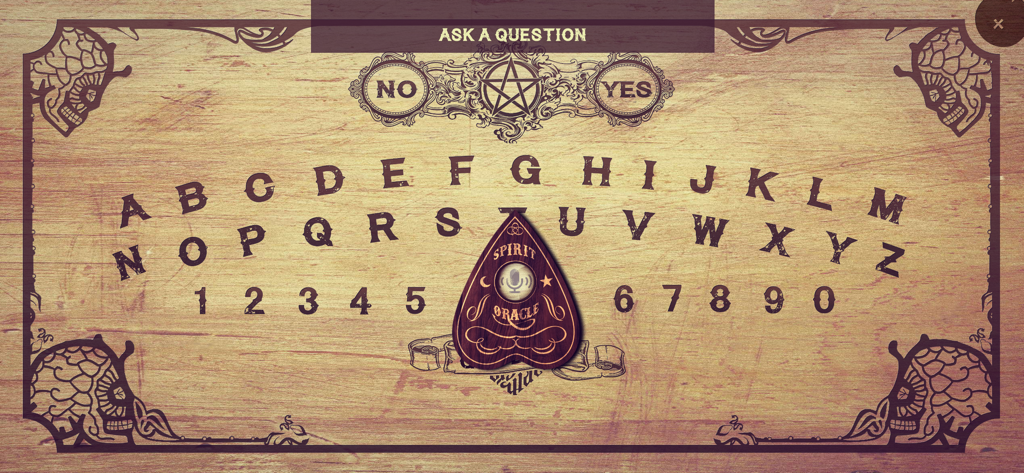
実際に聞き取る唯一のボードです。質問をはっきりと話し、実体があなたの声にリアルタイムで反応するのを待ちましょう。
プランシェットが画面上を滑り、名前や年齢、墓場からの秘密を暴き出す様子を見守りましょう。評価4.2を誇る没入体験をお楽しみください。
安全を保つためにルールに従ってください。霊が怒り出したら、カウントダウンが終わる前に「さようなら」へ移動しなければなりません。さもなければ、不可解な現象に直面することになるでしょう。
について知っておくべきこと Spirit Board (very scary).
説明
最新バージョン
2.0.5
サイズ
104.8 MB
リリース日
2016年7月13日
500万人の勇敢な仲間たちに加わりましょう。明かりを暗くし、友達を呼び、あなたの声であの世の存在を召喚してください。カウントダウンが終わる前に必ず「さようなら」を伝えてください。
について知っておくべきこと Spirit Board (very scary)
The Spirit Board (very scary) app listens to your voice for questions. Users place a finger on the planchette, ask a question, and the planchette moves to reveal the spirit's answer on the board.
Yes, the Spirit Board (very scary) app supports text input. In addition to voice commands, users can type their questions to interact with the virtual spirit board.
No, the Spirit Board (very scary) app's disclaimer states that paranormal activity cannot be scientifically proven, so it cannot guarantee communication with real spirits. The app simulates a spirit board experience.
To start a séance with the Spirit Board app, darken the room, light candles if possible, and place your finger on the planchette. Then, ask your first question aloud, such as 'Is anyone there?'.
If a spirit becomes angry in the Spirit Board (very scary) app, quickly move the planchette to 'Goodbye' before the countdown ends. Be persistent if the spirit initially refuses.
Yes, the Spirit Board (very scary) app uses voice commands. It is specifically designed to listen to your voice, allowing users to ask questions aloud for spirits to respond.
You can ask polite and normal questions in the Spirit Board (very scary) app, such as 'What's your name?', 'How old are you?', 'Are you a good spirit?', or 'Where are you?'.
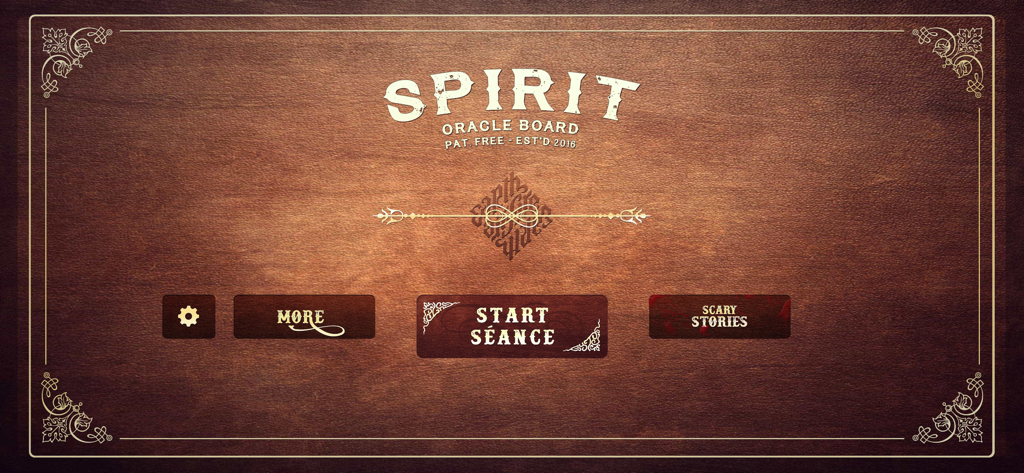
The 'START SÉANCE' button is centrally located on the app's initial screen. It is a prominent, large button on a dark wooden background, inviting users to begin their experience.
似た機能とユーザー体験を持つアプリ

Enigma Labs, LLC

GhostTube Pty Ltd
Alex Quesada

Zipo Apps Ltd.

YET ROOM DESIGN LIMITED

GhostTube Pty Ltd
Wojciech Jan Pawlowski

First Class Media B.V.

GhostTube Pty Ltd
App information, icons, screenshots, and descriptions displayed on this page are sourced from the Apple App Store and are the property of their respective developers. Download estimates and rankings are based on MWM's proprietary models and may not reflect actual figures. This page is provided for informational and analytical purposes only.
Believe this page infringes your intellectual property? File a dispute