Stage Plot Maker

Stage Plot Maker

ダウンロード: App Storeダウンロード: Google Play
ロゴ: Stage Plot Maker

Stage Plot Maker:あらゆるギグのためのプロフェッショナルなテクニカル・ライダー

数分で、エンジニア公認の明確なステージ・ダイアグラムとインプット・リストを作成しましょう。サウンドチェックを合理化し、技術的な混乱をなくし、あらゆる会場のクルーから尊敬を得ましょう。

開発元

Arlo Leach

カテゴリ

Music

ダウンロード

157K+

ユーザー評価

1.6/5

評価数

100

対応言語

1

プロフェッショナルな設計図

このインターフェースを利用する 157K+ 人のユーザー.

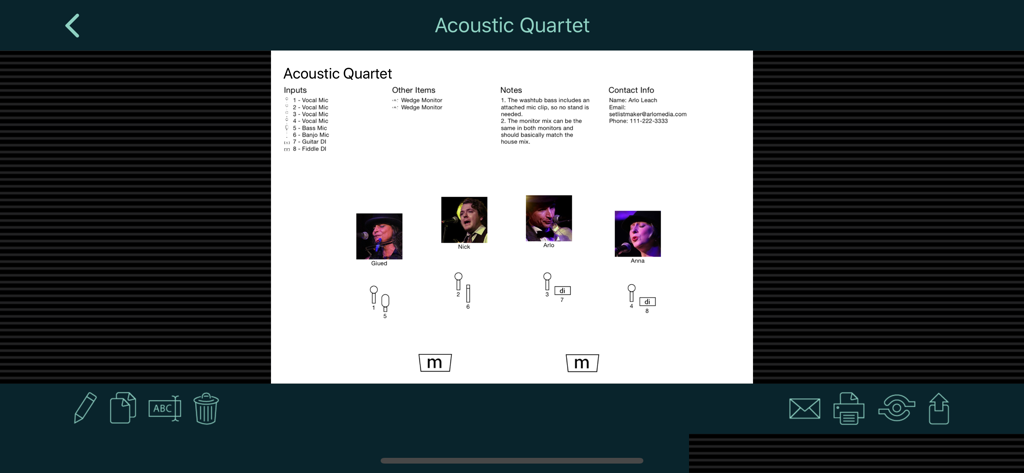
インプット・リストとマイク・シンボルを含む、アコースティック・カルテットのためのプロフェッショナルなステージ・プロット・ダイアグラム

インプット・リストとマイク・シンボルを含む、アコースティック・カルテットのためのプロフェッショナルなステージ・プロット・ダイアグラム

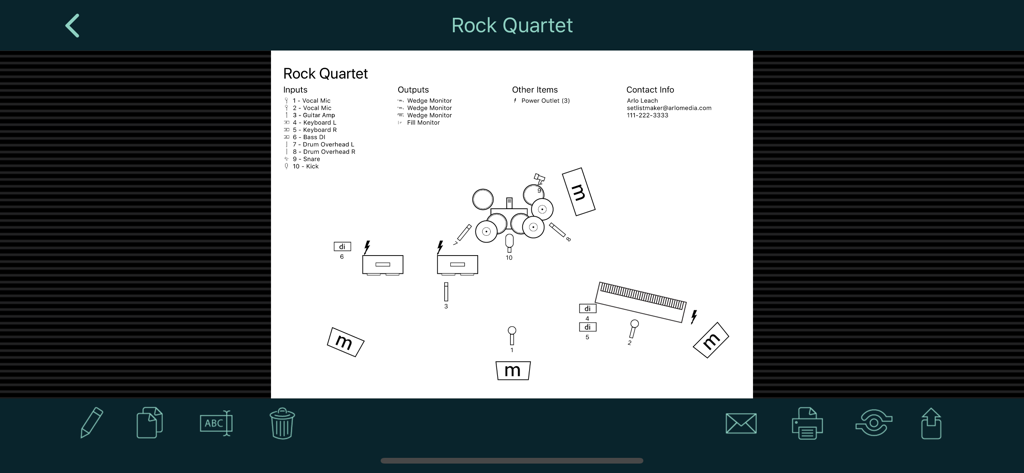
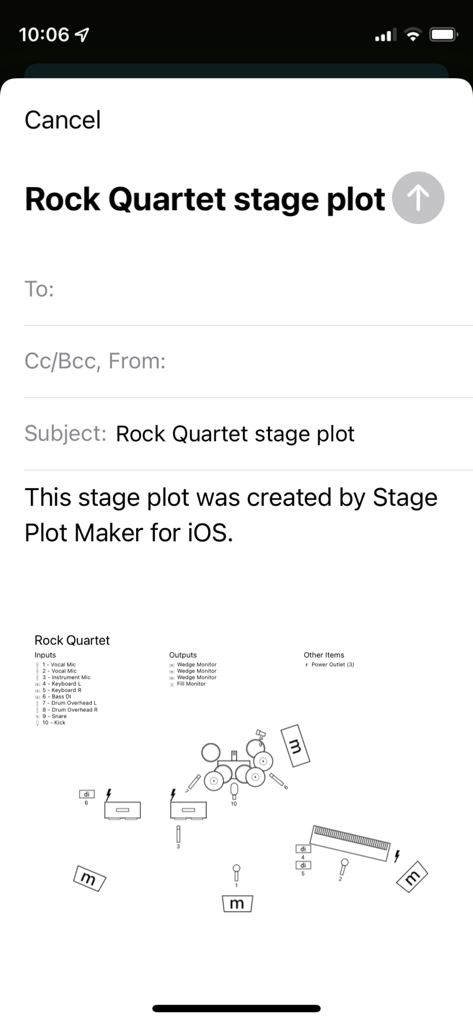
機材の配置とテクニカル・インプット・リストを示す、ロック・カルテットの詳細なステージ・プロット・ダイアグラム

機材の配置とテクニカル・インプット・リストを示す、ロック・カルテットの詳細なステージ・プロット・ダイアグラム

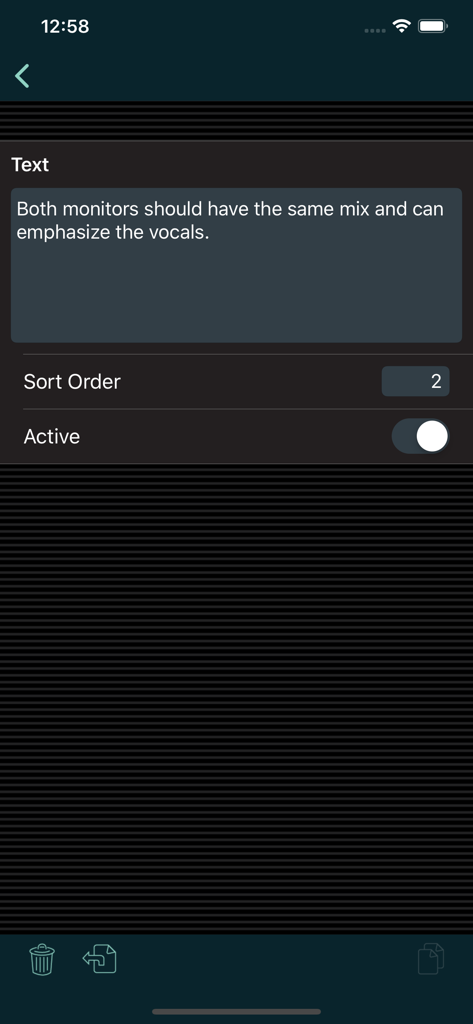
サウンド・エンジニア向けのカスタム・テクニカル・ノートを表示するStage Plot Makerの画面

サウンド・エンジニア向けのカスタム・テクニカル・ノートを表示するStage Plot Makerの画面

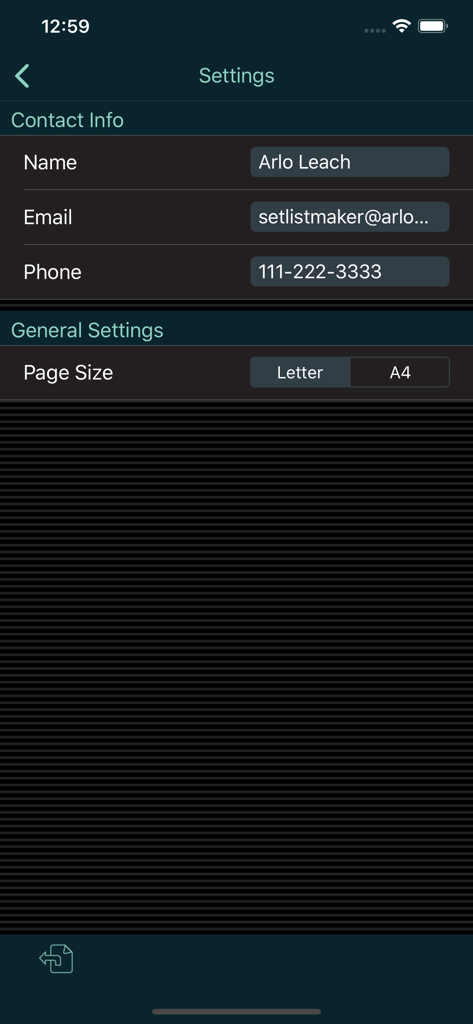
連絡先情報フィールドとページサイズ選択を表示するStage Plot Makerアプリの設定メニュー

連絡先情報フィールドとページサイズ選択を表示するStage Plot Makerアプリの設定メニュー

テクニカル・インプット・リストと楽器シンボルを表示するロック・カルテットのステージ・プロットのメール共有画面

テクニカル・インプット・リストと楽器シンボルを表示するロック・カルテットのステージ・プロットのメール共有画面

数分でプロフェッショナルなテック・スペックを

このアプリを際立たせるツール、 157K+ 人のユーザーが選択.

🎤

エンジニア志向のシンボル

わかりにくいアイコンではなく、マイクやDIボックスのテクニカル・シンボルを使用してプロのように伝えましょう。サウンドクルーに必要な正確なI/Oデータを提供し、ステージ配線を確実に行いましょう。

📋

詳細なインプット&アウトプット・リスト

番号付きのパッチ・リスト、機材要件、各パフォーマーの特定の注意事項でテクニカル・ライダーを整理し、搬入時に何も見落とされないようにしましょう。

📲

シームレスなモバイル同期

iPadで複雑なレイアウトをデザインし、iPhoneに自動同期して、暗く、うるさく、混雑した会場で素早く参照できるようにしましょう。

アプリについて

について知っておくべきこと Stage Plot Maker.

説明

Stage Plot Maker helps you build clear, readable stage plots to communicate your band's technical requirements to a sound engineer. You can build a collection of stage plots for different kinds of gigs, then print or email them directly from your mobile device. Running the app on a tablet is recommended for building stage plots. Once you build a stage plot, you can copy it to the phone app for quick access on the go. Stage plots can include a diagram to show the placement of elements on stage; numbered input and output lists; a list of other required items like chairs and music stands; the name and photo of each performer; notes for the sound engineer; and your contact info. Note that this app doesn't use pictures for small instruments like guitars, trumpets, etc. Instead, it uses symbols for the inputs that those instruments go into, like mics or DI boxes. You can label those inputs to show what instrument they are used for. This provides a streamlined display that shows sound engineers just what they need to set up the stage for you. The app does include symbols for large instruments like piano and drums that are typically placed on stage first with the inputs positioned around them. Please see the screen shots and demo video for examples. *** If you have a problem or a suggestion, please contact me before writing a bad review. I respond promptly to all emails and posts in my support forum. ***

最新バージョン

1.2.12

サイズ

2.5 MB

リリース日

2015年3月4日

次のサウンドチェックをプロフェッショナルにしませんか?

ナプキンに描いたスケッチはもうやめ、プロのテクニカル・ライダーを使いましょう。157,000人以上のツアーミュージシャンやバンドリーダーがStage Plot Makerをダウンロードしています。自信を持って次の会場へ向かいましょう。

ダウンロード: App Storeダウンロード: Google Play

App information, icons, screenshots, and descriptions displayed on this page are sourced from the Apple App Store and are the property of their respective developers. Download estimates and rankings are based on MWM's proprietary models and may not reflect actual figures. This page is provided for informational and analytical purposes only.

Believe this page infringes your intellectual property? File a dispute