Storage Cleaner · Smart Clean

Storage Cleaner · Smart Clean


ダウンロード: App Store
ロゴ: Storage Cleaner · Smart Clean

ストレージクリーナー · スマートクリーン: スペースを解放し、iPhoneを高速化

「ストレージがいっぱいです」というアラートに、もう悩まされることはありません。散らかったギャラリーを簡単にスワイプし、重複した連絡先をマージし、プライベートアプリを保護する究極のデジタル衛生アシスタントです。

ダウンロード: App Store

開発元

涛 马

カテゴリ

Utilities

ダウンロード

171K+

ユーザー評価

4.5/5

評価数

1K+

対応言語

11

一目でわかる清潔さ

このインターフェースを利用する 171K+ 人のユーザー.

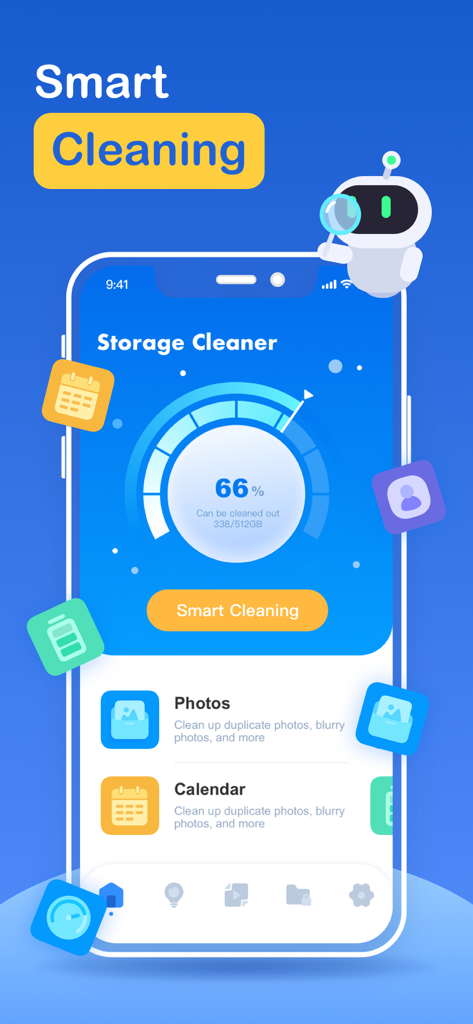
ストレージ使用状況とスマートクリーニングオプションが表示されているストレージクリーナーアプリのダッシュボード

ストレージ使用状況とスマートクリーニングオプションが表示されているストレージクリーナーアプリのダッシュボード

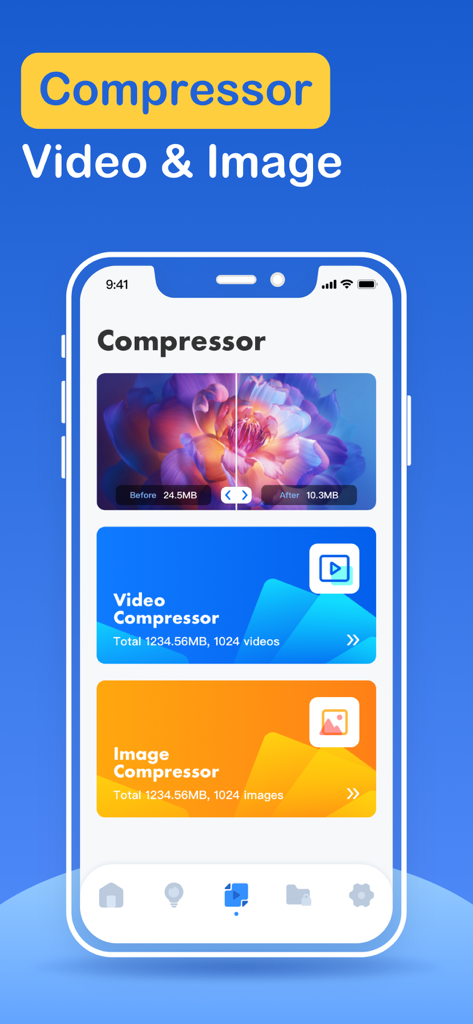
iPhoneのストレージ容量を節約するためのビデオおよび画像圧縮機能が表示されているストレージクリーナーアプリのインターフェース

iPhoneのストレージ容量を節約するためのビデオおよび画像圧縮機能が表示されているストレージクリーナーアプリのインターフェース

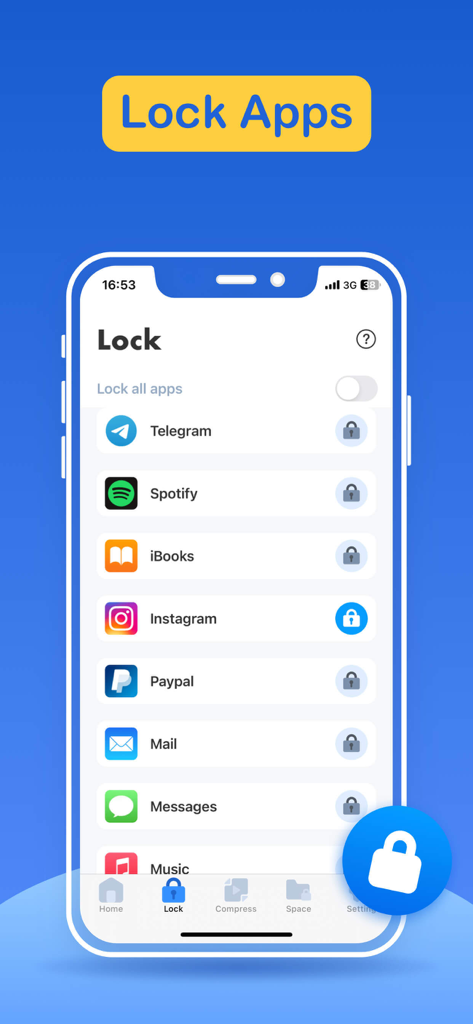
ソーシャルメディアやプライベートアプリケーションを保護するためのアプリロック機能が表示されているストレージクリーナーアプリのインターフェース

ソーシャルメディアやプライベートアプリケーションを保護するためのアプリロック機能が表示されているストレージクリーナーアプリのインターフェース

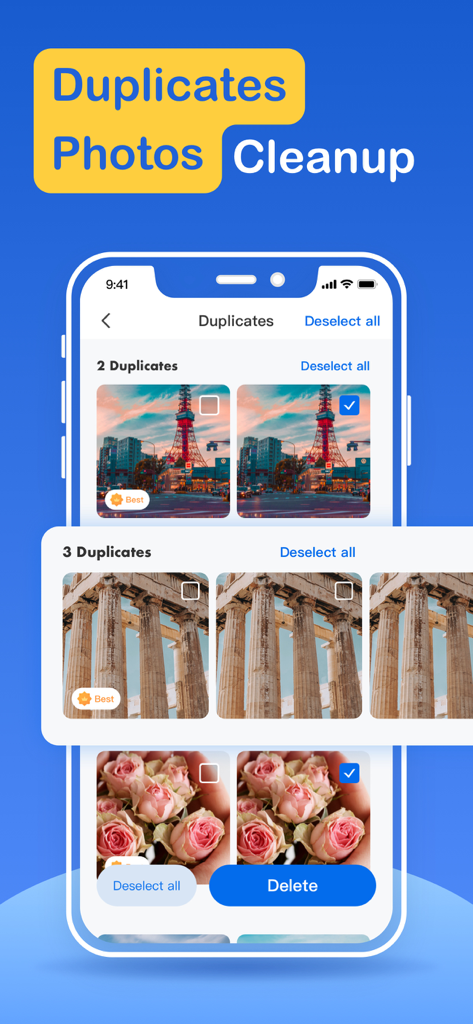
削除対象として特定された重複写真が表示されているストレージクリーナーアプリのインターフェース

削除対象として特定された重複写真が表示されているストレージクリーナーアプリのインターフェース

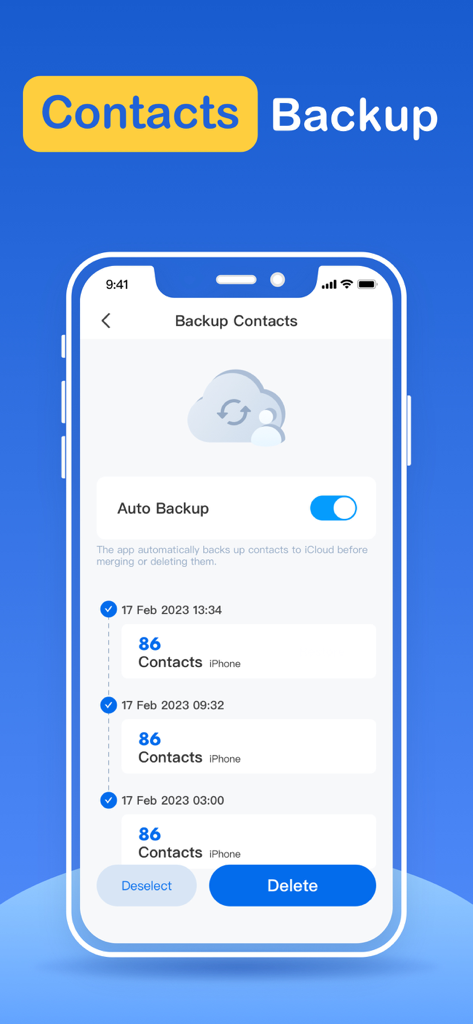
自動バックアップトグルと履歴リストを備えた連絡先バックアップ用のストレージクリーナーアプリのインターフェース

自動バックアップトグルと履歴リストを備えた連絡先バックアップ用のストレージクリーナーアプリのインターフェース

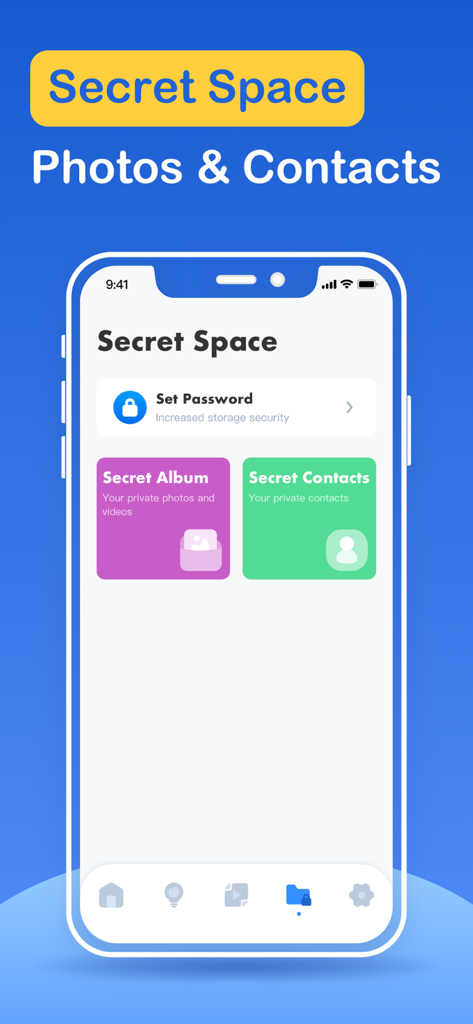
プライベート写真と連絡先用のシークレットスペース機能が表示されているストレージクリーナーアプリのインターフェース

プライベート写真と連絡先用のシークレットスペース機能が表示されているストレージクリーナーアプリのインターフェース

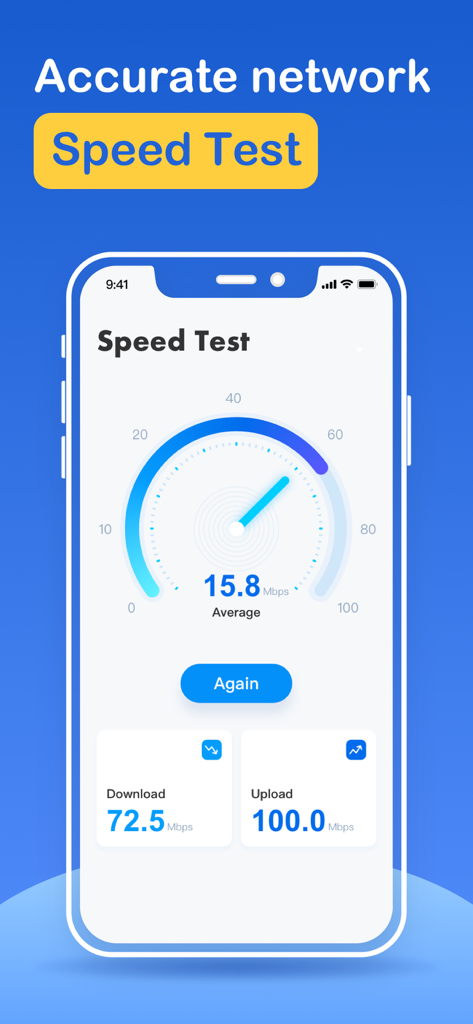
ダウンロード速度とアップロード速度を示すインターネット速度テストインターフェースのスクリーンショット(ストレージクリーナーアプリ内)

ダウンロード速度とアップロード速度を示すインターネット速度テストインターフェースのスクリーンショット(ストレージクリーナーアプリ内)

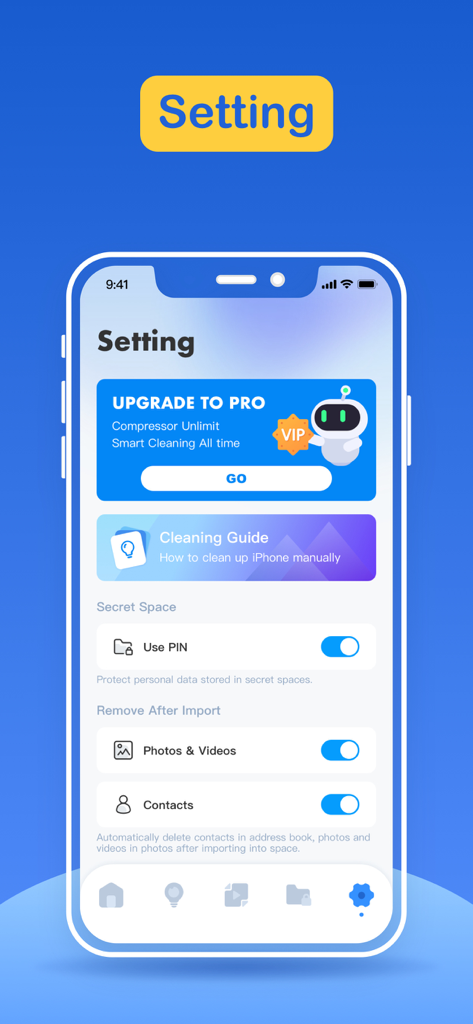
プライバシーオプションとクリーニングガイドが表示されているストレージクリーナーアプリの設定インターフェース

プライバシーオプションとクリーニングガイドが表示されているストレージクリーナーアプリの設定インターフェース

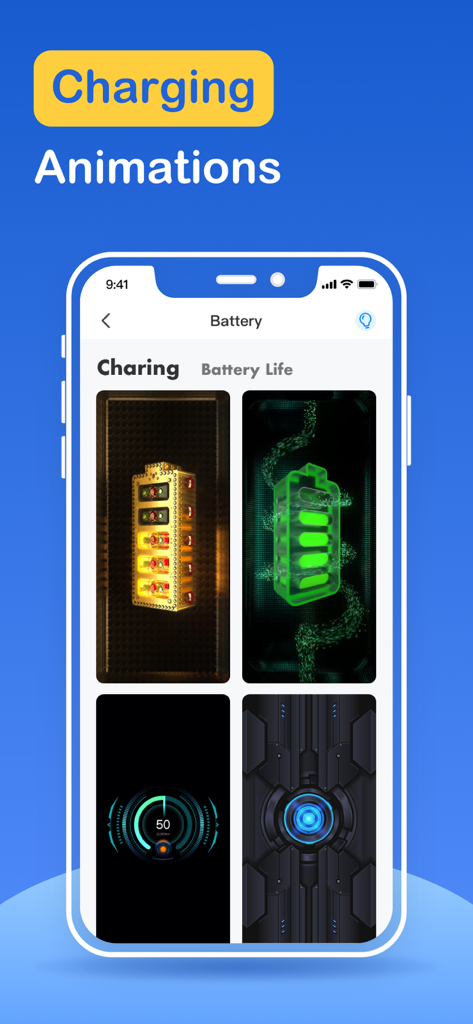
カスタムバッテリー充電アニメーションが表示されているiPhoneアプリ画面

カスタムバッテリー充電アニメーションが表示されているiPhoneアプリ画面

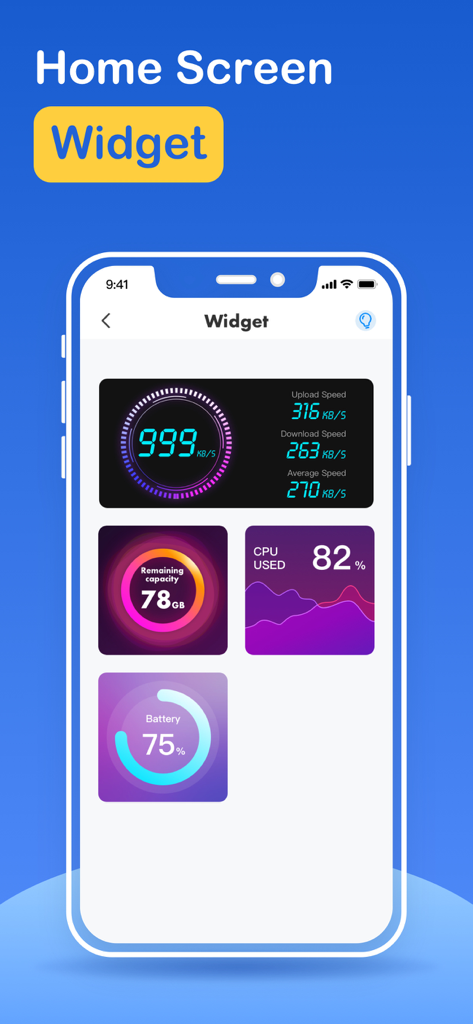
インターネット速度、ストレージ容量、CPU使用率、バッテリー寿命を含むさまざまなホーム画面ウィジェットが表示されているストレージクリーナーアプリのインターフェース

インターネット速度、ストレージ容量、CPU使用率、バッテリー寿命を含むさまざまなホーム画面ウィジェットが表示されているストレージクリーナーアプリのインターフェース

数秒でiPhoneのストレージを解放

このアプリを際立たせるツール、 171K+ 人のユーザーが選択.

スマートワンタップクリーンアップ

インテリジェントなフィルタリングエンジンを使用して、容量を圧迫しているファイル、ぼやけた重複、不要なキャッシュを即座に特定して削除します。

📸

直感的なスワイプ削除

ギャラリーの整理は面倒なものであってはなりません。Tinderスタイルのスワイプ操作で、最高の思い出だけを残し、デジタルジャンクを捨てましょう。

🔒

プライベートアプリ保護

あなたのプライベートな空間を保護します。機密性の高いアプリを覗き見からロックすることで、プライバシーの層を追加します。

アプリについて

について知っておくべきこと Storage Cleaner · Smart Clean.

説明

What can Storage Cleaner help you do? 1. Smart cleaning Smart cleaning helps you search and filter related data such as picture information, address book information, calendar information, etc. You can manage multiple types of data at one time through the one-click cleaning function. 2. Picture management Picture management can help you analyze similar or duplicate picture resources in the system album, and can also help you analyze screenshots and other resources, and you can choose to delete them. 3. Address book management Address book management helps you analyze and filter duplicate contacts, similar contacts, invalid contacts and other information, and you can merge these contacts with one click. 4. Swipe You can quickly browse and filter the resources in the album. How to filter them? You only need to swipe left or right to distinguish them. After filtering, you can clear the pictures you don't like. 5. Lock App You can choose which application to lock in the Lock module, and then follow the tutorial instructions to create Personal Automation using the Shortcuts application. Then, you can lock the app you specify so that others cannot peek into the privacy of your app. 6. Internet speed test It only takes one click, and everything is automatically produced. After a short time test, you can get the downlink speed and uplink speed of the current network. 7. Widgets Desktop widgets allow you to add network tests, memory usage, CPU usage, etc. to your desktop. 8. Calendar management Calendar management can make it easier for you to manage events added to the calendar in history. The app provides a simple operation method that allows you to delete unnecessary events very easily. 9. Mobile phone optimization guide Here you can learn how to find unused apps, how to delete useless apps, and some common social software optimization methods. For unlocking all features and content, Premium Membership offers one auto-renewable subscription options: Weekly payment and annual payment subscription options. - Payment will be charged to iTunes Account at confirmation of purchases. - Subscription automatically renews unless auto-renew is turned off at least 24 hours before the end of the current period. - Account will be charged for renewal within 24-hours prior to the end of the current period, and identify the cost of the renewal. - Subscriptions may be managed by the user and auto-renewal may be turned off by going to the user’s Account Settings after purchase. - Any unused portion of a free trial period, if offered, will be forfeited when the user purchases a subscription to that publication, where applicable. Privacy policy: http://www.conhor.pro/privacystatement/smartdevice/privacyPolicy.html Terms of use: http://www.conhor.pro/privacystatement/smartdevice/termsofuse.html

最新バージョン

2.8.1

サイズ

103.4 MB

リリース日

2023年3月15日

「ストレージがいっぱいです」というアラートに、もう悩まされることはありません。

スペースを解放した171,000人以上のユーザーに加わりましょう。散らかったものをスワイプし、プライベートアプリをロックして、iPhoneに息をするためのスペースを与えましょう。

ダウンロード: App Store

App information, icons, screenshots, and descriptions displayed on this page are sourced from the Apple App Store and are the property of their respective developers. Download estimates and rankings are based on MWM's proprietary models and may not reflect actual figures. This page is provided for informational and analytical purposes only.

Believe this page infringes your intellectual property? File a dispute