Strip Designer

Strip Designer

ダウンロード: App Store
ロゴ: Strip Designer

Strip Designer: 写真をプロのコミックブックに変える

親や教育者向けの究極の買い切り型クリエイティブスイート。サブスクリプションも隠れた料金もなし—あなたの物語を作成、印刷、共有するための強力なツールだけです。

開発元

Jens Egeblad

カテゴリ

Photo & Video

ダウンロード

414K+

ユーザー評価

4.2/5

評価数

1K+

対応言語

1

写真から傑作へ

このインターフェースを利用する 414K+ 人のユーザー.

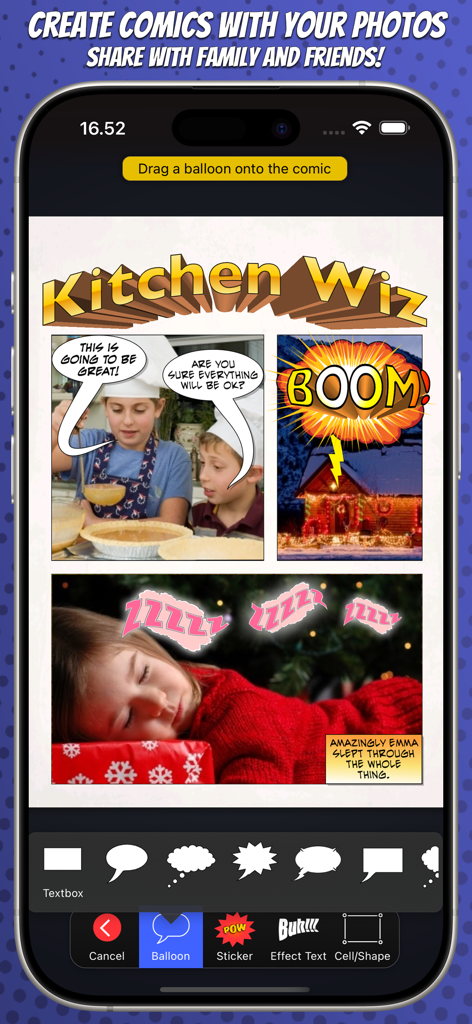
Strip Designerアプリのインターフェース。写真、吹き出し、編集ツールを備えたコミックブックのレイアウトが表示されています

Strip Designerアプリのインターフェース。写真、吹き出し、編集ツールを備えたコミックブックのレイアウトが表示されています

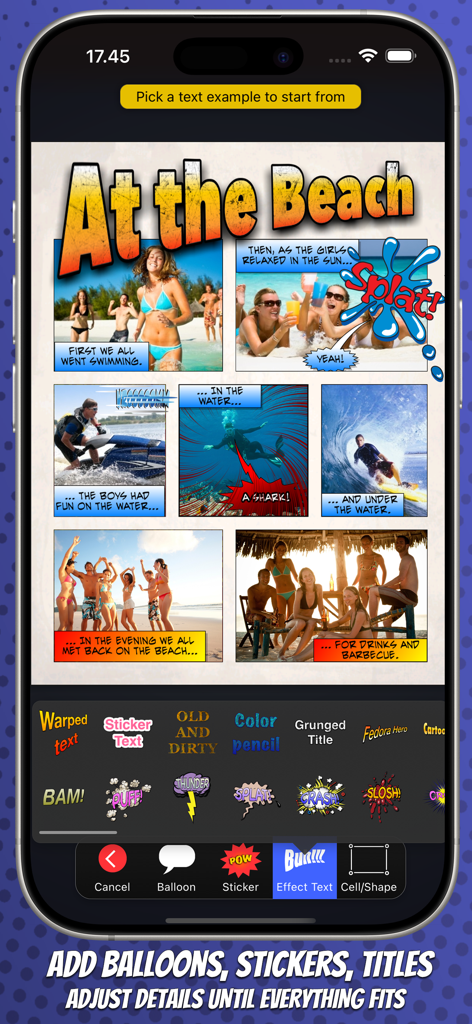
Strip Designerアプリ。編集ツールを備えたビーチテーマの写真コミックが表示されています

Strip Designerアプリ。編集ツールを備えたビーチテーマの写真コミックが表示されています

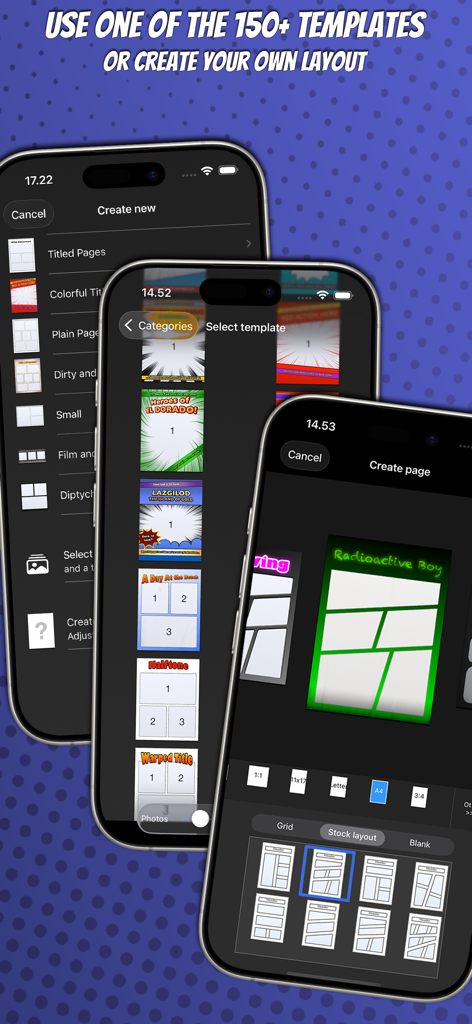
Strip Designerモバイルアプリのインターフェース。さまざまなコミックブックのページテンプレートとカスタムレイアウト選択オプションが表示されています

Strip Designerモバイルアプリのインターフェース。さまざまなコミックブックのページテンプレートとカスタムレイアウト選択オプションが表示されています

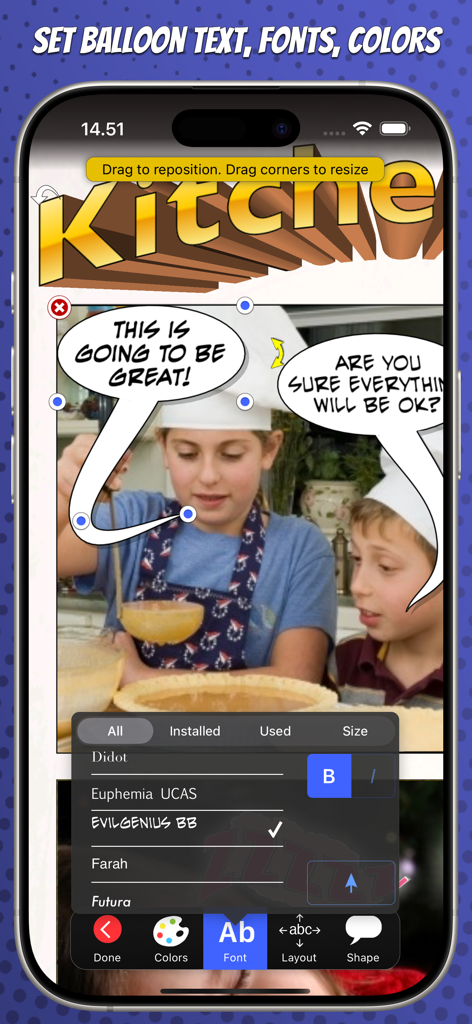
Strip Designerのモバイルインターフェース。写真の上にコミックブックのフォントと吹き出し編集が表示されています。

Strip Designerのモバイルインターフェース。写真の上にコミックブックのフォントと吹き出し編集が表示されています。

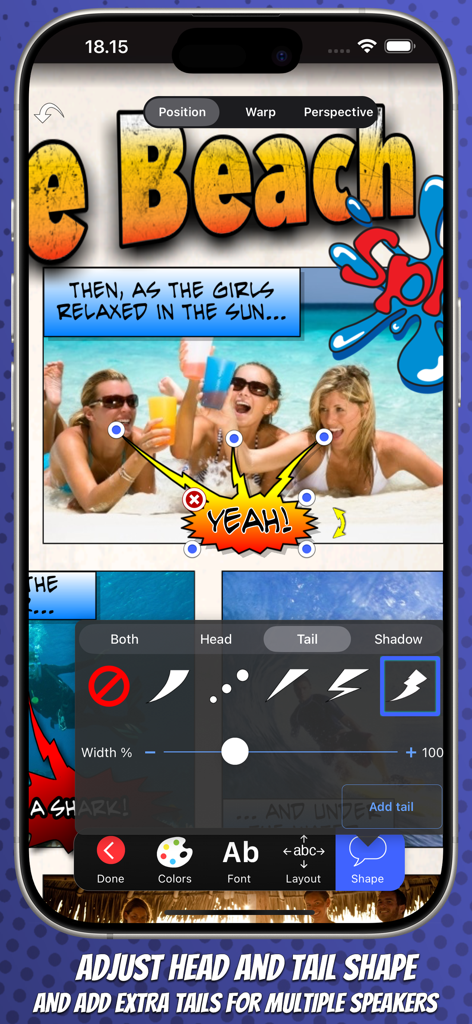
Strip Designerアプリで、吹き出しのしっぽの形状を調整し、複数のしっぽを追加しています

Strip Designerアプリで、吹き出しのしっぽの形状を調整し、複数のしっぽを追加しています

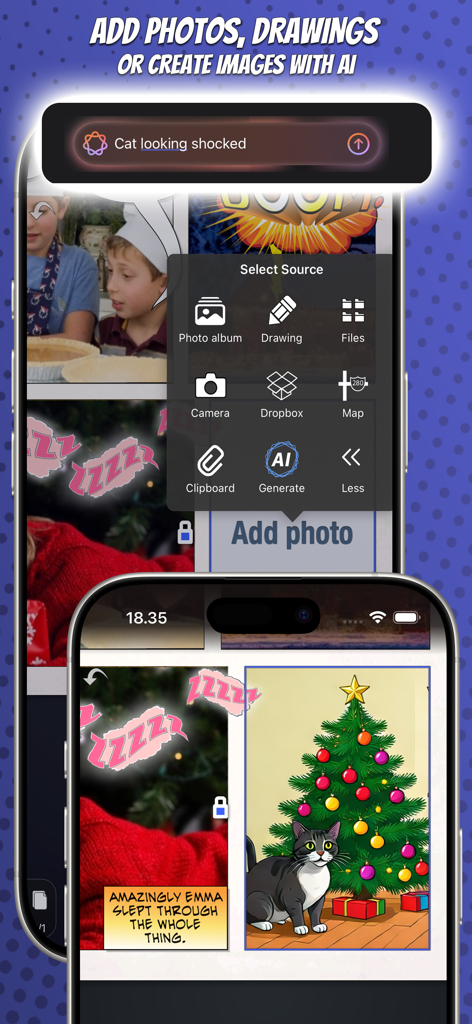
Strip Designerアプリのインターフェース。AI生成画像や写真でコミックストリップを作成します

Strip Designerアプリのインターフェース。AI生成画像や写真でコミックストリップを作成します

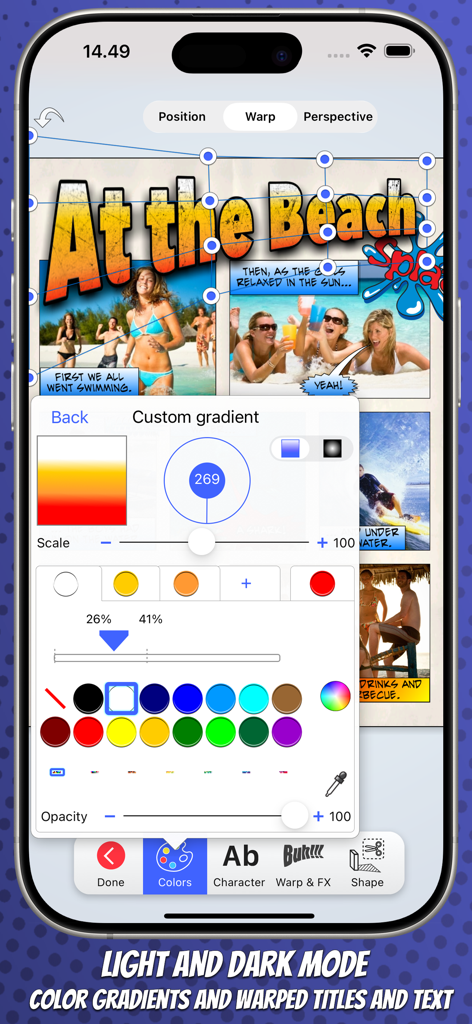
Strip Designerモバイルアプリのインターフェース。コミックストリップ用のカスタムグラデーションとワープテキスト編集ツールが表示されています

Strip Designerモバイルアプリのインターフェース。コミックストリップ用のカスタムグラデーションとワープテキスト編集ツールが表示されています

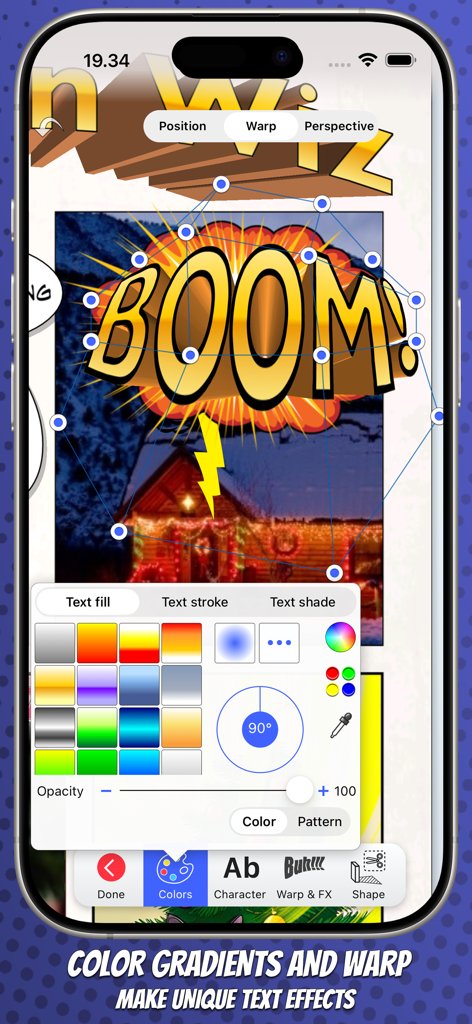
Strip Designerアプリ。コミックブックの「ブーム」効果を作成するための3Dテキストワープとカラーグラデーションツールが表示されています

Strip Designerアプリ。コミックブックの「ブーム」効果を作成するための3Dテキストワープとカラーグラデーションツールが表示されています

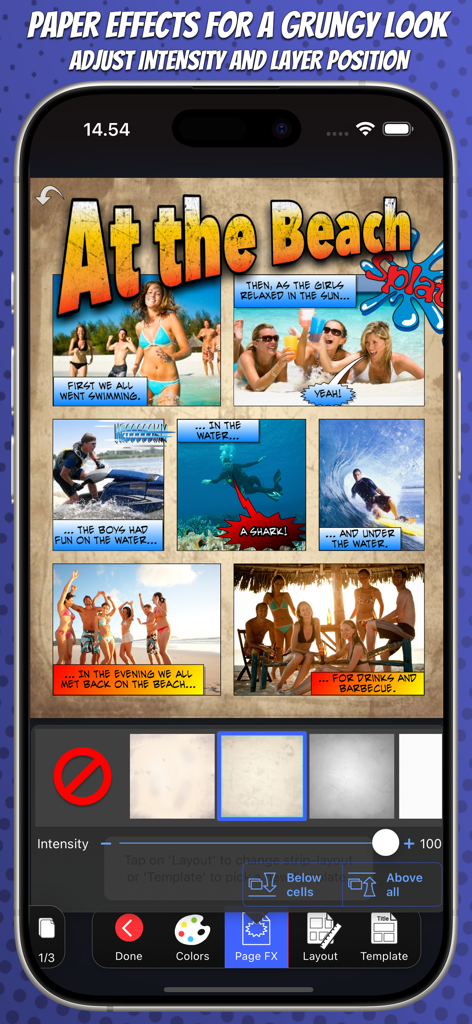
Strip Designerアプリ。グラングな紙のテクスチャ効果が適用されたビーチテーマのコミックストリップが表示されています

Strip Designerアプリ。グラングな紙のテクスチャ効果が適用されたビーチテーマのコミックストリップが表示されています

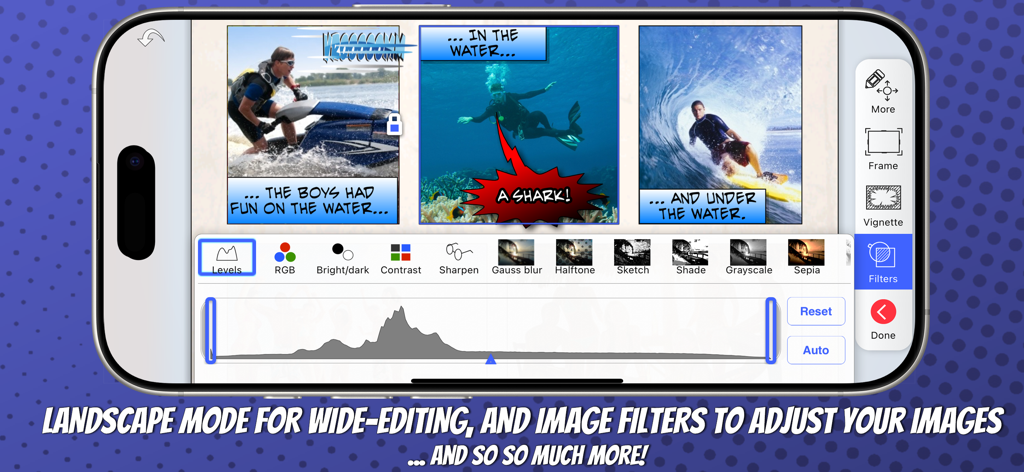
画像フィルター調整を備えた、ランドスケープモードでのコミックブック作成を示すスマートフォン

画像フィルター調整を備えた、ランドスケープモードでのコミックブック作成を示すスマートフォン

すべてのストーリーテラーのための強力なツール

このアプリを際立たせるツール、 414K+ 人のユーザーが選択.

💎

1つの価格、完全アクセス

サブスクリプション疲れから解放されます。すべてのレイアウト、フォント、ステッカーは最初から含まれています—隠れた料金やアプリ内購入は不要です。

🎨

プロ仕様のカスタマイズ

3Dワープレタリング、高度な写真マスキング、100以上のプロ仕様ページテンプレートで、基本的なフィルターを超えた、真にユニークなルックスを実現します。

🎓

家庭と学校に最適

教室のプロジェクトやデジタルスクラップブッキングのための親によって教育者から信頼されており、MDM、PDFエクスポート、iCloud同期を完全にサポートしています。

アプリについて

について知っておくべきこと Strip Designer.

説明

Create amazing comic books with your photos and share with friends and family. Tell exciting stories with balloons, stickers, drawings, and warped 3D lettering. Strip Designer offers the complete comic creation experience on iOS and macOS. And no in-app purchases -- Everything is included! You'll begin by selecting one of the many included comic book page templates or create your own custom layout. Next, you'll add photos from the camera, your album, or create a drawing. Apply filters, or even paint on and mask your photos for atmosphere, style and retouching. Add balloons and text anywhere you want and in any direction and size. Play with the colors and fonts until you get the perfect look. Add stickers like "Boom", "Splash", or "Bang" to spice up the action -- Even create your own library using photos from your photo-album and the built-in masking and drawing tools. Use 3D warped text with thick borders and gradient color-fill to give your comic the extra super-hero feel. Download and add additional free fonts easily within the app, to give your text a unique look! While you work, you can freely pan and zoom to control even tiny details. Once you have finished your masterpiece you can save it to your photo album or share it with your friends. Use PDF to share entire comic books in high-quality. -- All from within Strip Designer. Key Features: • More than a 100 page templates with 1 to 9 photo cells • Multipage books • Create your own panel layout with up-to 12 cells or use one of the standard layouts • Many balloon types with customizable tails and heads • Balloons can have multiple tails and be combined • Flexible text options with per-letter colors and fonts • Adjust ballon size, rotation, color, and transparency • Add text (3D, warped, and perspective) for a superhero vibe • Use any iOS font or install additional fonts for unique touch • More than 150 stickers to insert for additional impact • Page effects to give your pages old look • Dropbox and WebDAV download/upload support • Export to PDF to create real comic books • Import PDFs (for both cells and custom stickers) • Control scale, position, and rotation of photos • Integrated drawing and masking tools to create your own drawings, paint on photos, or make your own stickers • Auto mask and feather photos (to remove background) • Many different cell styles • Photo filters • Fluidly pan and zoom to manage even the smallest details • Insert maps for additional context • iCloud sync across devices • Support for iOS's third party document providers • Layers view to lock or reorder layers • Shared iPad (for education) setup through MDM configuration No in-app purchases -- Everything is included! - What the reviewers say - "Strip Designer is worth every penny it costs, and then some. I would pay a couple more bucks for Lifestrips. It's stable, it's easy, it's fun, and for all that I couldn't come up with anything witty for my comic text, I love the look of my comics. Someone with a better imagination than I apparently have could really do fabulous things with this app. I rate it a solid five stars out of five.", Pamela Flora, iPhoneography - - - - - - - - - - - - - - "We were simply blown away by this application and the detail that has gone into the editing options and templates. We enjoyed the fact that a comic can be created very easily with photos and simple text effects, however there is real opportunities to really drill down into the editing options where the user can explore the apps true potential. There are many comic strip applications available on the Appstore but this is by far one of the best and great value for money. This app comes highly recommended by The Educational Appstore.", - See more at: http://www.educationalappstore.com/app/strip-designer#sthash.2KqjbU5Q.dpuf" --------------------------

最新バージョン

1.25.8

サイズ

97.4 MB

リリース日

2009年5月17日

今日からクリエイティブな冒険を始めよう

すべてが1回の購入で。サブスクリプションもアプリ内購入もなし—あなたとあなたの家族のための無限のストーリーテリングだけです。

ダウンロード: App Store

App information, icons, screenshots, and descriptions displayed on this page are sourced from the Apple App Store and are the property of their respective developers. Download estimates and rankings are based on MWM's proprietary models and may not reflect actual figures. This page is provided for informational and analytical purposes only.

Believe this page infringes your intellectual property? File a dispute