Strong Motion Monitor Viewer

Strong Motion Monitor Viewer

ダウンロード: App Store
ロゴ: Strong Motion Monitor Viewer

強震モニタービューア:日本の最先端リアルタイム地震データをあなたの手に

NIEDの強震モニターに直接アクセスし、地震波の伝播と地盤加速度を可視化します。プロレベルの精度と最小限の遅延で、地表および孔内強度を追跡します。

開発元

Thirdocean, Ltd.

カテゴリ

Weather

ダウンロード

157K+

ユーザー評価

3.7/5

評価数

600

対応言語

2

一目でわかる高精度データ

このインターフェースを利用する 157K+ 人のユーザー.

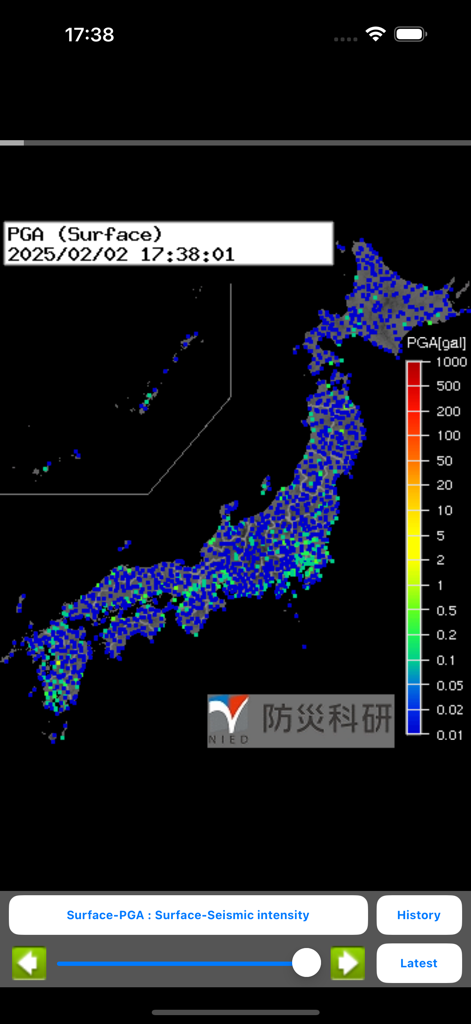
強震モニタービューアアプリで、地表の最大地面加速度データを示す日本のリアルタイム震度マップ

強震モニタービューアアプリで、地表の最大地面加速度データを示す日本のリアルタイム震度マップ

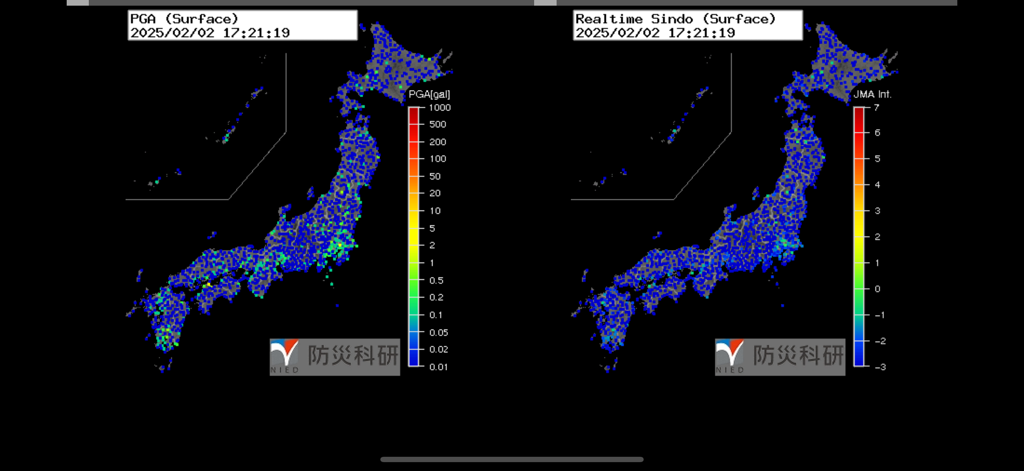
地表PGAと震度を示す日本の二重リアルタイム地震監視マップ

地表PGAと震度を示す日本の二重リアルタイム地震監視マップ

リアルタイムで比類なき地震インサイト

このアプリを際立たせるツール、 157K+ 人のユーザーが選択.

📡

ライブPGA&震度マッピング

発生と同時に波の伝播を可視化します。防災科学技術研究所からの生データフィードを使用して、地表および孔内PGA(最大地面加速度)を監視します。

🔍

二層地質分析

ボタンをタップするだけで、地表と孔内の地震強度を比較できます。高震度イベント中に異なる土壌層や深度がどのように反応するかを理解するために不可欠です。

高精度過去再生

過去60分間の地震活動をミリ秒単位の精度で確認できます。可能な限り低い遅延を実現するための手動サーバーオフセット制御により、イベントパターンと波の動きを分析します。

アプリについて

について知っておくべきこと Strong Motion Monitor Viewer.

説明

I own app to Strong Motion Monitor the site found in the National Research Institute for Earth Science and Disaster Prevention, Japan. The URL hard-coded, such as might not see the site design changes. You can enter the setting screen from Settings app. The items that can be set, • Sleep invalid setting • background map, white / black / Appearance interlocking(iOS13 or higher) selection • Type setting of the screen next to the time left map and portrait screen time • Type setting of the screen next to the time right map in landscape screen(or portrait screen of iPad) • Server data acquisition offset time ※ Please try to adjust when the blank map is frequently displayed, processing of server is heavy (for example, -4 seconds to -6 seconds) • selection of Strong Motion Monitor server Should be done than notification items in the Settings app notification settings. The following operations are possible in the portrait screen display. • In the lower left button, the type of setting horizontal screen when left map and vertical screen time • At the bottom right button, the type of setting right next to the screen during map • In slide bar at the bottom left and display the data for up to one hour past • In button on the slide bar left and right to move data around 2 seconds • The return to the latest data displayed in a button press on the bottom right in the past at the time data display • In iOS6 or more, you can send the image to Twitter, such as by pressing and holding the map. • You can switch the type of map by swiping left and right on the map. (Left:Surface PGA -> Surface -Seismic intensity -> Borehole-PGA -> Borehole-Seismic intensity -> Surface PGA, Right:Surface PGA -> Borehole-Seismic intensity -> Borehole-PGA -> Surface -Seismic intensity -> Surface PGA)

最新バージョン

1.8.4

サイズ

28.6 MB

リリース日

2013年7月22日

最上級の地震データにアクセス

日本のNIEDネットワークを監視する地質学者やパワーユーザーのエリートネットワークに参加しましょう。低遅延のPGAおよび孔内強度データがデバイスに直接配信されます。

ダウンロード: App Store

App information, icons, screenshots, and descriptions displayed on this page are sourced from the Apple App Store and are the property of their respective developers. Download estimates and rankings are based on MWM's proprietary models and may not reflect actual figures. This page is provided for informational and analytical purposes only.

Believe this page infringes your intellectual property? File a dispute