TrafficCamNZ

TrafficCamNZ

ダウンロード: App Store
ロゴ: TrafficCamNZ

TrafficCamNZ: あなた専用のライブ交通・気象ダッシュボード

運転する前に、先の道路を確認しましょう。7,000以上のカメラまたはあなた自身のリンクからカスタマイズされたフィードで、交通と気象の即時視覚確認を取得します。

開発元

David Wilson

カテゴリ

Navigation

ダウンロード

250K+

ユーザー評価

2.2/5

評価数

500

対応言語

1

道路に目を光らせて

このインターフェースを利用する 250K+ 人のユーザー.

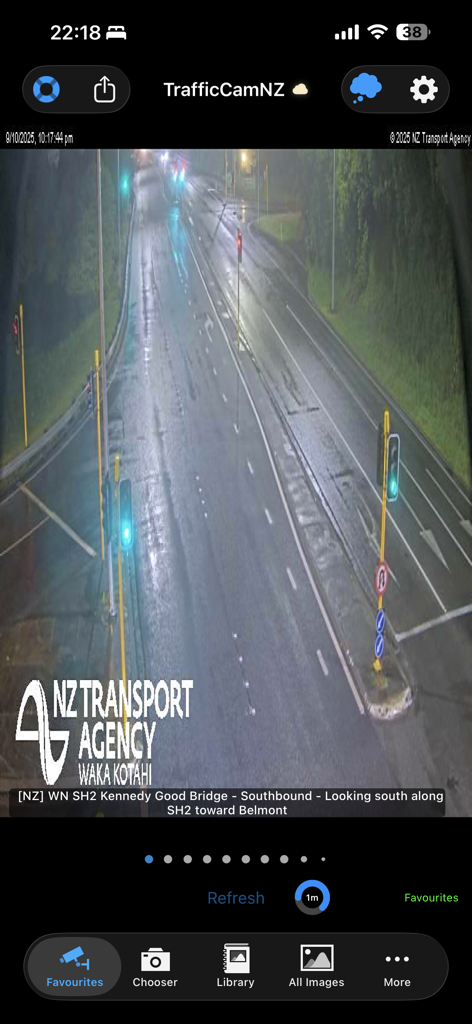
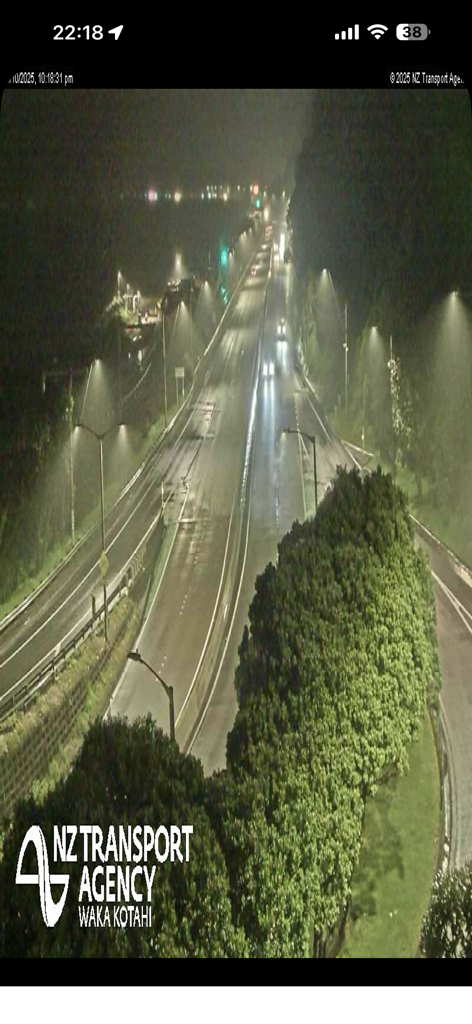
TrafficCamNZアプリがNZ Transport Agencyからの雨の高速道路のライブ夜間交通カメラフィードを表示しています

TrafficCamNZアプリがNZ Transport Agencyからの雨の高速道路のライブ夜間交通カメラフィードを表示しています

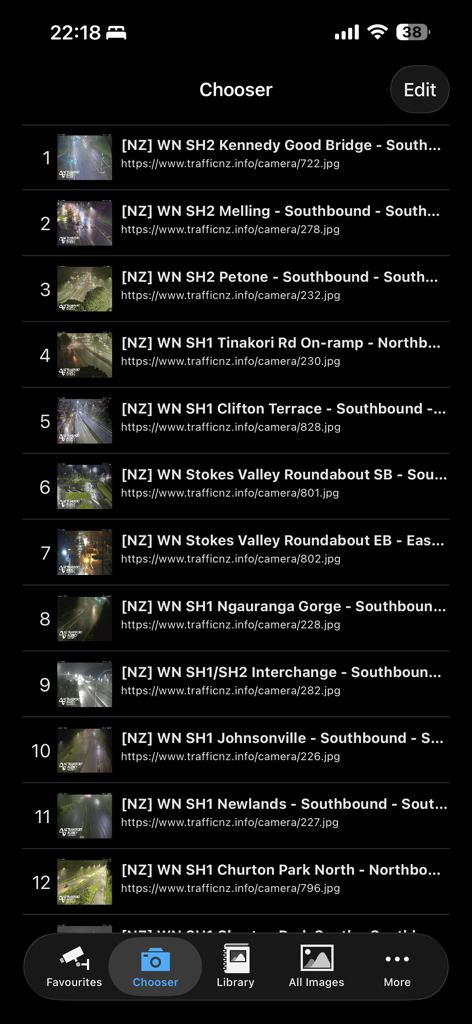
TrafficCamNZアプリのチョイサースクリーンに、場所とWebアドレスを含む交通カメラの番号付きリストが表示されています。

TrafficCamNZアプリのチョイサースクリーンに、場所とWebアドレスを含む交通カメラの番号付きリストが表示されています。

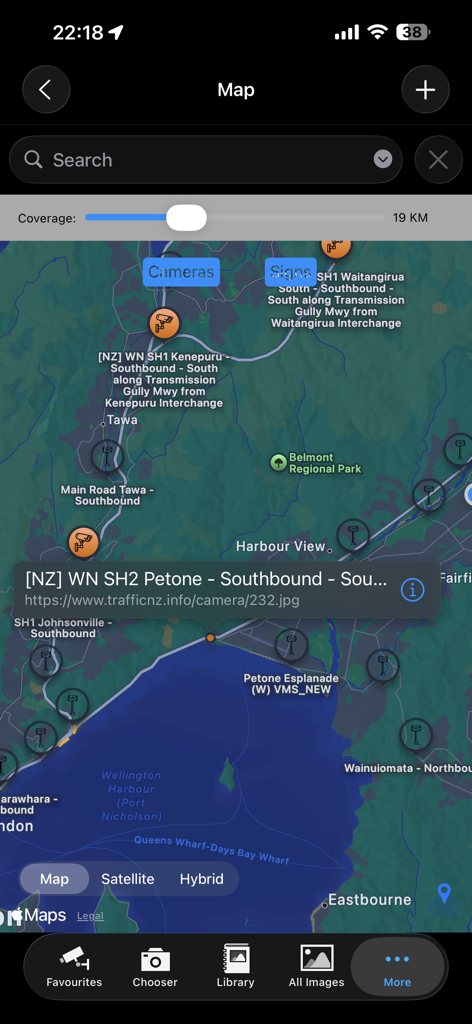
TrafficCamNZアプリのマップビューに、選択されたカメラの詳細ポップアップで交通カメラの場所が表示されています

TrafficCamNZアプリのマップビューに、選択されたカメラの詳細ポップアップで交通カメラの場所が表示されています

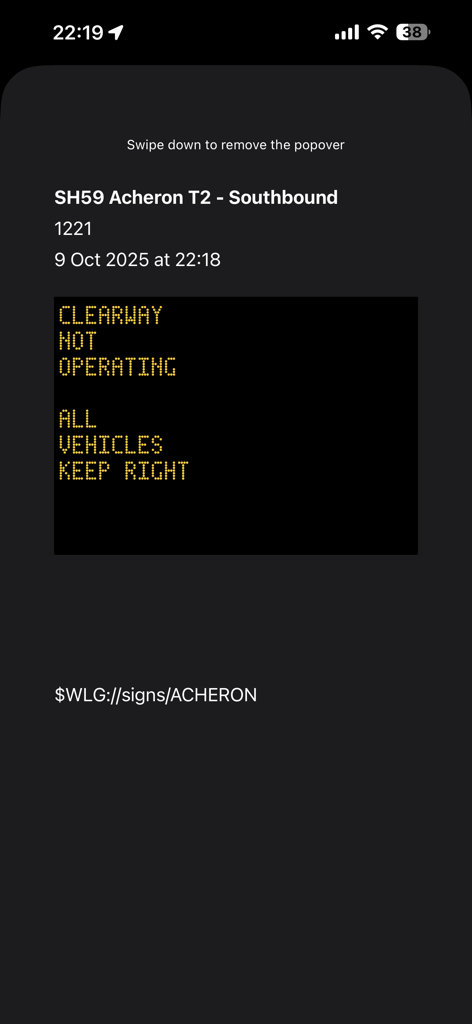
TrafficCamNZアプリでSH59南行きリアルタイムデジタル交通標識情報

TrafficCamNZアプリでSH59南行きリアルタイムデジタル交通標識情報

街灯のある多車線高速道路の夜間交通カメラビュー

街灯のある多車線高速道路の夜間交通カメラビュー

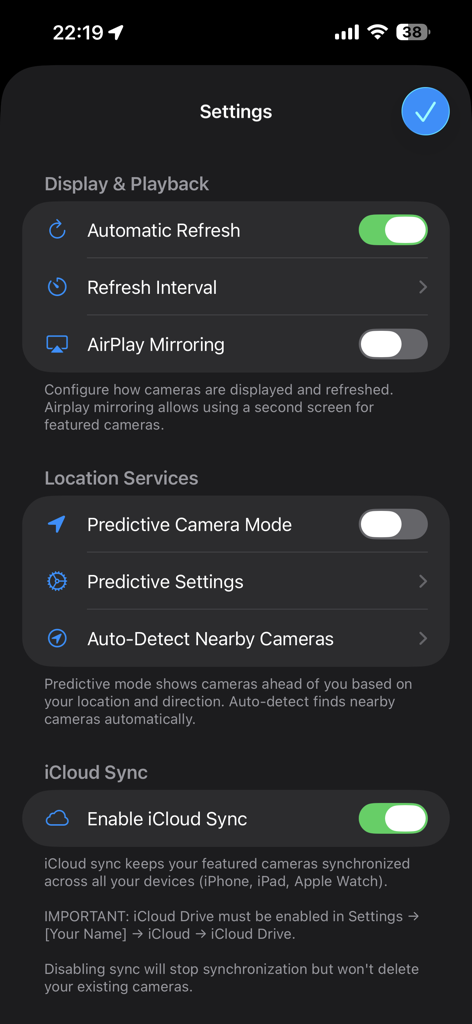
TrafficCamNZアプリの設定画面に、表示、再生、位置情報サービス、iCloud同期オプションが表示されています

TrafficCamNZアプリの設定画面に、表示、再生、位置情報サービス、iCloud同期オプションが表示されています

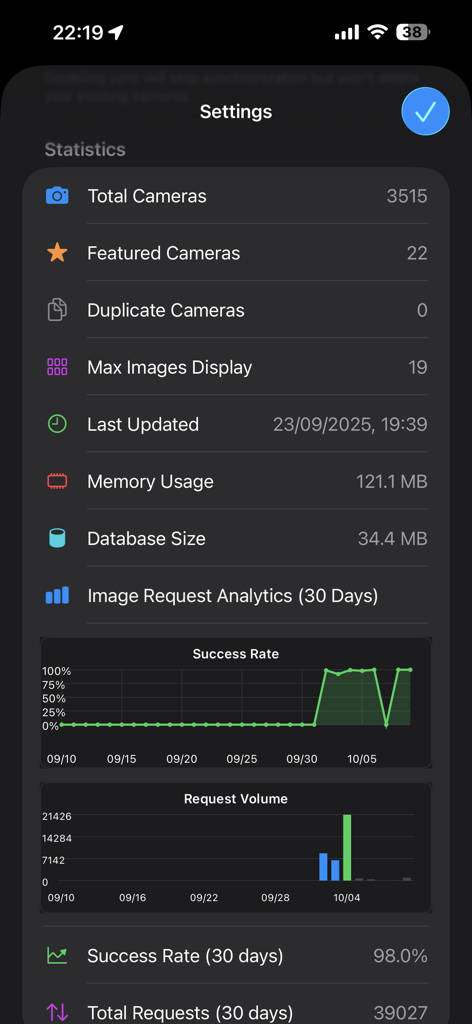
アプリの設定画面に、総カメラ数、注目のカメラ数、画像リクエスト分析(成功率とボリュームチャート付き)の統計が表示されています。

アプリの設定画面に、総カメラ数、注目のカメラ数、画像リクエスト分析(成功率とボリュームチャート付き)の統計が表示されています。

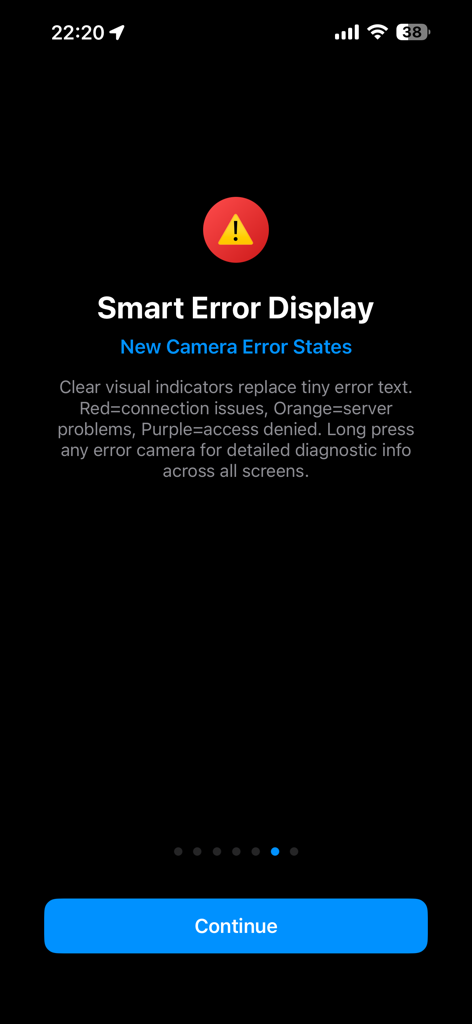
TrafficCamNZアプリの画面に、カメラのエラー状態を示す視覚的な色分けインジケーターが表示されています

TrafficCamNZアプリの画面に、カメラのエラー状態を示す視覚的な色分けインジケーターが表示されています

運転する前に道路を見ましょう

このアプリを際立たせるツール、 250K+ 人のユーザーが選択.

🛠️

カスタムダッシュボードを構築する

任意のWebカメラURLを追加して、完全に制御します。あなたの毎日の通勤で最も重要な特定の交差点と出口のパーソナライズされたフィードを作成します。

数秒で交通状況をスワイプ

署名のスワイプ・トゥ・ビューインターフェイスで時間を節約しましょう。出発前にルート全体を素早く評価するために、注目のカメラを簡単にスワイプできます。

🛰️

スマート予測GPSモード

あなたの旅を予測するテクノロジーで、自信を持って運転しましょう。私たちの予測モードは、移動中にあなたの経路に沿って今後のカメラを自動的に表示します。

アプリについて

について知っておくべきこと TrafficCamNZ.

説明

TrafficCamNZ displays internet accessible pictures of Traffic Cameras all over the world. Use it for any image with a fixed URL (web address). Images you choose as "Featured" are downloaded and setup side by side so that you can swipe across the screen to view multiple images quickly. TrafficCamNZ works over the cellular network though it works best with WiFi because, usually, it's faster! TrafficCamNZ can also use the GPS features in your device to show cameras around you. Try the predictive mode that predicts where you are travelling to display the next cameras (with known GPS coordinates) on your journey. TrafficCamNZ now contains details of more than 7000 cameras from around the world. You choose which cameras are the "featured" ones. Featured cameras are easily identified in the Library; they have a Green dot next to them. Managing your own personal list of cameras is easy too. This can be done in two ways: 1. Enter a new camera directly on the iPhone and key in the entire URL (http://mywebsite/image.jpg) or 2. Create your own XML file for importing into the application. Instructions on how to do this are available at the support web site or by contacting the developer. Usage Notes: * Pictures are displayed in the order they are received unless you set the image sequence number, you can then order the images how you want them * Check your network usage when downloading over the cellular network * Images are not cached, if you receive an image that isn't right (i.e. daylight when you know it is night time, that camera may not be functioning) * Sometimes the traffic camera pictures are not up-to-date. You may see night pictures when it is supposed to be daylight or perhaps pictures don't change. TrafficCamNZ has no control over that * You receive updates to the camera list automatically; a check is performed every 7 days when the application starts * Tap the image on the main window to display it full screen Features: * Easily flick through the loaded images with your finger - this was the original idea behind the application * Load your own web images * Free version available, loads up to 3 images * Full version available, loads up to 19 images on iPhone and 32 images on iPad * Allows XML import of camera list * Camera list (XML Import file) can be updated from a web site - doesn't require the release of a new application * No advertising Many great comments from around the world have been made about TrafficCamNZ: * Great little app, what a time saver. I would often leave work to find the traffic all congested, now I can check before I leave and even if it gets busy I can check on the road and take a different route. I have set my own cameras and can quickly check what's what. A real must for driving commuters, couriers or even taxi's. * This app works very well and is awesome if you travel a lot. Going on a road trip for work or vacation? Google the cameras for your cities, insert the URL into the app, and cameras appear * I set it up for all the traffic cameras from Douglas County down through El Paso County (Colorado) and it works great! So well in fact, that I sprung for the paid version * Make sure you enter in the URL's correctly - that's where some people mess up. What you see is basically what the traffic/weather cam sees wherever they are. They have to be viewable on the Internet first. Awesome app! * App is very easy to use and I use it for going to work every day * I put 2 of the most important traffic cams on the way to work and it works perfect

最新バージョン

1.15.0

サイズ

39.6 MB

リリース日

2008年12月13日

リアルタイムのビジュアルで通勤をコントロールしましょう

推測をやめて見ることを始めた25万人以上の戦略的なドライバーに加わりましょう。TrafficCamNZを今すぐダウンロードして、カスタム交通ダッシュボードを構築し、道路をそのままの姿で確認しましょう。

ダウンロード: App Store

App information, icons, screenshots, and descriptions displayed on this page are sourced from the Apple App Store and are the property of their respective developers. Download estimates and rankings are based on MWM's proprietary models and may not reflect actual figures. This page is provided for informational and analytical purposes only.

Believe this page infringes your intellectual property? File a dispute