Treeカレンダー 簡単スケジュール管理の人気カレンダー

Treeカレンダー 簡単スケジュール管理の人気カレンダー


ダウンロード: App Store
ロゴ: Treeカレンダー 簡単スケジュール管理の人気カレンダー

Treeカレンダー:あなたらしいカラフルな生活のための、おしゃれなプランナー

直感的な縦スクロールカレンダーで、あなたのスケジュールをシンプルに。あなたのユニークなスタイルに合わせた、美しいカスタムフォントと鮮やかなカラーコーディングで、ストレスフリーな計画を体験してください。

開発元

LAN CHEN

カテゴリ

Productivity

ダウンロード

1M+

ユーザー評価

4.6/5

評価数

100K+

対応言語

3

一目でわかるおしゃれさ

このインターフェースを利用する 1M+ 人のユーザー.

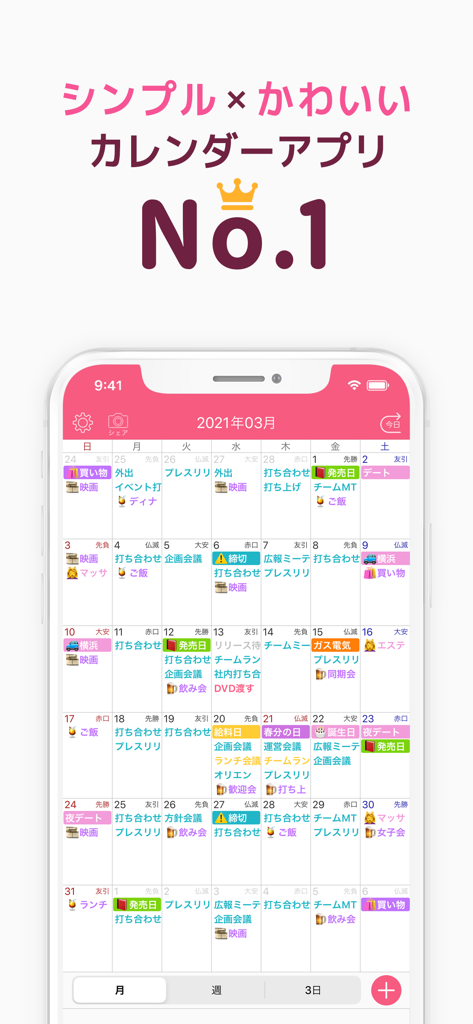
Treeカレンダーアプリの月間表示。カラーコーディングされたスケジュールとアイコンがモバイル画面に表示されています

Treeカレンダーアプリの月間表示。カラーコーディングされたスケジュールとアイコンがモバイル画面に表示されています

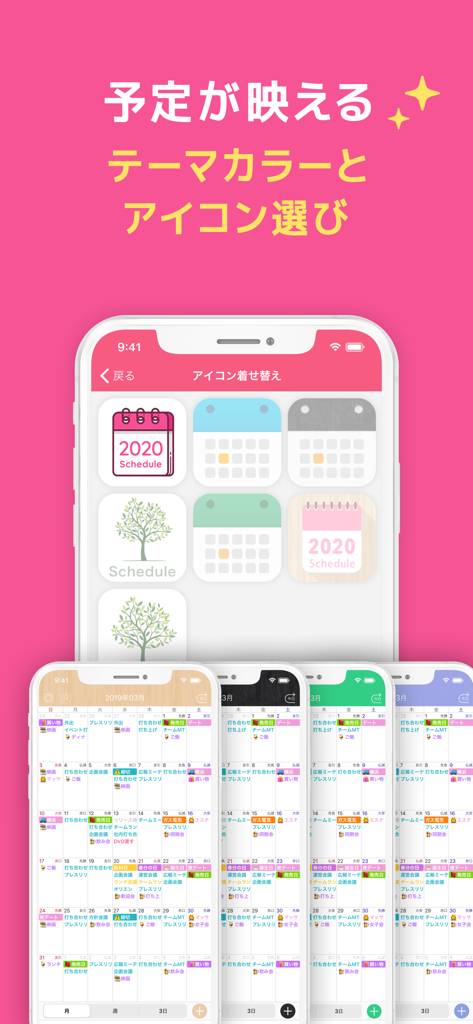
Treeカレンダーモバイルインターフェースのためのカスタマイズ可能なアプリアイコンと様々なカラーテーマのショーケース

Treeカレンダーモバイルインターフェースのためのカスタマイズ可能なアプリアイコンと様々なカラーテーマのショーケース

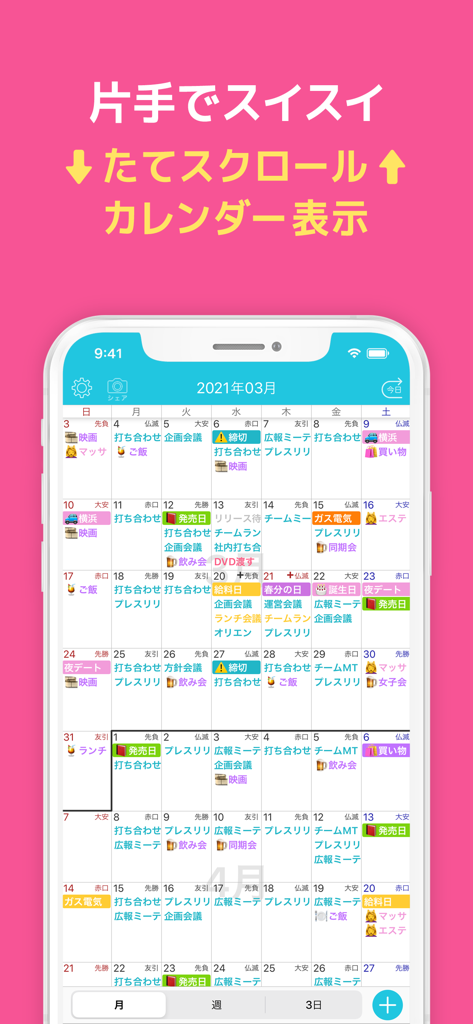
Treeカレンダーアプリの月間表示。カラフルな予定と縦スクロールが表示されています

Treeカレンダーアプリの月間表示。カラフルな予定と縦スクロールが表示されています

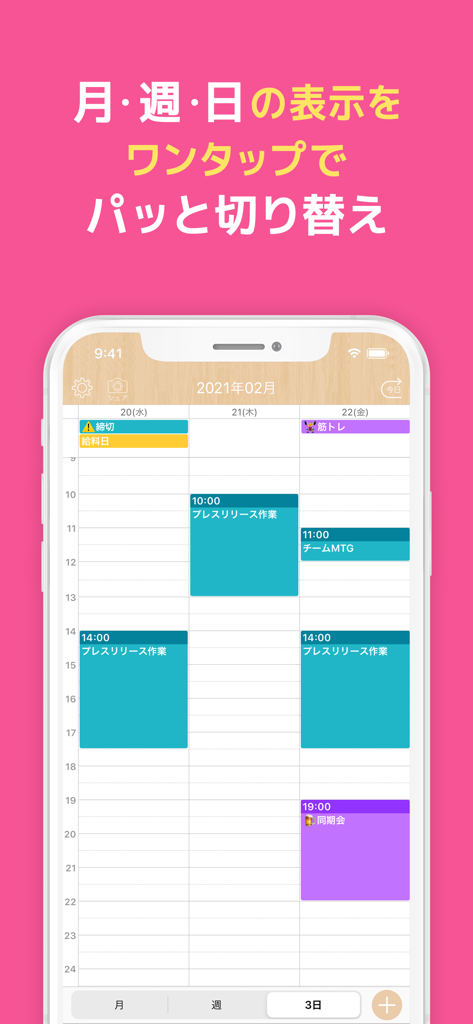
Treeカレンダーアプリ。iPhoneに、ミニマルな日本デザインのカラーコーディングされた週間スケジュールが表示されています。

Treeカレンダーアプリ。iPhoneに、ミニマルな日本デザインのカラーコーディングされた週間スケジュールが表示されています。

意図を持って一日の計画を立てましょう

このアプリを際立たせるツール、 1M+ 人のユーザーが選択.

📱

直感的な縦型ナビゲーション

モバイルファーストのユーザーのために特別に設計された、スムーズな縦スクロールで、日や月を楽に移動しましょう。

パーソナライズされた美的コントロール

企業の見た目は捨てましょう。美しいフォントと無限のカラーコーディングで、あなただけのスケジュールを作り上げましょう。

🎯

フォーカス重視の週間表示

圧倒されることなく、優先順位を一目で確認できる、クリーンな1週間表示で精神的な乱雑さを排除します。

アプリについて

について知っておくべきこと Treeカレンダー 簡単スケジュール管理の人気カレンダー.

説明

Handy calendar for free ! ! There are two types of 1 -week display , month display . You can use immediately even those who are not familiar with the schedule management so simple . 【Characteristic】 ● color-coded appointments You can change the color for each plan . ● Easy-to-read display for one week List the schedule of the week . Things to do this week you can see at a glance . ● smooth vertical calendar A vertical scroll to the desired day you can easily move . You can return to the first position as soon as you press the " Back to today " button even when overdone . ● easy to see the detail screen When you tap the scheduled list of the day will display the date. ■■■ About the premium plan ■■■ * Premium plan is 280 yen per month * Premium plan is automatically updated every month * Payment will be made via your Apple ID * Subscriptions are managed by the user and can be turned off from account settings * Account will be charged for renewal within 24-hours prior to the end of the current period, and identify the cost of the renewal * It will continue automatically unless canceled more than 24 hours before the next subscription The cancellation procedure is as follows 1. Open the iPhone settings app 2. Select "iTunes and App Store" 3. Select Apple ID at the top of the screen 4. Select "Show Apple ID" 5. Select "Registration" 6. Select "Cancel Registration" The premium plan offers the following features 1. Hide the ad Hide the ad and the screen is spacious 2. CSV export Output to a format that can confirm the schedule in Excel 3. Unlimited number of favorite colors You can add an unlimited number of scheduled colors to your favorites 4. Unlimited number of templates Create unlimited number of templates ■ Terms of Use https://hapilf.com/terms.html ■ Privacy Policy https://hapilf.com/privacy.html ■ フォントライセンス * 瀬戸フォント SIL Open Font License 1.1 (http://scripts.sil.org/OFL) © Nonty.net * Rounded Mgen+ SIL Open Font License 1.1 (http://scripts.sil.org/OFL) © 2015 自家製フォント工房, © 2014, 2015 Adobe Systems Incorporated, © 2015 M+ FONTS PROJECT * マメロン フリーフォント © もじワク研究 * たぬゴ SIL Open Font License 1.1 (http://scripts.sil.org/OFL) © たぬきフォント

最新バージョン

14.1

サイズ

155.1 MB

リリース日

2016年2月7日

最もおしゃれなカレンダーで、あなたの生活をシンプルに

散らかったアプリにうんざりしていた100万人以上のユーザーに加わりましょう。この美しい、カラーコーディングされた縦型プランナーを無料でダウンロードして、あなたらしい整理を始めましょう。

ダウンロード: App Store
FAQ

よくある質問

について知っておくべきこと Treeカレンダー 簡単スケジュール管理の人気カレンダー

Treeカレンダーのプレミアムプランはいくらですか?

Treeカレンダーのプレミアムプランは月額280円です。このサブスクリプションは毎月自動更新され、Apple IDで管理されます。

Treeカレンダーアプリにはどのような機能がありますか?

Treeカレンダーは、色分けされた予定、見やすい週表示と月表示、スムーズな縦スクロールを提供します。シンプルな詳細画面で、スケジュール管理を直感的に行えます。

Treeカレンダーにはプレミアムサブスクリプションがありますか?

はい、Treeカレンダーはプレミアムプランを提供しています。このプランでは、広告非表示、CSVエクスポート、無制限のお気に入りカラー、無制限のテンプレートなどの限定機能が利用でき、機能性が向上します。

Treeカレンダーのプレミアムサブスクリプションをキャンセルするにはどうすればよいですか?

キャンセルするには、iPhoneの設定を開き、「iTunes StoreとApp Store」を選択し、「Apple ID」、「Apple IDを表示」、「登録」、「登録のキャンセル」の順に選択してください。これらの手順でTreeカレンダーのサブスクリプションを直接管理できます。

Treeカレンダーで予定を色でカスタマイズできますか?

はい、Treeカレンダーでは予定を色分けして、より整理しやすくすることができます。プレミアムプランでは、無制限のお気に入りカラーが利用でき、高度なカスタマイズが可能です。

Treeカレンダーアプリで利用できる表示ビューは何ですか?

Treeカレンダーは、月表示、2種類の1週間表示、3日間表示を提供しています。これらのカレンダービューを簡単に切り替えることで、柔軟なスケジュール管理が可能です。

Treeカレンダーはスケジュールデータをエクスポートできますか?

はい、TreeカレンダーのプレミアムプランにはCSVエクスポート機能が含まれています。これにより、スケジュールデータをExcel互換の形式で出力し、外部での閲覧や分析が可能です。

Treeカレンダーは広告を表示しますか?

はい、Treeカレンダーの無料版では広告が表示されます。ただし、プレミアムプランではすべての広告を非表示にする機能が提供され、広々とした中断のないユーザーエクスペリエンスを提供します。

Treeカレンダーでスケジュールにテンプレートを使用できますか?

はい、Treeカレンダーはスケジュールテンプレートをサポートしています。プレミアムプランでは、無制限のテンプレートを作成できるため、イベント作成が効率化されます。

Treeカレンダーの利用規約はどこで見られますか?

Treeカレンダーの利用規約は公式ウェブサイトで確認できます。次のリンクから全文を確認できます:https://hapilf.com/terms.html。

Treeカレンダーのプライバシーポリシーはどこで見られますか?

Treeカレンダーのプライバシーポリシーは公式ウェブサイトで確認できます。データ処理方法を理解するために、https://hapilf.com/privacy.html に直接アクセスしてください。

App information, icons, screenshots, and descriptions displayed on this page are sourced from the Apple App Store and are the property of their respective developers. Download estimates and rankings are based on MWM's proprietary models and may not reflect actual figures. This page is provided for informational and analytical purposes only.

Believe this page infringes your intellectual property? File a dispute