UniCredit RO - Mobile Banking

UniCredit RO - Mobile Banking


ダウンロード: App Store
ロゴ: UniCredit RO - Mobile Banking

UniCredit RO - モバイルバンキング:ルーマニアへの金融ブリッジ

米国からルーマニアの口座を安全に管理。公共料金の請求書スキャンから、インスタント仮想カード、モバイルトークンセキュリティまで、地元の感覚で自宅の財務を処理。

ダウンロード: App Store

開発元

UniCredit Bank SA

カテゴリ

Finance

ダウンロード

564K+

ユーザー評価

4.8/5

評価数

66K+

対応言語

2

国境なきバンキング

このインターフェースを利用する 564K+ 人のユーザー.

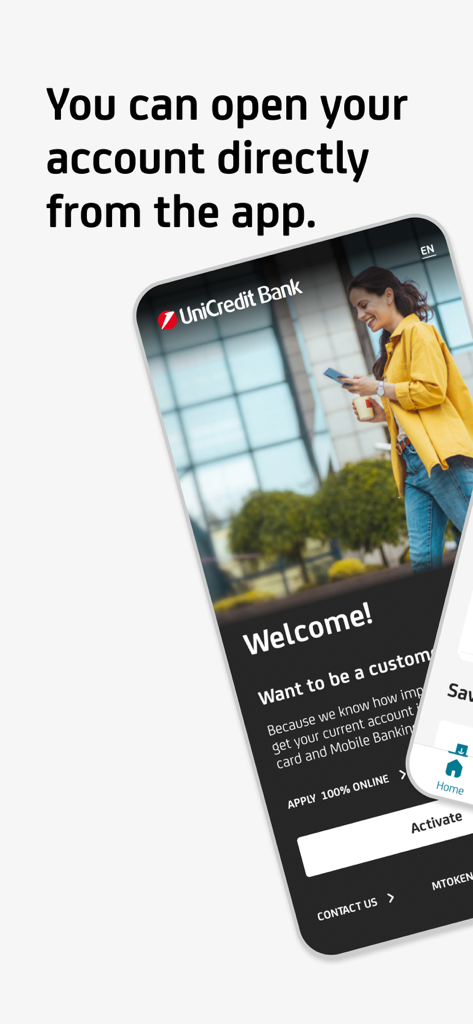
スマートフォン画面に、100%オンラインでアカウントを申請できるオプションが表示されたUniCredit Bankへようこそページが表示されています

スマートフォン画面に、100%オンラインでアカウントを申請できるオプションが表示されたUniCredit Bankへようこそページが表示されています

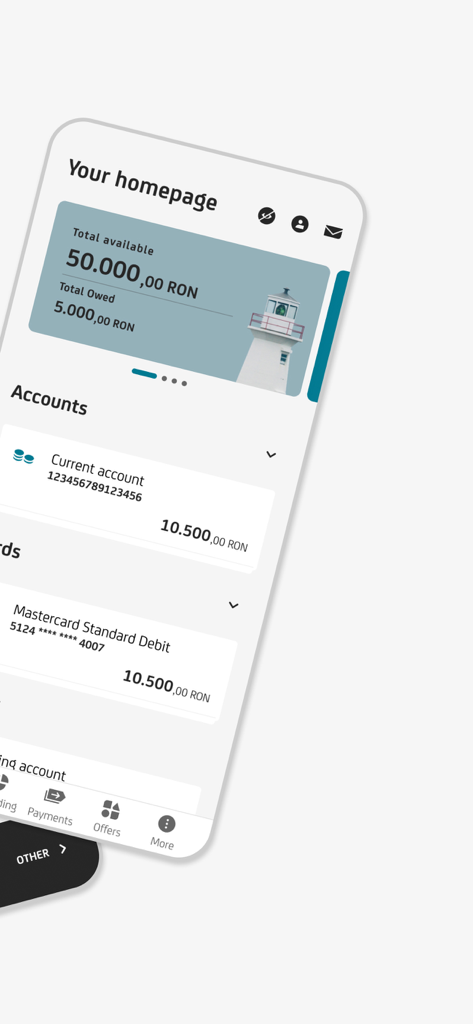
スマートフォン画面に、口座残高とカード情報が表示されたUniCredit ROモバイルバンキングのホームページが表示されています

スマートフォン画面に、口座残高とカード情報が表示されたUniCredit ROモバイルバンキングのホームページが表示されています

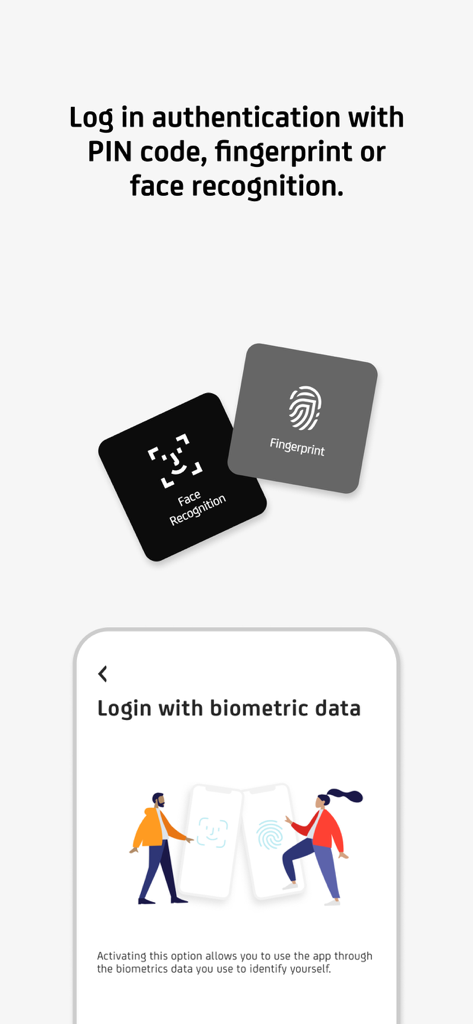
指紋と顔認識オプションが表示されたUniCredit ROモバイルバンキングの安全なログインインターフェース。

指紋と顔認識オプションが表示されたUniCredit ROモバイルバンキングの安全なログインインターフェース。

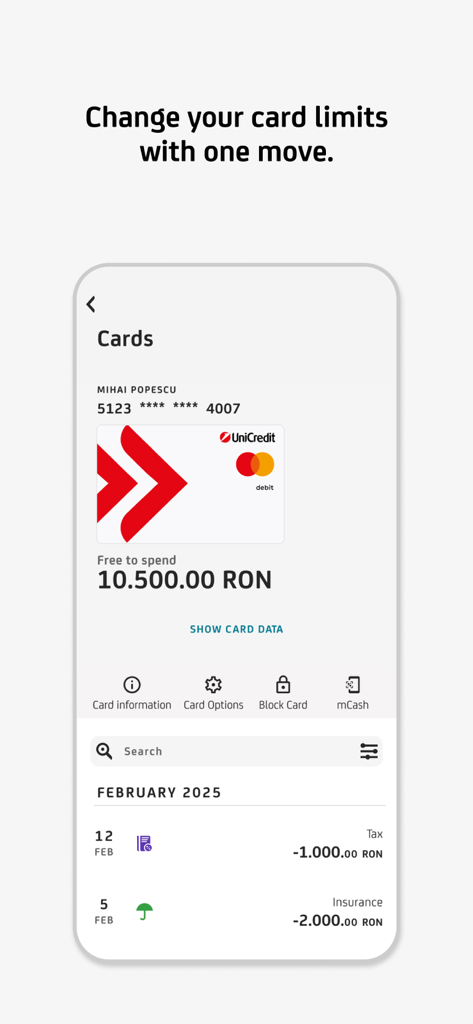
UniCredit ROモバイルバンキングアプリのスクリーンショット。カードの詳細と、限度額の変更やカードのブロックなどの管理オプションが表示されています。

UniCredit ROモバイルバンキングアプリのスクリーンショット。カードの詳細と、限度額の変更やカードのブロックなどの管理オプションが表示されています。

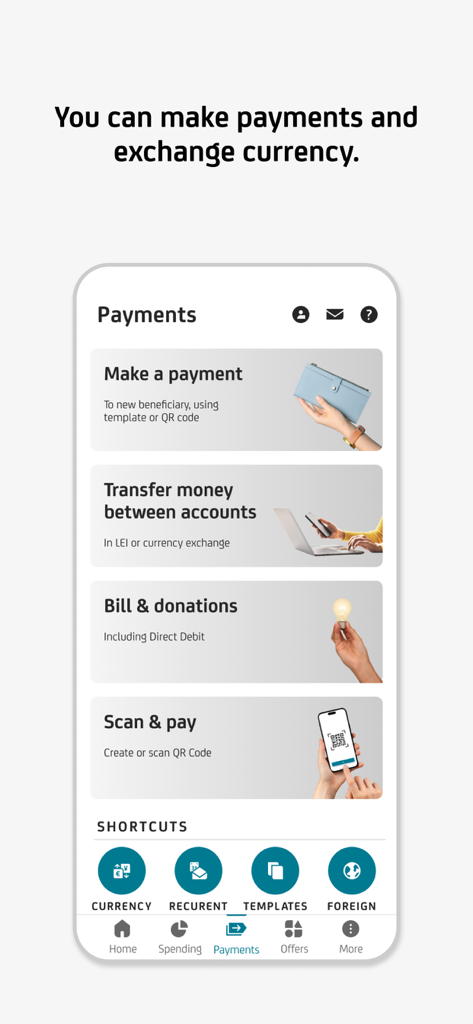
UniCredit ROモバイルバンキングの支払いメニュー。通貨交換やスキャン&ペイのオプションが表示されています。

UniCredit ROモバイルバンキングの支払いメニュー。通貨交換やスキャン&ペイのオプションが表示されています。

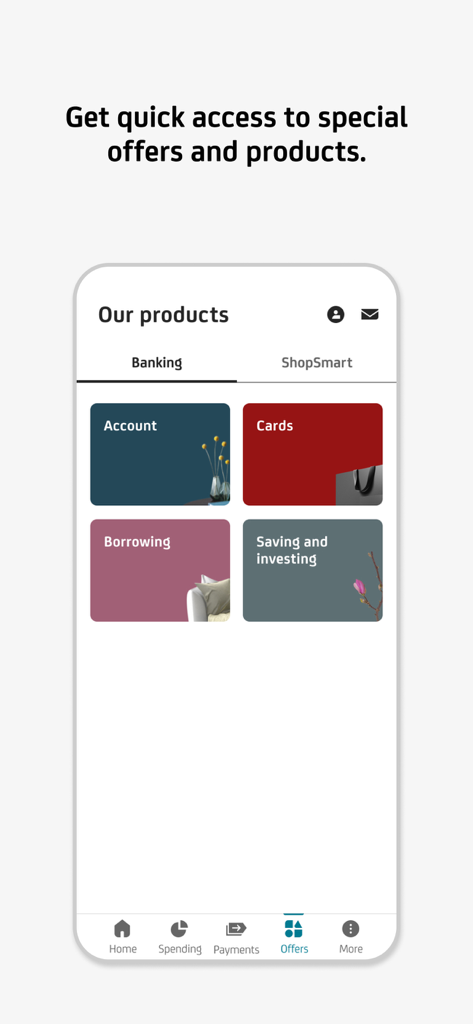
UniCredit ROアプリに、口座やカードなどの銀行商品カテゴリが表示されています。

UniCredit ROアプリに、口座やカードなどの銀行商品カテゴリが表示されています。

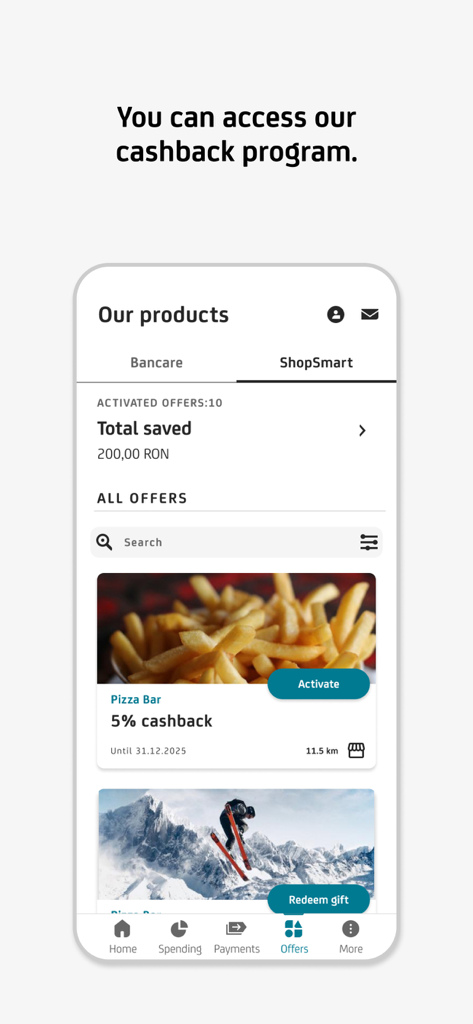
ShopSmartキャッシュバックプログラムのインターフェース。UniCredit ROモバイルアプリでの貯蓄と利用可能なオファーが表示されています。

ShopSmartキャッシュバックプログラムのインターフェース。UniCredit ROモバイルアプリでの貯蓄と利用可能なオファーが表示されています。

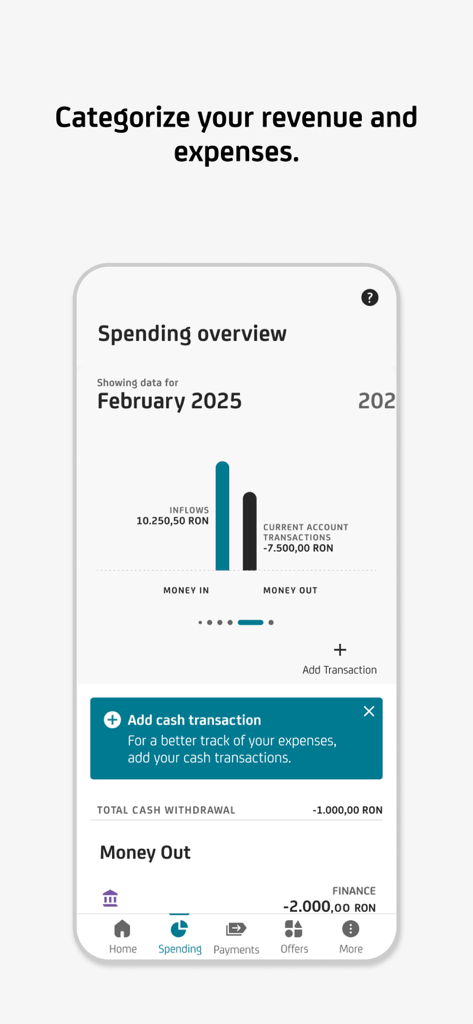
UniCredit ROモバイルバンキング画面に、収支の月次支出概要チャートが表示されています。

UniCredit ROモバイルバンキング画面に、収支の月次支出概要チャートが表示されています。

ルーマニアへの金融ブリッジ

このアプリを際立たせるツール、 564K+ 人のユーザーが選択.

🏠

簡単な不動産管理

バーコードをスキャンするか、ダイレクトデビットを設定して、ルーマニアの公共料金を即座に支払います。これにより、自宅の資産が郵便の遅延なしに管理されます。

💳

インスタント仮想カードとApple Pay

数秒で仮想デビットカードを発行し、Apple Walletに追加して、安全な非接触型決済や、ルーマニアのウェブサイトでの安全なオンラインショッピングに利用。

🔐

100%支店不要のセキュリティ

物理的なデジパスポストを、内蔵のモバイルトークンに置き換えます。米国どこからでも、安全に取引を承認し、ID文書をリモートで更新。

レビュー分析

ユーザーレビューの分析.

感情スコア

26%
ネガティブ

概要

The mobile app receives mixed feedback, with some users commending its simplicity, intuitive design, and improved performance following recent updates. However, many users express strong dissatisfaction with its frequent unavailability due to prolonged maintenance, frustratingly slow loading times, and significant delays in updating transactions and balances. Common complaints also include a cumbersome activation process that often necessitates physical branch visits or dealing with unresponsive customer support. Furthermore, users highlight critical bugs such as malfunctioning facial recognition, an unoptimized dark mode icon, and the inability to transfer money between own accounts on weekends.

主なテーマ

User Interface & Design(8)
App Performance(3)
App Availability(2)
Transaction Management(1)
Account Activation(1)
Credit/Loan Features(1)
Customer Support & Bank Interaction(1)

アプリについて

について知っておくべきこと UniCredit RO - Mobile Banking.

説明

The mobile application from UniCredit Bank has an intuitive, safe navigation and helps you save time for the things that really matter. - Do you want to enroll you card in Apple Pay and use your phone for payments? You can do it directly from Mobile Banking. Go to Cards/Card Info menu, press the "Add to Apple Wallet" button, enroll the card and activate the NFC on your phone. - Do you need quickly a debit card? Request a virtual one from home page or “Offers” menu. Easy to issue it, easy to close it. - Do you want to get money back for some of your transactions? Activate and use offers from ShopSmart cashback program that you may find in “Offers” menu. We have more than 100 partners. - Do you need to credit your UniCredit account quickly in order to pay contactless using your phone or to pay your monthly rate for your loan? Access "Add money" icon from Account page, fill in the amount and the card details, and authorize the card transaction as you normally do when making online payments using that card. - Have you changed your phone number or e-mail address and want to update your contact details in relationship with the Bank? From "My Profile" menu you can update the phone number, the email address and even upload your ID picture. - Do you want to stop worrying about bill payment deadlines? You can activate a Direct Debit mandate from Payments/Utility Payments and the bills will be automatically payed each month from your current account. You can set up a limit or cancel the mandate at any time. - Did you forgot your card at home and you need to withdraw cash? All you need to do is access the mCash icon from the Accounts or Card menu (only those with RON currency), specify the amount and generate the code, which you can use at any UniCredit Romania cash withdraw terminal. - Do you want to pay utility bills? You can do it directly by scanning the barcode on the invoice, without the necessity to complete any additional details. - Do you want to block a card or to set its limits? Tap on the Cards menu, choose the desired card and you have full access to its settings. You can change POS or ATM limits and you can also block/unblock it or decide whether you want to use it for online payments. Anytime, on the spot. - Do you want to pay back your credit card? Select the credit card repayment option from either the Payments menu, or from the Cards menu after you previously choose the desired card. You modify the amount, if you want, and sign. - Do you want to open a term deposit? Select the option from the Products menu and open the desired term deposit with just a few clicks. - Do you want to get rid of the digipass? Activate Mobile Token. The app generates unique passwords for each authentication or transaction authorization you do in Online Banking. - And much more.

最新バージョン

25.7.26

サイズ

410.2 MB

リリース日

2012年9月5日

米国とルーマニアの間のギャップを埋める

何千人もの駐在員が、ルーマニアの資産を簡単に管理しています。UniCredit ROをダウンロードして、あなたの国境を越えたライフスタイルに合わせて設計された、安全でモバイルファーストのバンキングをお楽しみください。

ダウンロード: App Store

App information, icons, screenshots, and descriptions displayed on this page are sourced from the Apple App Store and are the property of their respective developers. Download estimates and rankings are based on MWM's proprietary models and may not reflect actual figures. This page is provided for informational and analytical purposes only.

Believe this page infringes your intellectual property? File a dispute