URL Manager Pro

URL Manager Pro

ダウンロード: App Store
ロゴ: URL Manager Pro

URL Manager Pro:プロフェッショナル知識ライブラリをマスターする

研究者やパワーユーザーのための決定版ブックマークマネージャー。ネストされたフォルダ、豊富な注釈、MacおよびiOSデバイス間のシームレスなクロスブラウザ統合で複雑なプロジェクトを整理します。

ダウンロード: App Store

開発元

Alco Blom

カテゴリ

Reference

ダウンロード

2K+

ユーザー評価

5.0/5

評価数

0

対応言語

5

あなたのワークフローを可視化

このインターフェースを利用する 2K+ 人のユーザー.

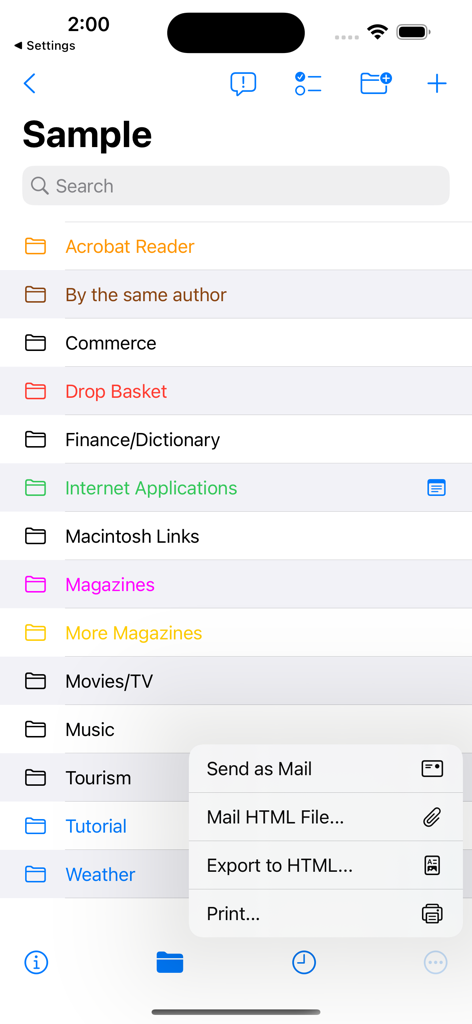
URL Manager Proの整理された色分けされたブックマークフォルダのリストと、エクスポートおよび共有メニューが開いた状態

URL Manager Proの整理された色分けされたブックマークフォルダのリストと、エクスポートおよび共有メニューが開いた状態

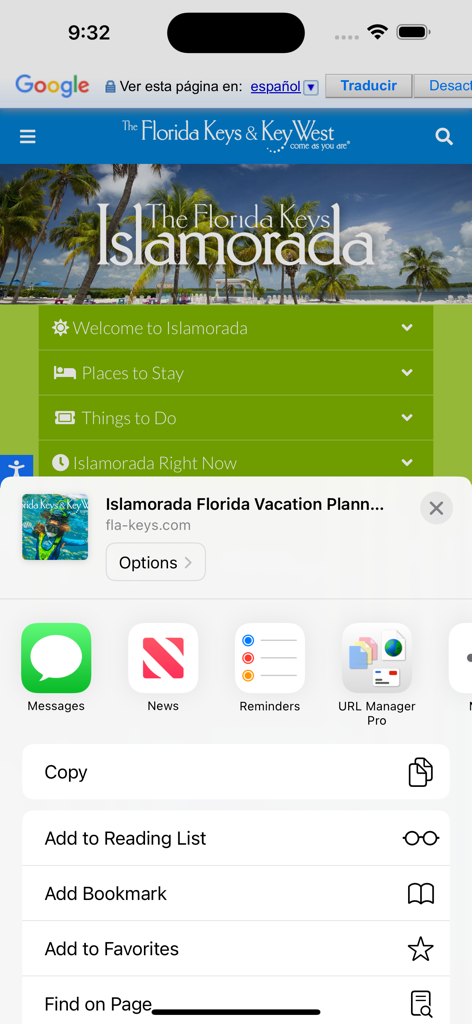
iOS共有シートメニューに表示されるURL Manager Proアイコン

iOS共有シートメニューに表示されるURL Manager Proアイコン

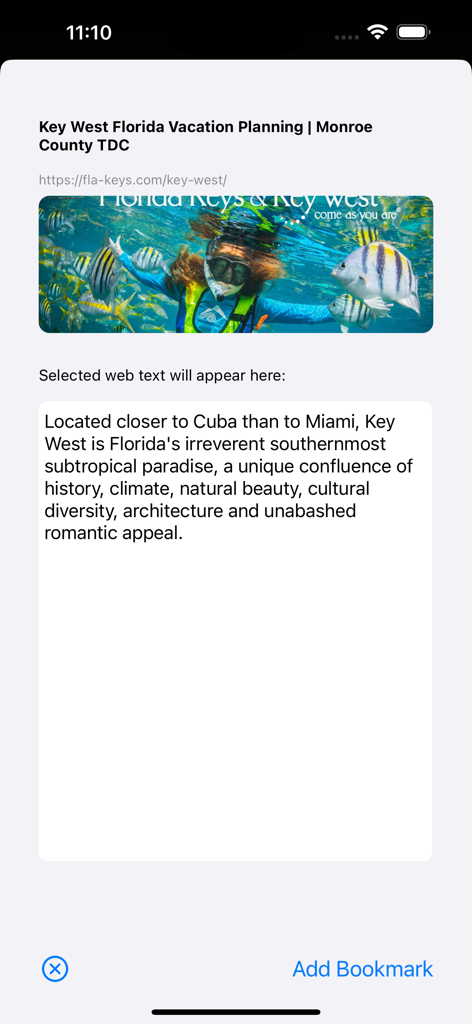
URL Manager Proでブックマークを追加し、自動的にインポートされたウェブサイトのテキストと画像が表示される状態

URL Manager Proでブックマークを追加し、自動的にインポートされたウェブサイトのテキストと画像が表示される状態

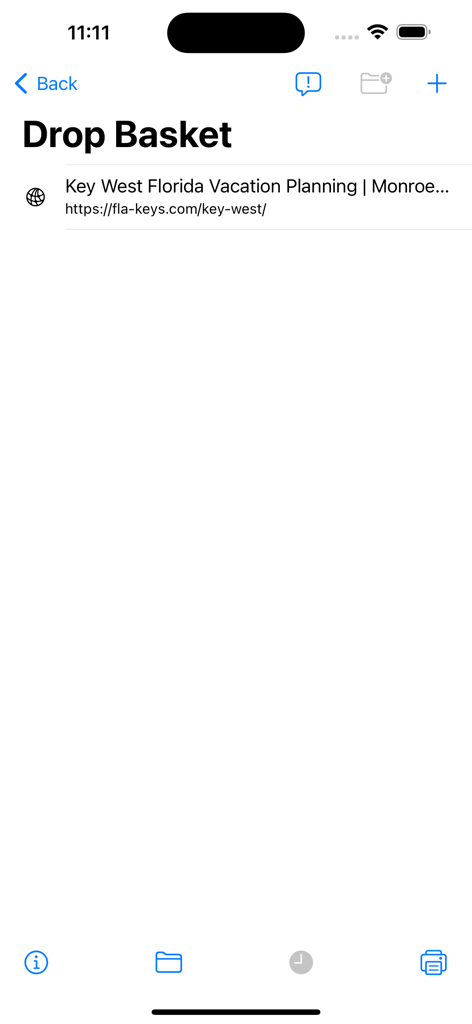
ブックマークされたリンクを持つドロップバスケットを示すURL Manager Proインターフェース

ブックマークされたリンクを持つドロップバスケットを示すURL Manager Proインターフェース

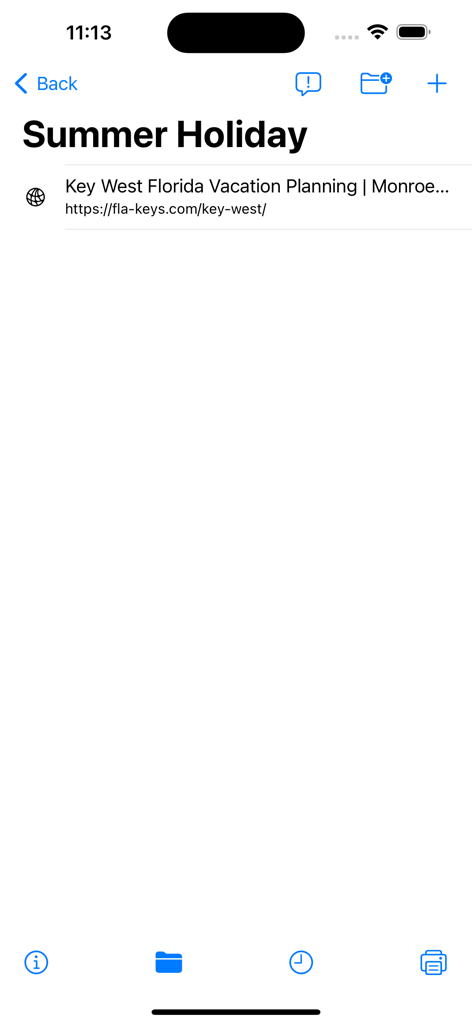
休暇計画のために保存されたウェブリンクを含む、Summer Holidayという名前のフォルダを示すURL Manager Proの画面

休暇計画のために保存されたウェブリンクを含む、Summer Holidayという名前のフォルダを示すURL Manager Proの画面

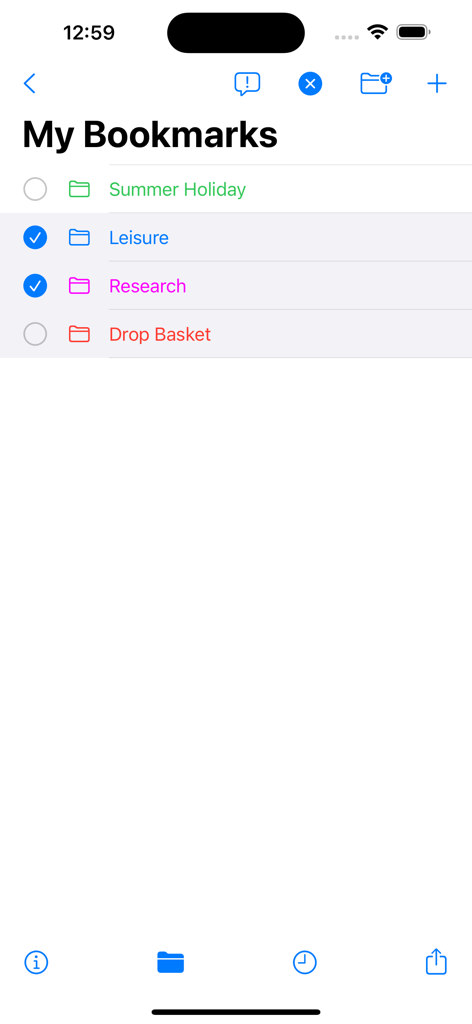
URL Manager Proモバイルアプリの整理された色分けされたブックマークフォルダのリスト

URL Manager Proモバイルアプリの整理された色分けされたブックマークフォルダのリスト

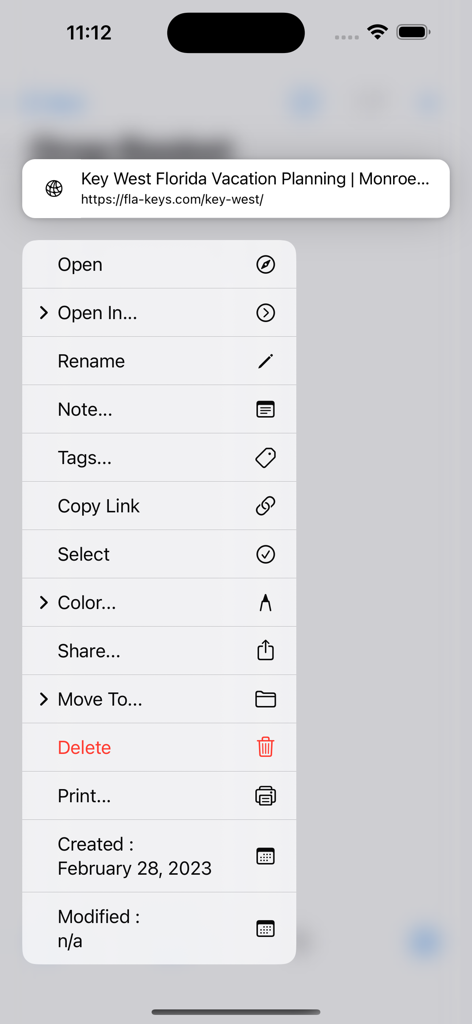
URL Manager Proアプリのコンテキストメニューで、保存されたブックマークを開く、タグ付けする、整理するオプションが表示される状態

URL Manager Proアプリのコンテキストメニューで、保存されたブックマークを開く、タグ付けする、整理するオプションが表示される状態

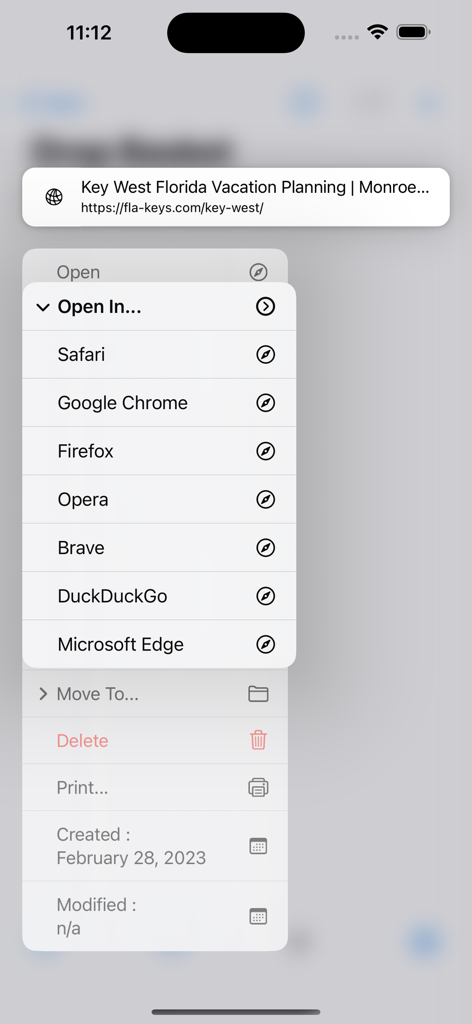
URL Manager Proのインターフェースで、Safari、Chrome、Firefoxなどの異なるウェブブラウザで保存されたブックマークを開くメニューが表示される状態

URL Manager Proのインターフェースで、Safari、Chrome、Firefoxなどの異なるウェブブラウザで保存されたブックマークを開くメニューが表示される状態

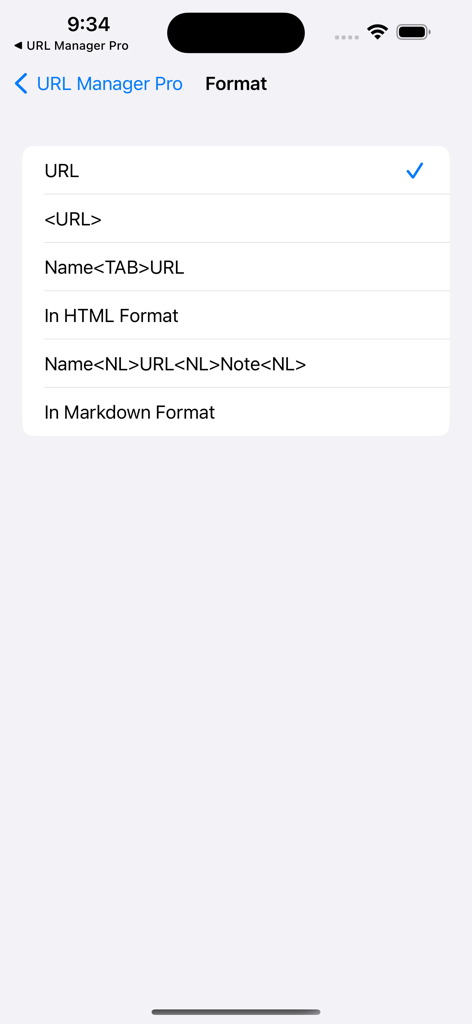
HTMLおよびMarkdownオプションを備えたブックマークフォーマット選択画面

HTMLおよびMarkdownオプションを備えたブックマークフォーマット選択画面

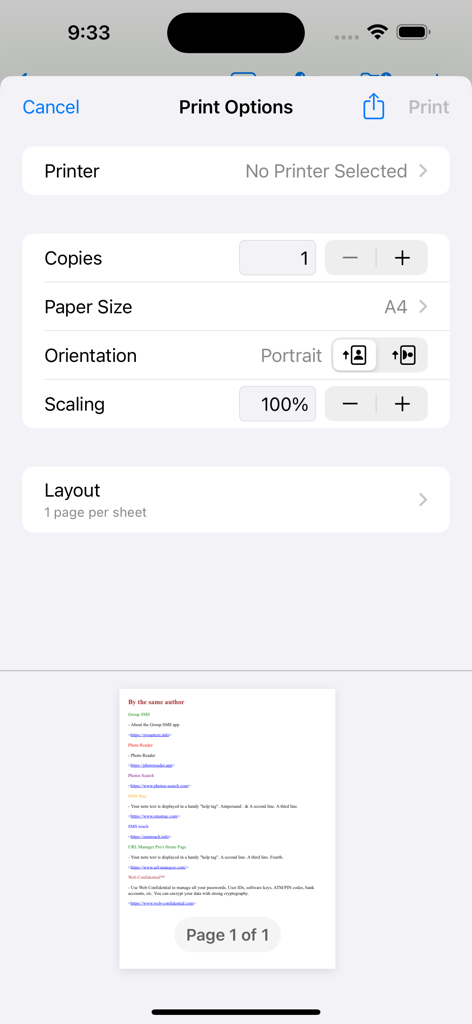
URL Manager Proアプリの印刷オプションメニューとブックマークリストのプレビュー

URL Manager Proアプリの印刷オプションメニューとブックマークリストのプレビュー

デジタル知識をマスターする

このアプリを際立たせるツール、 2K+ 人のユーザーが選択.

🗄️

プロジェクトベースのコレクション

ウェブリソースを個別のドキュメントと階層フォルダに整理します。リサーチプロジェクト、クライアントデータ、個人ライブラリを完全に分離して検索可能に保ちます。

✍️

コンテキストアノテーション

リンクを洞察に変えます。ブラウジング中に選択したテキストを自動的にノートフィールドにキャプチャし、ブックマークライブラリを検索可能な知識ベースに変えます。

🔄

プロワークフロー統合

macOS用のURL Manager Proとシームレスに同期し、Appleショートカットでタスクを自動化し、コレクションをプロフェッショナルなHTMLファイルまたはチーム向けハンドアウトとしてエクスポートします。

アプリについて

について知っておくべきこと URL Manager Pro.

説明

URL Manager Pro is a bookmark manager for the web and includes a share extension. While surfing the web using Safari or another web browser, you can bookmark the web page using the Share button and then add the bookmark to URL Manager Pro. Any selected text on the web page, will be automatically copied to the note field of the bookmark. If you want to add a note, that is also possible. You can also bookmark any web URL that any other app might make available after you use the share button. It supports the following features: - user guide (PDF) - creating bookmarks - adding bookmarks - adding notes to bookmarks - creating folders - moving bookmarks to folders - deleting bookmarks and folders - colorise bookmarks and folders - opening (launching) bookmarks - opening bookmarks in Safari, Chrome, Firefox, Opera, Vivaldi etc. - emailing bookmarks - printing bookmarks - sorting bookmarks - selecting bookmarks - searching bookmarks - copy URL(s) of bookmark(s) (several formats) - mail bookmarks in HTML format - export bookmarks to an HTML file - Tweet (X) bookmarks - showing name, URL and note - showing date added attribute - support for Apple Shortcuts - compatibility with URL Manager Pro for macOS - make several collections (documents) of bookmarks Some examples: 1) build a collection of bookmarks for your research project 2) build another collection to fund your research project 3) use it as a Clipboard or Notepad of often used URLs you need to copy and paste 4) use it to print a handout to give to a class with reference documentation URLs 5) use Apple Shortcuts to automate

最新バージョン

2.2.8

サイズ

7.1 MB

リリース日

2011年7月30日

今日からリサーチワークフローを向上させましょう

Appleエコシステム全体でURL Manager Proを信頼し、デジタルライブラリを整理、注釈付け、マスターしている何千人ものパワーユーザーや知識労働者に加わりましょう。

ダウンロード: App Store

App information, icons, screenshots, and descriptions displayed on this page are sourced from the Apple App Store and are the property of their respective developers. Download estimates and rankings are based on MWM's proprietary models and may not reflect actual figures. This page is provided for informational and analytical purposes only.

Believe this page infringes your intellectual property? File a dispute