Visio - AI Photo & Face Editor

Visio - AI Photo & Face Editor


ダウンロード: App Store
ロゴ: Visio - AI Photo & Face Editor

Visio - AI写真 & 顔エディター: オールインワンAI写真スタジオ

ワンタップでプロフェッショナルなLinkedIn顔写真、フォトリアルなヘアスタイル・メイクアップ、即時背景変更でデジタルプレゼンスを変革しましょう。不要なものを削除したり、バイラルAIフィルターを使ったり、スタジオ品質の結果を数秒で手に入れましょう。

ダウンロード: App Store

開発元

VISION LABS YAZILIM HIZMETLERI ANONIM SIRKETI

カテゴリ

Photo & Video

ダウンロード

78K+

ユーザー評価

4.5/5

評価数

400

対応言語

31

あなたの変身を可視化

このインターフェースを利用する 78K+ 人のユーザー.

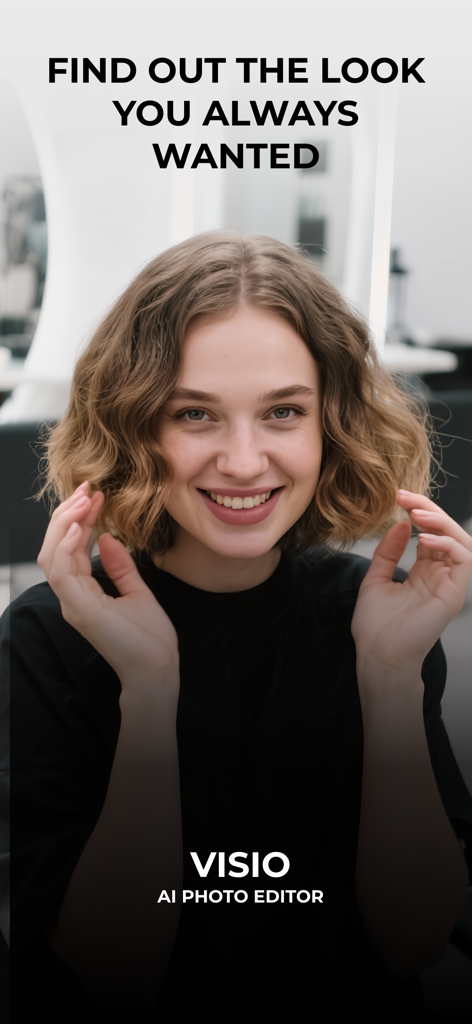
Visio AI Photo Editorアプリのイントロ画面に写る、短いウェーブヘアの笑顔の若い女性。

Visio AI Photo Editorアプリのイントロ画面に写る、短いウェーブヘアの笑顔の若い女性。

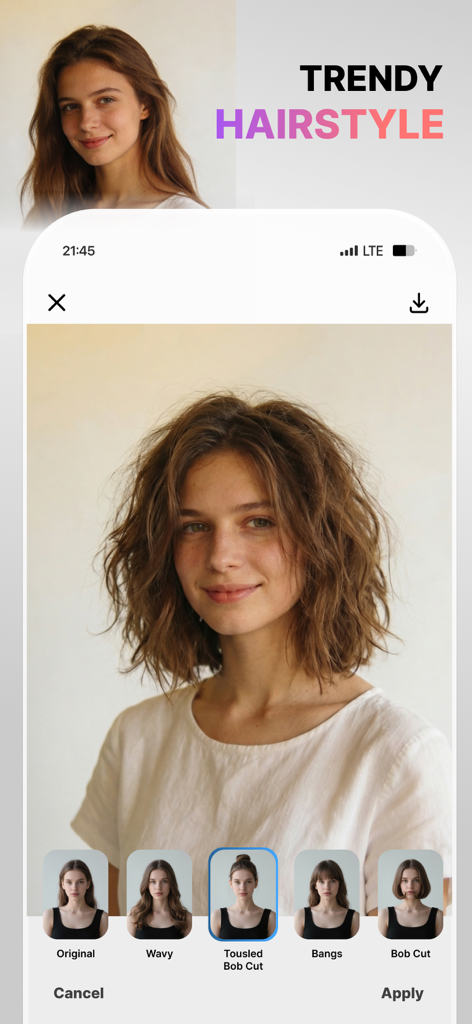
Visioアプリのインターフェースで、トレンドのヘアスタイル機能と、ざっくりとしたボブカットのプレビューが表示されている様子。

Visioアプリのインターフェースで、トレンドのヘアスタイル機能と、ざっくりとしたボブカットのプレビューが表示されている様子。

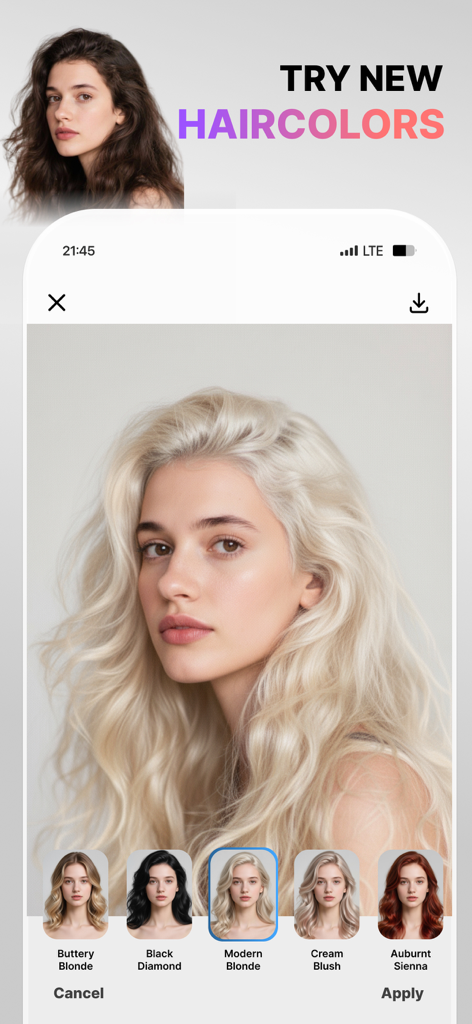
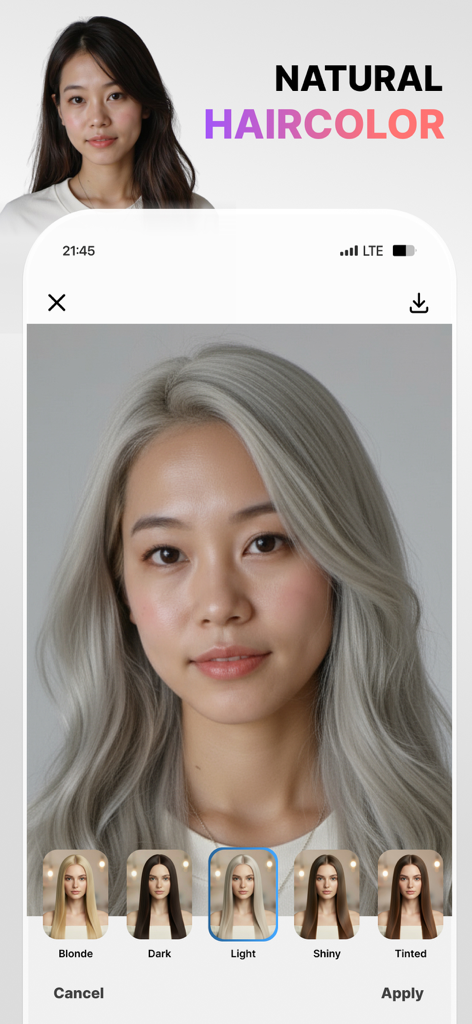
Visioアプリのインターフェースで、様々なフィルターオプションが表示されたAIヘアカラー試着機能が表示されている様子。

Visioアプリのインターフェースで、様々なフィルターオプションが表示されたAIヘアカラー試着機能が表示されている様子。

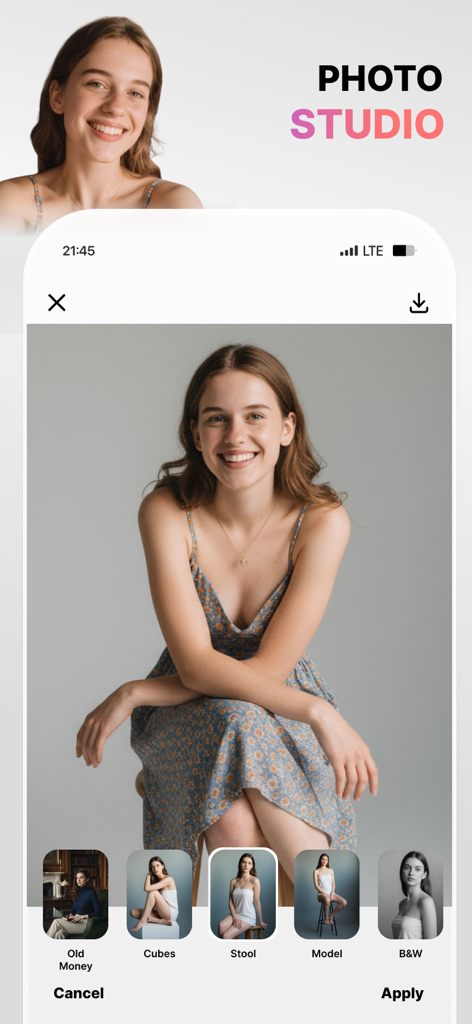
Visio AI Photo Editorのモバイルアプリインターフェースで、笑顔の女性のポートレートに適用されたプロの写真撮影プリセットが表示されている様子。

Visio AI Photo Editorのモバイルアプリインターフェースで、笑顔の女性のポートレートに適用されたプロの写真撮影プリセットが表示されている様子。

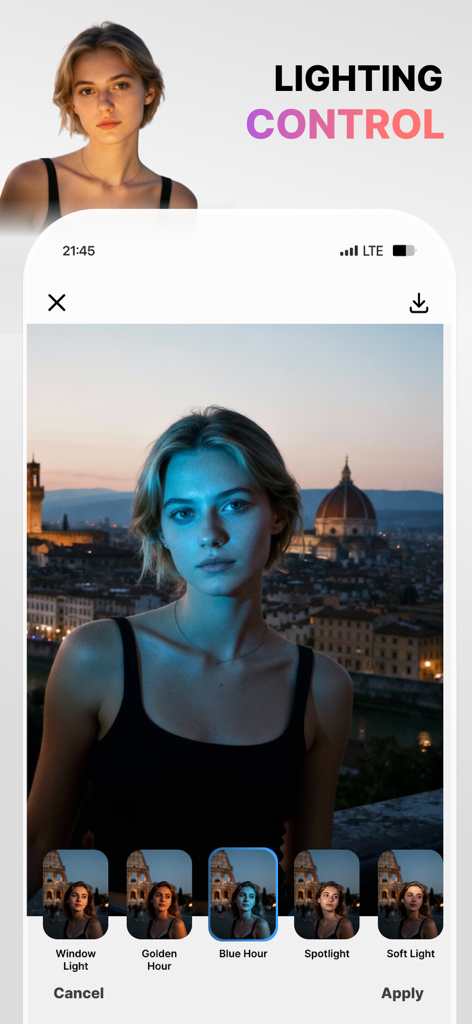
Visio AI Photo Editorのインターフェースで、ポートレートにブルーアワーフィルターが適用されたライティングコントロール機能が表示されている様子。

Visio AI Photo Editorのインターフェースで、ポートレートにブルーアワーフィルターが適用されたライティングコントロール機能が表示されている様子。

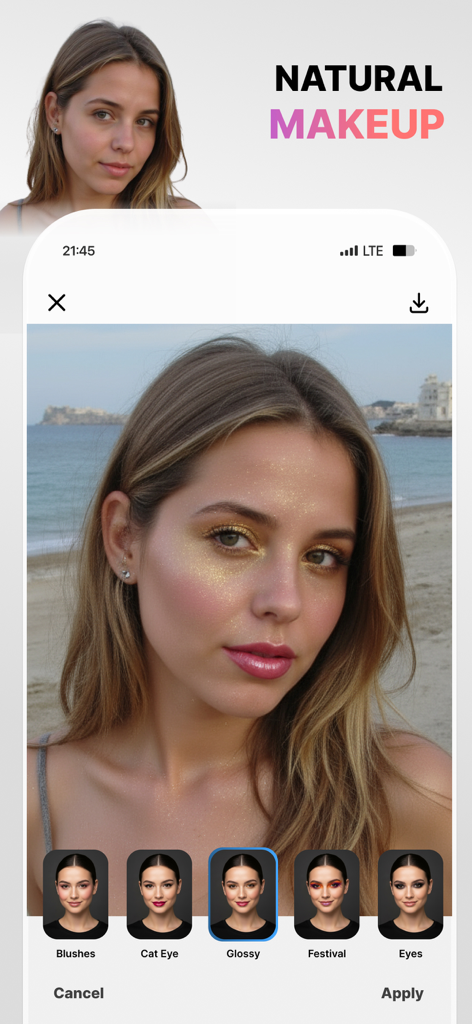
Visio AI写真エディターアプリのインターフェースで、光沢のあるメイクアップフィルターが適用された女性と、下部にあるキャットアイやフェスティバルなどの様々なメイクアップオプションが表示されている様子。

Visio AI写真エディターアプリのインターフェースで、光沢のあるメイクアップフィルターが適用された女性と、下部にあるキャットアイやフェスティバルなどの様々なメイクアップオプションが表示されている様子。

Visioアプリを使用して、AIプリセットで自然なライトシルバーに髪の色を変更している女性。

Visioアプリを使用して、AIプリセットで自然なライトシルバーに髪の色を変更している女性。

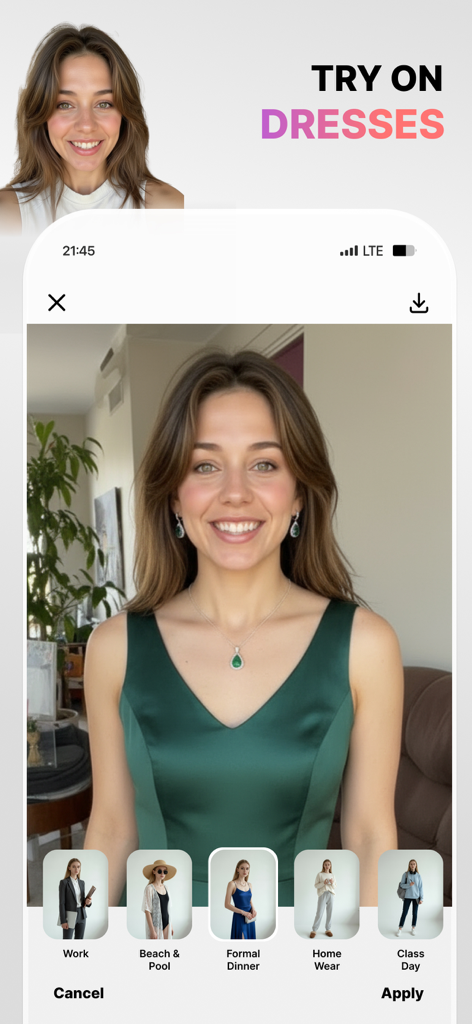
Visioアプリのインターフェースで、緑色のフォーマルドレスのオプションが選択されたAIドレス試着機能がデモンストレーションされている様子。

Visioアプリのインターフェースで、緑色のフォーマルドレスのオプションが選択されたAIドレス試着機能がデモンストレーションされている様子。

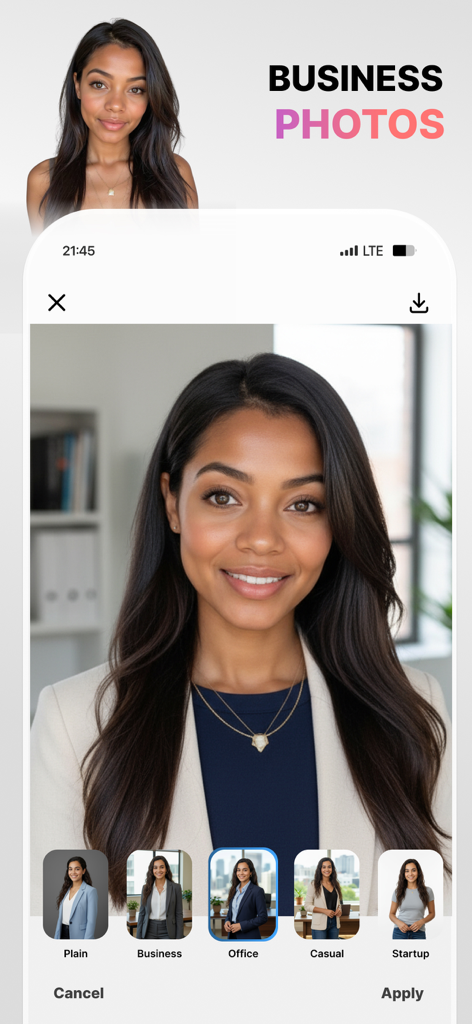
Visioアプリのインターフェースで、女性の写真が、様々なオフィスの背景と服装のオプションとともに、プロのビジネス顔写真に変換されている様子が表示されている。

Visioアプリのインターフェースで、女性の写真が、様々なオフィスの背景と服装のオプションとともに、プロのビジネス顔写真に変換されている様子が表示されている。

デジタルプレゼンスを向上させる

このアプリを際立たせるツール、 78K+ 人のユーザーが選択.

👔

数秒でプロの顔写真

高価なスタジオは不要です。AI駆動の「LinkedInショット」機能で、洗練されたLinkedIn向けの写真を生成し、プロフェッショナルな印象を与えましょう。

完璧なシーンコントロール

街の屋上やビーチの夕日など、不要なものを簡単に削除し、背景を切り替えて、完璧な「メインキャラクター」の雰囲気を演出しましょう。

💄

バーチャルヘア&メイクスタジオ

「オールドマネー」のような美学から、リアルなヘアスタイル変更、ツヤ肌まで、トレンドのスタイルをワンタップで試しましょう。

レビュー分析

ユーザーレビューの分析.

感情スコア

21%
ネガティブ

概要

This application receives overwhelmingly negative feedback, primarily due to numerous issues with its subscription model and core functionality. Users frequently report being charged unexpectedly after canceling free trials, or even without clear consent for annual subscriptions. Many also complain about the app being excessively slow, often failing to process photos or apply changes, rendering it unusable even after payment. Despite these significant problems, a small number of users appreciate its potential for photo editing, realistic hair styling options, and a simple user interface.

主なテーマ

Hair Styling Feature(5)
Photo Editing Capabilities(4)
Effectiveness(3)
Realistic Results(2)
User Interface Simplicity(2)

アプリについて

について知っておくべきこと Visio - AI Photo & Face Editor.

説明

Meet your new AI Photo Editor, Visio. In one tap, erase people and distractions for a clean scene, then swap to white/transparent, office, home, café, city, rooftop, or beach sunset backgrounds. Create pro headshots with LinkedIn Shots; try realistic hair changes (curtain/wispy bangs, bob, pixie, bun, long or wavy, volume & shine, and color shifts - blonde, brown, red, black, light/dark, subtle highlights). Add makeup your way (winged liner, cat eye, long lashes, blush & contour, matte or glossy, festival looks) and refine skin (smooth, brighten, glow, freckles, tan, matte, undereye bags). Tune face details (dimples, cheekbones, jawline, cupid’s bow), choose natural smiles (classic, wide, pretty teeth, closed), and add glasses without glare (thin/thick, oval/rectangle, sunglasses). Finish with Photoshoot modes (Model, B&W, Spotlight, Cinematic, Old Money, Beach Sunset) or go creative with cartoon, Pixar-style, clay, sketch, 90s anime, or caricature - all fast, photoreal, and share-ready. Why users love it One-Tap People Remover: Clear the scene fast. Keep the subject sharp while our smart background eraser fills in the scene naturally - no masks, no learning curve. Ready-Made Backgrounds: Swap to plain white, transparent, office, home, café, city, rooftop, or beach sunset backgrounds in seconds. Pro Headshots in Seconds: Use LinkedIn Shots (Casual, Business, Relaxed, Everyday) for credible profile photos - no studio needed. Look your best (subtle, real, you) Hair Studio: Try bangs, bob, pixie, bun, long/wavy styles; add volume and shine; change color (blonde, brown, red, black, light/dark, highlights). Makeup: Winged eyeliner, cat eye, long lashes, blush, contour, matte or glossy finishes, and festival looks. Skin: Smooth gently, brighten or glow, add freckles, a soft tan, or keep it matte—always natural. Face Details: Accentuate jawline, cheekbones, cupid’s bow; add dimples; refine smiles (classic, wide, pretty teeth, closed). Glasses: Thin/thick, oval/rectangle, no glare. Create your vibe Photoshoot Modes: Model, Model B&W, Spotlight, Cinematic, Old Money, Beach Sunset. Stylized Filters: Cartoon, Pixar-style, Clay, Sketch, Caricature, 90s anime. 60+ photoreal presets so every edit is post-ready. Visio Pro You can subscribe to get access to useful style filters, filters updates and all the features and content offered for purchase within Visio. Subscriptions are auto renewable and are billed weekly, monthly or annually at the rate selected depending on the subscription plan. Subscription automatically renews unless auto-renew is turned off at least 24-hours before the end of the current period. Account will be charged for renewal within 24-hours prior to the end of the current period. Payment will be charged to iTunes Account at confirmation of purchase. Subscriptions can be managed and auto-renewal can be turned off in Account Settings in iTunes after the purchase. Any unused portion of a free trial period, if offered, will be forfeited when the user purchases a subscription to that publication, where applicable. - Terms of use: https://www.visionlabs.com.tr/terms-of-use-visio - Privacy policy: https://www.visionlabs.com.tr/privacy-policy-visio

最新バージョン

1.13

サイズ

131.2 MB

リリース日

2025年9月4日

AIによる変身の準備はできましたか?

Visioを使用して完璧な顔写真を作成し、不要なものを削除し、あらゆる写真をワンタップでスタイルする78K人以上のクリエイターやプロフェッショナルに加わりましょう。今すぐダウンロードして、スタジオ品質の変身を今日から始めましょう。

ダウンロード: App Store
FAQ

よくある質問

について知っておくべきこと Visio - AI Photo & Face Editor

Visio - AI Photo & Face Editor とは何ですか?

Visioは、ワンタップで写真補正ができるAI搭載の写真編集アプリです。高度なAIツールを使用して、邪魔なものを削除したり、背景を入れ替えたり、プロ並みの顔写真を生成したり、髪型を変更したり、メイクを追加したり、顔のディテールを微調整したりできます。

Visio はどのようにオブジェクトを削除し、背景を変更しますか?

Visioには、シーンを素早くクリアにする「ワンタップ人物削除」機能と、シーンを自然に埋めるインテリジェントな背景消しゴム機能が搭載されています。ユーザーは、白、透明、オフィス、自宅、カフェ、街、屋上、ビーチサンセットの背景に切り替えることができます。

Visioで髪の色やスタイルを変更できますか?

はい、Visioでは、前髪やボブなどのスタイル、ブロンド、ブラウン、レッド、ブラック、ライト、ダーク、または微妙なハイライトなど、リアルな髪型の変更が可能です。ボリュームとツヤも追加できます。

Visioはプロ並みの顔写真を生成するツールを提供していますか?

はい、Visioには信頼性の高いプロフィール写真を作成するためのLinkedInショット機能が含まれています。カジュアル、ビジネス、リラックス、日常などのオプションが用意されており、スタジオに行かなくてもプロ並みの顔写真を生成できます。

Visioでどのようなメイクを適用できますか?

Visioでは、キャットアイ、ロングまつげ、チーク、コントゥアリング、マットまたはグロッシーな仕上がりなど、さまざまなメイクオプションを提供しています。フェスティバルルックも用意されており、顔の特徴を強調できます。

ユーザーはVisioアプリでさまざまな服を試着できますか?

はい、Visioではさまざまな服を試着できます。オプションには、ワーク、ビーチ&プール、フォーマルディナー、ホームウェア、クラスデーなどがあります。この機能により、アプリ内で仮想的なドレスアップが可能です。

Visio Proのサブスクリプション方法と請求オプションについて教えてください。

Visio Proにサブスクライブすると、スタイルのフィルターや機能にアクセスできます。サブスクリプションは自動更新され、選択したプランに応じて毎週、毎月、または毎年請求されます。支払いはiTunesアカウントに請求されます。

Visio Proのサブスクリプションを管理またはキャンセルするにはどうすればよいですか?

Visio Proのサブスクリプションは、購入後にiTunesアカウント設定で管理したり、自動更新をオフにしたりできます。自動更新は、現在の期間が終了する少なくとも24時間前に無効にする必要があります。

Visioは写真にクリエイティブなスタイルフィルターを提供していますか?

はい、Visioは、カートゥーン、ピクサー風、クレイ、スケッチ、カリカチュア、90年代アニメなどのクリエイティブなスタイルフィルターを提供しています。これらのフィルターにより、写真はユニークな芸術的な解釈に変換できます。

Visioは顔の特徴を微調整したり、笑顔のオプションを追加したりできますか?

はい、Visioでは、えくぼ、頬骨、顎のライン、キューピッドの弓などの顔のディテールを調整できます。また、クラシック、ワイド、きれいな歯、閉じ笑顔など、自然な笑顔のオプションも提供しています。

App information, icons, screenshots, and descriptions displayed on this page are sourced from the Apple App Store and are the property of their respective developers. Download estimates and rankings are based on MWM's proprietary models and may not reflect actual figures. This page is provided for informational and analytical purposes only.

Believe this page infringes your intellectual property? File a dispute