VocaLive CS

VocaLive CS

ダウンロード: App Store
ロゴ: VocaLive CS

VocaLive CS:プロフェッショナルボーカルスタジオとライブエフェクトリグ

12種類のスタジオグレードエフェクト、20種類のクラシックマイクエミュレーション、そして現代のクリエイター向けに設計されたパワフルなツールで、ラジオで放送可能なサウンドをレコーディングとパフォーマンスにもたらしましょう。

開発元

IK Multimedia US, LLC

カテゴリ

Music

ダウンロード

694K+

ユーザー評価

3.4/5

評価数

200

対応言語

6

あなたの声、マスターされる

このインターフェースを利用する 694K+ 人のユーザー.

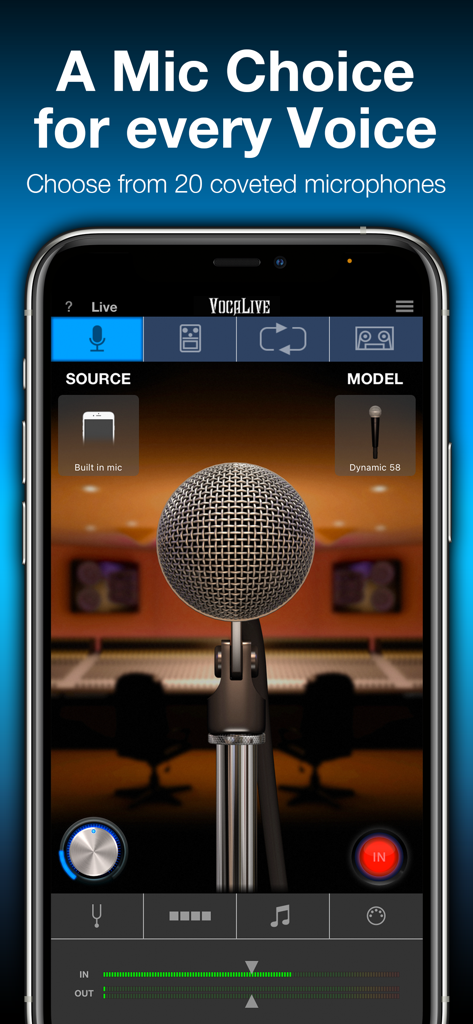
VocaLive CSアプリインターフェース、スタジオマイクモデリングと選択を表示

VocaLive CSアプリインターフェース、スタジオマイクモデリングと選択を表示

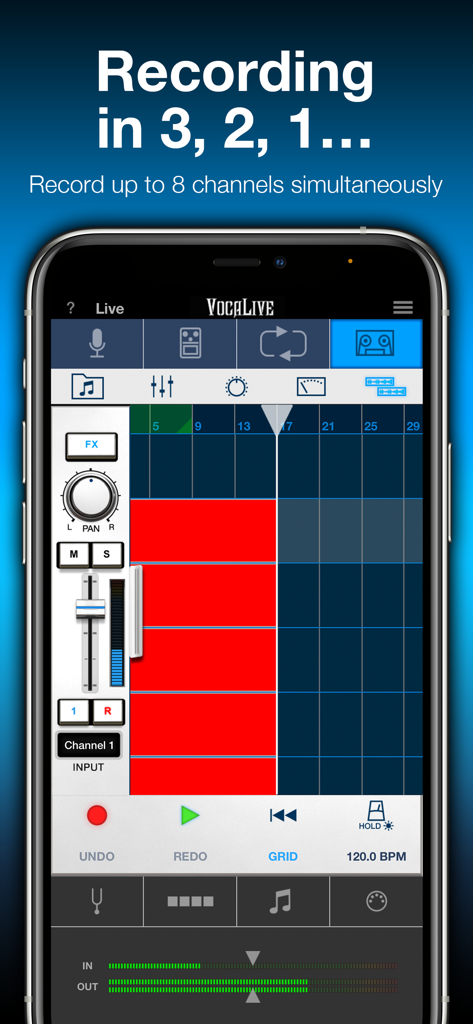
iPhone上の8チャンネルを表示するVocaLive CSマルチトラックレコーディングインターフェース

iPhone上の8チャンネルを表示するVocaLive CSマルチトラックレコーディングインターフェース

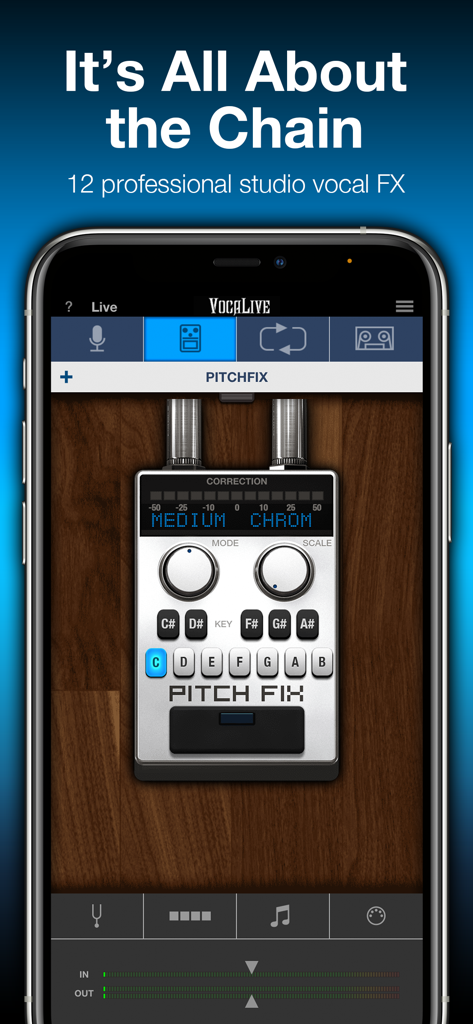
VocaLive CSモバイルアプリインターフェース、iPhone上のピッチ修正ボーカル補正ツールを表示

VocaLive CSモバイルアプリインターフェース、iPhone上のピッチ修正ボーカル補正ツールを表示

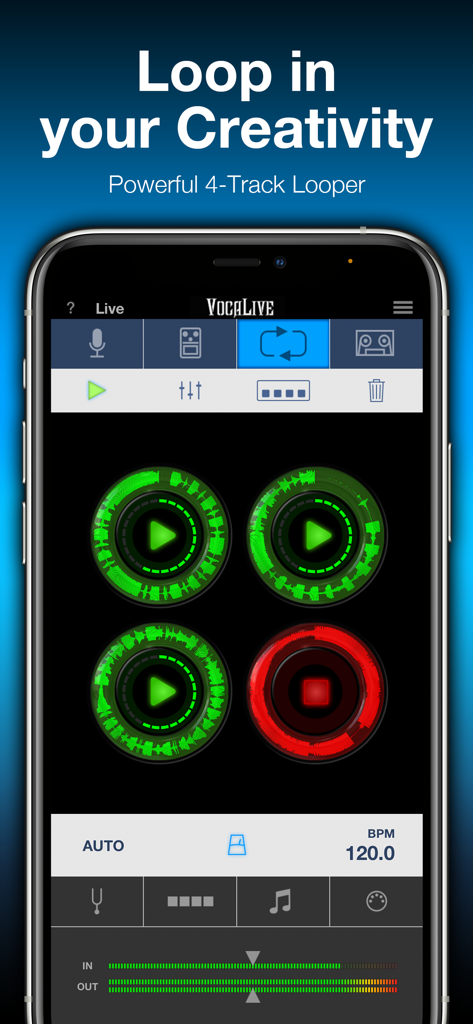
VocaLive CSアプリの4トラックルーパーインターフェース、円形の波形表示付き

VocaLive CSアプリの4トラックルーパーインターフェース、円形の波形表示付き

プロフェッショナルボーカルツールで全ての音符をレベルアップ

このアプリを際立たせるツール、 694K+ 人のユーザーが選択.

ラジオで放送可能なピッチ&エフェクト

現代のアーティスト向けに設計された12種類のエフェクト、リアルタイムのピッチ修正、リバーブ、そしてエフェクトチェーンで、すぐに洗練されたプロフェッショナルなサウンドを実現します。

🎙️

伝説のマイクエミュレーション

高価なハードウェアなしで、20種類のクラシックおよびモダンなスタジオマイクモデルを切り替えて、あなたのユニークなボーカルトーンに最適な暖かさとキャラクターを見つけましょう。

📱

あなたのモバイルプロダクションスタジオ

ボイスキャンセラーでライブラリの曲をバッキングトラックに変え、インスピレーションが湧いたときにどこでもマルチトラックハーモニーやループを録音しましょう。

ラジオで放送可能なピッチ&エフェクト

現代のアーティスト向けに設計された12種類のエフェクト、リアルタイムのピッチ修正、リバーブ、そしてエフェクトチェーンで、すぐに洗練されたプロフェッショナルなサウンドを実現します。

🎙️

伝説のマイクエミュレーション

高価なハードウェアなしで、20種類のクラシックおよびモダンなスタジオマイクモデルを切り替えて、あなたのユニークなボーカルトーンに最適な暖かさとキャラクターを見つけましょう。

📱

あなたのモバイルプロダクションスタジオ

ボイスキャンセラーでライブラリの曲をバッキングトラックに変え、インスピレーションが湧いたときにどこでもマルチトラックハーモニーやループを録音しましょう。

アプリについて

について知っておくべきこと VocaLive CS.

説明

VocaLive provides singers and vocalists with a suite of 12 real-time professional vocal effects, along with a range of tools to help you practice, sing and record. The effects can be combined into a chain of 4 processors and saved as presets. A collection of 55 presets is included to get you up and running immediately. VocaLive CS for iPhone comes with the Reverb effect, and upon registration the Double effect is unlocked. You can add 10 additional effects à la carte from a selection that includes Pitch Fix (for tuning or stylized FX), Choir, Morph, De-Esser, Delay, Parametric EQ, Compressor, Chorus, Phazer and Envelope Filter. Together these effects provide unparalleled creative processing power. With VocaLive you can process your voice, sing along to any song in your iTunes Music library — its Voice Cancel feature lets you remove existing vocals — and warm up with helpful vocal warm-up tools. Use the new 2-track recorder to sing over backing tracks, or expand the studio section (available via in-app purchase) to record whole songs. With the optional Mic Room feature, VocaLive also gives you the sound and color of 20 classic and modern studio microphone emulations, for even more control over your vocal tone. Ready to perform? VocaLive’s new Live Mode offers an optimized GUI specifically for live use. See your entire chain at a glance, with all the settings and controls you need in an easy-to-read format designed for the stage. Plus VocaLive offers an optional 4-track looper to easily create songs, harmonies and more on the fly. For best quality, use VocaLive with IK’s iRig Mic range of microphones, from handheld to studio condenser mic. Or connect your favorite 3rd party mic using our iRig Pre interfaces. But you can also have fun with it and record quick ideas using the built-in microphone on your iPhone or earbuds. Control your virtual rig just as easily as you would a traditional vocal multiFX with new iRig Stomp I/O integration, so you can change presets, control effects and more right from your feet. Or go wireless with iRig Blueboard, a wireless Bluetooth controller for basic control on the go. VocaLive also supports Core Audio and Core MIDI so you can use any compatible third-party interface or MIDI controller, and Audiobus and Inter-App Audio compatible, letting you use it alongside your favorite recording or songwriting apps. VocaLive CS for iPhone features: • Real time vocal processor + recording app • 4-processor vocal effects chain • 12 professional studio-quality effects available - 2 included • Mic Room microphone with 20 classic and modern studio mic emulations* • Includes metronome and vocal warm-up tools • 4-track looper section* • 2-track recorder (expandable to a full 8-track recording studio*) • Import and play songs directly from your Music library or computer • Voice Cancel lets you create sing-along backing tracks by removing the vocal track from existing recordings • Simultaneous multi-track recording • Studio section (included with Recorder) with waveform visualization and editing, touch-and-drag looping, normalization, punch-in/punch-out recording, simultaneous multi-track recording support and more • AutoFreeze (allows each track to have its own full effects chain) • Live Mode shows you your entire rig at a glance, with all the parameters you need on stage easily accessible • 55 presets included with 4 Favorites for fast recall • MIDI controllable and with built-in integration for iRig Stomp I/O, iRig Blueboard and other controllers • Audiobus & Inter-App Audio support • Full version available * available via in-app purchase IMPORTANT: AmpliTube users can add the effects processors from VocaLive to their AmpliTube app using the “Restore my purchases” option in the in-app menu. For more information: www.ikmultimedia.com/vocaliveiphone Accessories information: www.ikmultimedia.com

最新バージョン

3.1.3

サイズ

129.0 MB

リリース日

2011年3月10日

あなたの声を変化させる準備はできましたか?

69万人以上のボーカリストがiPhoneをプロフェッショナルなレコーディングスタジオとライブエフェクトリグに変えています。VocaLive CSを無料でダウンロードして、今日からラジオで放送可能なサウンドを手に入れましょう。

ダウンロード: App Store
FAQ

よくある質問

について知っておくべきこと VocaLive CS

VocaLive CS for iPhoneとは何ですか?

VocaLive CSは、iPhone用のリアルタイムボーカルプロセッサおよびレコーディングアプリです。ボーカリストに、プロフェッショナルなボーカルエフェクト、レコーディング機能、練習ツールを提供します。

VocaLive CSにはどのようなボーカルエフェクトが含まれていますか?

VocaLive CSには、12種類のエフェクトが含まれています。登録時にリバーブとダブルエフェクトが利用可能になり、ピッチ修正、ディレイ、コンプレッサーなどの追加10種類のエフェクトは、アプリ内課金で購入できます。

VocaLive CSはマルチトラック録音に対応していますか?

はい、VocaLive CSは2トラックレコーダーを搭載しており、アプリ内課金でフル8トラックのレコーディングスタジオに拡張可能です。包括的なプロジェクトのために、同時マルチトラック録音をサポートしています。

VocaLive CSにはマイクエミュレーションが含まれていますか?

はい、VocaLive CSはオプションのMic Room機能を提供しており、アプリ内課金で購入できます。20種類以上のクラシックおよびモダンなスタジオマイクエミュレーションのサウンドとカラーを提供し、多様なボーカルトーンを実現します。

VocaLive CSで曲からボーカルを削除するにはどうすればよいですか?

はい、VocaLive CSにはボイスキャンセル機能があり、iTunesミュージックライブラリの曲から既存のボーカルを削除できます。これにより、簡単に歌えるバッキングトラックを作成できます。

VocaLive CSにルーパー機能はありますか?

はい、VocaLive CSはオプションの4トラックルーパーをアプリ内課金で購入可能です。この機能により、ユーザーは曲、ハーモニー、複雑なアレンジをその場で簡単に作成できます。

VocaLive CSは外部オーディオインターフェイスやMIDIコントローラーと互換性がありますか?

はい、VocaLive CSはCore AudioとCore MIDIに対応しており、互換性のあるサードパーティ製インターフェイスやMIDIコントローラーで使用できます。IKのiRigシリーズ、iRig Stomp I/O、iRig Blueboardとの連携も強化されています。

VocaLive CSのライブモードとは何ですか?

VocaLive CSのライブモードは、ライブパフォーマンスに最適化されたグラフィカルユーザーインターフェイスを提供します。エフェクトチェーン全体とコントロールを、ステージでの使用に適した読みやすい形式で表示します。

App information, icons, screenshots, and descriptions displayed on this page are sourced from the Apple App Store and are the property of their respective developers. Download estimates and rankings are based on MWM's proprietary models and may not reflect actual figures. This page is provided for informational and analytical purposes only.

Believe this page infringes your intellectual property? File a dispute