Voicepaper Text to Speech TTS

Voicepaper Text to Speech TTS


ダウンロード: App Store
ロゴ: Voicepaper Text to Speech TTS

Voicepaper: あらゆるテキストをあなたのパーソナルオーディオブックに

教科書、PDF、ウェブ記事を没入感のある音声に変換して、生産性を最大化しましょう。物理的なページをスキャンし、クラウドと同期し、100以上の自然な音声で移動中に聞くことができます。

ダウンロード: App Store

開発元

Lemon LLC

カテゴリ

Magazines & Newspapers

ダウンロード

360K+

ユーザー評価

4.3/5

評価数

6K+

対応言語

20

あなたのライブラリを、声で

このインターフェースを利用する 360K+ 人のユーザー.

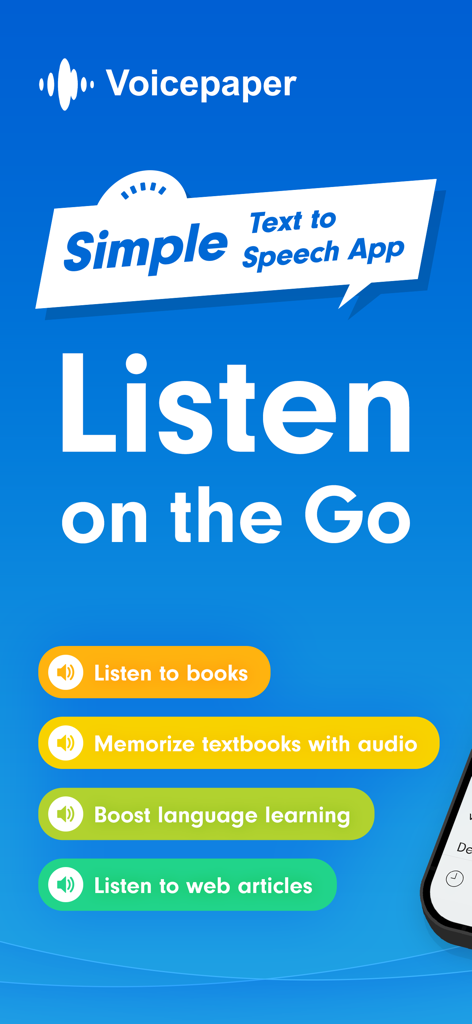
Voicepaperアプリの紹介画面。書籍、教科書、ウェブ記事向けのテキスト読み上げ機能を強調しています。

Voicepaperアプリの紹介画面。書籍、教科書、ウェブ記事向けのテキスト読み上げ機能を強調しています。

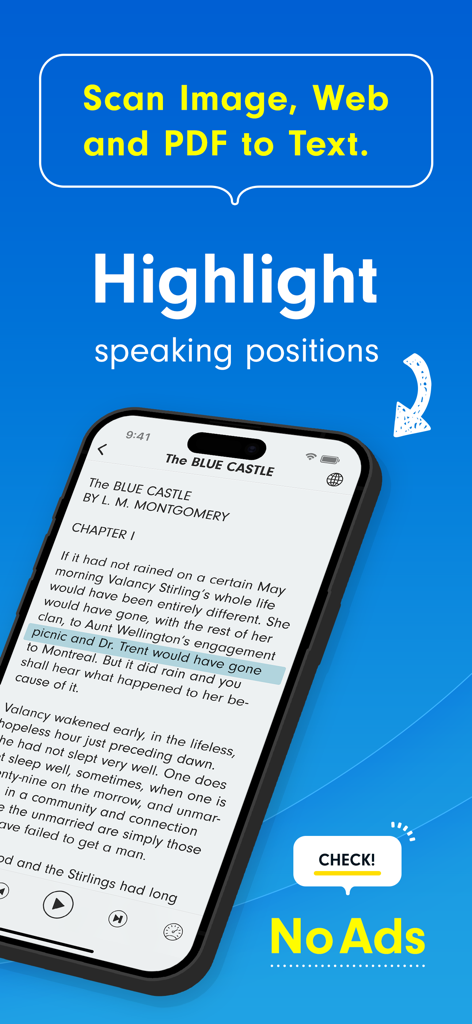
Voicepaperアプリのインターフェース。音声再生中にテキストがハイライトされ、OCR機能が搭載されたデジタルブックが表示されています。

Voicepaperアプリのインターフェース。音声再生中にテキストがハイライトされ、OCR機能が搭載されたデジタルブックが表示されています。

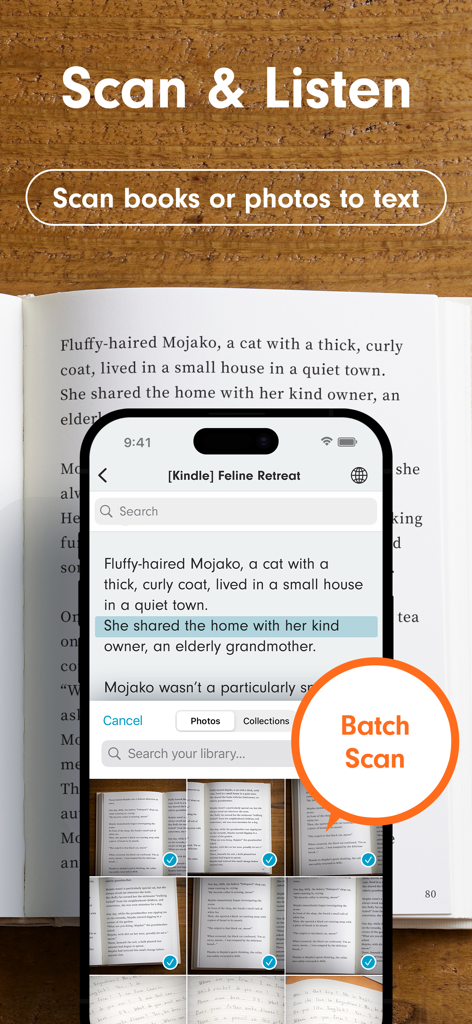
物理的な書籍をバッチスキャンしてテキストを音声に変換するVoicepaperアプリが表示されているスマートフォンの画面。

物理的な書籍をバッチスキャンしてテキストを音声に変換するVoicepaperアプリが表示されているスマートフォンの画面。

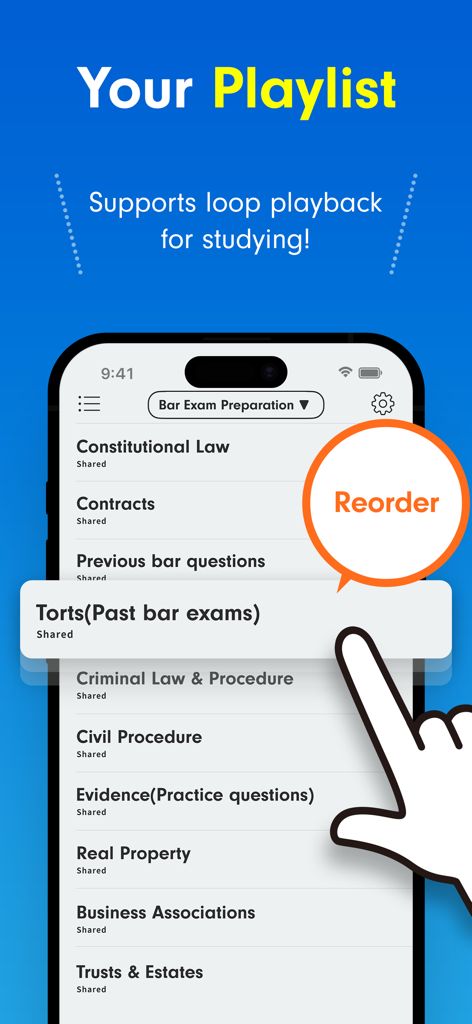
法律関連の教材が表示されたVoicepaperアプリのプレイリスト画面と、並べ替え機能を操作する手を示しています。

法律関連の教材が表示されたVoicepaperアプリのプレイリスト画面と、並べ替え機能を操作する手を示しています。

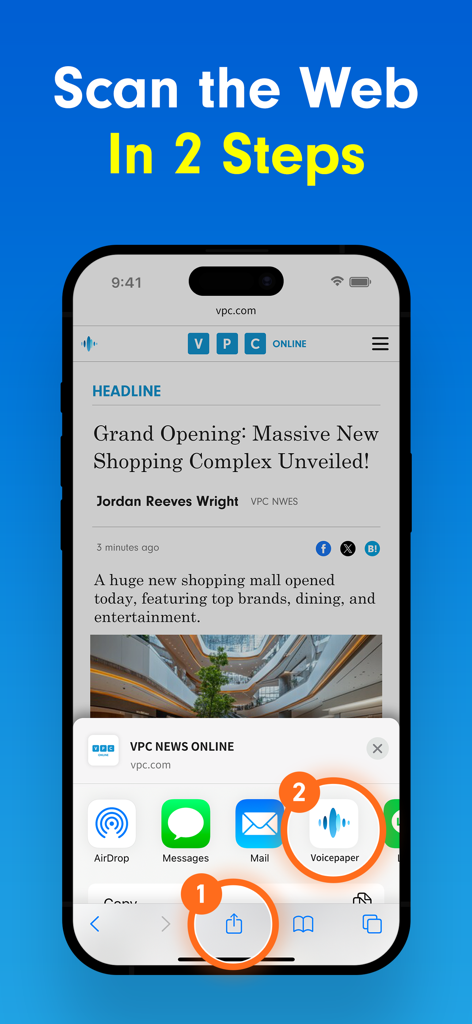
iOS共有メニューを使用してウェブ記事をVoicepaperアプリにスキャンする2段階のプロセスを示すiPhone画面。

iOS共有メニューを使用してウェブ記事をVoicepaperアプリにスキャンする2段階のプロセスを示すiPhone画面。

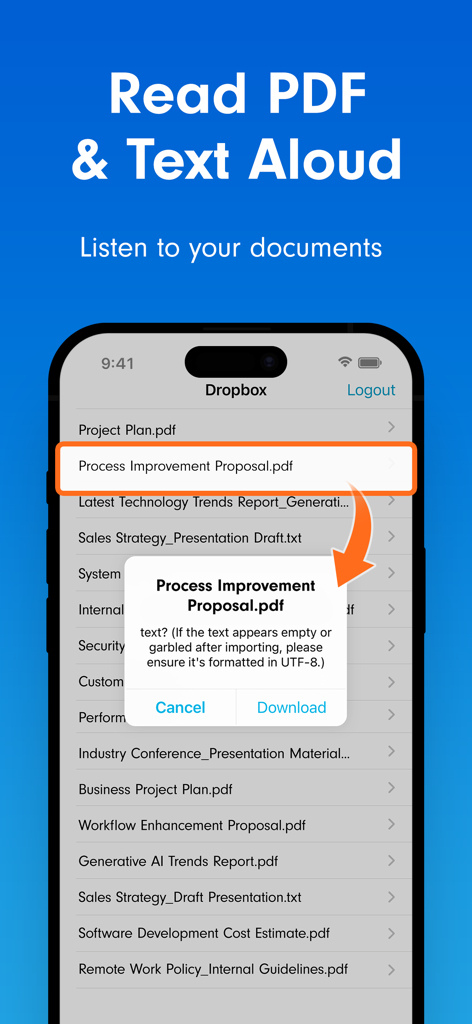
DropboxからインポートされたPDFをテキスト読み上げ再生するためのVoicepaperアプリのインターフェース。

DropboxからインポートされたPDFをテキスト読み上げ再生するためのVoicepaperアプリのインターフェース。

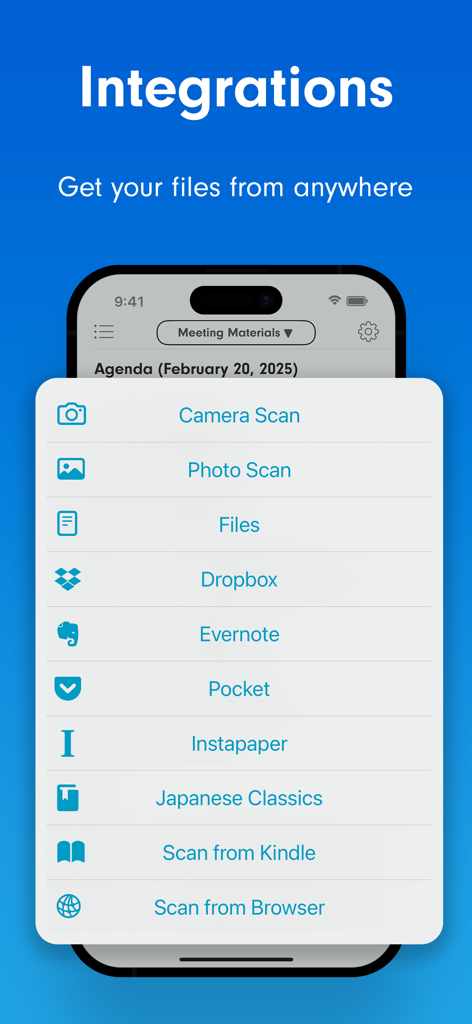
Dropbox、Evernote、Pocketなどのファイル連携オプションを表示するVoicepaperアプリの画面。

Dropbox、Evernote、Pocketなどのファイル連携オプションを表示するVoicepaperアプリの画面。

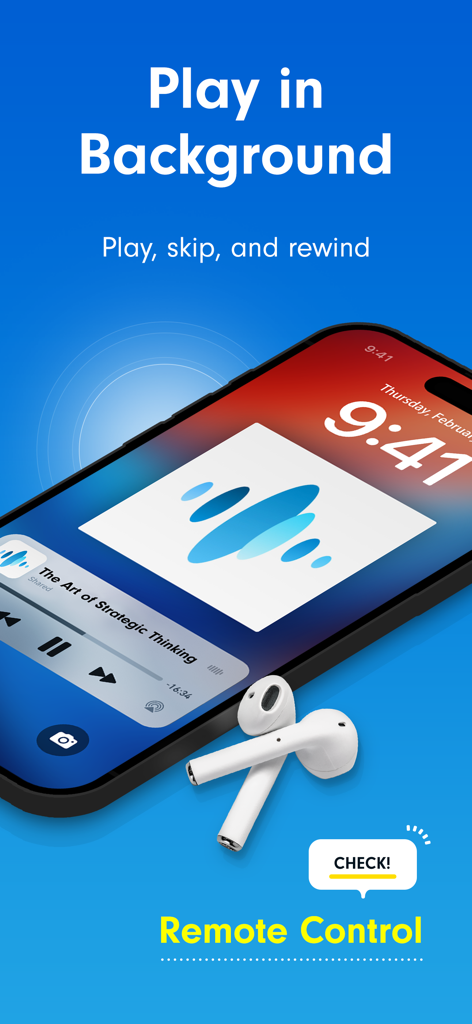
ワイヤレスイヤホンを使用したVoicepaperテキスト読み上げのバックグラウンド再生とリモートコントロール機能を示すiPhoneのロック画面。

ワイヤレスイヤホンを使用したVoicepaperテキスト読み上げのバックグラウンド再生とリモートコントロール機能を示すiPhoneのロック画面。

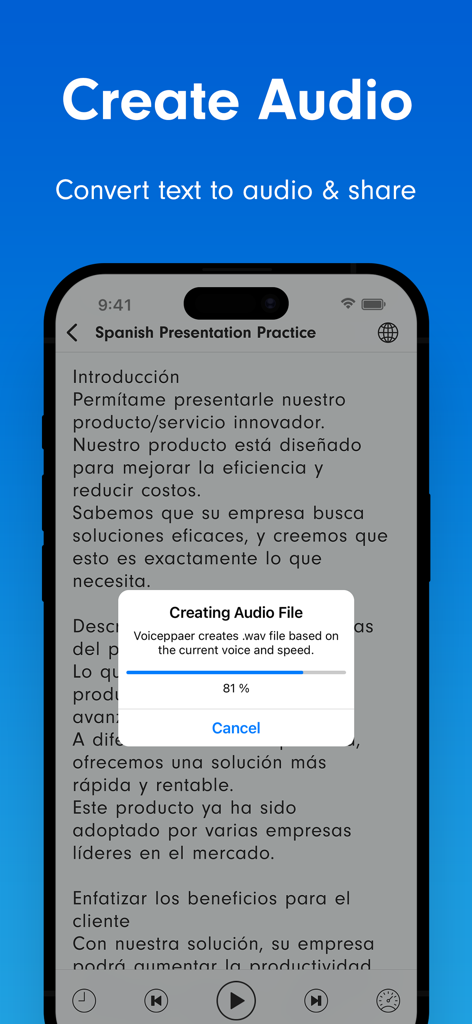
スペイン語のプレゼンテーションのテキストから音声への変換進捗バーを表示するVoicepaperアプリのインターフェース。

スペイン語のプレゼンテーションのテキストから音声への変換進捗バーを表示するVoicepaperアプリのインターフェース。

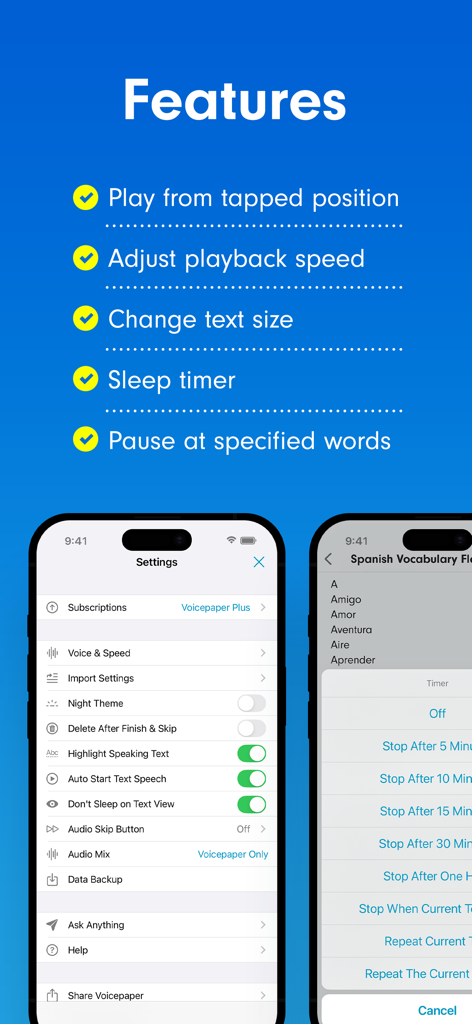
モバイルインターフェースに再生設定とスリープタイマーオプションを表示するVoicepaperアプリの機能リスト。

モバイルインターフェースに再生設定とスリープタイマーオプションを表示するVoicepaperアプリの機能リスト。

読書時間を節約時間に

このアプリを際立たせるツール、 360K+ 人のユーザーが選択.

📸

スキャンしてすぐに聞く

高度なOCRで物理的な教科書やスクリーンショットを音声に変換。写真を撮るだけで、移動中に教材を聞き始められます。

高速生産性

再生速度を最大2倍にして効率を最大化。通勤中や家事をしている間の「デッドタイム」を有効活用して、読書リストをこなしましょう。

📥

シームレスなデジタル同期

iCloud、Dropbox、Instapaperから直接インポート。PDF、ウェブ記事、ePubのどれであっても、あなたのライブラリ全体があなたの耳で聞く準備ができています。

アプリについて

について知っておくべきこと Voicepaper Text to Speech TTS.

説明

Free text-to-speech app with no ads. Scan text from books or web pages and listen instantly with 100+ voices in 25+ languages. Perfect for: • Learners who want to study efficiently Scan textbooks using your camera or screenshots and convert them to text. Use repeat playback for memorization, or create playlists to listen in order. • Readers who want to read more Listen to books and novels during your spare moments. Import PDFs or web articles and absorb information by ear. • Language learners Text is highlighted during playback, so you can read with both your eyes and ears. Even when multiple languages appear in one text, the app automatically switches voices. Main Features ・OCR from camera, images, and screenshots ・Highlight and auto-scroll during playback ・One-tap speed adjustment ・Double-tap to play from any position ・Background playback & remote control Import Text From ・Create or paste text manually ・OCR from camera, images, or screenshots ・Scan web pages via the browser share menu ・Import from Notes apps via sharing ・Dropbox ・Evernote ・iCloud Drive ・Instapaper Supported File Types text, pdf, image, epub, markdown, word (.docx) File App Integration Access via the system “Files” button when these apps are installed: Google Drive, OneDrive, Box, pCloud, Obsidian, Nextcloud, and many others. Playlist Features ・Playlist repeat ・Shuffle playback ・Export playlist as audio files ・Duplicate playlists ・Move texts between playlists Useful Tools ・Edit titles and text ・In-text search ・Loop playback ・Sleep timer ・Adjustable font size ・Bookmarks within text ・Auto-paste copied text ・Auto voice switching based on language detection ・Auto language switching for multilingual text ・Bulk translation of text ・Share text or web links ・Backup and restore data ・Dark Mode support ・Personal Voice support (English / Chinese) Customizable Settings ・Remember playback position on/off ・Pause for a few seconds at chosen symbols ・Play while background music is on ・Set different voices and speeds per language ・Customize pronunciations ・Randomize voice selection ・Replace specific characters upon import ・Auto-sync Instapaper or Evernote at launch Intuitive Controls ・Long-press title to reorder ・Swipe left on title to delete ・Swipe right on title to move to top or another playlist ・Swipe left on playlist to delete, rename, or copy ・Undo accidental deletions Premium Version ・Unlimited listening ・Playback speeds above 1.6× ・Audio-file export Privacy & Terms https://intercom.help/voicepaper-ce4adc785260/articles/12806434-terms-privacy

最新バージョン

3.8.3

サイズ

99.6 MB

リリース日

2017年9月14日

読書リストをあなたのパーソナルポッドキャストに

36万人以上の学生や専門家が時間を取り戻しています。今すぐVoicepaperをダウンロードして、ドキュメント、ウェブページ、書籍を完全に広告なしの音声に変換しましょう。

ダウンロード: App Store
FAQ

よくある質問

について知っておくべきこと Voicepaper Text to Speech TTS

Voicepaper Text to Speech TTSとは何ですか?

Voicepaper Text to Speech TTSは、書籍、ウェブページ、ドキュメントのテキストを音声オーディオに変換する無料アプリケーションです。25以上の言語で100以上の音声を提供し、広告なしのエクスペリエンスを提供します。

Voicepaper Text to Speech TTSは無料のアプリケーションですか?

はい、Voicepaper Text to Speech TTSは無料のテキスト読み上げアプリです。広告なしで動作し、すべてのユーザーに中断のないリスニングエクスペリエンスを保証します。

Voicepaper Text to Speech TTSは物理的な書籍をスキャンできますか?

はい、Voicepaper Text to Speech TTSは、デバイスのカメラを使用して物理的な書籍や写真からテキストをスキャンします。OCR(光学文字認識)をサポートし、バッチスキャン機能を提供します。

Voicepaper Text to Speech TTSはどの言語をサポートしていますか?

Voicepaper Text to Speech TTSは、100を超えるさまざまな音声で25以上の言語をサポートしています。アプリは再生中に多言語テキストに対応するために自動的に音声を切り替えます。

Voicepaper Text to Speech TTSはバックグラウンド再生を提供していますか?

はい、Voicepaper Text to Speech TTSはバックグラウンド再生をサポートしています。ユーザーは、アプリが画面上でアクティブに開かれていない場合でも、リモートコントロールを介してオーディオ(再生、スキップ、巻き戻し)を制御できます。

Voicepaper Text to Speech TTSを使用してウェブページを聴くにはどうすればよいですか?

ブラウザの共有メニューから直接ウェブページをスキャンすることで、ウェブページを聴くことができます。Voicepaper Text to Speech TTSはシームレスに統合されており、簡単にインポートして音声に変換できます。

Voicepaper Text to Speech TTSプレミアムはどのような機能を提供していますか?

Voicepaper Text to Speech TTSのプレミアムバージョンには、無制限のリスニング、1.6倍を超える再生速度、変換されたオーディオファイルの書き出し機能が含まれています。

Voicepaper Text to Speech TTSはオーディオ再生中にテキストをハイライトしますか?

はい、Voicepaper Text to Speech TTSは、テキストが読み上げられるときにハイライトし、自動スクロールします。この機能は理解を深め、語学学習や記憶を助けます。

Voicepaper Text to Speech TTSはどのファイル形式をインポートできますか?

Voicepaper Text to Speech TTSは、テキスト、PDF、画像、EPUB、Markdown、Word(.docx)ドキュメントをインポートします。これらのさまざまなファイルタイプを音声オーディオに変換します。

Voicepaper Text to Speech TTSはクラウドサービスと統合されていますか?

はい、Voicepaper Text to Speech TTSは、Google Drive、OneDrive、Box、Dropbox、iCloud Driveなどのクラウドサービスと統合されています。ユーザーはシステムの「ファイル」ボタンからファイルにアクセスできます。

Voicepaper Text to Speech TTSのプライバシーポリシーはどこにありますか?

Voicepaper Text to Speech TTSの公式プライバシーポリシーは、提供されているリンクからアクセスできます: https://intercom.help/voicepaper-ce4adc785260/articles/12806434-terms-privacy。

Voicepaper Text to Speech TTSにスリープタイマー機能はありますか?

はい、Voicepaper Text to Speech TTSには便利なツールとしてスリープタイマーが含まれています。これにより、ユーザーはオーディオ再生が自動的に停止するまでの時間を設定できます。

Voicepaper Text to Speech TTSで再生速度を変更できますか?

はい、Voicepaper Text to Speech TTSではワンタップで再生速度を調整できます。プレミアムバージョンでは、利用可能な速度が1.6倍以上に拡張されます。

Voicepaper Text to Speech TTSはテキストからオーディオファイルを作成できますか?

はい、Voicepaper Text to Speech TTSはテキストをオーディオファイルに変換します。これらのオーディオファイルを書き出す機能は、プレミアムバージョンに含まれる機能です。

App information, icons, screenshots, and descriptions displayed on this page are sourced from the Apple App Store and are the property of their respective developers. Download estimates and rankings are based on MWM's proprietary models and may not reflect actual figures. This page is provided for informational and analytical purposes only.

Believe this page infringes your intellectual property? File a dispute