Walletsmith - Wallet creator

Walletsmith - Wallet creator

ダウンロード: App Store
ロゴ: Walletsmith - Wallet creator

Walletsmith:究極のAIパス作成・デザインツール

物理的なカード、PDF、画像をスマートで美しいパスに変換し、Apple Walletをアップグレード。場所連動通知でデジタルライフをパーソナライズ。iOSのデザインに合わせた、プライバシー重視・広告なしのエクスペリエンスを提供します。

開発元

Juan Rodriguez

カテゴリ

Shopping

ダウンロード

10K+

ユーザー評価

4.5/5

評価数

0

対応言語

3

あなたのウォレットが生まれ変わる様子をご覧ください

このインターフェースを利用する 10K+ 人のユーザー.

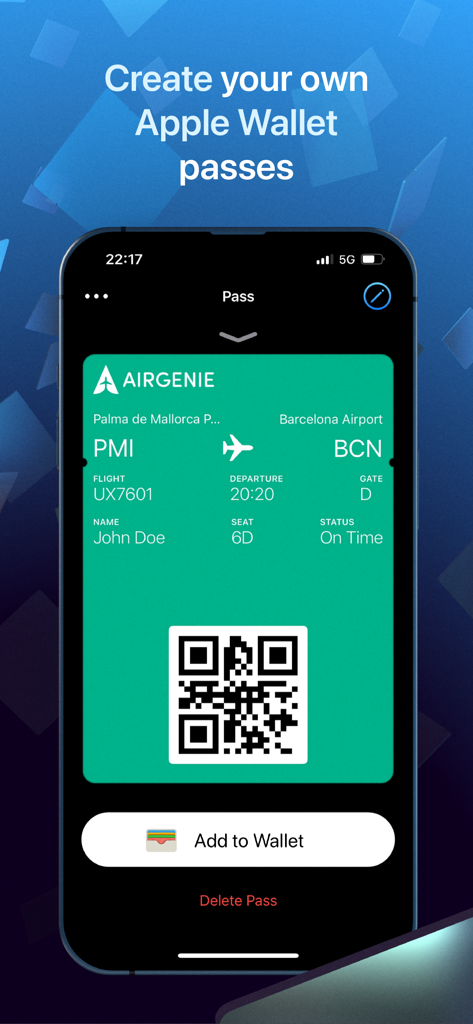
「ウォレットに追加」ボタン付きのジョン・ドゥ用カスタムグリーン航空搭乗券を示すiPhone画面

「ウォレットに追加」ボタン付きのジョン・ドゥ用カスタムグリーン航空搭乗券を示すiPhone画面

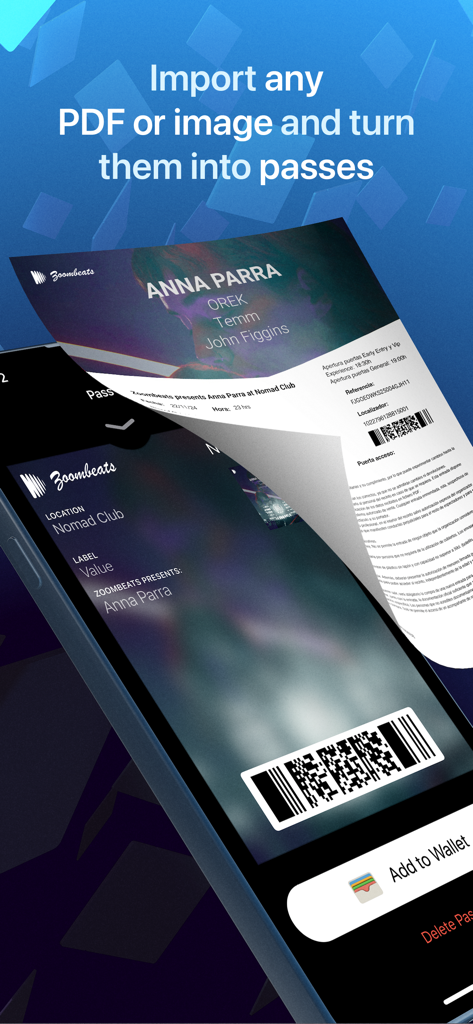
PDFチケットのインポート方法とスタイリッシュなApple Walletパスへの変換方法を示すデジタルインターフェース。

PDFチケットのインポート方法とスタイリッシュなApple Walletパスへの変換方法を示すデジタルインターフェース。

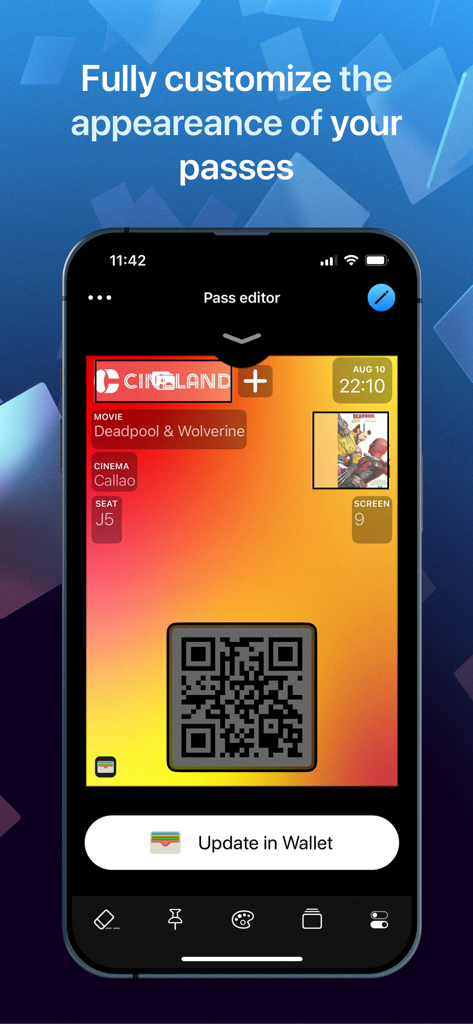
デジタル映画チケットのカスタマイズ用Walletsmithパスエディターインターフェース

デジタル映画チケットのカスタマイズ用Walletsmithパスエディターインターフェース

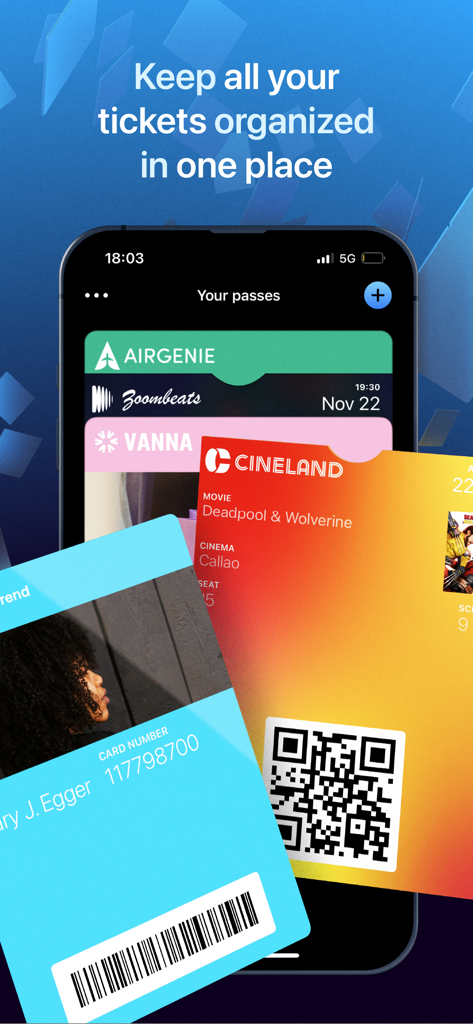
Walletsmithアプリ内で整理されたさまざまなデジタルパスとチケットを示すiPhone画面

Walletsmithアプリ内で整理されたさまざまなデジタルパスとチケットを示すiPhone画面

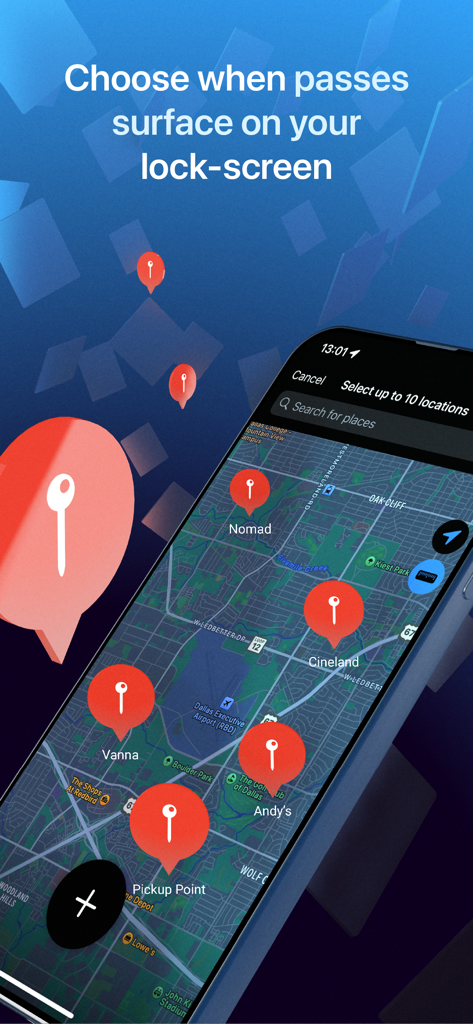
自動ロック画面パス通知の地理的位置を選択するためのマップインターフェースを示すiPhone画面。

自動ロック画面パス通知の地理的位置を選択するためのマップインターフェースを示すiPhone画面。

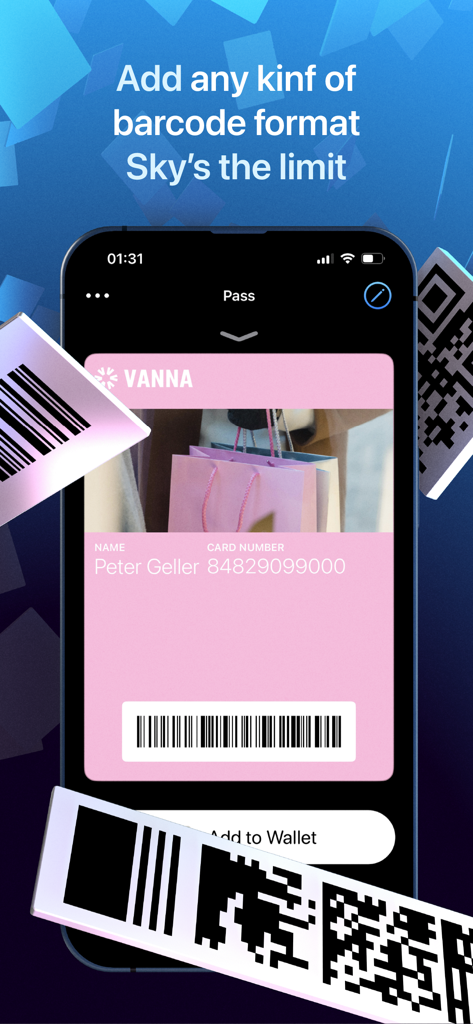
ピンクのデジタルポイントカードと複数のバーコードフォーマットオプションを示すWalletsmithアプリのインターフェース

ピンクのデジタルポイントカードと複数のバーコードフォーマットオプションを示すWalletsmithアプリのインターフェース

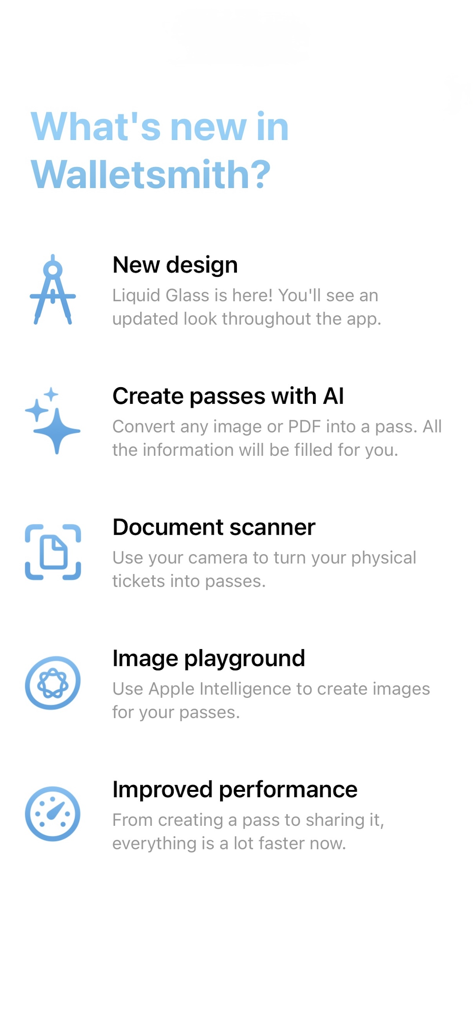
AIパス作成者やドキュメントスキャナーなどの新しいWalletsmith機能のリスト

AIパス作成者やドキュメントスキャナーなどの新しいWalletsmith機能のリスト

デジタルウォレットの真の力を解き放つ

このアプリを際立たせるツール、 10K+ 人のユーザーが選択.

インスタントAIパス作成

受信トレイを漁るのはもうやめましょう。インテリジェントスキャン技術を使用して、あらゆるPDF、スクリーンショット、画像を洗練されたネイティブなApple Walletパスに即座に変換します。

🎨

完全なデザインコントロール

基本的なデザインを超えましょう。ビジュアルエディターを使用すると、色、テキスト、画像​​をパーソナライズできるため、搭乗券やポイントカードはホーム画面と同じくらい洗練された見た目になります。

📍

スマートな場所トリガー

必要なときに必要な場所で、ロック画面に自動的に表示されるパスで真の利便性を体験してください。ジム、空港、お気に入りのショップに最適です。 Bởi vì chúng tôi quan tâm đến quyền riêng tư của bạn. Ứng dụng này sử dụng ID vị trí của Apple để kích hoạt thông báo dựa trên vị trí mà không lưu trữ vị trí của bạn trên máy chủ của chúng tôi.

アプリについて

について知っておくべきこと Walletsmith - Wallet creator.

説明

Walletsmith is the ultimate companion to the Wallet app. It makes it super easy and intuitive to add all your physical cards to Wallet, personalize your existing passes or create new ones. VISUAL EDITOR Pass type, colors, images and text. You’ll be able to see exactly what your pass will look like once it’s added to the Wallet app while you make edits. AI PASS CREATOR Quickly turn any PDF or image into a pass. All your tickets and boarding passes can easily be added to the Wallet app. IMPORT FROM WALLET You can bring your existing shareable passes to Walletsmith to personalize them and make them your own. Did you receive a plain, black-on-white boarding pass from the airline? Personalize it with your favorite colors and images and make it stand out. SHARE WITH ANYONE Export your passes in several formats and share them with anyone. LOCK SCREEN NOTIFICATION Did you know your Wallet passes automatically appear on your lock screen at a specific time or location? With Walletsmith you can select exactly when and where a pass becomes relevant. You can also personalize the notification that comes up with your own text and icon. MAGIC QR CODES Having friends over at your place? Make it super easy for them to connect to our WiFi network by just pointing their camera at your WiFi pass. Just make a nice looking pass and add a WiFi code to it. When your friends point their camera at it, they’ll be able to connect to the network with just one tap. No need to share the password. There’s even more types of magic QR codes that you can create with Walletsmith that make it super easy to share data that can be read with the Camera app such as contact info, location, email address and more. ———————— PRIVACY FIRST Your privacy is very important to me. No personal data ever leaves your device. Data that you add to your passes is never shared by Walletsmith in any way. In order to add passes to the Wallet app, a small amount of encrypted, non-personal data is required to be sent to my servers and that’s it. You can feel safe that your data is only yours to share. NO ADS ‘cause they ugly. Terms https://www.apple.com/legal/internet-services/itunes/dev/stdeula/

最新バージョン

26.0.8

サイズ

46.0 MB

リリース日

2021年12月29日

物理的な煩雑さから解放されませんか?

Walletsmithを信頼し、PDFや物理カードを美しく、場所を認識するデジタルパスに変換している何千人ものユーザーに加わりましょう。スマートで広告なし、100%プライベートなApple Walletを今すぐ体験してください。

ダウンロード: App Store

App information, icons, screenshots, and descriptions displayed on this page are sourced from the Apple App Store and are the property of their respective developers. Download estimates and rankings are based on MWM's proprietary models and may not reflect actual figures. This page is provided for informational and analytical purposes only.

Believe this page infringes your intellectual property? File a dispute