Yurit Budget

Yurit Budget

ダウンロード: App Store
ロゴ: Yurit Budget

Yurit Budget:意識的な家計管理のための意図的な元帳

紙のようなデジタル体験で、手動記録の力を再発見しましょう。レイアウトをカスタマイズし、数秒で入力し、パートナーと予算を共有—銀行連携は不要です。

開発元

UR SOFT

カテゴリ

Finance

ダウンロード

60K+

ユーザー評価

4.7/5

評価数

900

対応言語

11

伝統にモダンなひねりを

このインターフェースを利用する 60K+ 人のユーザー.

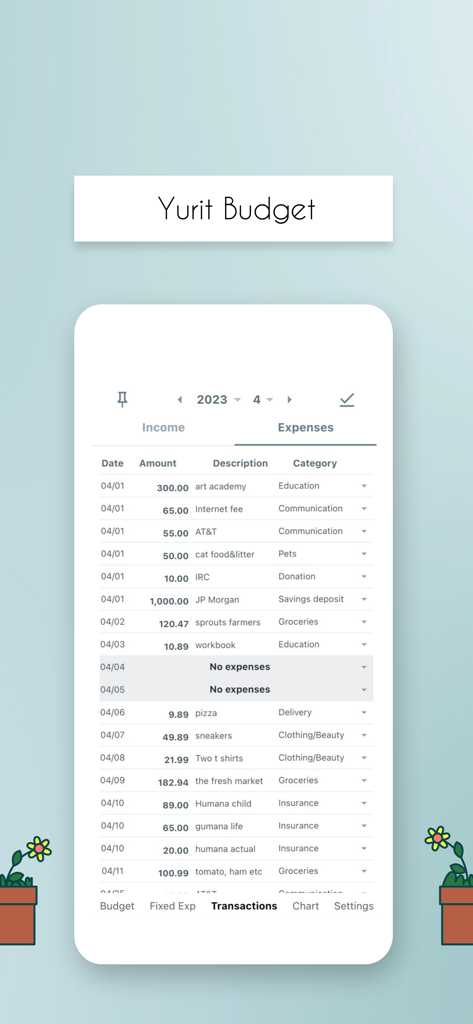
携帯アプリの画面に、きれいな紙スタイルの元帳レイアウトで、日々の支出と収入の詳細なリストが表示されています。

携帯アプリの画面に、きれいな紙スタイルの元帳レイアウトで、日々の支出と収入の詳細なリストが表示されています。

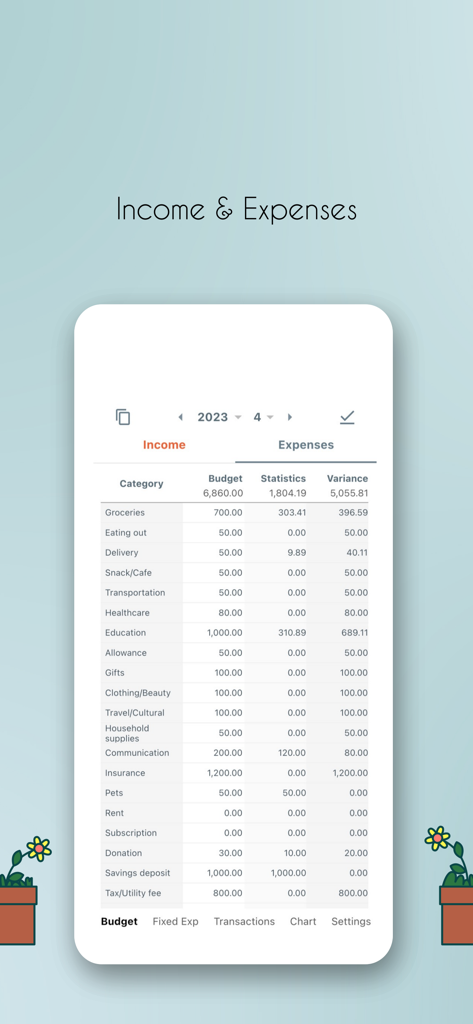
Yurit Budgetアプリの詳細な収入・支出元帳画面。月次予算統計と支出カテゴリが表示されています。

Yurit Budgetアプリの詳細な収入・支出元帳画面。月次予算統計と支出カテゴリが表示されています。

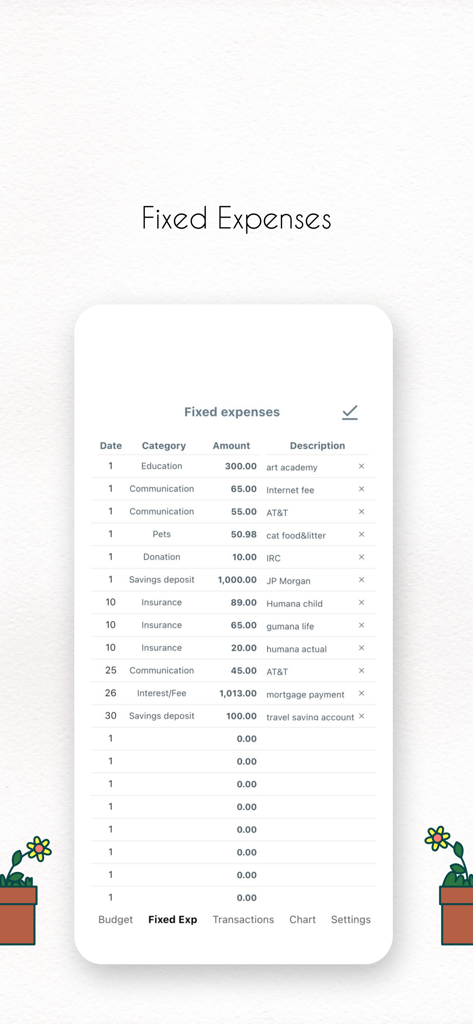
Yurit Budgetアプリで、教育、インターネット、保険のカテゴリを含む固定月次支出の詳細なリストが表示されています。

Yurit Budgetアプリで、教育、インターネット、保険のカテゴリを含む固定月次支出の詳細なリストが表示されています。

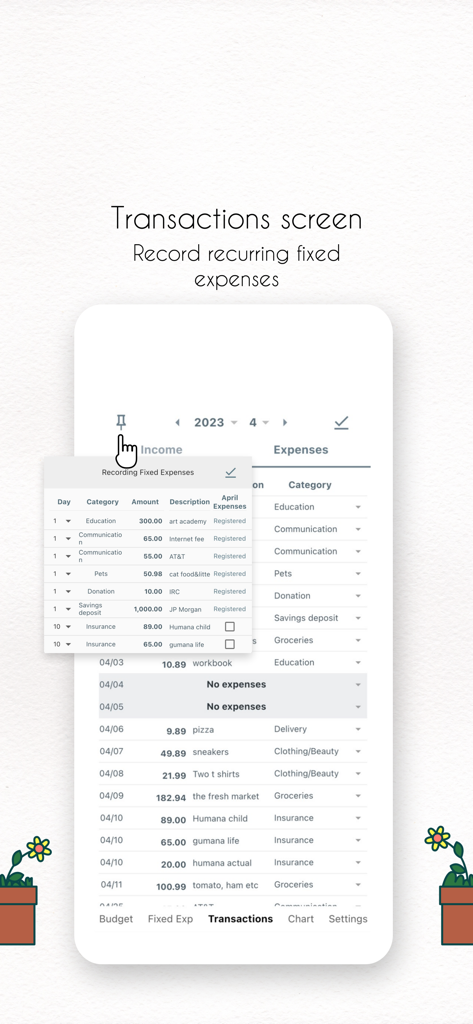
Yurit Budgetアプリのインターフェースで、デジタル元帳に月次固定経費を記録します。

Yurit Budgetアプリのインターフェースで、デジタル元帳に月次固定経費を記録します。

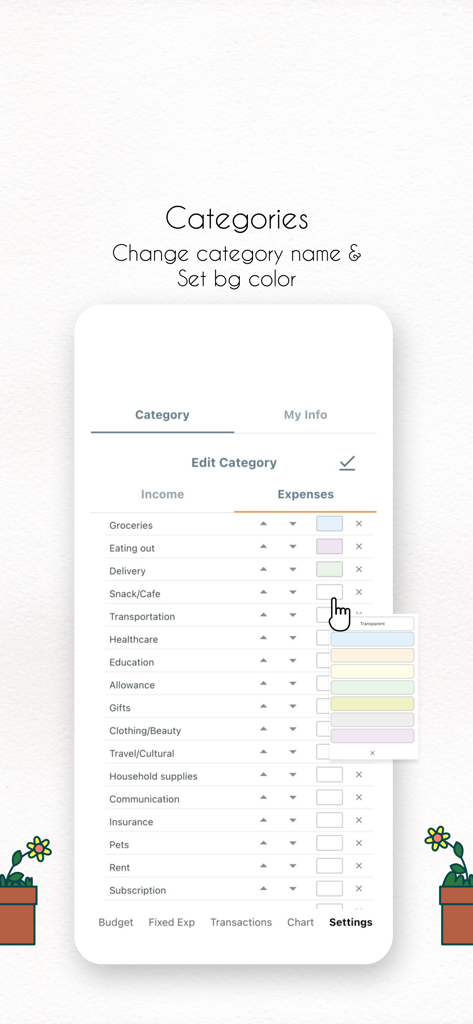
Yurit Budgetアプリの画面に、名前と背景色を変更するオプションが表示された支出カテゴリ編集ページが表示されています。

Yurit Budgetアプリの画面に、名前と背景色を変更するオプションが表示された支出カテゴリ編集ページが表示されています。

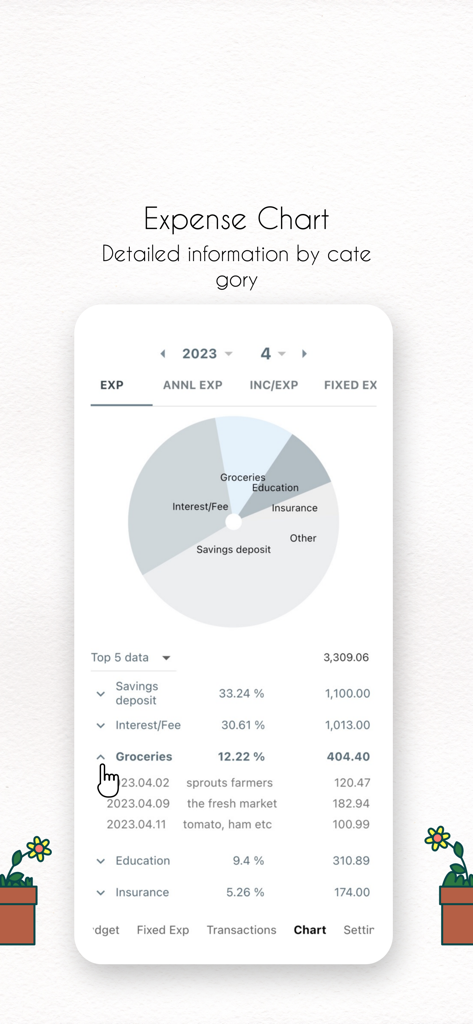
Yurit Budgetアプリのインターフェースに、円グラフと、タイプ別に分類された支出の詳細なリストが表示されています。

Yurit Budgetアプリのインターフェースに、円グラフと、タイプ別に分類された支出の詳細なリストが表示されています。

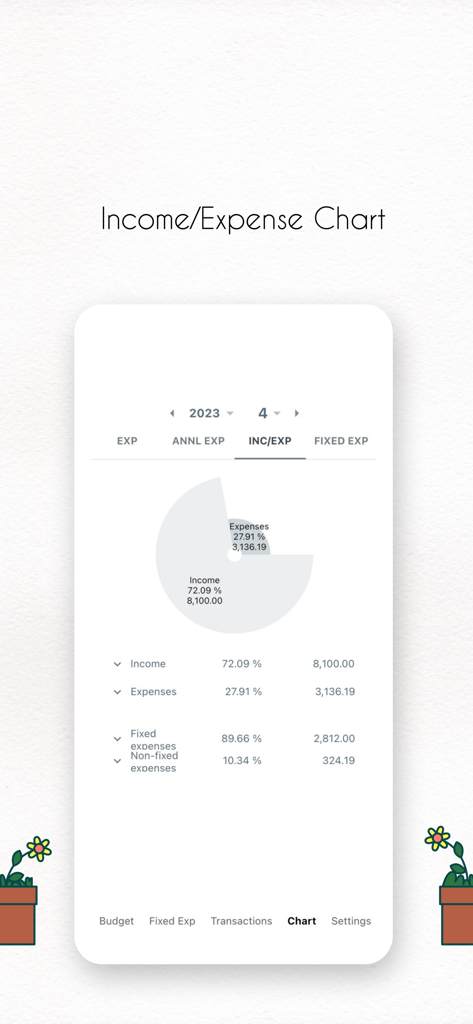
Yurit Budgetアプリで収入と支出の分布を示す円グラフ。

Yurit Budgetアプリで収入と支出の分布を示す円グラフ。

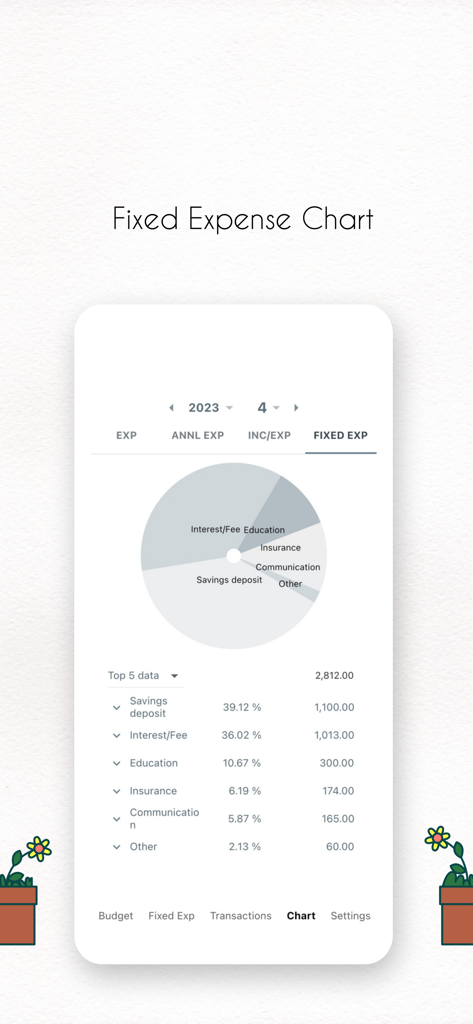
Yurit Budgetアプリの画面に、貯蓄、利息、教育を含む月次固定支出の円グラフとリストが表示されています。

Yurit Budgetアプリの画面に、貯蓄、利息、教育を含む月次固定支出の円グラフとリストが表示されています。

意図的な生活のための予算管理

このアプリを際立たせるツール、 60K+ 人のユーザーが選択.

✍️

マインドフルな手動記録

銀行連携の煩雑さなしに、「書き留める」という心理的なメリットを体験してください。紙のようなインターフェースは、すべての取引の記録を意図的かつ楽にします。

🎨

完全にカスタマイズ可能なワークスペース

あなたの予算はあなたの個性を反映すべきです。列をドラッグ&リサイズし、お気に入りのフォントを選び、UIカラーをすべてパーソナライズして、毎日使うのが楽しい空間を作りましょう。

🤝

安全なQRコード共有

カップルやパートナーに最適です。シンプルなQRコードを使用してデバイス間で元帳を同期—機密性の高い銀行情報を共有することなく、共有費用を一緒に管理できます。

アプリについて

について知っておくべきこと Yurit Budget.

説明

* About Yurit Budget... You can enter each line as if writing on paper. We've faithfully recreated the traditional way of keeping a household ledger. At the same time, we’ve added various automations and settings for user convenience. Yurit Budget features an intuitive UI that lets you enter data directly on the screen, without opening new dialogs — just like using a paper ledger. There are no required fields, so you can save an entry with just the amount or just a memo. You can drag and resize columns like amount, memo, and category to your desired size, and change all on-screen colors to ones you prefer. You can also leave a simple one-line diary while filling out the ledger. When setting your monthly budget, you can manage both budget and settlement memos. There’s no need to re-enter budgets every month — just tap to copy them forward. After writing in the ledger, you can quickly grasp your status with the report view, or analyze detailed statistics through charts. Tap any item in the stats to immediately show the corresponding entries in the ledger. Yurit Budget saves your data to the server via the internet, so there’s no need for backup or restore. You can access your data on both smartphones and tablets, or keep your data intact when changing devices, simply by logging into the same account. It also supports sharing via QR code. Even with different accounts, multiple users can manage the same data together. With QR code sharing, couples or groups can keep a shared household ledger together. * 5 main menus 1. Budget/Settlement: Plan your spending by setting income and expense budgets. 2. Recurring Income/Expenses: Easily manage monthly recurring transactions. 3. Ledger: Enter income and expenses directly on the screen. You can link assets to each income or expense entry. 4. Charts: Visualize income and expense trends at a glance with various charts. 5. Settings: Customize everything — from auto-scrolling columns and auto search, to ledger start date, colors, and font sizes. * Getting started is half the journey. Yurit Budget is here to support your start — and more importantly, your ongoing steps.

最新バージョン

4.9.92

サイズ

97.6 MB

リリース日

2023年2月22日

意図的に予算を管理する準備はできましたか?

60,000人以上のユーザーが、自動化されたノイズをデジタル紙元帳の触覚的なコントロールに切り替えました。今すぐYurit Budgetをダウンロードして、家計の明確さを取り戻しましょう。

ダウンロード: App Store

App information, icons, screenshots, and descriptions displayed on this page are sourced from the Apple App Store and are the property of their respective developers. Download estimates and rankings are based on MWM's proprietary models and may not reflect actual figures. This page is provided for informational and analytical purposes only.

Believe this page infringes your intellectual property? File a dispute