10bII+

10bII+

다운로드: App Store
로고: 10bII+

10bII+: 전문가를 위한 현대적인 금융 계산기

대화형 레시피와 실시간 레지스터 가시성을 통해 복잡한 금융, 부동산 및 비즈니스 수학을 마스터하세요. 키 입력 암기를 멈추고 정밀하게 거래를 성사시키세요.

다운로드: App Store

개발사

Anishu, Inc.

카테고리

Finance

다운로드

7K+

사용자 평점

1.7/5

총 평가 수

0

지원 언어

1

손안의 정밀도

이 인터페이스를 사용하는 7K+ 명의 사용자.

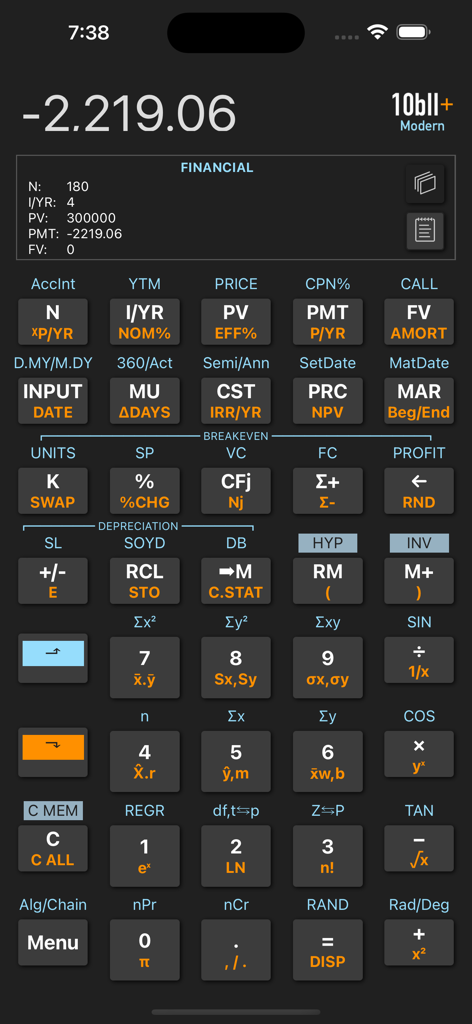
계산 결과가 있는 키패드와 금융 레지스터 보기를 보여주는 10bII Plus 금융 계산기 앱 사용자 인터페이스

계산 결과가 있는 키패드와 금융 레지스터 보기를 보여주는 10bII Plus 금융 계산기 앱 사용자 인터페이스

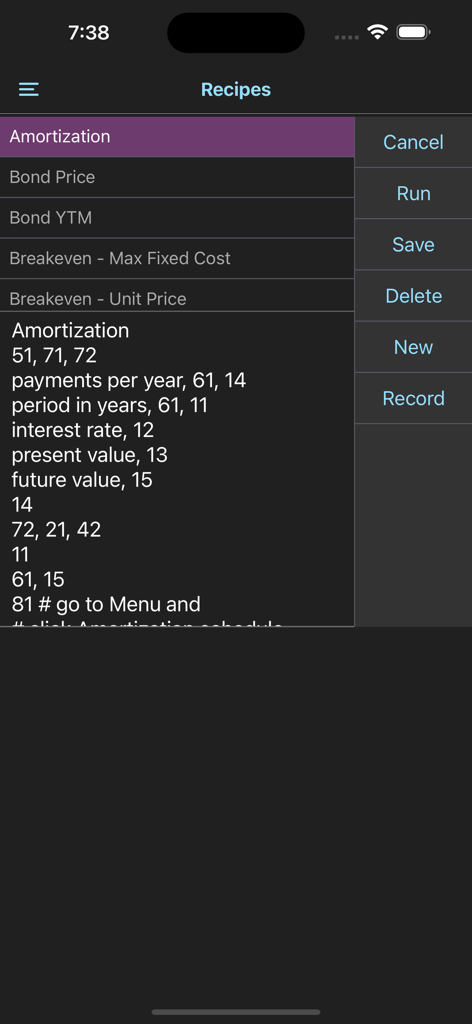
금융 계산 레시피와 자동화 옵션을 표시하는 10bII plus 앱 인터페이스

금융 계산 레시피와 자동화 옵션을 표시하는 10bII plus 앱 인터페이스

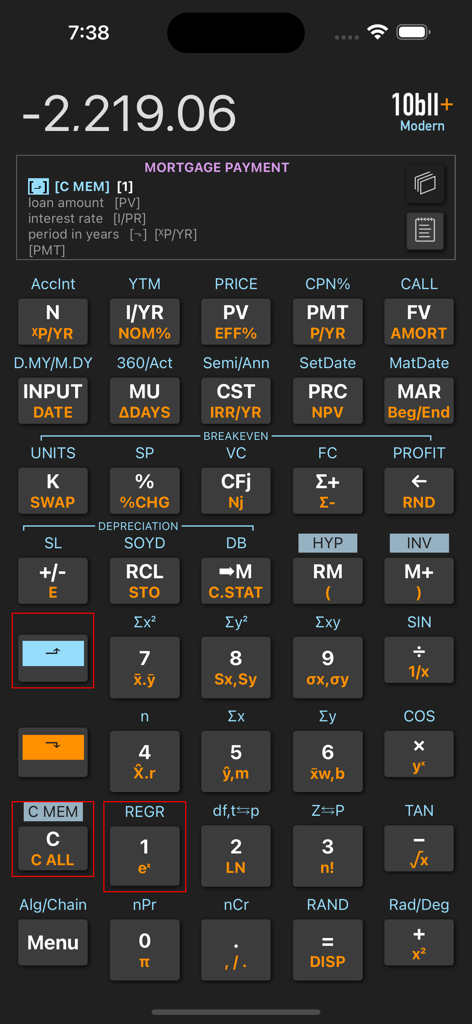
모기지 지불 계산 레시피와 전문 키패드를 보여주는 10bII plus 금융 계산기 앱 인터페이스

모기지 지불 계산 레시피와 전문 키패드를 보여주는 10bII plus 금융 계산기 앱 인터페이스

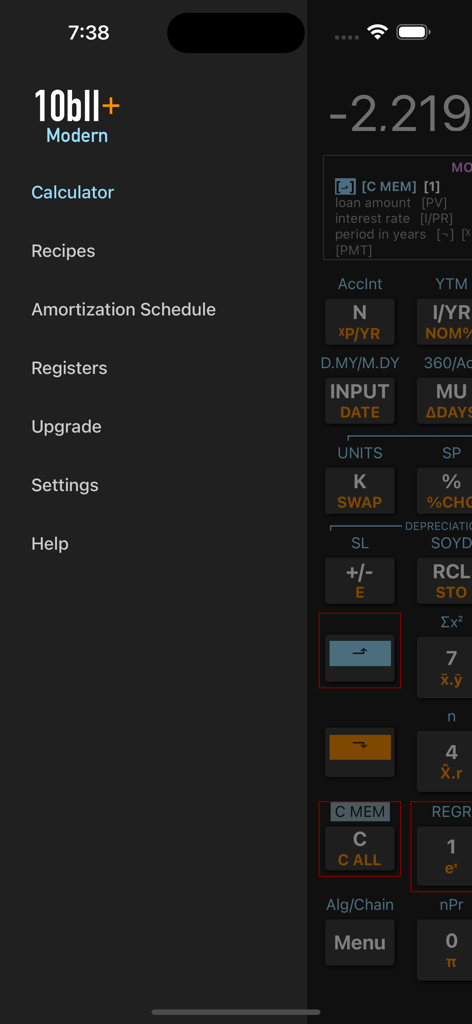
레시피 및 할부 상환 일정과 같은 메뉴 옵션을 보여주는 10bII+ 현대 금융 계산기 앱의 탐색 사이드바

레시피 및 할부 상환 일정과 같은 메뉴 옵션을 보여주는 10bII+ 현대 금융 계산기 앱의 탐색 사이드바

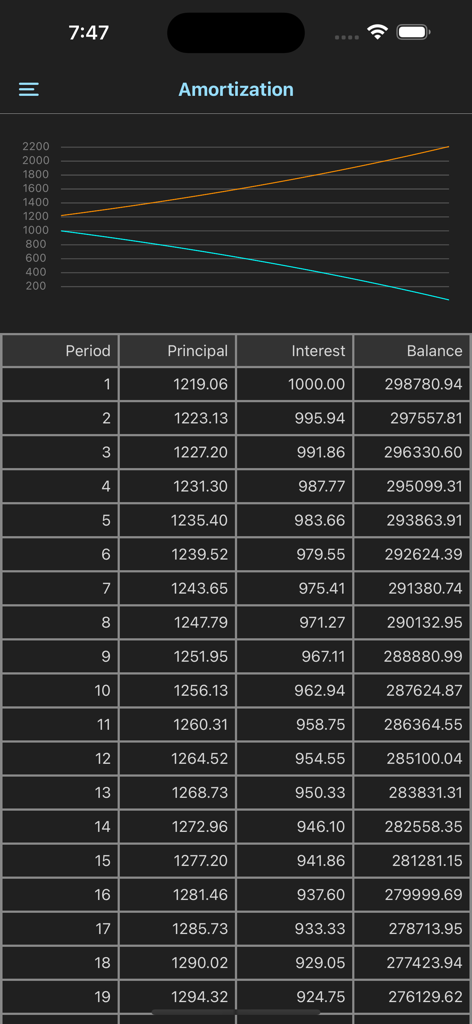
할부 상환 일정 화면에 그래프와 원금, 이자, 잔액 열이 있는 자세한 데이터 테이블 표시

할부 상환 일정 화면에 그래프와 원금, 이자, 잔액 열이 있는 자세한 데이터 테이블 표시

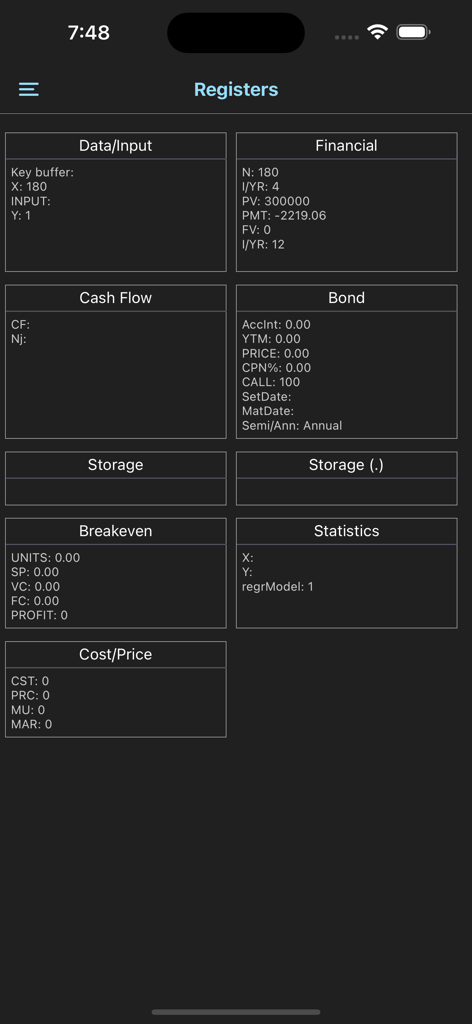
금융, 채권, 현금 흐름 및 손익분기점 계산에 대한 데이터 범주를 보여주는 10bII plus 금융 계산기의 자세한 레지스터 보기.

금융, 채권, 현금 흐름 및 손익분기점 계산에 대한 데이터 범주를 보여주는 10bII plus 금융 계산기의 자세한 레지스터 보기.

금융 정밀도를 위한 고급 도구

이 앱을 돋보이게 하는 도구, 7K+ 명의 사용자가 선택.

🎓

대화형 단계별 레시피

복잡한 키 입력의 스트레스를 제거하세요. TVM, 현금 흐름 및 IRR에 대한 안내 프롬프트를 따라 고객 앞에서 100% 정확성을 보장하세요.

📉

즉각적인 레지스터 투명성

N, I/YR 또는 PV에 무엇이 저장되어 있는지 추측하는 것을 멈추세요. 라이브 레지스터 보기를 통해 모든 입력을 한눈에 확인하여 계산 오류를 방지하세요.

💼

전문 모바일 제품군

하드웨어를 버리세요. iPhone에서 전체 할부 상환, 채권 및 감가상각 워크시트에 액세스하세요. 회의 및 현장 작업에 완벽합니다.

앱 소개

에 대해 알아야 할 모든 것 10bII+.

설명

The 10bII+ is a complete reimplementation of the full functionality of the popular HP 10bII+ financial calculator. In addition to providing 10bII+'s look & feel and functionality, we have modernized the app with features such as recipes, interactive prompts, and register views. This free version provides basic calculator functions, Math, Trigonometry, Memory, Interest Conversion, and Date functions. A one-time In-App-Purchase is required to access the Time-Value-of-Money (TVM), Amortization, Cash Flow, Bond, Depreciation, Statistics, Profit Margin, and Breakeven worksheets. The 10bII+ modern addresses two critical issues for the user: (i) knowing what is stored in each of the calculator's internal registers, (ii) remembering the exact key sequences for getting specific calculations done. The register views, accessible in the main screen, provides visibility into various register groups. You can switch between different groups of registers (such as Financial, Cash Flow, Bond, etc.), and inspect stored values. The recipes which you can record and store remove the burden of remembering the exact keystroke sequence for your tasks. You simply select a pre-recorded recipe (builtin or your own) and run. When running a recipe, the app visually prompts you with the keystrokes to press and guides you along in getting the results. The app comes with 25 built-in recipes and allows you to add/record/edit/delete your own recipes. The convenient register view on the screen allows you to view register contents as your operations proceed.

최신 버전

1.0.2

크기

15.5 MB

출시일

2023년 2월 15일

전문 금융 계산기의 골드 스탠다드를 어디든 휴대하세요

하드웨어를 휴대하는 것을 멈추고 더 스마트하게 계산하세요. iPhone에서 10bII+의 정밀도를 경험하고, 가장 복잡한 금융 거래를 위한 대화형 레시피와 투명한 레지스터 보기를 활용하세요.

다운로드: App Store

App information, icons, screenshots, and descriptions displayed on this page are sourced from the Apple App Store and are the property of their respective developers. Download estimates and rankings are based on MWM's proprietary models and may not reflect actual figures. This page is provided for informational and analytical purposes only.

Believe this page infringes your intellectual property? File a dispute