4Plan Home & Interior Planner

4Plan Home & Interior Planner


다운로드: App Store
로고: 4Plan Home & Interior Planner

4Plan: 당신의 꿈의 집을 3D로 디자인, 가구 배치, 시각화하세요

전문적인 디자인 경험이 필요하지 않습니다. LiDAR 스캔과 AR을 사용하여 리노베이션을 계획하고, 가구를 배치하고, 비용을 들이기 전에 사진처럼 사실적인 디테일로 공간을 확인하세요.

다운로드: App Store

개발사

Alatona UAB

카테고리

Lifestyle

다운로드

1M+

사용자 평점

4.6/5

총 평가 수

4K+

지원 언어

8

당신의 미래 공간을 시각화하세요

이 인터페이스를 사용하는 1M+ 명의 사용자.

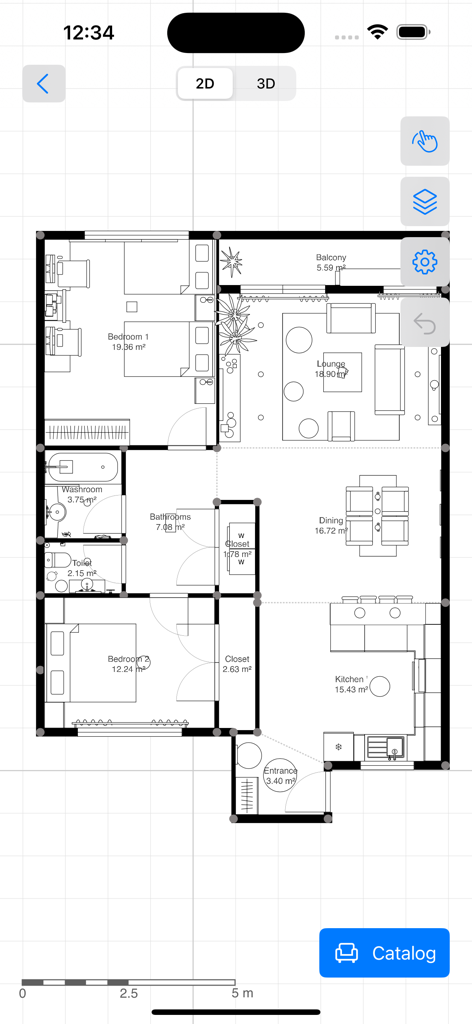
4Plan 인테리어 디자인 앱으로 만든 방 치수와 가구 배치를 보여주는 상세한 2D 아파트 평면도

4Plan 인테리어 디자인 앱으로 만든 방 치수와 가구 배치를 보여주는 상세한 2D 아파트 평면도

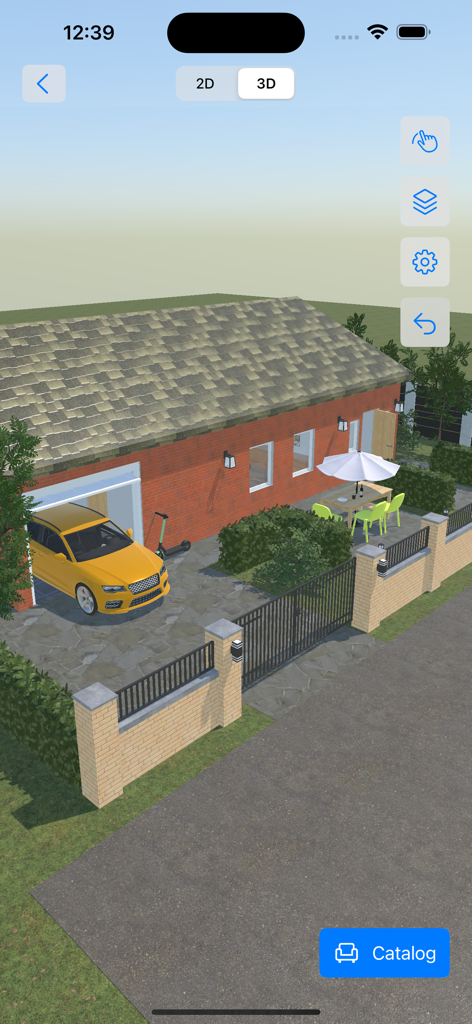
4Plan 앱의 노란색 자동차와 파티오 공간이 있는 집의 3D 외부 보기

4Plan 앱의 노란색 자동차와 파티오 공간이 있는 집의 3D 외부 보기

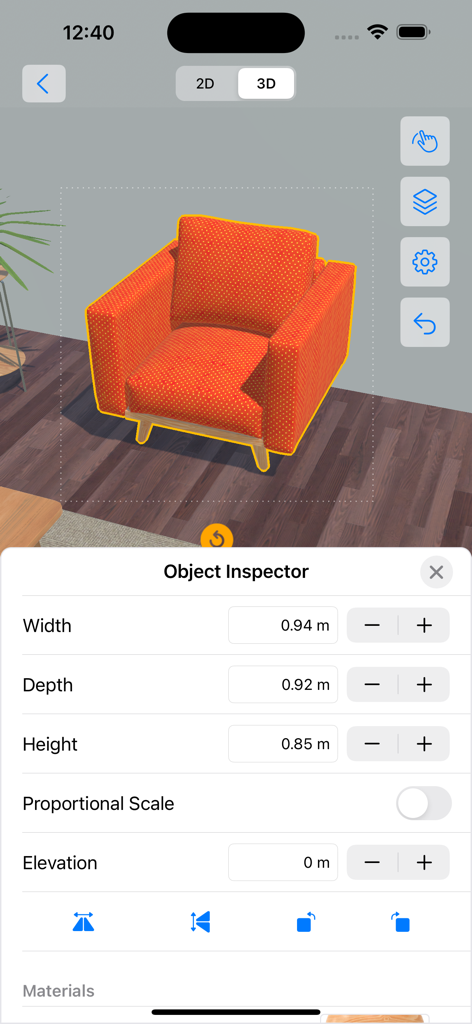
4Plan 3D 인테리어 디자인 보기에서 주황색 안락의자 치수를 조정하는 객체 검사기 사용

4Plan 3D 인테리어 디자인 보기에서 주황색 안락의자 치수를 조정하는 객체 검사기 사용

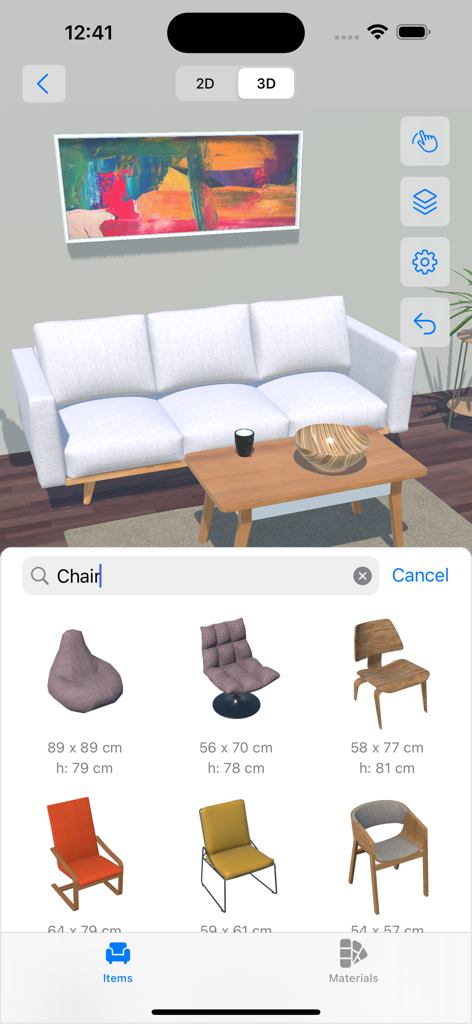
의자 가구 선택 메뉴가 특징인 4Plan 앱의 3D 거실 디자인 프로젝트

의자 가구 선택 메뉴가 특징인 4Plan 앱의 3D 거실 디자인 프로젝트

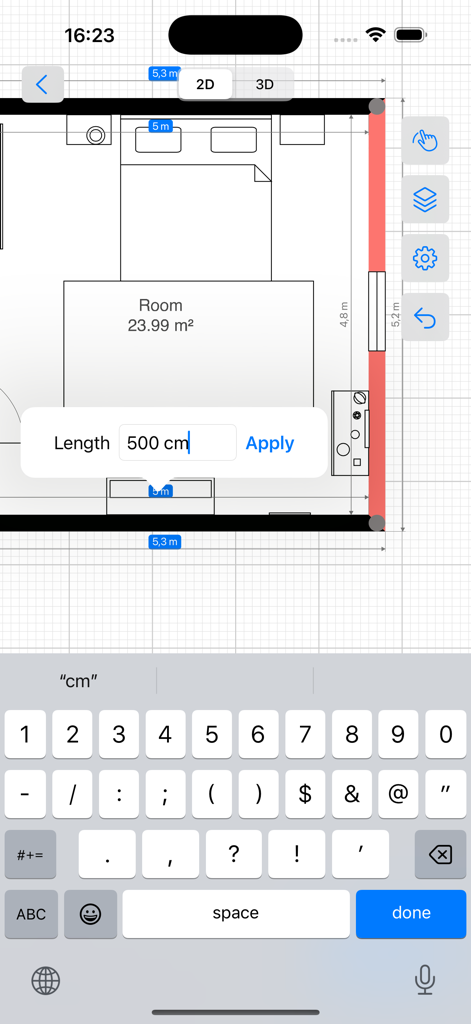
맞춤 치수 입력 필드가 있는 침실 레이아웃을 보여주는 2D 평면도 편집기

맞춤 치수 입력 필드가 있는 침실 레이아웃을 보여주는 2D 평면도 편집기

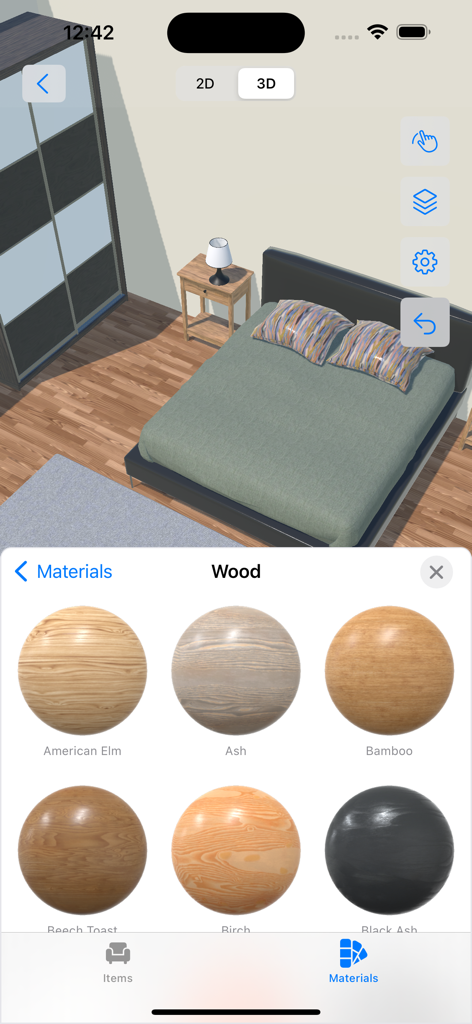
미국 느릅나무와 물푸레나무와 같은 다양한 목재 유형을 보여주는 재료 선택 메뉴가 있는 4Plan 앱의 3D 침실 보기

미국 느릅나무와 물푸레나무와 같은 다양한 목재 유형을 보여주는 재료 선택 메뉴가 있는 4Plan 앱의 3D 침실 보기

자신감을 가지고 당신의 꿈의 집을 디자인하세요

이 앱을 돋보이게 하는 도구, 1M+ 명의 사용자가 선택.

📐

즉각적인 방 스캔

줄자는 이제 그만. LiDAR 기술을 사용하여 몇 초 만에 전문적인 정확도로 방의 정확한 치수와 레이아웃을 캡처하세요.

🛋️

개인 스타일 큐레이션

방대한 가구 카탈로그와 사진처럼 사실적인 재료를 실험하여 물건 하나 사기 전에 당신의 집에 완벽한 룩을 찾으세요.

🕶️

당신의 비전을 걸어보세요

2D 청사진과 몰입형 3D 보기 사이를 전환하거나 증강 현실을 사용하여 새로운 디자인이 실제 공간에 어떻게 맞는지 정확히 확인하세요.

앱 소개

에 대해 알아야 할 모든 것 4Plan Home & Interior Planner.

설명

● 2D drawing and 3D view for each of your floor, room, indoor & outdoor projects ● Easy and intuitive control with endless customizations ● Photorealistic materials with a vast furniture and material catalog ---------- Are you looking for an easy-to-use home interior design and renovation app to plan your next project? Don’t have any knowledge about using interior design software? Meet 4Plan, which is designed with utmost simplicity to help you design rooms, floors, and outdoor areas from your iOS & macOS devices. Download now, and start drawing rooms and walls. Then drag and drop furniture and decoration from the catalog. Use materials and color palette to create a unique look and feel. Making your dream renovation a reality is easy with 4Plan. ■ UNLEASH YOUR CREATIVITY Choose from our large library of home design elements and make adjustments per your taste. Design room remodelling by using: ● Construction: select different doors, windows, stairs, roofs, and shapes. ● Furniture: select and add sofas, armchairs, chairs, tables, sideboards, desks, console tables, coffee tables, cabinets, drawers, and more. Adjust the width, depth, and more. ● Outdoor: add different seats, tables, vegetation, lamps, and more. ● Materials: Pick different materials such as paint, bricks, carpets, concrete, and ground and pick different styles and colors for each material. ■ 4PLAN FEATURES: - 2D drawing and 3D view; - View your project in Augmented Reality; - Easy to use with intuitive controls; - Photorealistic materials; - Furniture and material catalog; - Share PDF drawing and snapshots; - Save and share your project file; - Works on all your iOS and macOS devices; - Use iPhone with LiDAR for room scanning; ■ UI CONTROL TIPS 4Plan is designed for everyone. No interior design software knowledge is needed. Here are some basic control instructions: - Tap on any of the lines to select it and resize the space to your custom needs; - Pinch to zoom in/out the whole project; - Use the undo button to revert changes; - Tap in the middle of your project to open the room inspector and edit ceiling, ceil material, flooring, and floor material; - Tap on the bottom button to add construction, furniture, and outdoor elements and select materials; ■ DRAW Use the draw feature to create custom: - Walls; - Rooms; - Paths or lawns; - Dimensions; ■ SETTINGS ADJUSTMENTS Besides being easy to use, 4Plan is customizable. Go to the Settings page to do the following adjustments if needed: - Give a project name; - Enable/disable snapping; - Enable/disable dimensions; - Set imperial or metric units; Now it’s time to plan your renovation and home design. Do it your way & easily with 4Plan. ► Download and try it for FREE. ____________________ ADDITIONAL INFO - Full catalog access requires a Premium subscription. - Please feel free to contact our support team at info@4plan.app - Stay tuned for more amazing features coming soon!
 Terms of Use: https://4plan.app/terms Privacy Policy: https://4plan.app/privacy

최신 버전

1.5.10

크기

297.9 MB

출시일

2021년 9월 7일

지금 바로 당신의 꿈의 공간 디자인을 시작하세요

1백만 명이 넘는 DIY 애호가 및 주택 소유자와 함께 비전을 3D 현실로 만드세요. iPhone, iPad, Mac에서 4Plan을 무료로 다운로드하여 전문가 수준의 정밀도로 리노베이션을 계획하세요. 경험이 필요 없습니다.

다운로드: App Store
FAQ

자주 묻는 질문

에 대해 알아야 할 모든 것 4Plan Home & Interior Planner

4Plan Home & Interior Planner는 2D 및 3D 디자인 뷰를 모두 지원하나요?

네, 4Plan은 바닥 계획을 만들기 위한 2D 드로잉 모드와 실외 공간을 포함한 사실적인 재료로 프로젝트를 시각화하는 3D 뷰를 제공합니다. 증강 현실 기능도 있습니다.

4Plan에서 프로젝트에 어떤 종류의 디자인 요소를 추가할 수 있나요?

4Plan을 사용하면 문, 창문, 계단, 지붕, 모양과 같은 광범위한 건축 요소를 추가할 수 있습니다. 또한 소파, 테이블, 캐비닛과 같은 가구와 식물 및 램프와 같은 실외 품목도 포함됩니다.

4Plan Home & Interior Planner 애플리케이션은 무료로 사용할 수 있나요?

네, 4Plan은 무료로 다운로드하여 사용해 볼 수 있습니다. 하지만 가구 및 재료 전체 카탈로그에 액세스하려면 프리미엄 구독이 필요합니다.

어떤 기기에서 4Plan 앱을 사용할 수 있나요?

4Plan은 모든 iOS 및 macOS 기기와 호환됩니다. 또한 방 스캔 기능을 위해 LiDAR 기술이 장착된 iPhone 모델도 지원합니다.

4Plan에서 객체와 벽의 치수를 조정할 수 있나요?

네, 4Plan을 사용하면 요소의 치수를 사용자 정의할 수 있습니다. 가구의 경우 '객체 검사기'를 사용하여 너비, 깊이 및 높이를 조정할 수 있습니다. 벽의 경우 2D 뷰에서 볼 수 있듯이 탭하여 선택하고 크기를 조정할 수 있습니다.

4Plan에서 디자인에 어떤 종류의 재료를 사용할 수 있나요?

4Plan은 페인트, 벽돌, 카펫, 콘크리트, 잔디 등 다양한 재료를 제공합니다. 사용자는 광범위한 카탈로그에서 각 재료에 대해 다른 스타일과 색상을 선택할 수 있습니다.

4Plan Home & Interior Planner는 사용자 정의 레이아웃을 그리는 데 사용하기 쉽나요?

네, 4Plan은 사용자가 사용자 정의 벽, 방, 통로, 잔디 및 치수를 쉽게 그릴 수 있는 직관적인 컨트롤을 제공합니다. 이전 인테리어 디자인 소프트웨어 지식이 필요하지 않도록 설계되었습니다.

4Plan에서 단위 및 스냅과 같은 프로젝트 설정을 어떻게 사용자 정의할 수 있나요?

4Plan을 사용하면 프로젝트 이름을 지정하고, 스냅을 활성화/비활성화하고, 치수를 토글하고, 측정 단위를 임페리얼 또는 미터법으로 설정하는 등 프로젝트 설정을 수정할 수 있습니다.

App information, icons, screenshots, and descriptions displayed on this page are sourced from the Apple App Store and are the property of their respective developers. Download estimates and rankings are based on MWM's proprietary models and may not reflect actual figures. This page is provided for informational and analytical purposes only.

Believe this page infringes your intellectual property? File a dispute