AmberDraw

AmberDraw

다운로드: App Store
로고: AmberDraw

AmberDraw: 모든 획을 살아있는 모션 아트로 변환하세요

혁신적인 움직이는 브러시로 일러스트레이션에 생기를 불어넣으세요. iPad에서 전문적인 수준의 모션 아트를 만들고, TikTok 및 Instagram을 위한 멋진 비디오를 몇 초 만에 내보내세요.

개발사

Mykyta Gaidukov

카테고리

Graphics & Design

다운로드

511K+

사용자 평점

4.0/5

총 평가 수

100

지원 언어

1

숨 쉬는 듯한 획

이 인터페이스를 사용하는 511K+ 명의 사용자.

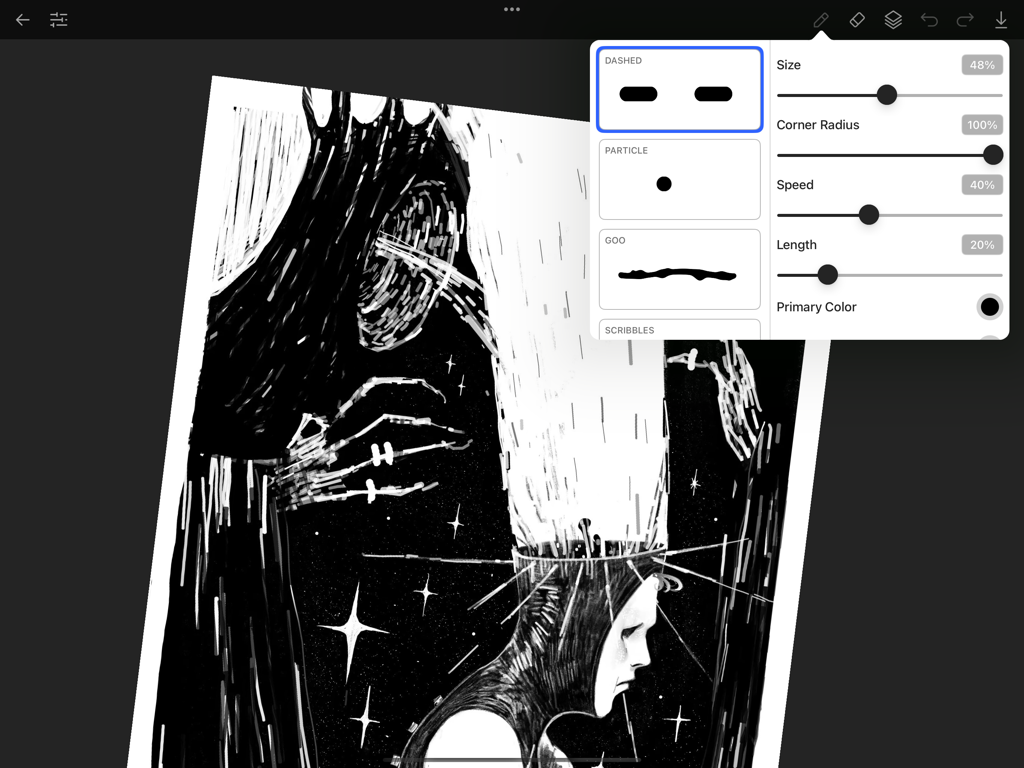
AmberDraw 앱 인터페이스에 움직이는 브러시 설정과 iPad의 디지털 일러스트레이션 표시

AmberDraw 앱 인터페이스에 움직이는 브러시 설정과 iPad의 디지털 일러스트레이션 표시

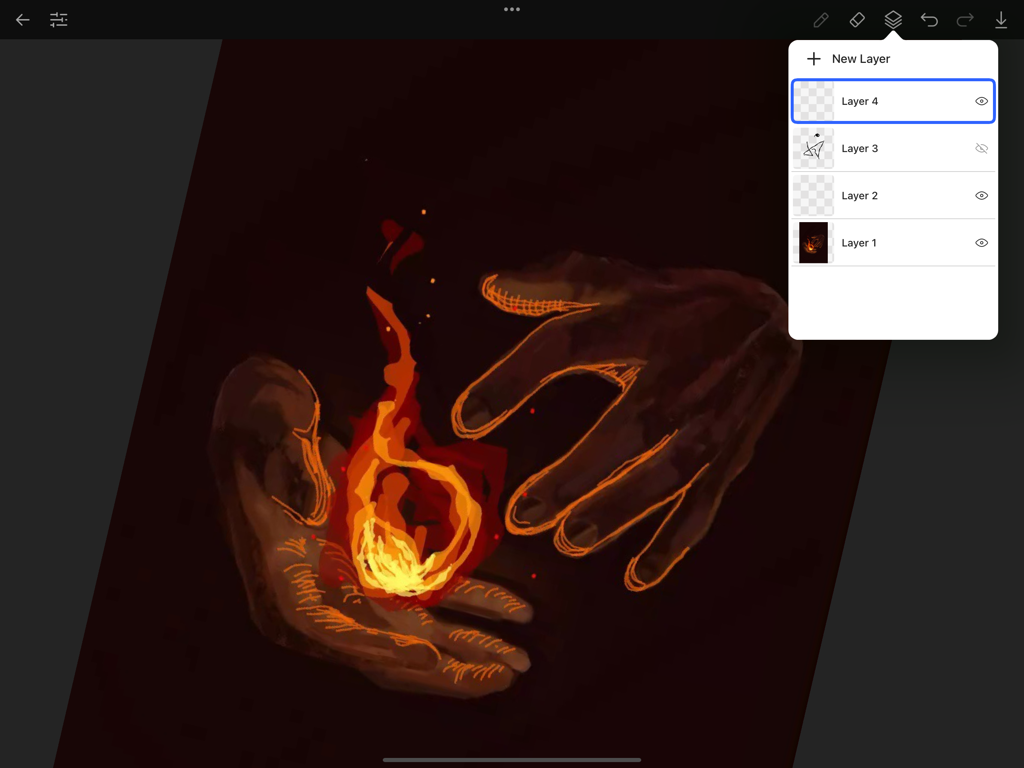
iPad의 AmberDraw 앱 인터페이스에 빛나는 불꽃을 들고 있는 손의 디지털 페인팅 위에 레이어 패널 표시

iPad의 AmberDraw 앱 인터페이스에 빛나는 불꽃을 들고 있는 손의 디지털 페인팅 위에 레이어 패널 표시

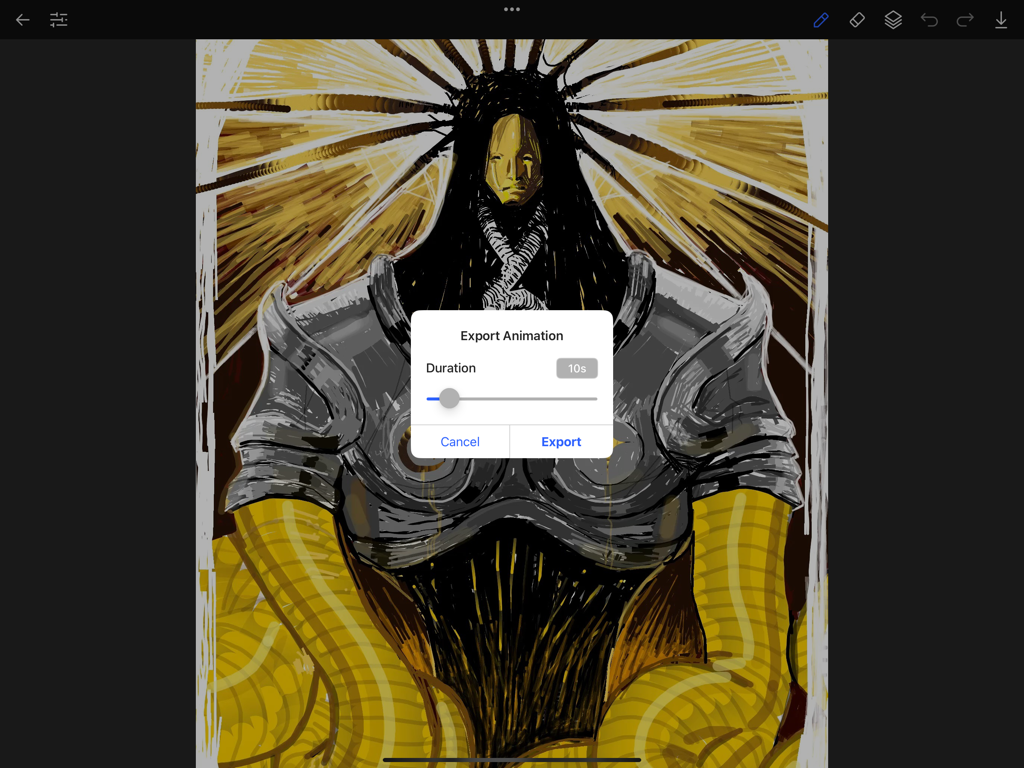
iPad의 디지털 일러스트레이션 위에 애니메이션 내보내기 모달을 표시하는 AmberDraw 앱 인터페이스

iPad의 디지털 일러스트레이션 위에 애니메이션 내보내기 모달을 표시하는 AmberDraw 앱 인터페이스

모든 획에 움직임을 담아내세요

이 앱을 돋보이게 하는 도구, 511K+ 명의 사용자가 선택.

🪄

살아있는 움직이는 브러시

프레임별 작업은 잊으세요. 저희 브러시는 사용자의 터치에 유기적으로 반응하는 맞춤형 모션 디자인을 특징으로 하여 작품에 즉각적인 생기를 더합니다.

🎬

알고리즘을 위해 제작됨

작품을 끊김 없는 고품질 비디오로 내보내세요. 일러스트레이션을 몇 초 만에 TikTok 및 Instagram을 위한 바이럴 준비된 모션 그래픽으로 전환하세요.

✏️

전문가급 정밀도

압력 감도 및 심층 사용자 정의를 위해 Apple Pencil에 완벽하게 최적화되어 고유한 전문 스타일과 일치합니다.

앱 소개

에 대해 알아야 할 모든 것 AmberDraw.

설명

AmberDraw: Animated Brushes Create stunning motion art with AmberDraw's revolutionary animated brushes. Every stroke comes alive, transforming your digital artwork into dynamic masterpieces. Perfect for professional illustrators, concept artists, and digital painters seeking to push creative boundaries. Key Features: • Unique animated brushes, each with bespoke motion designs • Extensive brush customization with multiple parameters • Seamless video export of your animated artwork • Reliable project saving and management • Intuitive interface focused on your creative flow Whether you're designing motion graphics, creating animated illustrations, or developing concept art, AmberDraw's innovative toolset helps you achieve unprecedented creative results. Each brush stroke animates organically, adding depth and movement to your artwork while maintaining precise control expected by professionals. Compatible with Apple Pencil Terms of Use (EULA): https://www.apple.com/legal/internet-services/itunes/dev/stdeula/ Privacy Policy: https://sites.google.com/view/amberdraw-privacypolicy/home

최신 버전

2.1.1

크기

24.7 MB

출시일

2024년 11월 11일

걸작을 움직이게 할 준비가 되셨나요?

50만 명 이상의 디지털 아티스트와 함께하세요. 지금 AmberDraw를 다운로드하고 iPad를 강력한 모션 아트 스튜디오로 변환하세요.

다운로드: App Store
FAQ

자주 묻는 질문

에 대해 알아야 할 모든 것 AmberDraw

AmberDraw란 무엇인가요?

AmberDraw는 혁신적인 애니메이션 브러시를 사용하여 멋진 모션 아트를 만드는 애플리케이션입니다. 디지털 아트워크를 전문 일러스트레이터, 컨셉 아티스트 및 디지털 페인터를 위한 역동적인 걸작으로 변환합니다.

AmberDraw는 브러시 사용자 정의를 허용하나요?

네, AmberDraw는 여러 매개변수를 통해 광범위한 브러시 사용자 정의를 제공합니다. 사용자는 고유한 애니메이션 브러시 디자인을 위해 크기, 모서리 반경, 속도, 길이 및 기본 색상과 같은 설정을 조정할 수 있습니다.

AmberDraw는 애니메이션 아트워크를 비디오로 내보낼 수 있나요?

네, AmberDraw는 애니메이션 아트워크의 원활한 비디오 내보내기를 제공합니다. 사용자는 "애니메이션 내보내기" 대화 상자에 액세스하여 동적인 창작물을 내보내기 전에 지속 시간을 설정할 수 있습니다.

AmberDraw에는 프로젝트를 위한 레이어 관리가 포함되어 있나요?

네, AmberDraw는 레이어 관리를 지원합니다. 이 애플리케이션은 사용자가 새 레이어를 추가하고 창의적인 프로젝트를 효율적으로 구성할 수 있도록 전용 레이어 패널을 제공합니다.

AmberDraw는 그림을 그릴 때 Apple Pencil과 호환되나요?

네, AmberDraw는 Apple Pencil과 호환됩니다. 이 통합을 통해 애니메이션 브러시로 작업할 때 정밀한 제어와 향상된 창의적인 경험을 제공합니다.

AmberDraw 개인정보 처리방침은 어디에서 찾을 수 있나요?

AmberDraw 개인정보 처리방침은 앱 설명에 제공된 직접 링크를 통해 액세스할 수 있습니다. 이 정책은 애플리케이션이 사용자 데이터와 개인 정보를 처리하는 방법을 자세히 설명합니다.

추천

비슷한 앱

유사한 기능과 사용자 경험을 가진 앱

App information, icons, screenshots, and descriptions displayed on this page are sourced from the Apple App Store and are the property of their respective developers. Download estimates and rankings are based on MWM's proprietary models and may not reflect actual figures. This page is provided for informational and analytical purposes only.

Believe this page infringes your intellectual property? File a dispute