AmpliTube CS for iPad

AmpliTube CS for iPad

다운로드: App Store
로고: AmpliTube CS for iPad

AmpliTube CS for iPad: 궁극의 전문 기타 및 베이스 톤 스튜디오

Fender, Orange, Mesa/Boogie의 상징적이고 공식 라이선스된 방대한 장비 컬렉션을 휴대하세요. 침실에서 메인 스테이지까지 어디서든 세계적인 수준의 사운드로 연습, 녹음, 공연하세요.

개발사

IK Multimedia US, LLC

카테고리

Music

다운로드

558K+

사용자 평점

3.3/5

총 평가 수

5K+

지원 언어

6

꿈의 장비를 시각화하세요

이 인터페이스를 사용하는 558K+ 명의 사용자.

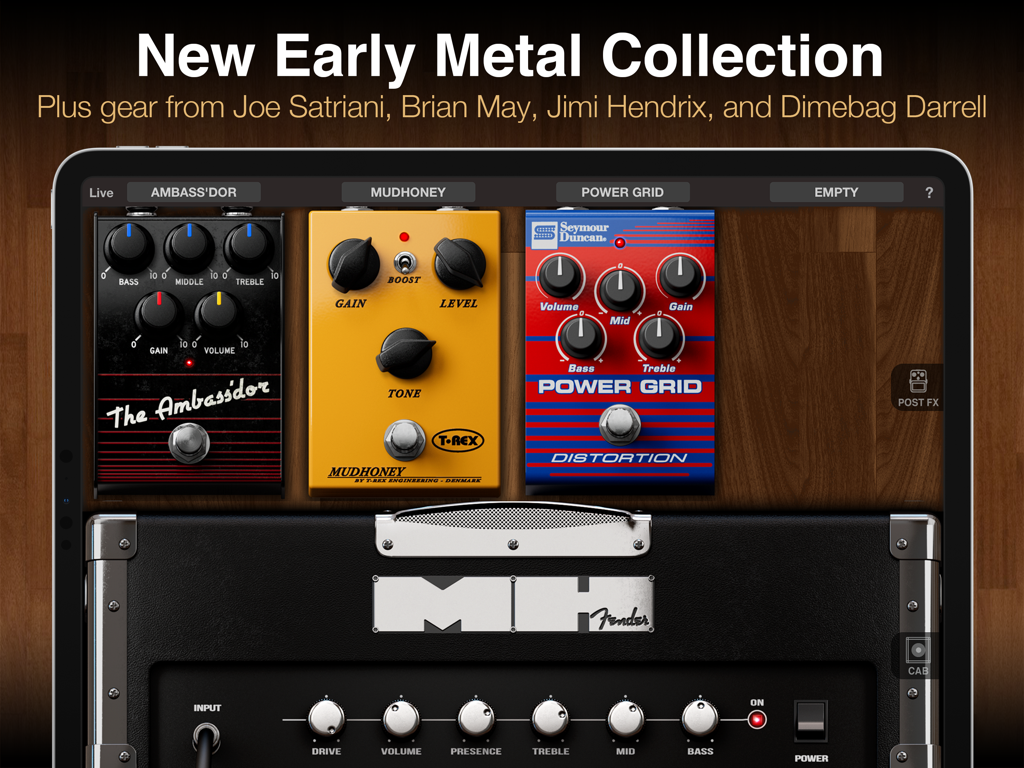
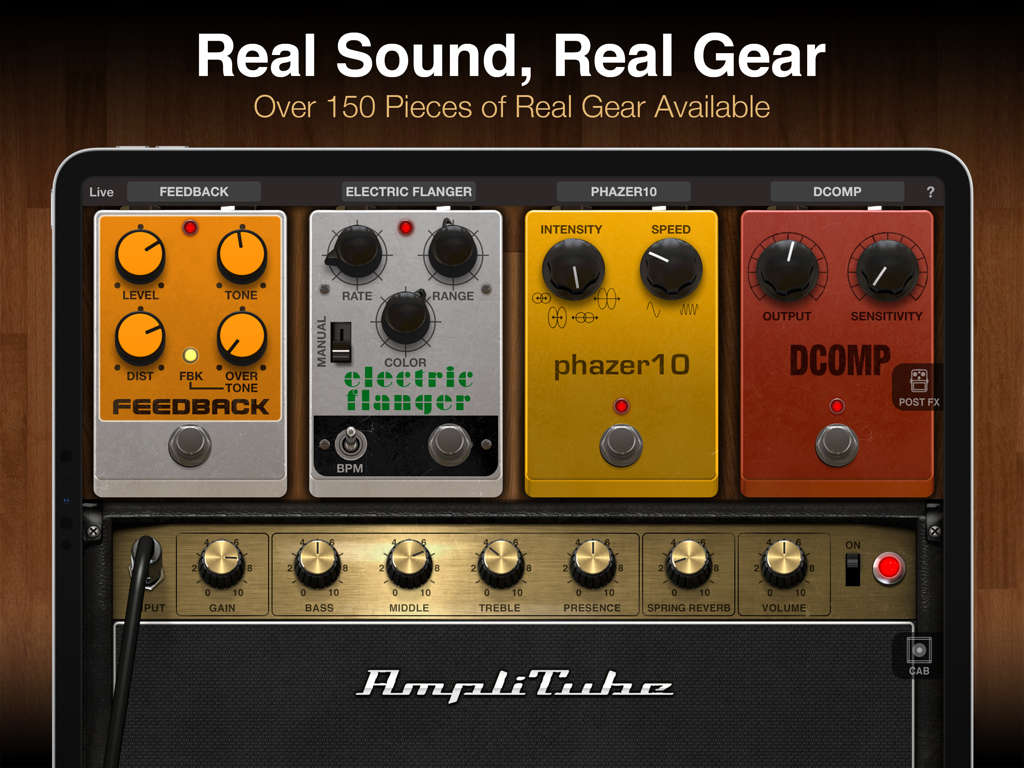
가상 기타 페달과 Fender 앰프를 보여주는 AmpliTube CS for iPad 인터페이스

가상 기타 페달과 Fender 앰프를 보여주는 AmpliTube CS for iPad 인터페이스

가상 기타 페달과 앰프가 있는 AmpliTube CS 인터페이스를 표시하는 iPad 화면

가상 기타 페달과 앰프가 있는 AmpliTube CS 인터페이스를 표시하는 iPad 화면

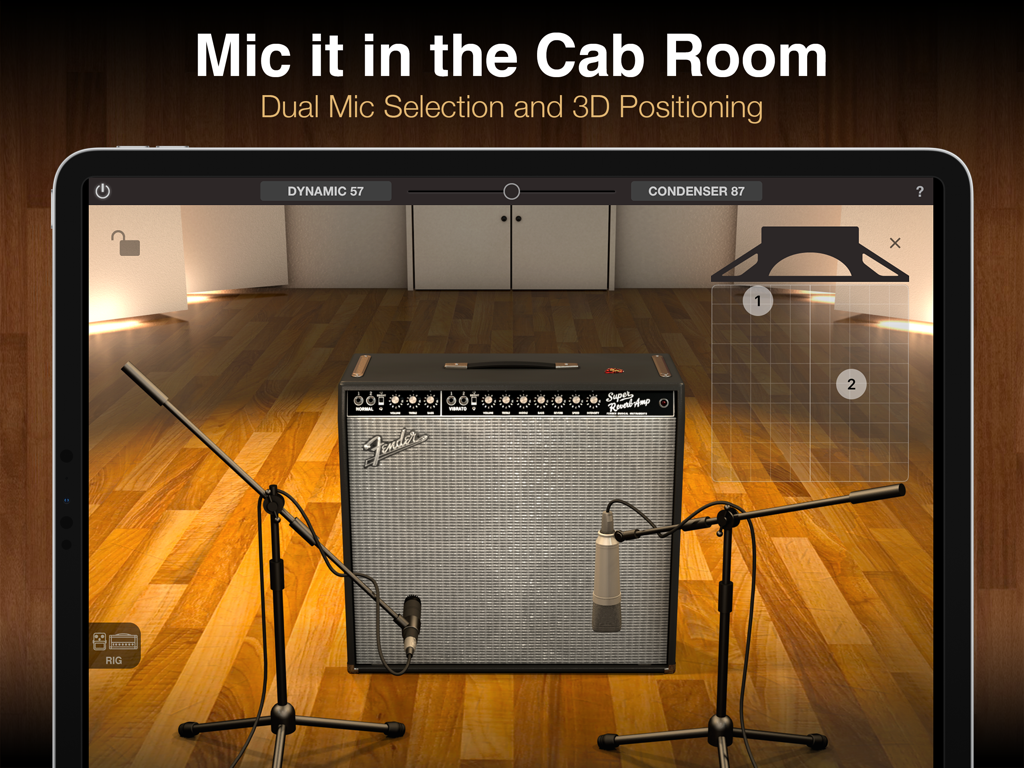
Fender 앰프에서 듀얼 마이크 선택 및 3D 위치를 보여주는 AmpliTube CS for iPad 캐비닛 룸

Fender 앰프에서 듀얼 마이크 선택 및 3D 위치를 보여주는 AmpliTube CS for iPad 캐비닛 룸

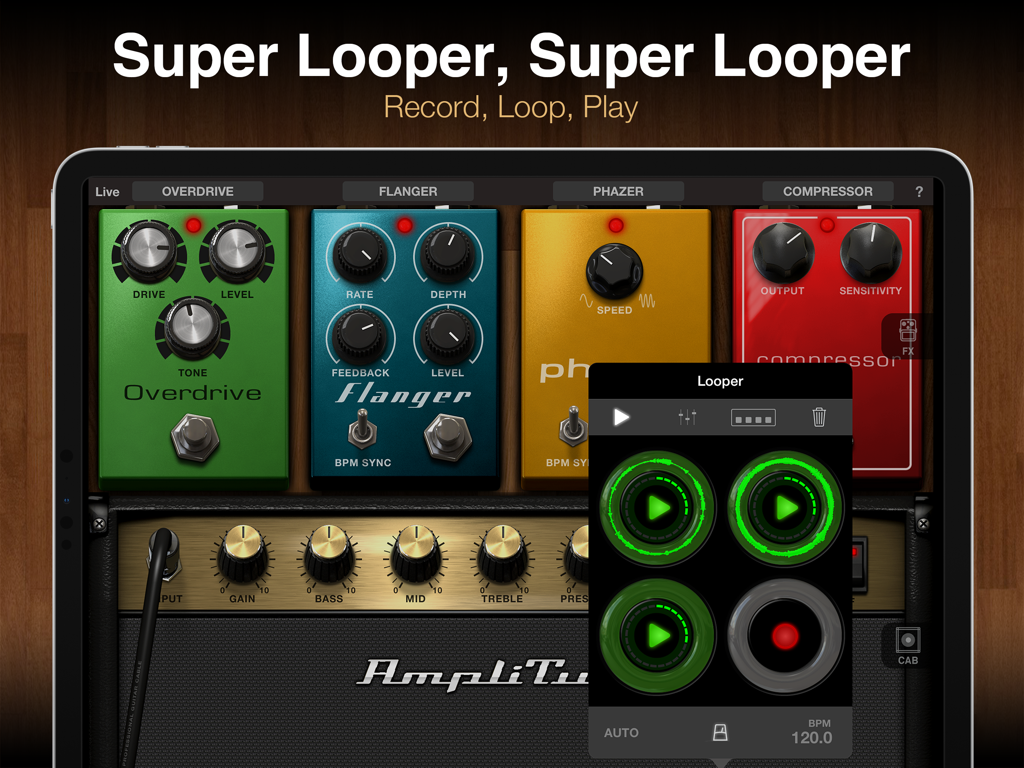
가상 기타 페달과 루퍼 인터페이스를 보여주는 AmpliTube CS for iPad

가상 기타 페달과 루퍼 인터페이스를 보여주는 AmpliTube CS for iPad

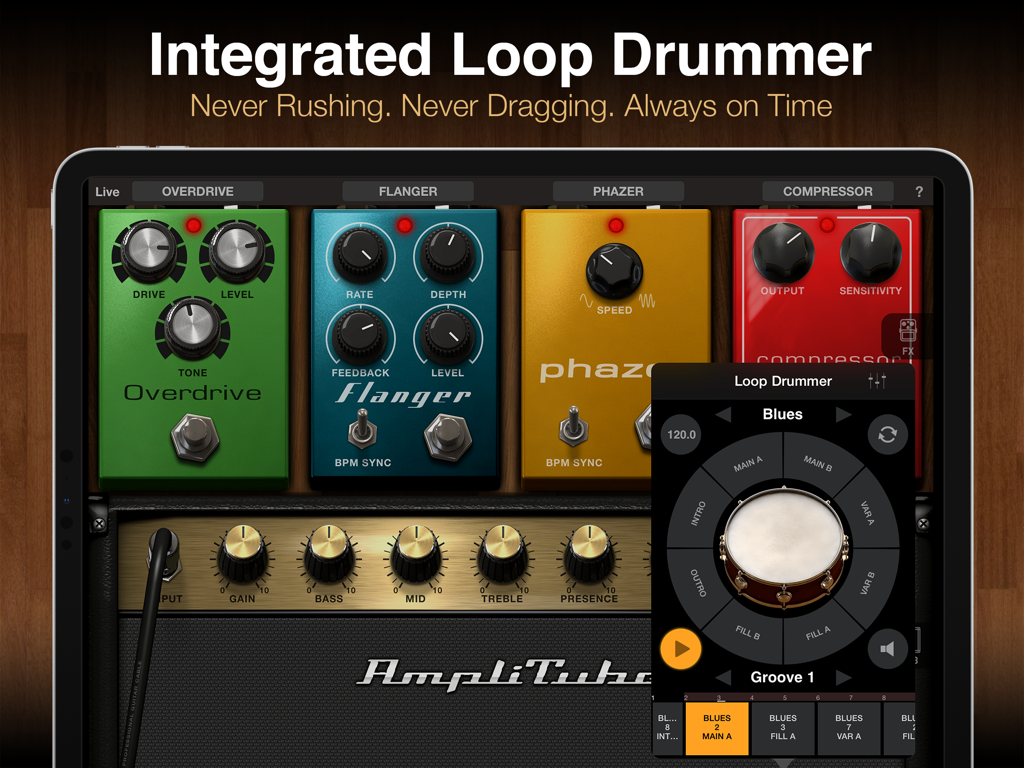
가상 기타 이펙트 페달과 내장 루프 드러머 모듈을 특징으로 하는 AmpliTube CS iPad 앱 인터페이스.

가상 기타 이펙트 페달과 내장 루프 드러머 모듈을 특징으로 하는 AmpliTube CS iPad 앱 인터페이스.

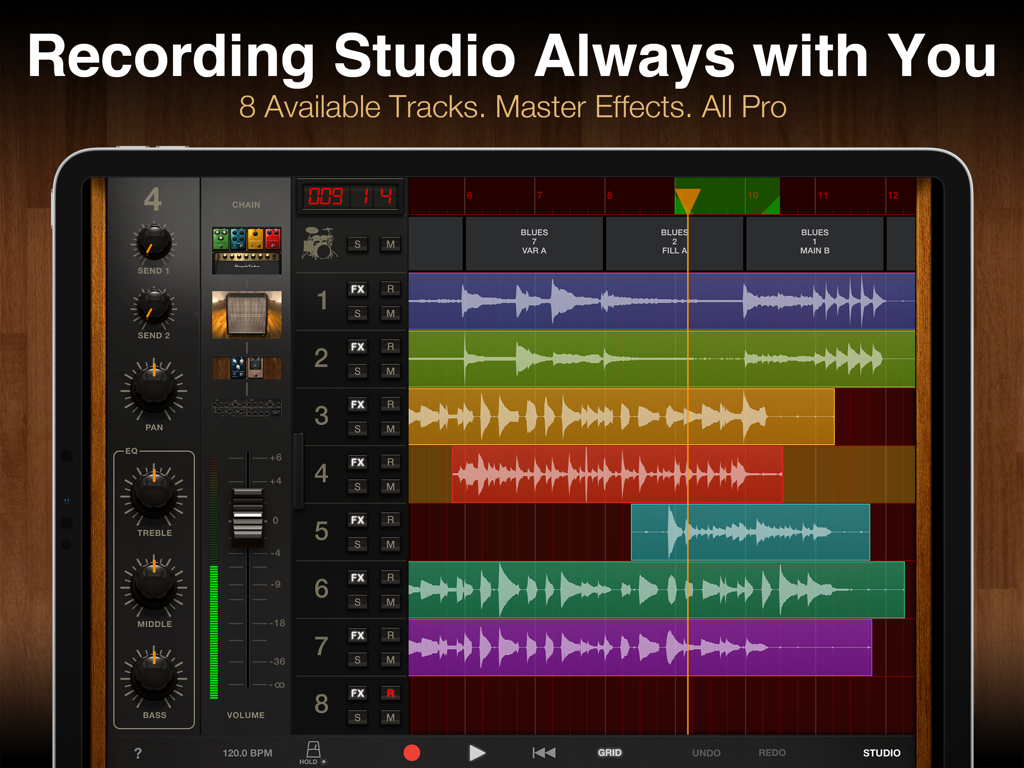
오디오 파형 및 믹서가 있는 AmpliTube CS for iPad 전문 8트랙 녹음 스튜디오 인터페이스

오디오 파형 및 믹서가 있는 AmpliTube CS for iPad 전문 8트랙 녹음 스튜디오 인터페이스

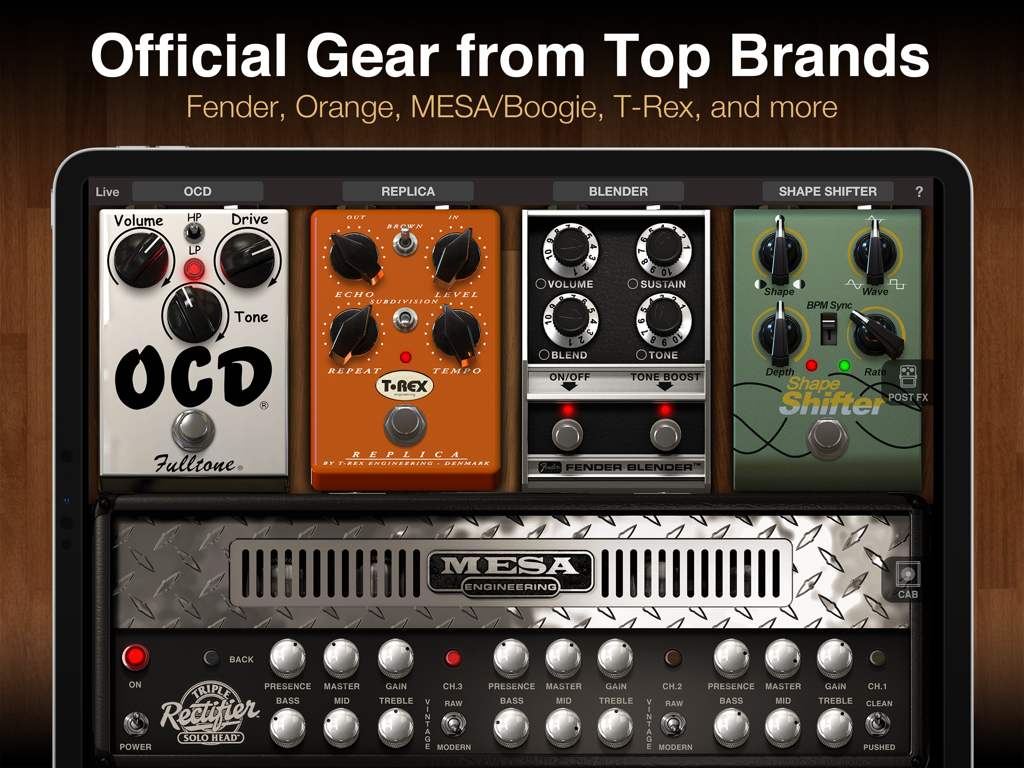
공식 라이선스 Mesa Boogie 앰프와 빈티지 기타 페달을 표시하는 AmpliTube CS for iPad 인터페이스.

공식 라이선스 Mesa Boogie 앰프와 빈티지 기타 페달을 표시하는 AmpliTube CS for iPad 인터페이스.

iPad를 위해 재탄생한 꿈의 기타 장비

이 앱을 돋보이게 하는 도구, 558K+ 명의 사용자가 선택.

🎸

상징적인 톤 컬렉션

Fender, Orange, Mesa/Boogie와 같이 좋아하는 브랜드의 공식 라이선스 모델을 통해 비교할 수 없는 음향적 진정성을 경험하세요.

🤘

침실에서 메인 스테이지까지

낮은 지연 시간과 원활한 MIDI 제어를 특징으로 하는 라이브 모드를 사용하여 iPad를 전문 투어 장비로 변환하세요. 어떤 공연에도 완벽하게 준비됩니다.

🎙️

올인원 스튜디오

내장된 DAW 스타일 녹음기, 루퍼, 전문 드럼 모듈을 사용하여 어디서든 트랙을 녹음, 편집, 공유하세요.

앱 소개

에 대해 알아야 할 모든 것 AmpliTube CS for iPad.

설명

Want the ultimate mobile guitar and bass tone studio? AmpliTube gives you a massive collection of virtual gear that you can use to practice, play and record with world-class tone anytime and anywhere. Build your own guitar or bass rig with up to 6 stompbox FX, an amplifier and cabinet with mics. Plug your instrument into your iPad with one of IK's interfaces like iRig 2 or iRig HD 2, and get ready to be blown away. AmpliTube CS gives you 7 stompbox effects, 3 amplifiers, 3 speaker cabinets and 2 mics, a free Loop Drummer Rock groove pack and a 2-track recorder. You can expand this via a massive library of over 150 amps and stompboxes from top brands like Fender™, Ampeg®, Orange®, Mesa/Boogie®, and many more, or unlock the rigs of your heroes with gear from Joe Satriani, Dimebag Darrell, and Brian May. Ready to hit the stage? AmpliTube’s Live Mode offers an optimized GUI for live use, with all the settings and controls you need in an easy-to-read format. Control your virtual rig just like real gear: change presets, trigger FX, loops and more all right from your feet. AmpliTube pairs with iRig Stomp I/O for a powerful all-in-one stage rig, works wirelessly with iRig Blueboard, and supports other MIDI controllers as well. AmpliTube also offers innovative ways to play, practice and record with an optional Looper, more drum track loops, a full 8-track recorder and DAW-style studio all available for in-app purchase. Whether it’s at home, in the studio or on stage, AmpliTube is the dream rig you’ve always wanted, in a device that’s always with you! AmpliTube CS features: • Create guitar & bass rigs with up to 6 stomps, 1 amp and 1 cab with 2 mics • Includes 7 stomps, 3 amp, 3 cabinet and 2 mics • Expandable with over 150 gear models available from Fender™, Ampeg®, Orange®, Mesa/Boogie®, Joe Satriani, Dimebag Darrell and Brian May • Live Mode shows your entire rig at a glance, with all the parameters you need on stage easily accessible • Included 2-track recorder (in-app purchase unlocks up to 8-tracks) • Studio mode for intuitive DAW-style editing (unlocked via in-app purchase) • Loop drummer module that plays in sync with the recorder • Includes speed trainer, metronome and tuner • Inter-App Audio and AudioBus support • Project sharing between versions and devices • Import and play songs as backing tracks from your Music Library or computer • Export audio via E-mail, SoundCloud or File Sharing • MIDI controllable and with built-in integration for iRig Stomp I/O, iRig Blueboard and other controllers • Low-latency for real-time playing More info: www.amplitube.com/ios Accessory info: www.ikmultimedia.com/irig

최신 버전

4.14.5

크기

1.0 GB

출시일

2010년 7월 22일

톤을 혁신할 준비가 되셨나요?

세계에서 가장 강력한 모바일 스튜디오를 사용하는 50만 명 이상의 기타리스트 및 베이시스트와 함께하세요. AmpliTube CS for iPad를 다운로드하고 꿈에 그리던 장비를 침실에서 스테이지로 가져가세요.

다운로드: App Store
FAQ

자주 묻는 질문

에 대해 알아야 할 모든 것 AmpliTube CS for iPad

What is AmpliTube CS for iPad?

AmpliTube CS for iPad는 모바일 기타 및 베이스 톤 스튜디오입니다. 가상 장비의 방대한 컬렉션을 제공하여 사용자가 iPad에서 세계적인 수준의 톤으로 연습하고, 연주하고, 녹음할 수 있도록 합니다.

What virtual gear does AmpliTube CS provide initially?

AmpliTube CS는 처음에 7개의 스톰박스 효과, 3개의 앰프, 3개의 스피커 캐비닛, 2개의 마이크, 무료 루프 드러머 록 그루브 팩, 2트랙 레코더를 제공합니다.

Can AmpliTube CS expand its gear collection?

예, AmpliTube CS는 150개 이상의 장비 모델로 확장됩니다. 여기에는 Fender, Ampeg, Orange, Mesa/Boogie와 같은 최고 브랜드의 앰프 및 스톰박스와 Joe Satriani와 같은 아티스트 릭이 포함됩니다.

Does AmpliTube CS support live performances?

예, AmpliTube CS는 최적화된 라이브 모드를 제공합니다. 이 모드는 간소화된 그래픽 사용자 인터페이스를 제공하여 무대 사용에 필요한 모든 설정과 컨트롤을 쉽게 액세스할 수 있도록 합니다.

What recording functions are available in AmpliTube CS?

AmpliTube CS에는 2트랙 레코더가 포함되어 있습니다. 사용자는 인앱 업그레이드를 구매하여 전체 8트랙 레코더와 고급 편집을 위한 DAW 스타일 스튜디오를 잠금 해제할 수 있습니다.

Is AmpliTube CS compatible with MIDI controllers?

예, AmpliTube CS는 MIDI 컨트롤이 가능합니다. iRig Stomp I/O, iRig Blueboard 및 기타 MIDI 컨트롤러를 지원하여 가상 릭 및 효과를 외부에서 제어할 수 있습니다.

What audio interfaces work with AmpliTube CS?

AmpliTube CS는 IK Multimedia의 인터페이스, 특히 iRig 2 및 iRig HD 2와 함께 작동합니다. 이러한 인터페이스를 통해 사용자는 악기를 iPad에 연결할 수 있습니다.

Does AmpliTube CS include a drum track feature?

예, AmpliTube CS는 루프 드러머 모듈을 통합합니다. 이 모듈은 레코더와 동기화되어 드럼 트랙을 재생하며 무료 루프 드러머 록 그루브 팩이 포함되어 있습니다.

Can I use multiple microphones in AmpliTube CS?

예, AmpliTube CS는 듀얼 마이크 선택을 지원합니다. 사용자는 맞춤형 사운드를 위해 가상 캐비닛 룸 내에서 이러한 마이크의 3D 위치를 조정할 수도 있습니다.

How can I use backing tracks in AmpliTube CS?

AmpliTube CS를 사용하면 음악 라이브러리 또는 컴퓨터에서 노래를 가져올 수 있습니다. 가져온 트랙은 연습 또는 녹음 세션을 위한 백킹 트랙으로 작동합니다.

App information, icons, screenshots, and descriptions displayed on this page are sourced from the Apple App Store and are the property of their respective developers. Download estimates and rankings are based on MWM's proprietary models and may not reflect actual figures. This page is provided for informational and analytical purposes only.

Believe this page infringes your intellectual property? File a dispute