AtHome Video Streamer DIY CCTV

AtHome Video Streamer DIY CCTV


다운로드: App Store
로고: AtHome Video Streamer DIY CCTV

AtHome 비디오 스트리머 DIY CCTV: 여분의 기기를 스마트 보안 카메라로 전환

비싼 하드웨어를 구매해야 하는 이유? 오래된 아이폰, PC, 태블릿을 전문 감시 시스템으로 재활용하세요. AI 인간 감지, 얼굴 인식, 양방향 대화 기능을 모두 구독료 없이 사용할 수 있습니다.

다운로드: App Store

개발사

Athomewatch Co,Ltd

카테고리

Business

다운로드

1M+

사용자 평점

4.1/5

총 평가 수

1K+

지원 언어

6

한눈에 보는 마음의 평화

이 인터페이스를 사용하는 1M+ 명의 사용자.

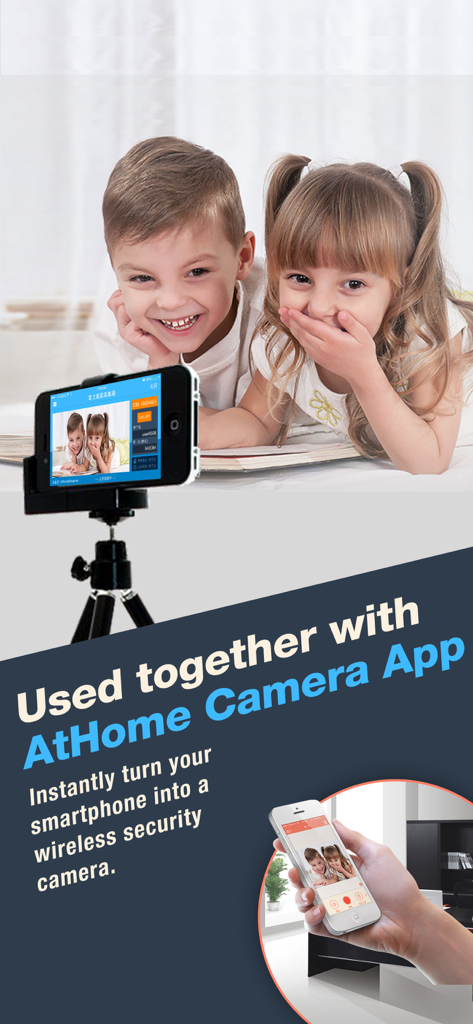
오래된 아이폰이 보안 카메라 역할을 하여 원격으로 어린이를 모니터링하는 모습

오래된 아이폰이 보안 카메라 역할을 하여 원격으로 어린이를 모니터링하는 모습

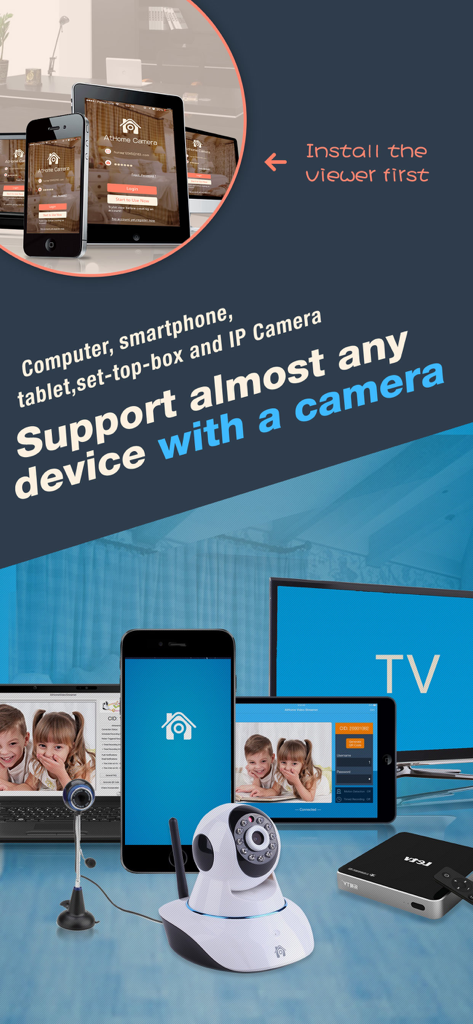
DIY 보안 카메라 모니터링에 사용되는 스마트폰, 태블릿, 컴퓨터를 포함한 호환 기기 컬렉션

DIY 보안 카메라 모니터링에 사용되는 스마트폰, 태블릿, 컴퓨터를 포함한 호환 기기 컬렉션

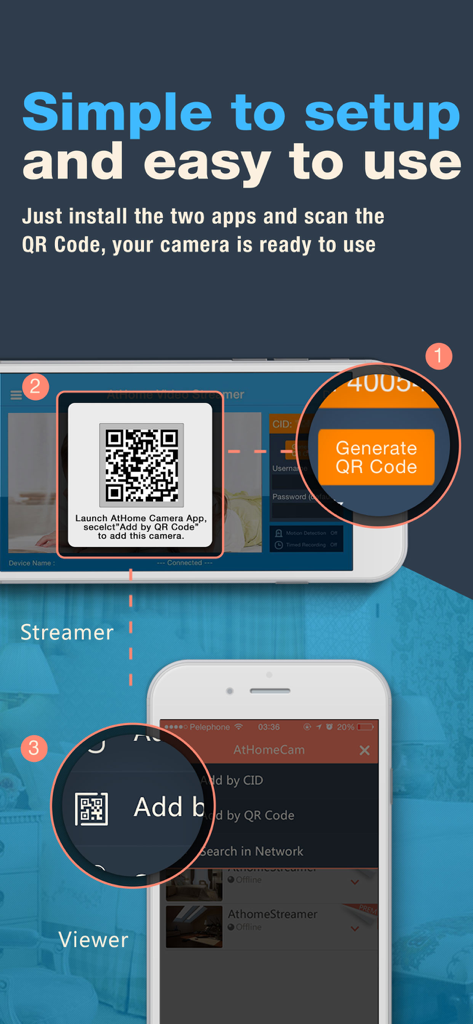
DIY CCTV 설정을 위해 스트리머 기기와 뷰어 기기를 QR 코드로 연결하는 단계별 인포그래픽

DIY CCTV 설정을 위해 스트리머 기기와 뷰어 기기를 QR 코드로 연결하는 단계별 인포그래픽

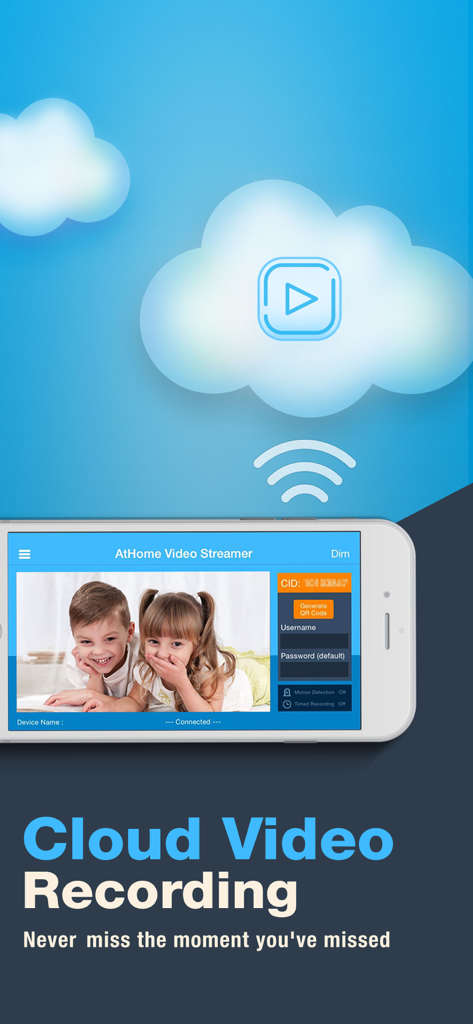
실시간 스트림의 클라우드 비디오 녹화를 특징으로 하는 AtHome 비디오 스트리머 앱의 스마트폰 인터페이스.

실시간 스트림의 클라우드 비디오 녹화를 특징으로 하는 AtHome 비디오 스트리머 앱의 스마트폰 인터페이스.

오래된 기기로 구동되는 전문 보안

이 앱을 돋보이게 하는 도구, 1M+ 명의 사용자가 선택.

🛡️

스마트 인간 감지

움직이는 그림자나 조명과 사람을 구별하는 딥러닝 기술로 오경보를 줄여 실제 활동에 대한 알림만 받을 수 있습니다.

💬

즉각적인 양방향 대화

사무실에 있는 동안 내장 마이크와 스피커를 사용하여 반려동물과 교감하거나 가족과 대화하며 원격으로 원활하게 소통할 수 있습니다.

♻️

안전한 DIY 재활용

암호화된 클라우드 저장 공간과 타임랩스 요약으로 오래된 기술에 새 생명을 불어넣어, 고가 장비 없이 전문가 수준의 보호를 제공합니다.

앱 소개

에 대해 알아야 할 모든 것 AtHome Video Streamer DIY CCTV.

설명

How to turn the old iphone,computer or set-top box into a security camera? You only need to install "Athome Video streamer " APP in it. With "Athome Camera Pro" APP in other iphone, you can view it anywhere, and receive alerts right away in case of any incident. ******* Three Steps to setup ******** Prepare 2 devices (computer or phone) before you get start. Step 1: Download the video capture app AtHome Video Streamer App and install it in device A, the unique Connection ID (also referred to as CID) will be assigned to the device A at the first time. Step 2: Download and install the viewer app AtHome Camera app in device B which you want to use as a viewer. Open the app, sign up and login, select "Add by CID" or "By QR Code" to add a device A, so you are all set to enjoy the live streaming ! ******** Supporting ********* Email: support@iChano.com Website: www.iChano.com ******* Main Features ******** 1. No more false alarms due to advanced AI and Deep Learning technology used to detect motion triggered by humans as opposed to shadows, lights, etc. 2. Face recognition technology will help you to distinguish whether the person appearing in the video is your family members or intruder and immediately inform you. 3. Remote monitoring on the go: watch live streaming via 3G/4G or WiFi network from anywhere at anytime. 4. Enhanced Night Vision: In a lower lighting condition, turn on the "Night Vision" mode will get you a much clear and enhanced video image. 5. Two-way Talk: communicate with people and pets using the built-in mic and speaker. 6. Multi-view Display: Watch up to 4 cameras from multiple streamers on one screen simultaneously ! 7. Run at startup and hide on startup: option to run the AtHome Video Streamer in background mode; 8. A Highly Secure Cloud Service: Protect all your videos and view them directly in the cloud, enjoy tight security with an easy-to-use interface. All your videos are encrypted before being uploaded to the cloud, preventing critical data being lost of tampered with. 9. Time-lapse: Time-lapse recording will summarize 24 hours' video into a short video of just several minutes, a faster and easier way to get to know what happened in a day. 10. Pan/Tilt: remotely control your IP camera left and right or up and down to capture an entire room. 11. Support almost all major platforms: the App runs on PCs, smart phones, Mac book etc. 12. High definition:AtHome now allows a 1280 x 720 resolution for supporting devices. 13. Secure and private: all connections between your phone and the video streaming device are encrypted.

최신 버전

5.2.2

크기

31.3 MB

출시일

2013년 2월 16일

구독료 없는 전문 보안

오래된 기기가 먼지만 쌓이게 두지 마세요. 지금 AtHome 비디오 스트리머를 다운로드하고, 1백만 명 이상의 현명한 사용자들이 여분의 휴대폰과 PC를 강력한 AI 기반 보안 네트워크로 전환한 사례에 동참하세요.

다운로드: App Store
FAQ

자주 묻는 질문

에 대해 알아야 할 모든 것 AtHome Video Streamer DIY CCTV

AtHome Video Streamer 앱의 주요 기능은 무엇인가요?

AtHome Video Streamer 앱은 오래된 아이폰, 컴퓨터 또는 셋톱박스를 보안 카메라로 변환합니다. 보기 용도로 AtHome Camera 앱과 함께 작동합니다.

보안 카메라 용도로 AtHome Video Streamer 앱을 어떻게 설정하나요?

설정은 세 단계로 이루어집니다: 장치 A에 AtHome Video Streamer를 설치하고, 장치 B에 AtHome Camera를 설치한 다음, 연결 ID(CID)를 사용하거나 QR 코드를 스캔하여 장치 A를 장치 B에 추가합니다.

AtHome Video Streamer는 잘못된 경보를 피하기 위해 사람의 움직임을 감지할 수 있나요?

네, AtHome Video Streamer 앱은 고급 AI 및 딥 러닝 기술을 사용하여 그림자나 조명으로 인한 잘못된 경보를 줄이는 사람에 의해 트리거된 움직임을 감지합니다.

AtHome Video Streamer는 얼굴 인식 기능을 제공하나요?

네, AtHome Video Streamer 앱에는 얼굴 인식 기술이 포함되어 있습니다. 이 기능은 가족 구성원과 침입자를 구별하여 즉각적인 경고를 제공합니다.

AtHome Video Streamer 앱으로 라이브 비디오 스트림을 원격으로 모니터링할 수 있나요?

네, AtHome Video Streamer는 원격 모니터링을 지원합니다. 사용자는 언제 어디서나 3G/4G 또는 WiFi 네트워크를 통해 라이브 스트리밍을 시청할 수 있습니다.

AtHome Video Streamer는 저조도 환경을 위한 향상된 야간 시야를 제공하나요?

네, AtHome Video Streamer는 '향상된 야간 시야' 모드를 제공합니다. 이 설정은 저조도 환경에서 훨씬 더 선명하고 향상된 비디오 이미지를 제공합니다.

AtHome Video Streamer 앱을 사용하여 양방향 통신이 가능한가요?

네, AtHome Video Streamer는 양방향 통화를 지원합니다. 이를 통해 사용자는 장치의 내장 마이크와 스피커를 사용하여 사람 및 애완동물과 통신할 수 있습니다.

AtHome Video Streamer는 한 화면에서 여러 카메라를 동시에 표시할 수 있나요?

네, AtHome Video Streamer는 '다중 보기 디스플레이' 기능을 제공합니다. 이를 통해 여러 스트리머의 최대 4개 카메라를 한 화면에서 동시에 볼 수 있습니다.

AtHome Video Streamer는 보안 영상을 위한 클라우드 비디오 녹화 기능을 제공하나요?

네, AtHome Video Streamer는 비디오 녹화를 위한 매우 안전한 클라우드 서비스를 제공합니다. 모든 비디오는 업로드 전에 암호화되며 클라우드에서 직접 볼 수 있습니다.

내 휴대폰과 AtHome Video Streamer 간의 연결은 보안을 위해 암호화되나요?

네, AtHome Video Streamer를 사용하는 휴대폰과 비디오 스트리밍 장치 간의 모든 연결은 암호화됩니다. 이는 안전하고 개인적인 통신을 보장합니다.

AtHome Video Streamer 앱은 어떤 장치를 지원하나요?

AtHome Video Streamer는 PC, 스마트폰, 맥북, 태블릿 및 셋톱박스를 포함한 거의 모든 주요 플랫폼을 지원하며, 이를 카메라로 변환합니다.

AtHome Video Streamer 앱으로 오래된 아이폰을 보안 카메라로 사용할 수 있나요?

네, AtHome Video Streamer 앱을 사용하여 오래된 아이폰을 보안 카메라로 변환할 수 있습니다. 스트리밍을 시작하려면 아이폰에 앱을 설치하세요.

App information, icons, screenshots, and descriptions displayed on this page are sourced from the Apple App Store and are the property of their respective developers. Download estimates and rankings are based on MWM's proprietary models and may not reflect actual figures. This page is provided for informational and analytical purposes only.

Believe this page infringes your intellectual property? File a dispute