Audio Editor - Music Cutter

Audio Editor - Music Cutter

다운로드: App Store
로고: Audio Editor - Music Cutter

오디오 편집기 - 음악 커터: 손안의 프로 스튜디오

오디오를 자르고, 병합하고, 녹음하는 궁극의 올인원 도구. 데스크톱 수준의 강력함과 모바일의 편리함으로 바이럴 소셜 미디어 콘텐츠, 맞춤 벨소리, 완벽한 트랙을 만드세요.

다운로드: App Store

개발사

iGeniusDev Technology

카테고리

Music

다운로드

134K+

사용자 평점

4.1/5

총 평가 수

200

지원 언어

36

손끝으로 정밀하게

이 인터페이스를 사용하는 134K+ 명의 사용자.

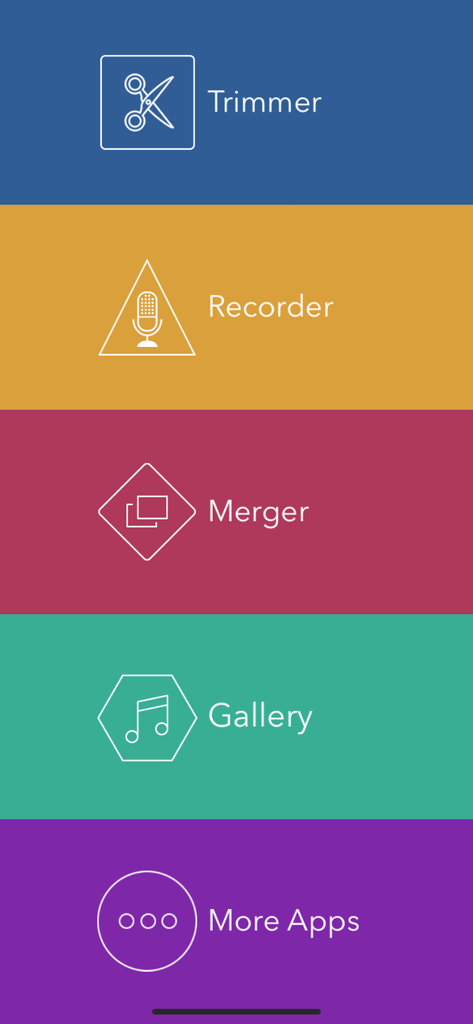
Audio Editor 앱의 메인 메뉴, 트리머, 레코더 및 머거 기능을 보여줍니다.

Audio Editor 앱의 메인 메뉴, 트리머, 레코더 및 머거 기능을 보여줍니다.

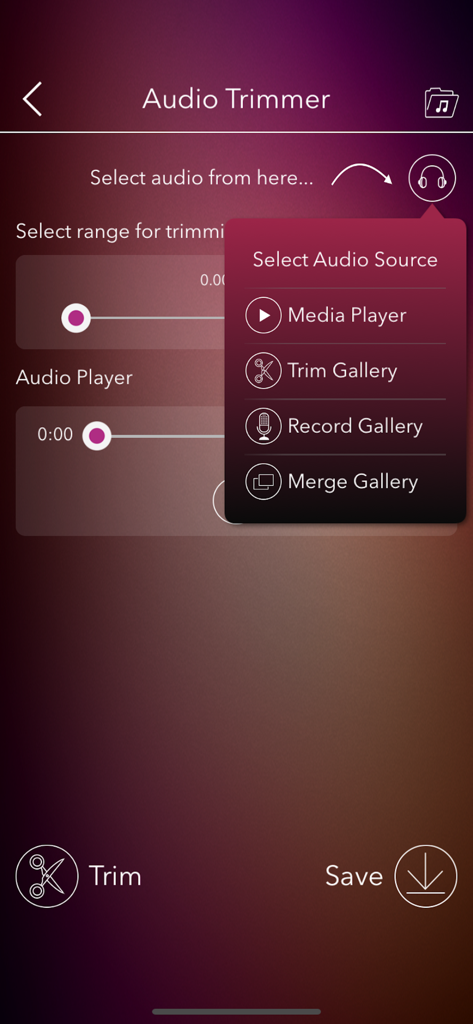
Audio Editor 앱 화면, 트리머 인터페이스 및 소스 선택 메뉴를 보여줍니다.

Audio Editor 앱 화면, 트리머 인터페이스 및 소스 선택 메뉴를 보여줍니다.

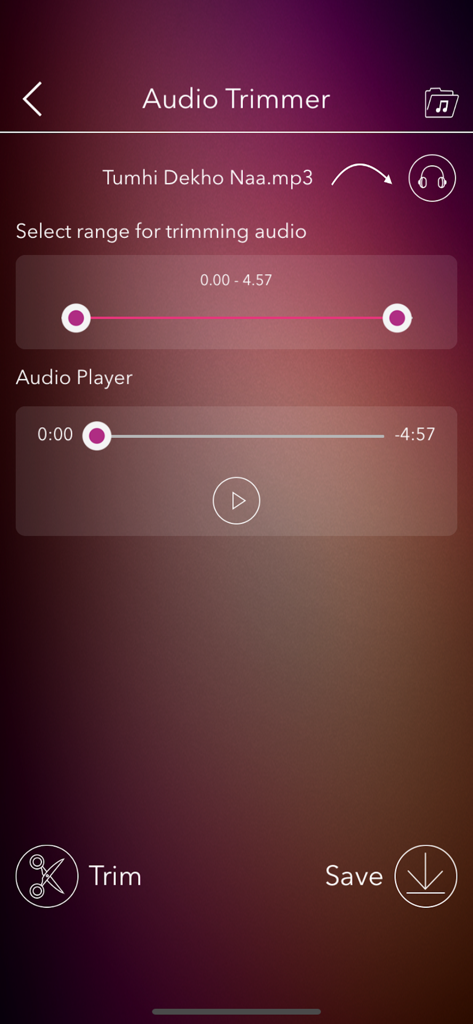
MP3 파일의 범위 선택 및 재생 컨트롤과 함께 트리머 도구를 보여주는 Audio Editor의 모바일 앱 인터페이스

MP3 파일의 범위 선택 및 재생 컨트롤과 함께 트리머 도구를 보여주는 Audio Editor의 모바일 앱 인터페이스

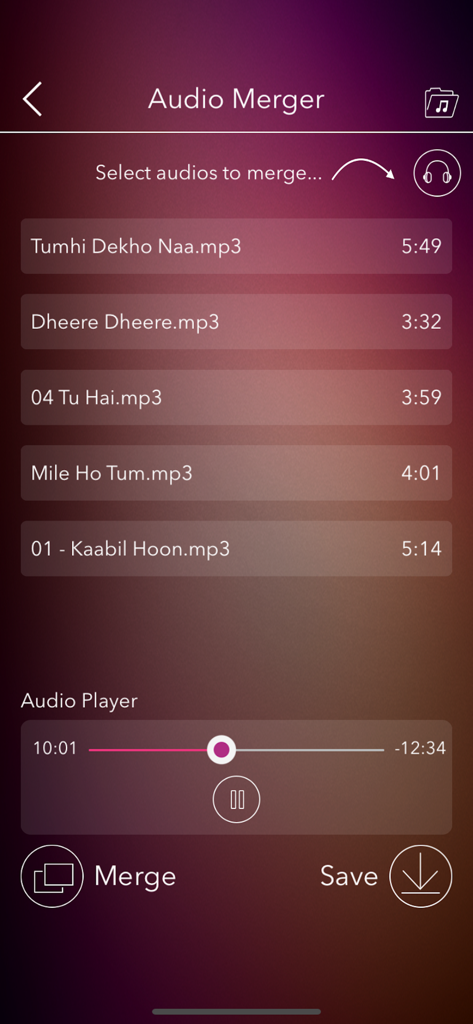
결합할 mp3 파일 목록과 미리 보기를 위한 내장 오디오 플레이어를 보여주는 Audio Merger 도구의 화면.

결합할 mp3 파일 목록과 미리 보기를 위한 내장 오디오 플레이어를 보여주는 Audio Merger 도구의 화면.

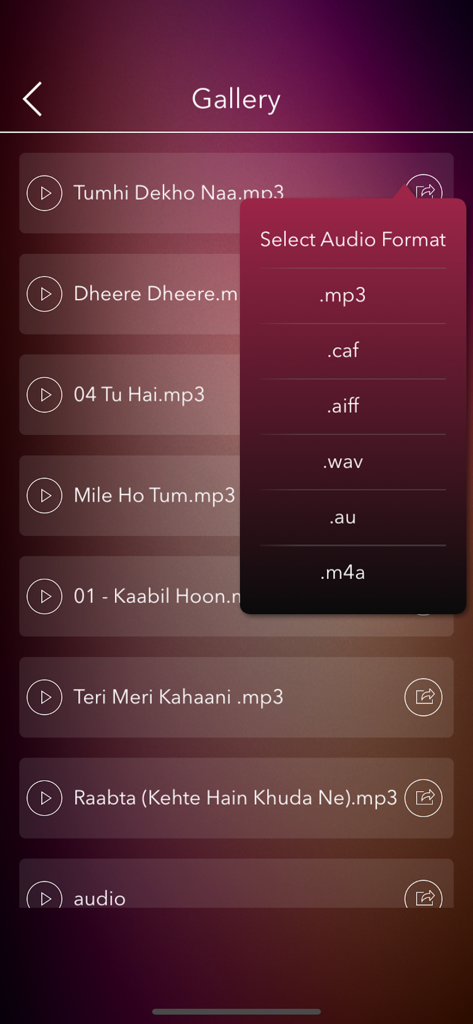
오디오 파일 갤러리와 MP3, WAV, M4A와 같은 내보내기 형식을 선택하는 팝업 메뉴를 보여주는 모바일 앱 화면.

오디오 파일 갤러리와 MP3, WAV, M4A와 같은 내보내기 형식을 선택하는 팝업 메뉴를 보여주는 모바일 앱 화면.

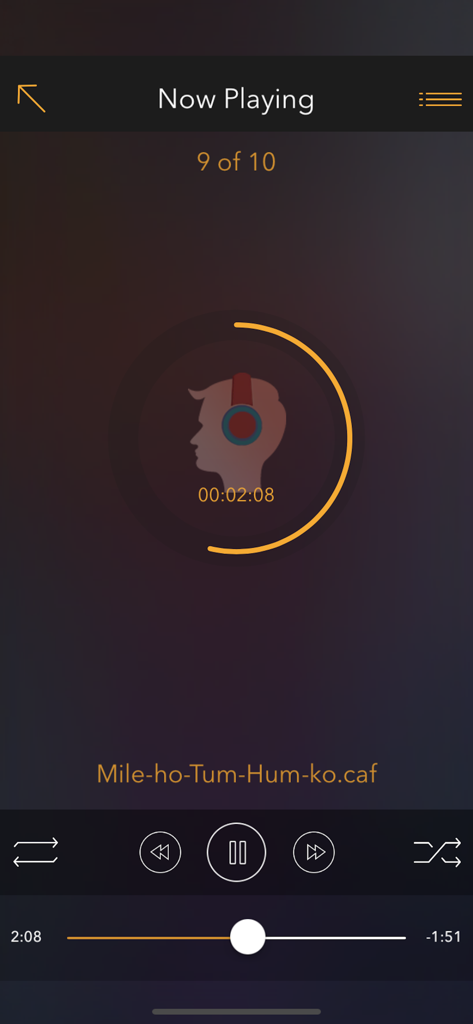
음악 트랙의 재생 컨트롤과 원형 진행률 표시줄을 보여주는 Audio Editor 앱의 재생 중 인터페이스.

음악 트랙의 재생 컨트롤과 원형 진행률 표시줄을 보여주는 Audio Editor 앱의 재생 중 인터페이스.

모바일 올인원 사운드 스튜디오

이 앱을 돋보이게 하는 도구, 134K+ 명의 사용자가 선택.

✂️

정밀하게 자르고 병합하기

TikTok, Reels 또는 YouTube를 위한 완벽한 사운드 클립을 만들기 위해 트랙을 매끄럽게 자르거나 여러 클립을 정확하게 결합하세요.

🎙️

음성 녹음 및 레이어링

이동 중에 고품질 음성 설명을 캡처하고 좋아하는 트랙과 혼합하여 독특한 팟캐스트 또는 개인화된 메시지를 만드세요.

📲

즉시 내보내기 및 Wi-Fi 전송

모든 형식으로 저장하고 소셜 플랫폼으로 직접 공유하거나 PC와 무선으로 동기화하여 빠르고 모바일 우선 워크플로우를 경험하세요.

앱 소개

에 대해 알아야 할 모든 것 Audio Editor - Music Cutter.

설명

Audio Editor: Trim, Merge, Cut, Record, and Play Music – Your Ultimate Music Editing Tool! Are you a music enthusiast? Dive into the best audio editing experience with Audio Editor – a powerful, multi-functional tool designed for all your audio editing needs. Customize Your Music Your Way! Whether you want to trim, merge, or cut your favorite tracks, or even record your own voice, Audio Editor has got you covered. Create personalized music files effortlessly and enjoy a seamless user experience. Key Features: -> Intuitive Interface: Easy-to-use, user-friendly design. -> Built-in Audio Player: Preview and play your edited tracks right within the app. -> Cut & Merge: Precisely trim and merge MP3 files. -> Voice Recording: Record your voice and integrate it with your favorite tracks. -> Instant Playback: Listen to your edits instantly within the app. -> Share in Multiple Formats: Export audio files in MP3, CAF, AIFF, WAV, AU, M4A, and share via multiple platforms. -> iTunes Integration: Access and manage your audio files easily when connected to a PC. -> Save Email Attachments: Store music file attachments directly in the app’s Audio Gallery. -> Background Play: Enjoy your playlists while using other apps. -> Wi-Fi Transfer: Seamlessly transfer songs between your PC and the Audio Editor app. -> Multi-Language Support: Available in multiple languages for a global experience. -> Social Media Sharing: Share your creations on Facebook, Twitter, WhatsApp, and more. What are you waiting for? Download Audio Editor NOW and unleash your creativity! Audio Editor App offers an auto-renewing subscription-based on in-app purchase. Subscription name: 1 month Subscription Subscription cost: $2.99 (USD) Subscription duration: 1 Month Subscription name: Yearly Subscription Subscription cost: $24.99 (USD) Subscription duration: 1 Year Subscription name: Lifetime Subscription Subscription cost: $29.99 (USD) Subscription duration: Lifetime Terms of Use: You can read your terms of use click on below link http://www.igeniusdev.com/terms Auto-renewing subscription: You subscription will be renewed every year i.e. you will be charged every year after Free Trial period. – Payment will be charged to iTunes Account at confirmation of purchase – Subscription automatically renews unless auto-renew is turned off at least 24-hours before the end of the current period – Account will be charged for renewal within 24-hours prior to the end of the current period, and identify the cost of the renewal – Subscriptions may be managed by the user and auto-renewal may be turned off by going to the user's Account Settings after purchase – You can read our privacy policy - http://www.igeniusdev.com/privacy – Any unused portion of a free trial period, if offered, will be forfeited when the user purchases a subscription to that publication, where applicable We’d love to hear from you! Send your feedback to igeniusdev@gmail.com to help us improve the app's functionality.

최신 버전

2.0

크기

27.4 MB

출시일

2015년 6월 6일

오디오 마스터 준비 되셨나요?

이동 중에 전문가 수준의 사운드를 자르고, 병합하고, 녹음하기 위해 Audio Editor를 사용하는 134,000명 이상의 크리에이터 및 애호가와 함께하세요. 오늘 당신의 창의적인 여정을 시작하세요.

다운로드: App Store

App information, icons, screenshots, and descriptions displayed on this page are sourced from the Apple App Store and are the property of their respective developers. Download estimates and rankings are based on MWM's proprietary models and may not reflect actual figures. This page is provided for informational and analytical purposes only.

Believe this page infringes your intellectual property? File a dispute