Authenticator App Ⓡ

Authenticator App Ⓡ

다운로드: App Store
로고: Authenticator App Ⓡ

Authenticator App Ⓡ: 완벽한 디지털 보안을 위한 올인원 방패

전문적인 2FA로 계정을 안전하게 보호하고, 실시간 유출 경고를 받으며, 불확실한 디지털 세상에서 신원을 보호하기 위해 웹사이트 안전성을 확인하세요.

다운로드: App Store

개발사

SPARK EASE LIMITED

카테고리

Business

다운로드

47K+

사용자 평점

4.2/5

총 평가 수

100

지원 언어

33

한눈에 보는 보안

이 인터페이스를 사용하는 47K+ 명의 사용자.

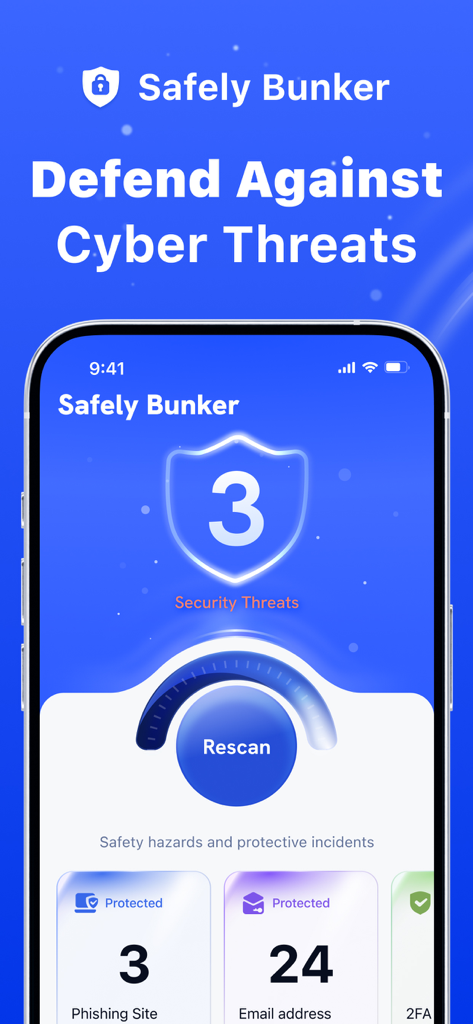
Safely Bunker 모바일 앱 대시보드에서 피싱 및 이메일에 대한 보안 위협 및 보호 상태 표시

Safely Bunker 모바일 앱 대시보드에서 피싱 및 이메일에 대한 보안 위협 및 보호 상태 표시

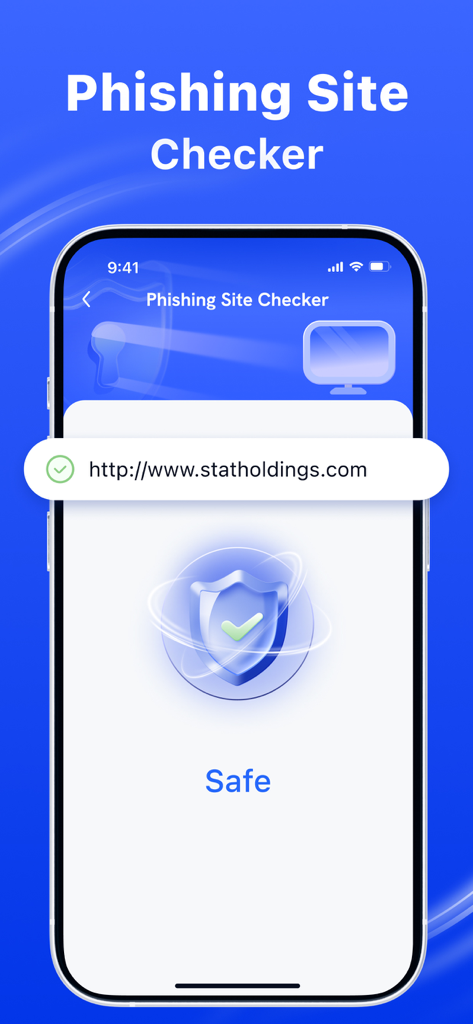
피싱 사이트 검사기 기능이 녹색 확인 표시와 방패 아이콘으로 웹사이트가 안전함을 나타내는 아이폰 화면.

피싱 사이트 검사기 기능이 녹색 확인 표시와 방패 아이콘으로 웹사이트가 안전함을 나타내는 아이폰 화면.

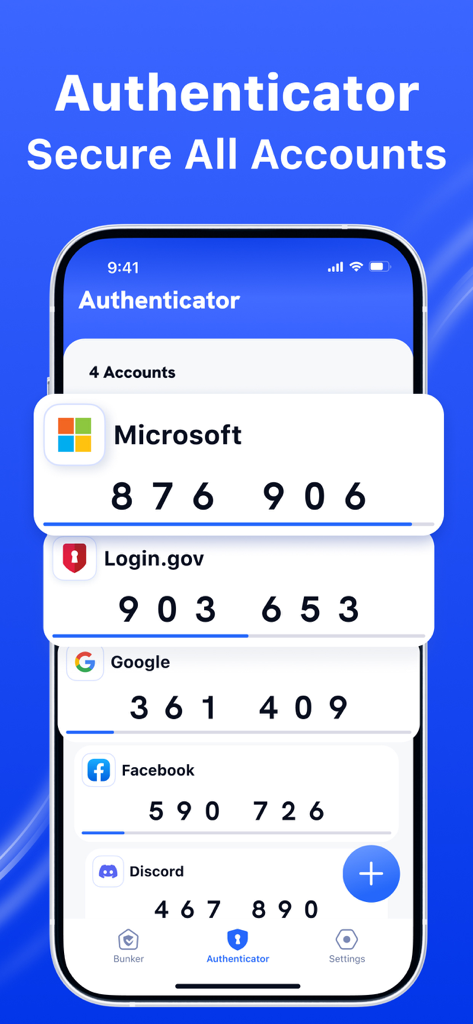
여러 계정에 대한 2FA 보안 코드를 보여주는 Authenticator App의 인터페이스

여러 계정에 대한 2FA 보안 코드를 보여주는 Authenticator App의 인터페이스

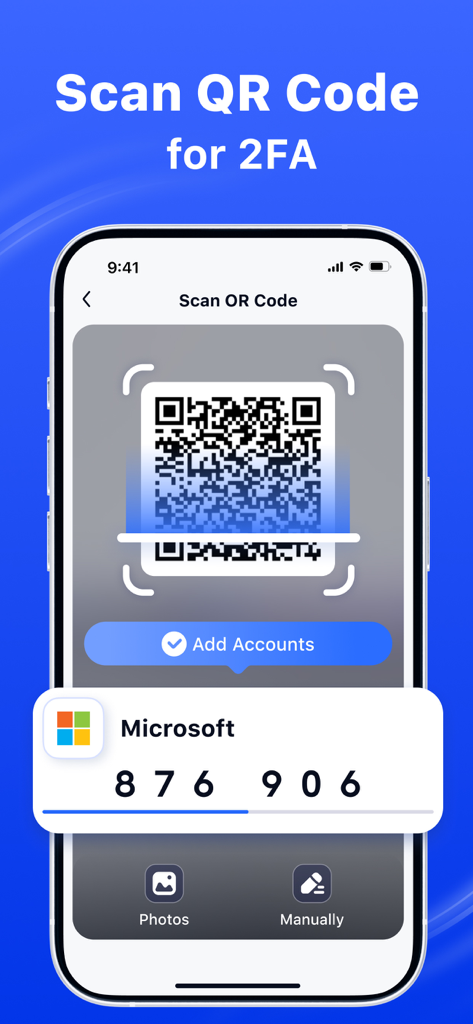
Microsoft 계정에 대한 2단계 인증 설정을 위한 QR 코드 스캐너를 보여주는 Authenticator App의 인터페이스

Microsoft 계정에 대한 2단계 인증 설정을 위한 QR 코드 스캐너를 보여주는 Authenticator App의 인터페이스

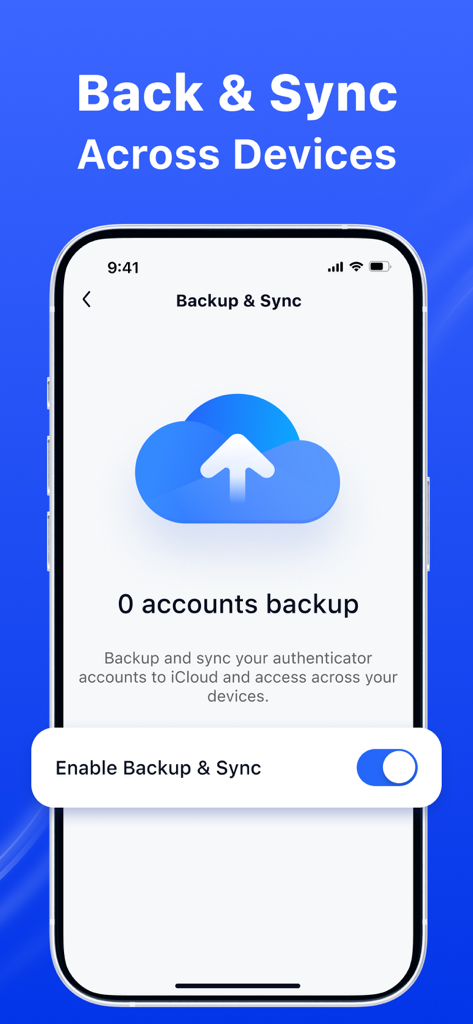
클라우드 아이콘과 인증자 계정에 대한 iCloud 동기화 활성화 옵션이 있는 백업 및 동기화 설정을 보여주는 모바일 인터페이스

클라우드 아이콘과 인증자 계정에 대한 iCloud 동기화 활성화 옵션이 있는 백업 및 동기화 설정을 보여주는 모바일 인터페이스

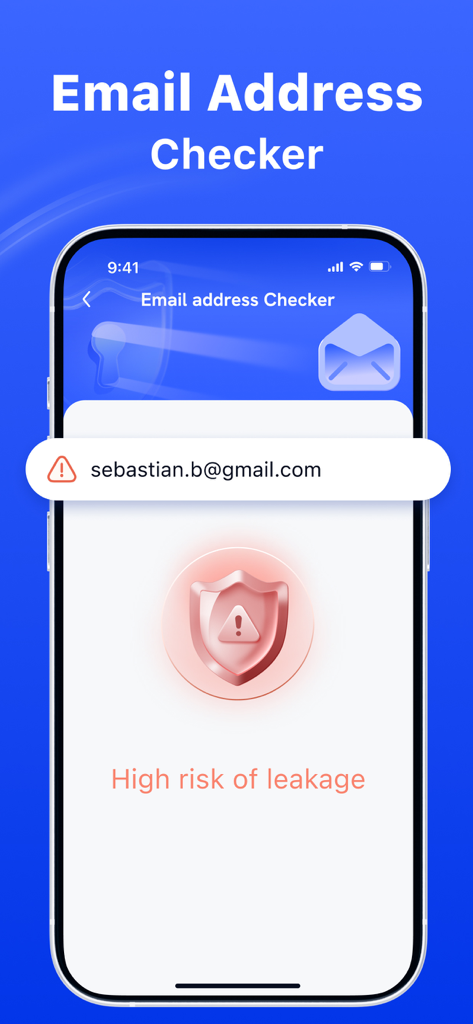
유출 위험 높음 알림을 보여주는 이메일 주소 검사기 화면

유출 위험 높음 알림을 보여주는 이메일 주소 검사기 화면

전문가를 위한 완벽한 디지털 보호

이 앱을 돋보이게 하는 도구, 47K+ 명의 사용자가 선택.

🔐

강력한 2단계 인증

해커를 차단하는 간편한 추가 보호 계층으로 전문가 및 금융 계정을 안전하게 보호하세요.

🚨

실시간 데이터 유출 경고

이메일이 유출된 경우 즉시 알림을 받아 피해가 발생하기 전에 신원을 보호하세요.

🛡️

스마트 피싱 방지

정교한 사기를 피하고 브라우징 경험을 보호하기 위해 모든 웹사이트 또는 링크의 안전성을 즉시 확인하세요.

앱 소개

에 대해 알아야 할 모든 것 Authenticator App Ⓡ.

설명

Authenticator App is your all-in-one security app designed to keep you safe in the digital world. With our powerful features, you can: 1. Check Website Safety: Instantly verify if a website is safe to visit. Avoid phishing scams and malicious sites with real-time analysis. 2. Email Breach Alerts: Regularly check if your email has been compromised in data breaches. Stay informed and take action to secure your accounts. 3. Two-Factor Authentication: Enhance your account security by adding an extra layer of protection in addition to your password. Protect your online presence and enjoy a safer browsing experience with Safely Bunker! Subscription information: - Payments will be credited to your iTunes account upon confirmation of purchase - Subscription automatically renews if automatic renewal is not turned off at least 24 hours before the end of the current period - Accounts will be charged for renewal within 24 hours before the end of the current period and determine the cost of renewal - Subscriptions can be managed by the user, and automatic updating can be disabled by going to the user account settings after purchasing - During the active subscription period, the current subscription is not canceled - Any unused part of the free trial period, if offered, will be confiscated when the user purchases a subscription to this publication, if applicable. Terms of Use: https://www.sparkeaseapp.com/terms Privacy Policy: https://www.sparkeaseapp.com/privacy

최신 버전

1.4

크기

72.6 MB

출시일

2025년 2월 18일

오늘 당신의 디지털 생활을 보호하세요

보안 제품군을 신뢰하는 47,000명 이상의 전문가와 함께하세요. 사전 예방적 유출 경고, 2FA, 안전한 브라우징을 통해 제공되는 안심감을 모두 하나의 전문가 앱에서 누리세요.

다운로드: App Store
FAQ

자주 묻는 질문

에 대해 알아야 할 모든 것 Authenticator App Ⓡ

Authenticator App는 무엇이며 어떤 기능을 하나요?

Authenticator App는 디지털 세계에서 사용자를 보호하기 위해 설계된 보안 애플리케이션입니다. 웹사이트 안전 검사, 이메일 유출 경고, 2단계 인증을 제공하여 온라인 보안을 강화합니다.

Authenticator App는 웹사이트 안전 검사를 제공하나요?

네, Authenticator App는 방문하려는 웹사이트가 안전한지 즉시 확인할 수 있습니다. 실시간 분석을 수행하여 사용자가 피싱 사기 및 악성 사이트를 피하도록 돕습니다.

Authenticator App가 이메일 유출에 대해 알려주나요?

네, Authenticator App는 귀하의 이메일이 데이터 유출로 인해 손상되었는지 정기적으로 확인합니다. 사용자가 계정을 안전하게 보호하도록 정보를 제공합니다.

Authenticator App에서 2단계 인증을 사용할 수 있나요?

네, Authenticator App는 계정 보안 강화를 위해 2단계 인증(2FA)을 제공합니다. 비밀번호 외에 추가적인 보호 계층을 제공합니다.

Authenticator App의 구독은 어떻게 작동하나요?

Authenticator App 구독에 대한 결제는 구매 확인 시 iTunes 계정으로 청구됩니다. 구독은 기간 종료 24시간 전에 비활성화하지 않으면 자동으로 갱신됩니다.

Authenticator App의 구독을 어떻게 관리할 수 있나요?

네, 사용자는 Authenticator App의 구독을 관리할 수 있습니다. 구매 후 사용자 계정 설정에 액세스하여 자동 갱신을 비활성화할 수 있습니다.

Authenticator App는 2단계 인증을 위해 QR 코드를 스캔할 수 있나요?

네, Authenticator App는 2FA를 위한 QR 코드 스캔을 지원합니다. 이 기능을 통해 사용자는 계정을 쉽게 추가하고 2단계 인증을 설정할 수 있습니다.

Authenticator App는 장치 간 백업 및 동기화를 제공하나요?

네, Authenticator App는 사용자가 iCloud에 인증기 계정을 백업하고 동기화할 수 있도록 합니다. 이를 통해 여러 장치에서 액세스할 수 있습니다.

Authenticator App의 이용 약관은 어디서 찾을 수 있나요?

Authenticator App의 이용 약관은 https://www.sparkeaseapp.com/terms에서 확인할 수 있습니다.

Authenticator App의 개인정보 처리방침은 어디에 있나요?

Authenticator App의 개인정보 처리방침은 https://www.sparkeaseapp.com/privacy에 있습니다.

App information, icons, screenshots, and descriptions displayed on this page are sourced from the Apple App Store and are the property of their respective developers. Download estimates and rankings are based on MWM's proprietary models and may not reflect actual figures. This page is provided for informational and analytical purposes only.

Believe this page infringes your intellectual property? File a dispute