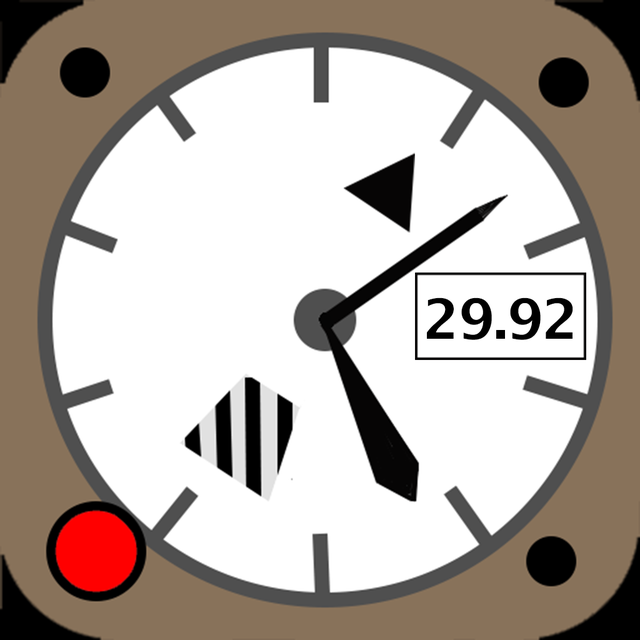
avAltimeter

avAltimeter

다운로드: App Store
로고: avAltimeter

avAltimeter: 전문가용 기압 고도 및 비행 안전

조종사를 위한 정밀 디지털 고도계입니다. 기기의 Bosch 기압 센서로 작동하는 콜스만(Kollsman) 조정, 밀도 고도 계산 및 FAA 산소 알림 기능을 제공합니다.

다운로드: App Store

개발사

Aviametrix, LLC

카테고리

Lifestyle

다운로드

13K+

사용자 평점

4.6/5

총 평가 수

0

지원 언어

1

한눈에 보는 정밀도

이 인터페이스를 사용하는 13K+ 명의 사용자.

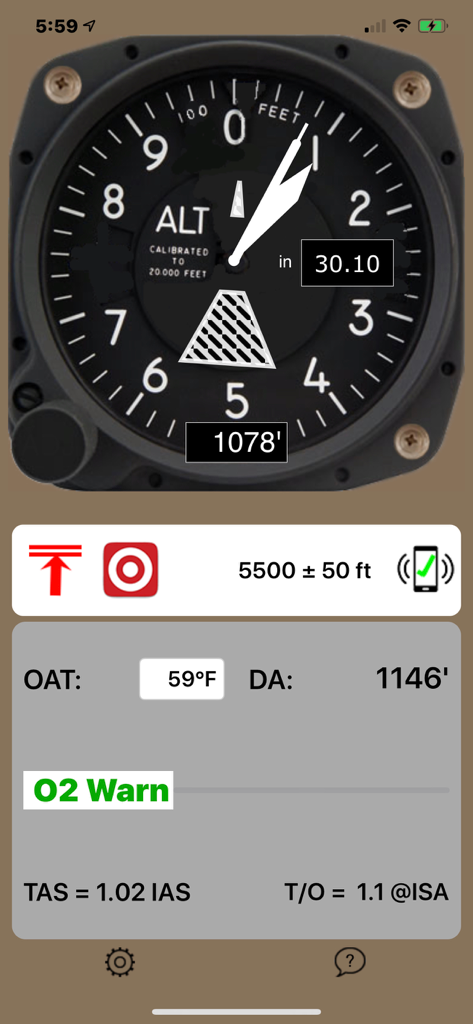
고도 및 밀도 고도 데이터를 보여주는 디지털 항공 고도계 인터페이스

고도 및 밀도 고도 데이터를 보여주는 디지털 항공 고도계 인터페이스

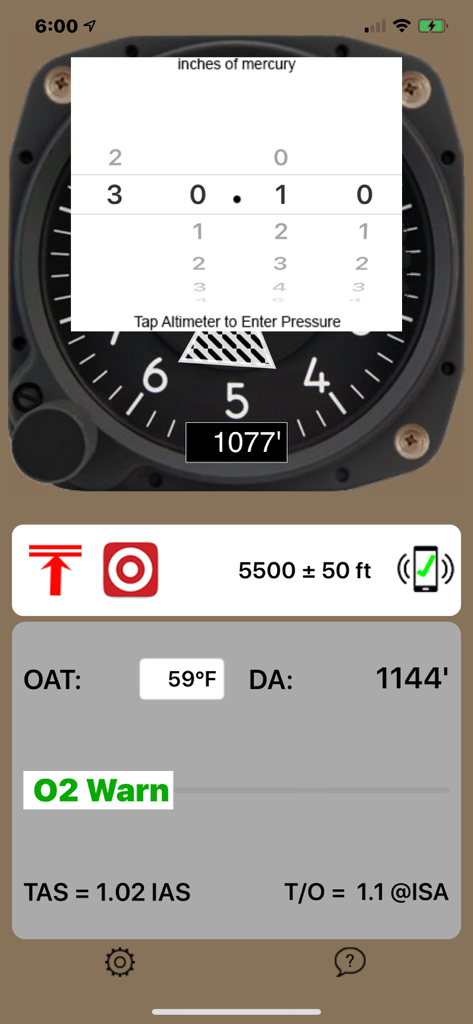
기압 설정 및 밀도 고도 데이터를 보여주는 avAltimeter 앱 화면

기압 설정 및 밀도 고도 데이터를 보여주는 avAltimeter 앱 화면

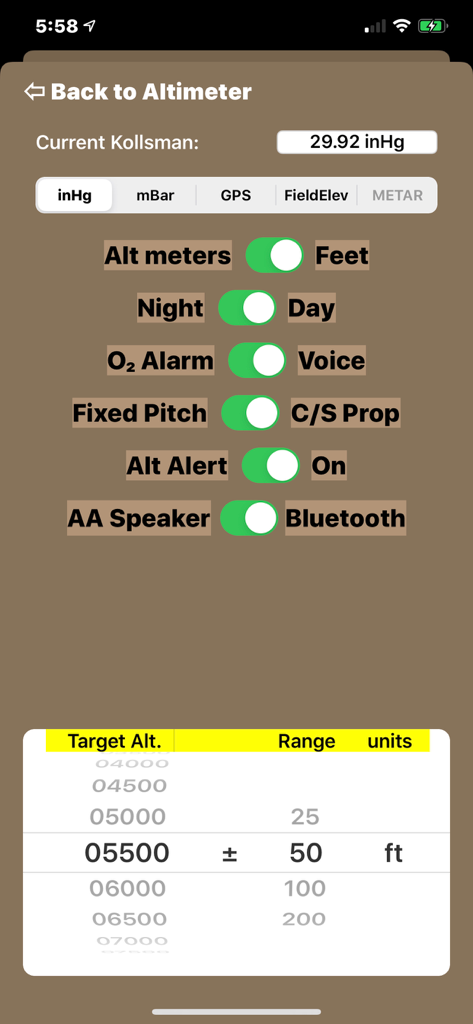
고도 단위, 산소 알람 및 야간 모드 설정 옵션을 보여주는 avAltimeter 앱의 설정 화면

고도 단위, 산소 알람 및 야간 모드 설정 옵션을 보여주는 avAltimeter 앱의 설정 화면

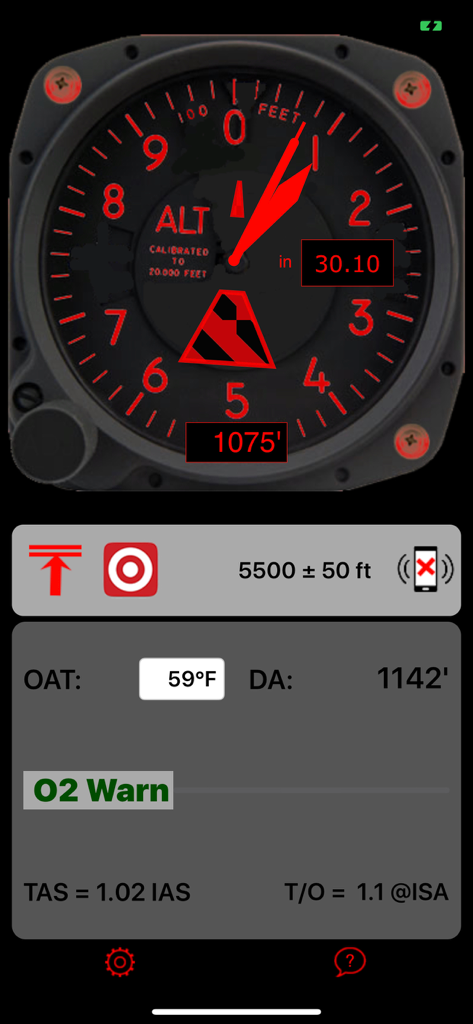
빨간색 야간 모드에서 디지털 항공 고도계 다이얼과 밀도 고도 데이터를 보여주는 avAltimeter 앱 인터페이스

빨간색 야간 모드에서 디지털 항공 고도계 다이얼과 밀도 고도 데이터를 보여주는 avAltimeter 앱 인터페이스

조종석을 위한 전문가급 디지털 계기

이 앱을 돋보이게 하는 도구, 13K+ 명의 사용자가 선택.

📉

진정한 기압 정밀도

GPS 추정치는 잊으세요. 내장된 Bosch 센서와 수동 콜스만 창 조정을 사용하여 현재 기압계 설정과 동기화함으로써 신뢰할 수 있는 기압 고도를 확보하세요.

📐

스마트 성능 지표

고온 또는 고고도 환경에서 안전한 운항을 보장하기 위해 밀도 고도, 진대기속도(True Airspeed) 및 예상 이륙 거리를 자동으로 계산합니다.

🚨

중요 안전 모니터링

앱이 고도를 추적하고 FAA 규정 산소 요구 사항에 도달하면 자동 경고를 발생시키는 동안 비행에만 집중하세요.

앱 소개

에 대해 알아야 할 모든 것 avAltimeter.

설명

Simple and Effective! avAltimeter is a digital, aviation-oriented altimeter. It is the only altimeter app which has the Kollsman adjustment so you can adjust the altimeter to the current barometer setting, or to 29.92 inches of mercury for the pressure altitude. Need a quick backup for your panel? avAltimeter uses the latest Apple and Bosch technology built into the iPhone 6 and later models. Earlier models of the iPhone and iPads before iPad Air 2 or Mini 4 do not have the required pressure sensing hardware and do not work. All iPad Pro models work too! Smart! avAltimeter calculates the temperature sensitive Density Altitude. Based on the Density Altitude, the app also calculates True Airspeed as a function of Indicated Airspeed. avAltimeter calculates a rough estimate of the increased required Take-Off distance from that at seal level from increased Density Altitude as well. You can even set the App to obtain automatically obtain the latest barometric pressure from the closest reporting airport. The barometer setting will auto-update every 20 minutes, or if you move more than 25 miles from your previous location. When using the live METAR update feature, the App will display which airport pressure it is using, and how old the reading is. This feature requires an internet connect and active GPS, so it will not work well if you are flying inside a jet. In a jet, the App works great to track the cabin pressure if you just leave the barometric pressure set at 29.92 inHg. Increased Safety! Know your oxygen requirements. avAltimeter tracks your altitude and provides a warning to use oxygen when you exceed FAA mandated limits. Customizable! avAltimeter is customizable. Choose Imperial or Metric units. Set the Altimeter Setting through a popup Kollsman window or by directly setting the field altitude. The field altitude can be set manually or automatically by GPS. Select Day or Night illumination. Turn the audio alarms for oxygen on or off. Improve the take-off performance estimate by selecting your propellor type: constant speed or fixed pitch. Sensitive! The Bosch sensor chip built in to the iPhone 6 and later is sensitive to changes in altitude of three feet or less and has an estimated range from -1500 feet to over 20,000 feet. Unique! Unlike other aviation apps, avAltimeter uses actual barometric pressure to calculate altitude, not a GPS estimate. The barometer is only available in iPhone 6 and later or the iPad iPad Air 2, Mini 4 as well as all iPad Pro! Legal Disclaimer This is an app, not an FAA approved flight instrument. It has not been certified as meeting the relevant TSO specifications. This app can not be used as a primary flight instrument.

최신 버전

1.25

크기

1.9 MB

출시일

2016년 6월 8일

비행 가방에 정밀 디지털 고도계를 추가하세요

내장된 Bosch 기압 센서를 활용하여 실시간 기압 고도, 밀도 고도 및 FAA 산소 알림을 확인하세요. iPhone 또는 iPad에서 콜스만(Kollsman) 조정이 가능한 장비의 신뢰성을 경험해 보세요.

다운로드: App Store

App information, icons, screenshots, and descriptions displayed on this page are sourced from the Apple App Store and are the property of their respective developers. Download estimates and rankings are based on MWM's proprietary models and may not reflect actual figures. This page is provided for informational and analytical purposes only.

Believe this page infringes your intellectual property? File a dispute