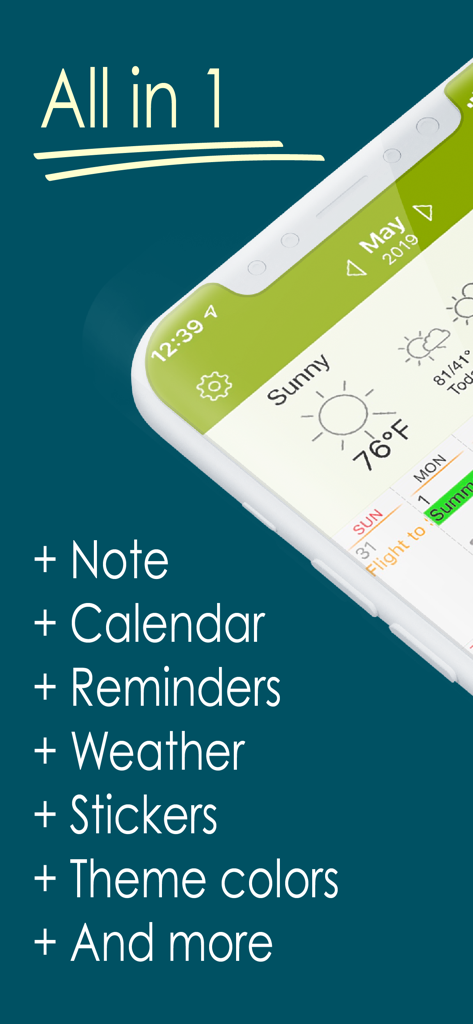
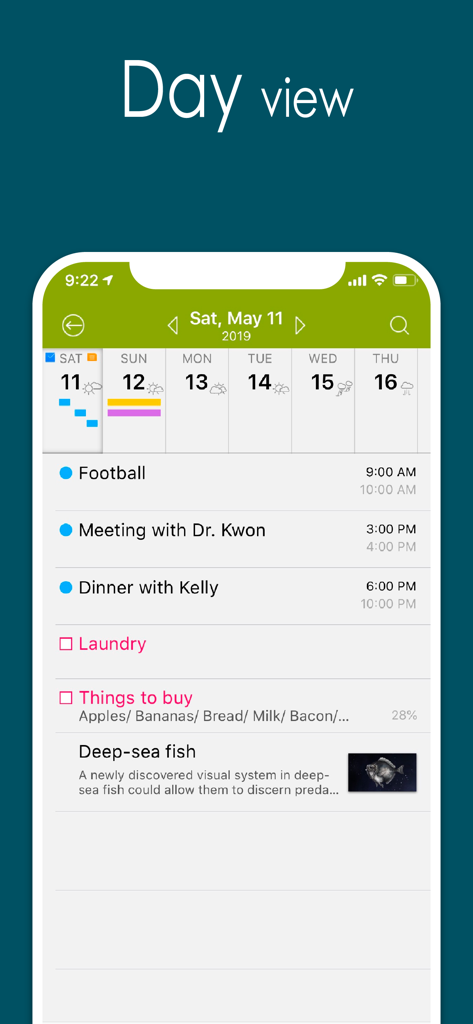
Awesome Calendar 앱이 메모, 캘린더, 미리 알림 및 날씨를 포함한 올인원 기능을 보여주는 디스플레이
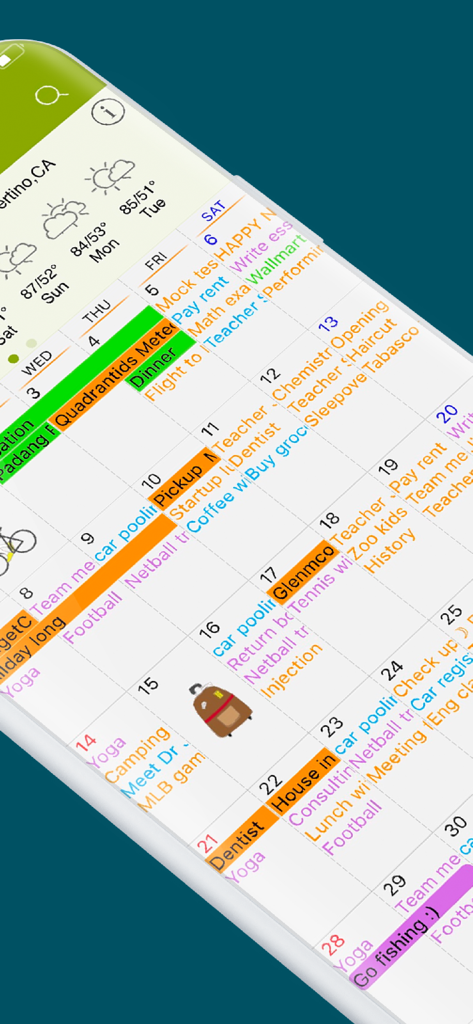
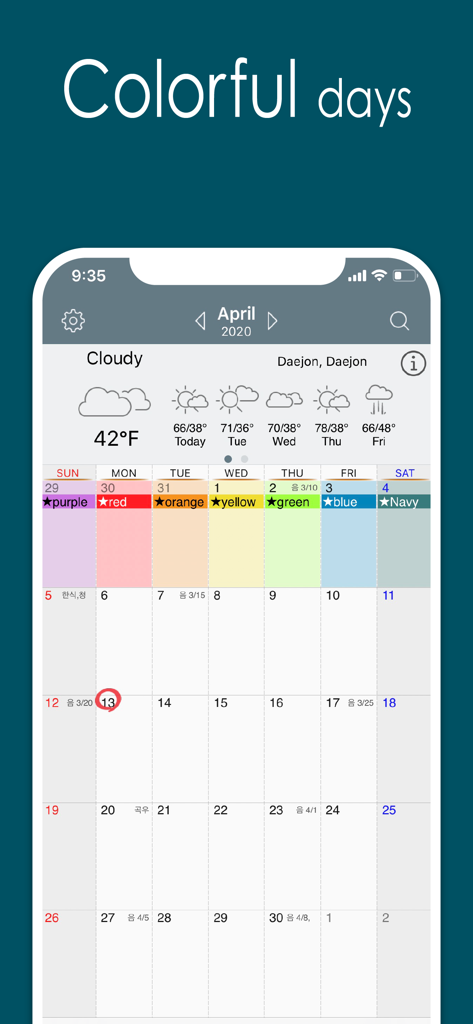
통합된 날씨와 스티커가 표시된 Awesome Calendar 앱의 다채로운 월간 보기
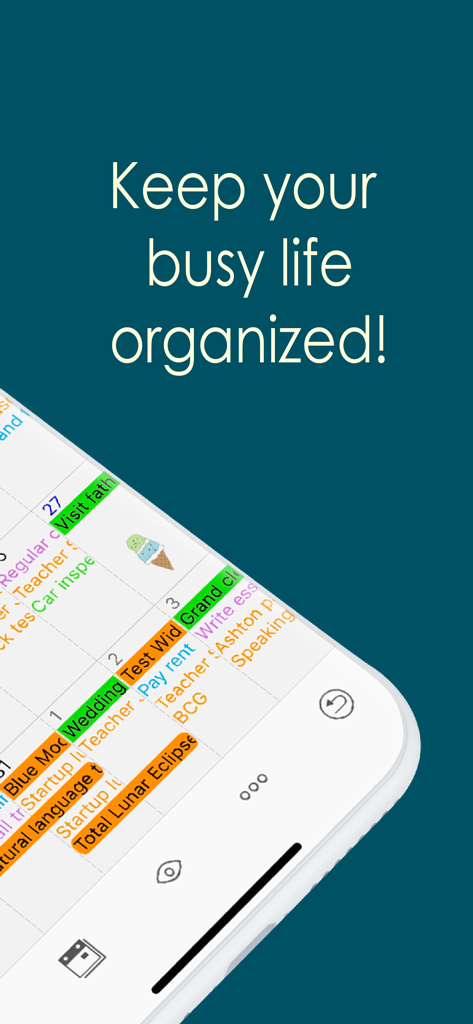
다채롭고 정리된 디지털 플래너를 모바일 화면에 보여주는 Awesome Calendar 앱 디스플레이
일정, 할 일 목록, 사진 메모가 포함된 자세한 일별 보기를 보여주는 Awesome Calendar 앱 스크린샷
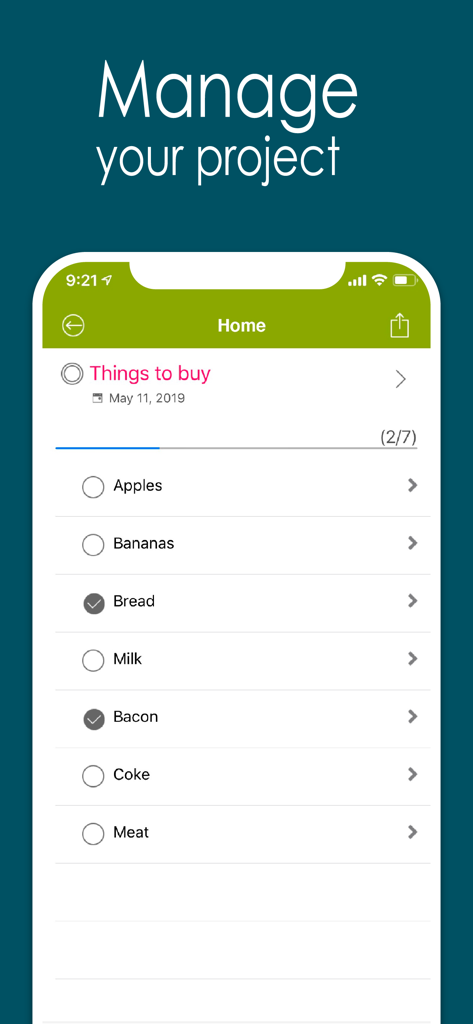
빵과 베이컨 같은 품목이 체크된 Awesome Calendar 앱의 쇼핑 목록 표시
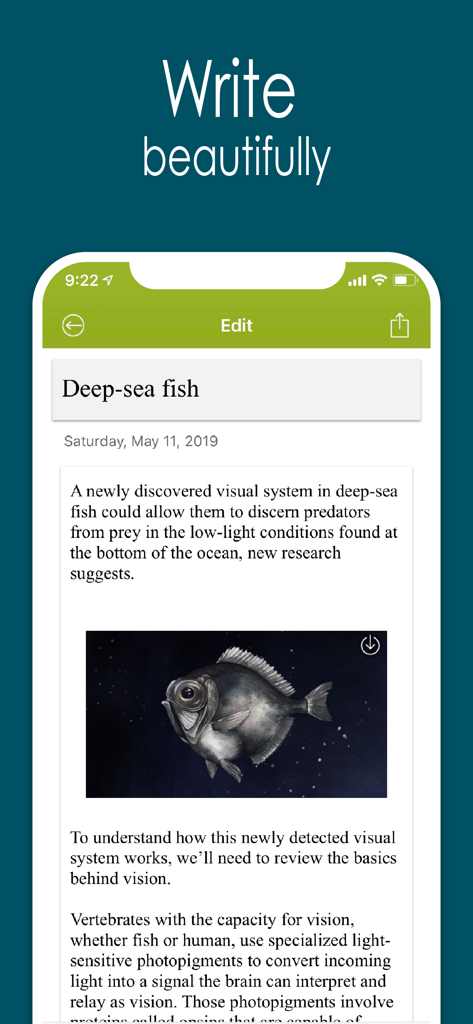
포함된 사진과 텍스트가 있는 일기 메모를 표시하는 Awesome Calendar 앱
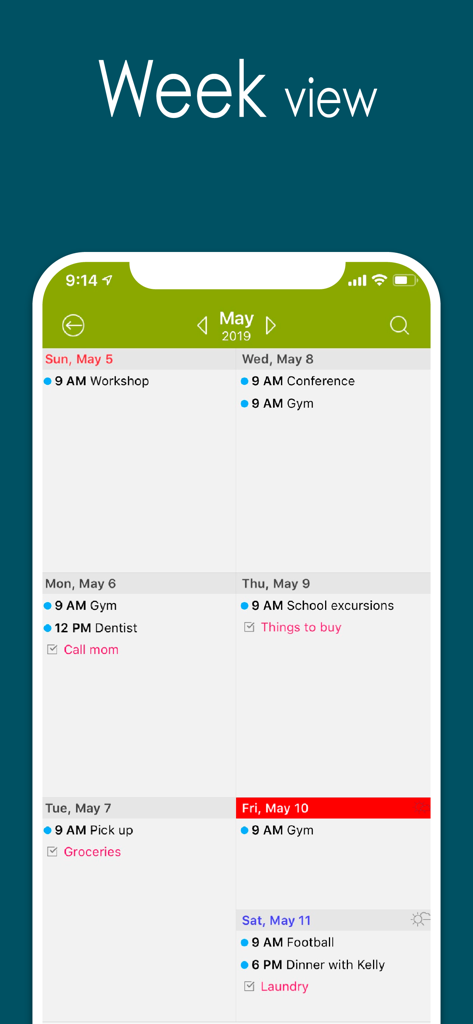
일일 일정 및 할 일이 표시된 Awesome Calendar 앱 주간 보기
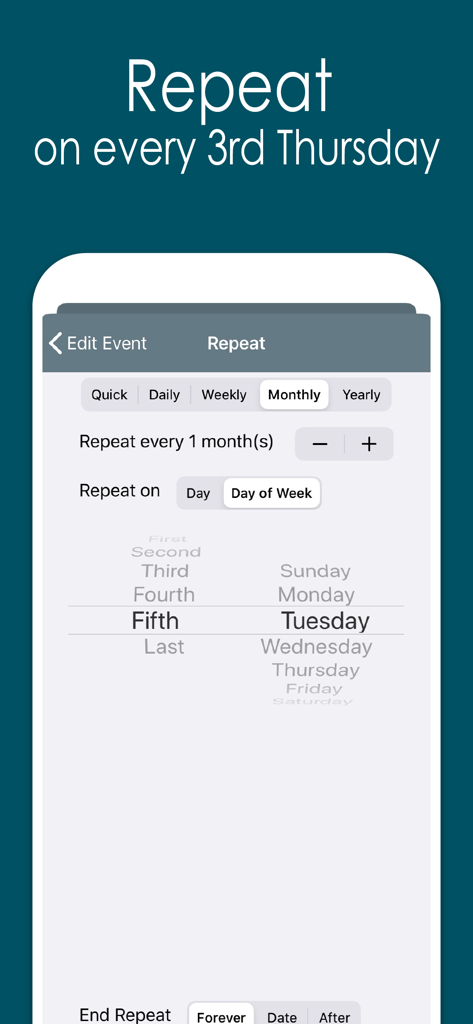
특정 요일에 반복되는 작업에 대한 사용자 정의 반복 이벤트 옵션을 보여주는 Awesome Calendar 앱 인터페이스
색상으로 구분된 이벤트와 통합된 날씨 예보가 특징인 Awesome Calendar 앱의 월간 캘린더 보기
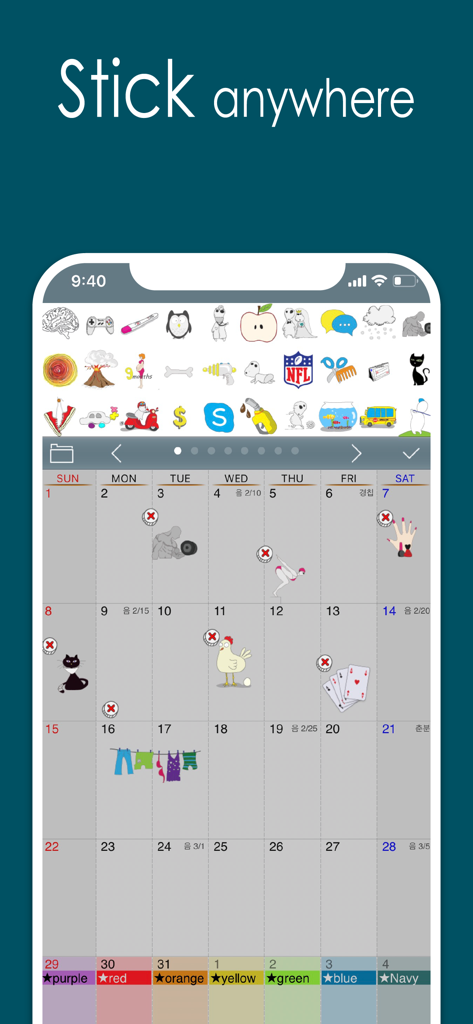
월간 캘린더 보기에 다양한 다채로운 스티커가 배치된 Awesome Calendar 앱을 보여주는 iPhone 화면
시각적 명령 센터로 하루를 마스터하세요
이 앱을 돋보이게 하는 도구, 440K+ 명의 사용자가 선택.
🗓️
궁극의 4-in-1 파워하우스
캘린더, 작업 관리자, 메모장, 날씨 앱을 하나의 원활한 인터페이스로 대체하세요. 작업 흐름을 간소화하고 모든 중요한 것을 한눈에 확인하세요.
📸
사진과 함께하는 맥락별 메모
단순한 텍스트를 넘어서세요. 약속 및 일기 항목에 직접 사진을 첨부하여 프로젝트, 영수증 또는 개인적인 추억의 시각적 기록을 제자리에 보관하세요.
✨
개인 맞춤 디지털 Filofax
귀여운 스티커, 사용자 정의 가능한 테마, 매일의 명언으로 당신의 스타일을 표현하세요. 단순한 유틸리티를 넘어, 삶을 정리하는 즐거움을 선사하는 개인 동반자입니다.
앱 소개
에 대해 알아야 할 모든 것 Awesome Calendar.
설명
Now you can automatically sync with all iPhone calendars, write your todo list, create notes with photos, check the weather and more, all with Awesome Calendar! This elegant application keeps you organized, shows holidays and is even perfect for team projects.
You’re away from the office but need to check your schedule. What do you do? Open up Awesome Calendar, of course. It only takes a second or two. The app automatically syncs with all iPhone supported calendars to let you know when you have time for that next meeting.
Quick as a wink, you add the meeting to your calendar then create a note that will help you prepare for it. A fast snap of the camera or visit to your camera roll and you add a picture of the product you’re quoting on, the item needing repair, or whatever you want. Another tap and you share all the information with your assistant back at the office, who can get the ball rolling on this project.
You pride yourself on making things happen fast, that’s why you have Awesome Calendar on your iPhone, iPod touch or iPad. In one speedy swoop, right from the client’s office, you were able to set up dates and times, note all of the information, and get things underway remotely. Once again, you are providing the five-star service you are known for.
Awesome Calendar is the all-in-tool to help you manage your personal and business life. View and edit your schedule, check the weather, create a todo list, write in your diary, embed photos in notes, check for holidays. This one does it all!
Want to share your schedule and notes? Would you like to have someone help you with your growing todo list? No problem, you can do those things from right inside the Awesome Calendar app. That’s right, it’s that easy and convenient. You never have to leave the app to use it most efficiently.
The time management power and functionality of this app is amazing. It has an elegant, easy-to-use interface from where you can organize your life and schedule. Aside from the tasks already mentioned, the application offers month, week, day and list views, event alarms, collapsible weeks, holiday listings for 35 different countries, and far more than what can be listed here.
Check out just a few of the features offered in Awesome Calendar:
+ Natural Language Input.
+ works with all iPhone supported calendars(MobileMe, iCloud, Google Calendar, Exchange, CalDAV)
+ iOS reminder integrated. Custom color, priority, note, custom alarms and sub-task.
+ Synchronization with google task
+ 4 apps in 1(calendar, task manager, notepad, weather, sticker)
+ Multiple calendar control
+ Month, week agenda, Filofax, day and list views
+ Rolling todo and todo carry over.
+ Custom color for event and reminder.
+ iCloud support for diary.
+ Customizable calendar and event color.
+ Font size and Style change option in view and note.
+ Timezone support.
+ Event template for quick adding.
+ Grouping of todo option
+ Quick popup on month view.
+ Holidays noted for 35 countries. Multiple holiday selection.
+ Elegant Photo album calendar.
+ Powerful diary lets you type notes and embed photos.
+ Full text search for event, note and todo.
+ Easy-push event alarm and customizable alarm.
+ Unlimited alarms.
+ Weather information display – current and 10 day forecast
+ Air print-Month overview, week, day and each event.
+ Lots of Cuteeeee stickers available to use in month view
+ Share events, notes and todo lists from inside the app
+ Passcode lock.
+ Monday/Sunday start option.
+ Customized recurrence for event and reminder.
+ Insert photo to note.
+ Sharing note via email.
+ Badge alarm on icon. Number of today’s events, todos.
+ Displaying past events on 1,2,3,4 and 5 years ago today at a glance.
+ Today's wise saying.
+ Theme color.
+ Customizable recurring rule for event and reminder.
+ Note sync via iCloud.
최신 버전
5.17.1
크기
37.4 MB
출시일
2011년 11월 17일
바쁜 삶을 마스터할 준비가 되셨나요?
루틴을 간소화한 440,000명 이상의 능동적인 플래너들과 함께하세요. 캘린더, 할 일, 추억을 하나의 아름다운 디지털 플래너로 완벽하게 통합하는 세련된 올인원 도구를 받으세요.
App information, icons, screenshots, and descriptions displayed on this page are sourced from the Apple App Store and are the property of their respective developers. Download estimates and rankings are based on MWM's proprietary models and may not reflect actual figures. This page is provided for informational and analytical purposes only.
Believe this page infringes your intellectual property? File a dispute