Awesome Note 2 for iPad

Awesome Note 2 for iPad

다운로드: App Store
로고: Awesome Note 2 for iPad

Awesome Note 2: iPad를 위한 올인원 시각적 라이프 플래너

노트, 일정, 다이어리를 통합하는 아름답게 사용자 정의 가능한 공간으로 생산성을 높이세요. 캘린더와 미리 알림을 완벽하게 동기화하면서 자신만의 독특한 스타일로 모든 창의적인 생각을 담아내세요.

다운로드: App Store

개발사

BRID

카테고리

Productivity

다운로드

151K+

사용자 평점

3.9/5

총 평가 수

3K+

지원 언어

12

모든 디테일에 담긴 우아함

이 인터페이스를 사용하는 151K+ 명의 사용자.

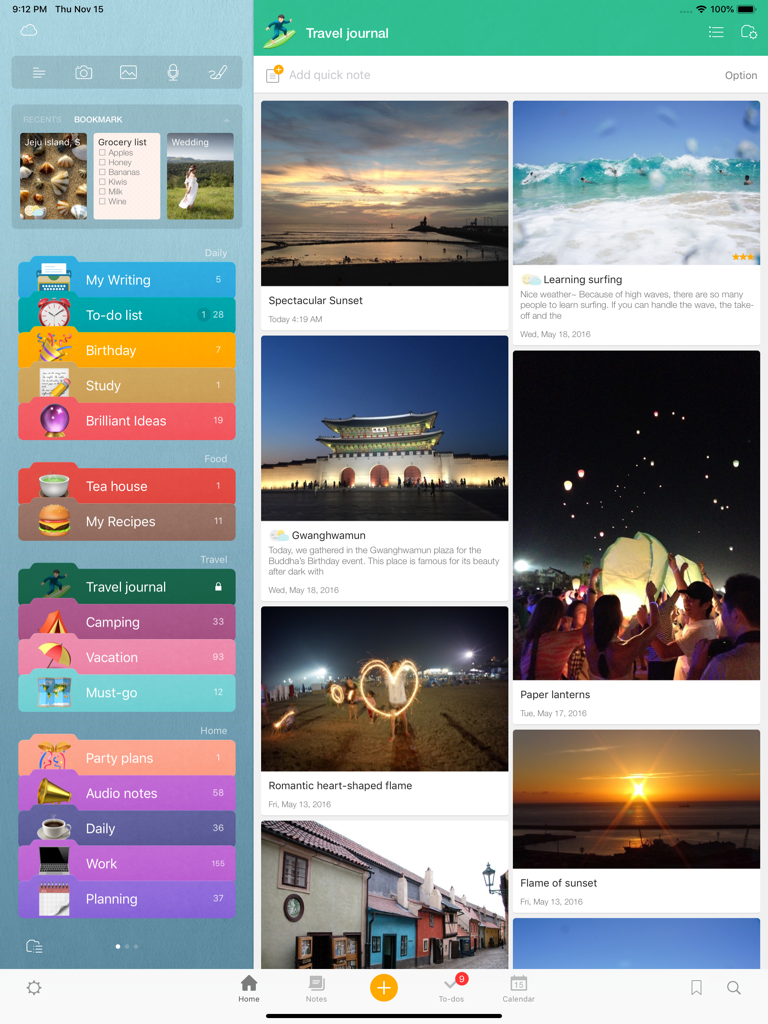
Awesome Note 2 iPad 인터페이스는 시각적 여행 일지와 정리된 다채로운 폴더를 보여줍니다.

Awesome Note 2 iPad 인터페이스는 시각적 여행 일지와 정리된 다채로운 폴더를 보여줍니다.

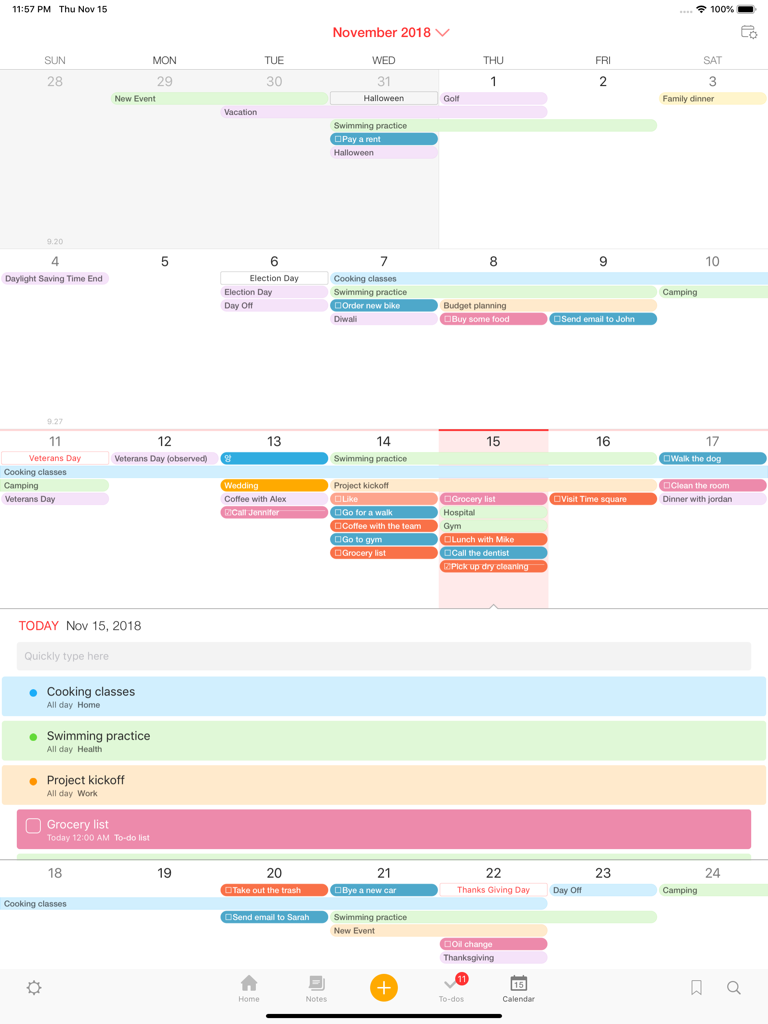
Awesome Note 2 for iPad에서 보여지는 다채로운 월간 캘린더 및 일일 일정 보기

Awesome Note 2 for iPad에서 보여지는 다채로운 월간 캘린더 및 일일 일정 보기

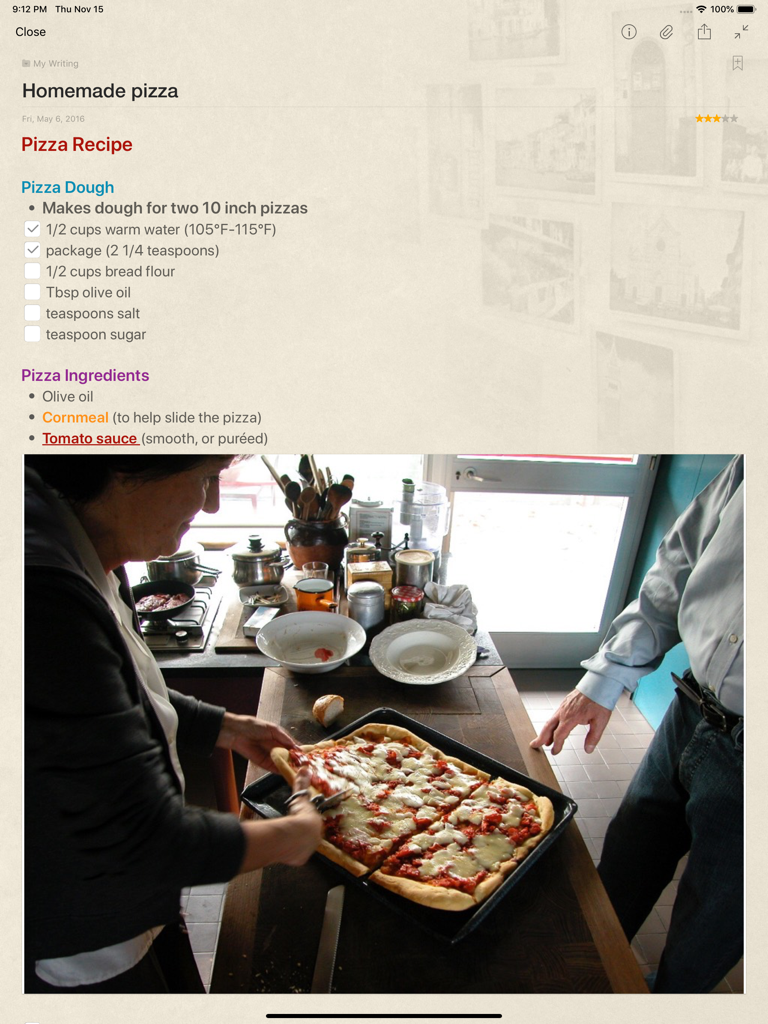
Awesome Note 2 for iPad 화면에는 체크리스트와 첨부된 직접 만든 피자 사진이 있는 피자 레시피 노트가 표시됩니다.

Awesome Note 2 for iPad 화면에는 체크리스트와 첨부된 직접 만든 피자 사진이 있는 피자 레시피 노트가 표시됩니다.

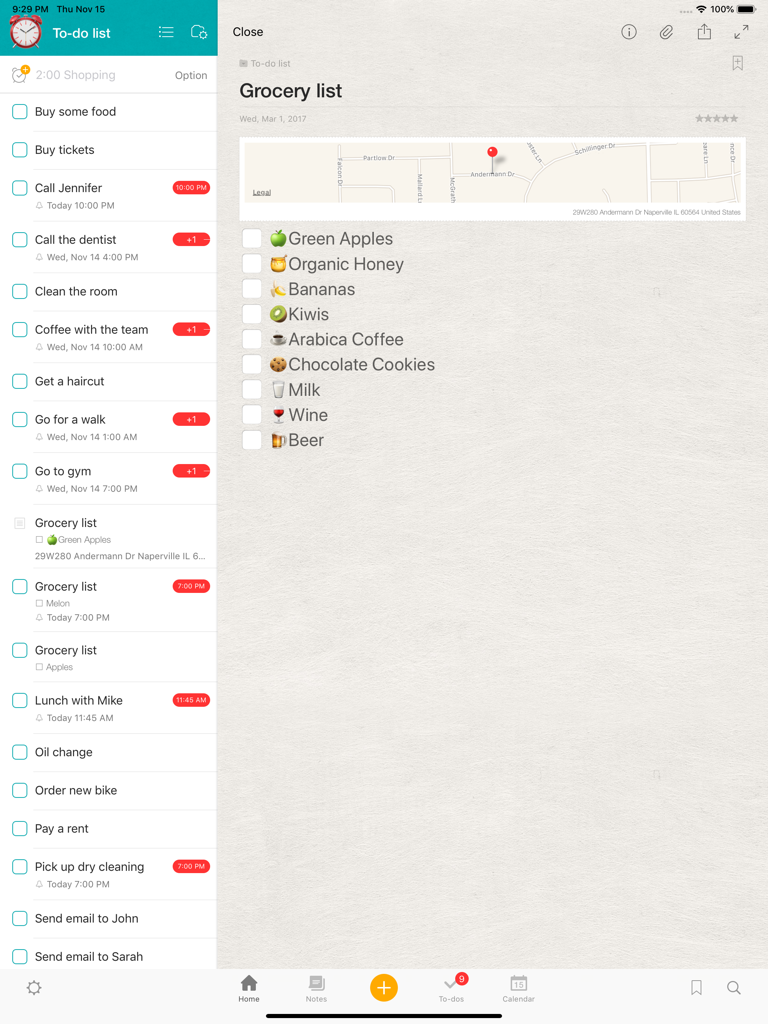
Awesome Note 2 for iPad 인터페이스는 할 일 목록 사이드바와 이모티콘 및 지도가 있는 상세 장보기 체크리스트를 표시합니다.

Awesome Note 2 for iPad 인터페이스는 할 일 목록 사이드바와 이모티콘 및 지도가 있는 상세 장보기 체크리스트를 표시합니다.

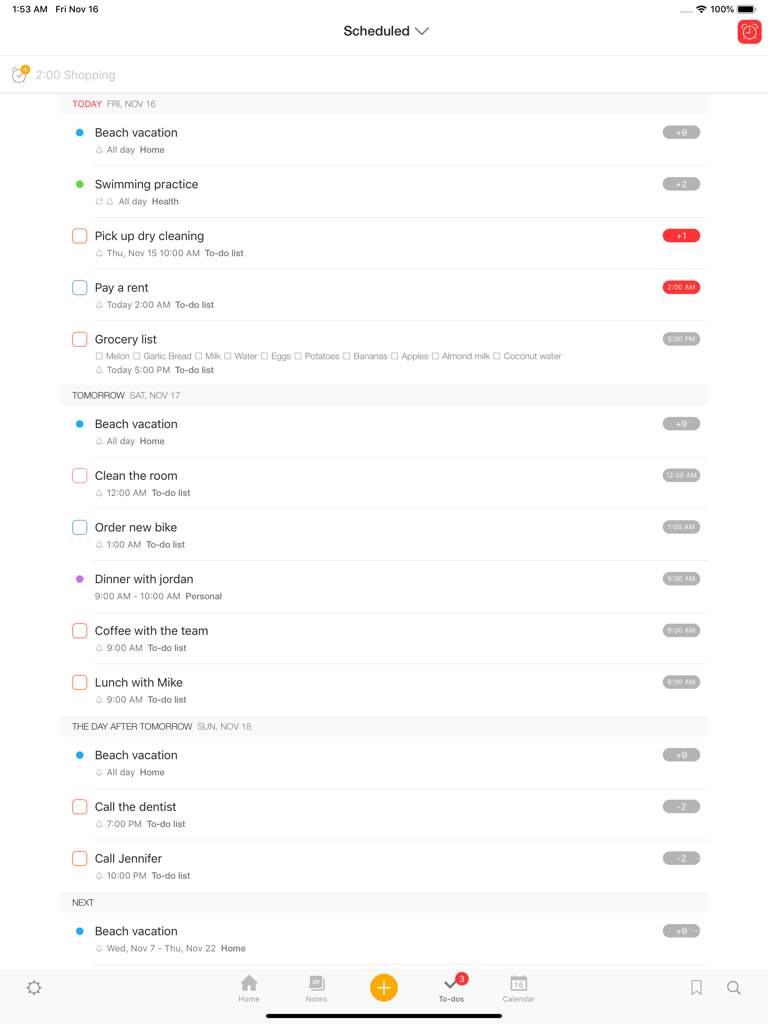
Awesome Note 2 iPad 인터페이스는 날짜별로 정리된 예정된 작업 및 할 일 목록을 보여줍니다.

Awesome Note 2 iPad 인터페이스는 날짜별로 정리된 예정된 작업 및 할 일 목록을 보여줍니다.

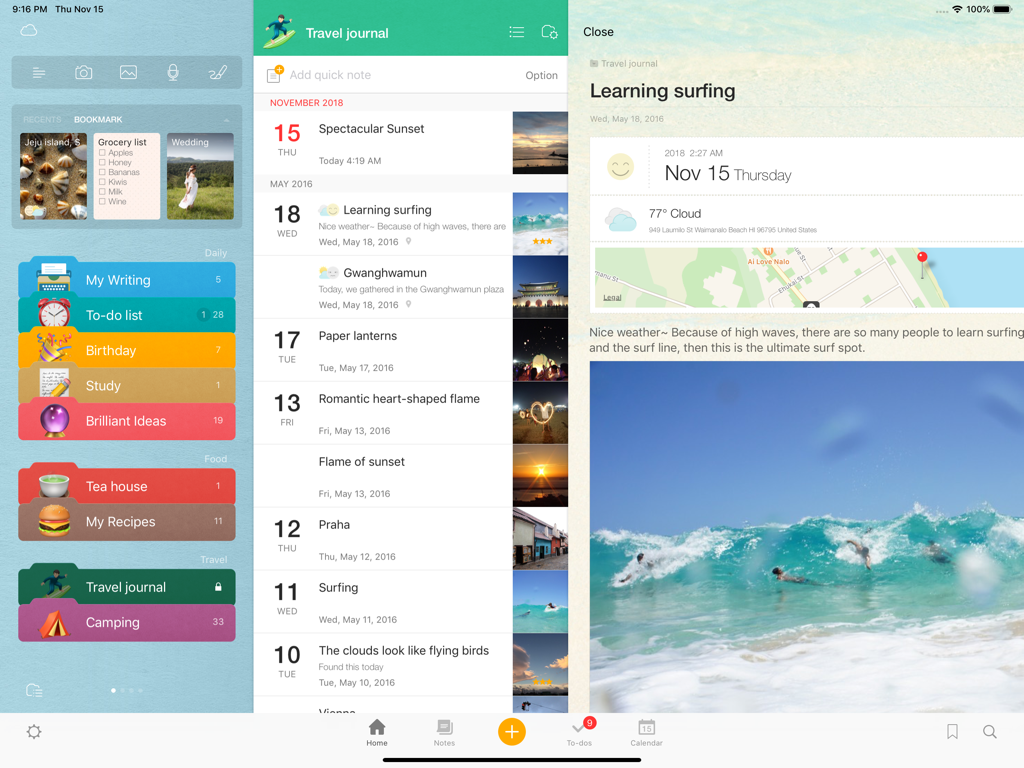
Awesome Note 2 for iPad의 인터페이스는 다채로운 폴더와 사진 및 지도가 있는 시각적 여행 일지 항목을 보여줍니다.

Awesome Note 2 for iPad의 인터페이스는 다채로운 폴더와 사진 및 지도가 있는 시각적 여행 일지 항목을 보여줍니다.

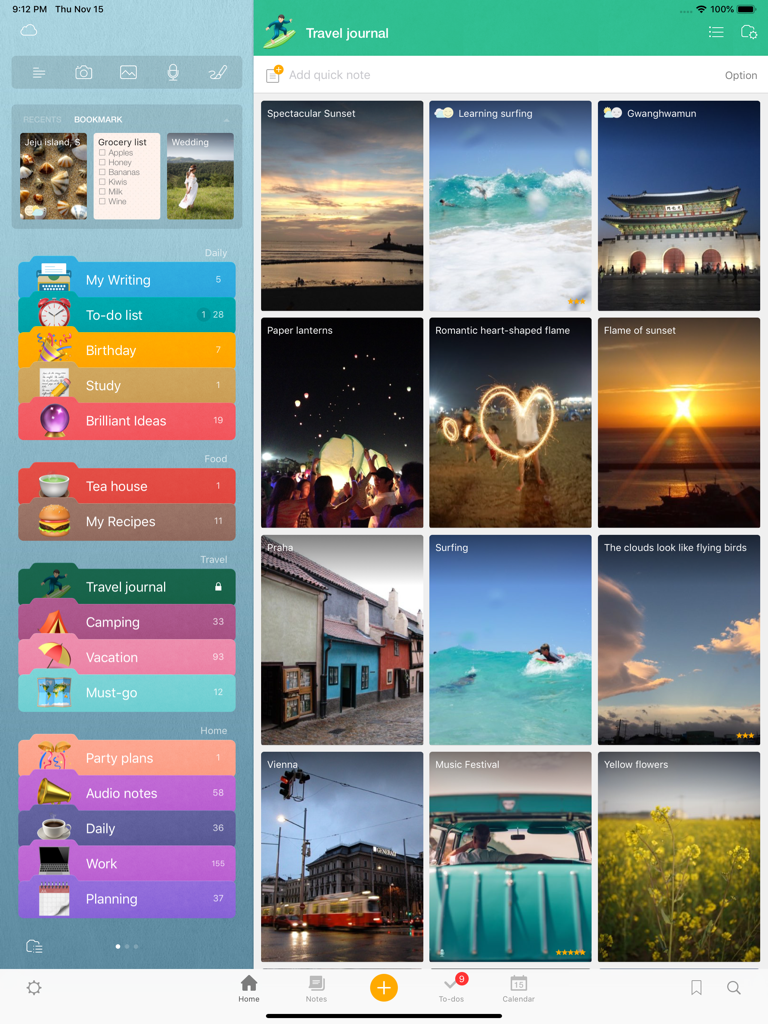
Awesome Note 2 iPad 인터페이스는 다채로운 노트 카테고리와 사진 항목이 있는 시각적 여행 일지를 보여줍니다.

Awesome Note 2 iPad 인터페이스는 다채로운 노트 카테고리와 사진 항목이 있는 시각적 여행 일지를 보여줍니다.

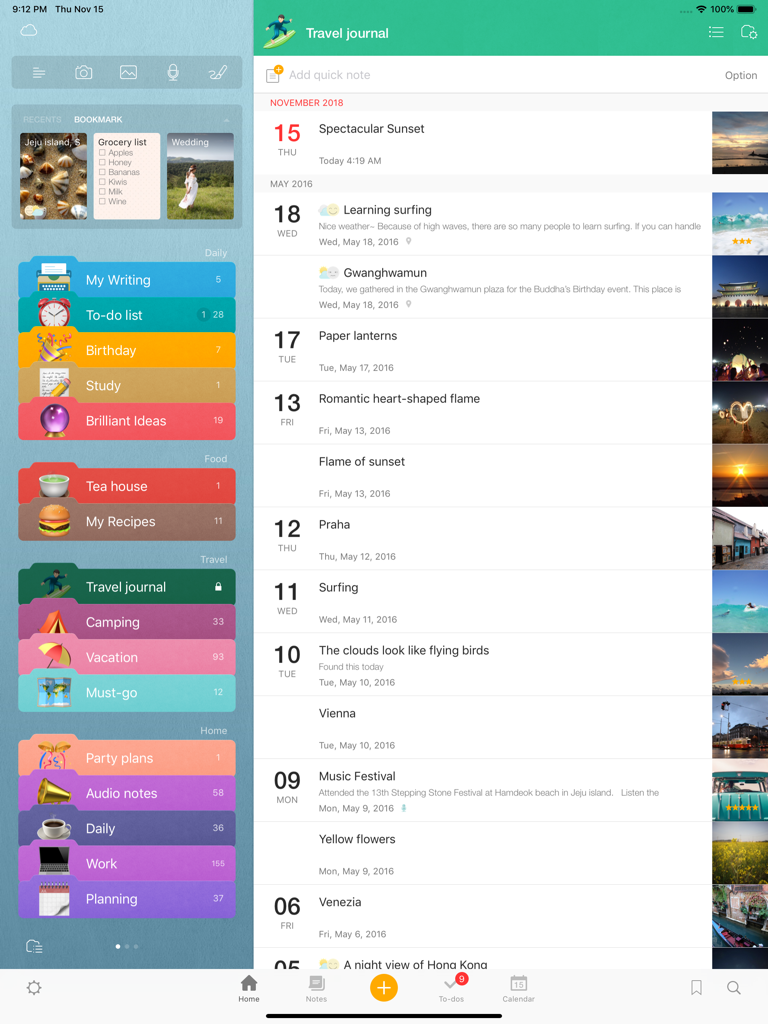
iPad에서 Awesome Note 2의 인터페이스는 다채로운 폴더 카테고리와 사진 썸네일이 있는 연대순 여행 일지를 보여줍니다.

iPad에서 Awesome Note 2의 인터페이스는 다채로운 폴더 카테고리와 사진 썸네일이 있는 연대순 여행 일지를 보여줍니다.

당신의 모든 삶, 아름답게 정리하세요

이 앱을 돋보이게 하는 도구, 151K+ 명의 사용자가 선택.

🗓️

한 곳에 모인 노트 & 일정

iOS 캘린더 및 미리 알림을 직접 동기화하세요. 앱 전환 없이 개인 일기와 함께 할 일 목록과 약속을 관리하세요.

나만의 개성 표현하기

단조로운 레이아웃은 이제 그만. 고유한 아이콘, 색상, 배경으로 모든 폴더와 노트를 사용자 정의하여 자신만의 미학을 가진 디지털 플래너를 만드세요.

🎨

모든 창의적인 아이디어 담기

풍부한 서식, 음성 녹음, 손그림 스케치, 사진으로 텍스트를 넘어선 표현을 하세요. 시각적 사고가나 디지털 저널링에 완벽합니다.

앱 소개

에 대해 알아야 할 모든 것 Awesome Note 2 for iPad.

설명

Fully renewed ‘Awesome Note 2’!  The new All-in-one Organizer, Awesome Note 2 is integrated with note and schedule management. And now it’s available!! WONDERFUL WRITING FEATURES · It can be used not only for simple notes, but also rich and wonderful writing tool. · Make notes even more powerful to add photos, voice recording and drawings. · Easily create diary notes to display feeling, weather or road map information. SIMPLE, FLEXIBLE, AND FRIENDLY ·  Broadly use as diary to record everyday life, travel notes to write anywhere, photo albums, shopping lists, and record for work or study in any theme.   NOTE AND SCHEDULING AS ONE · Manage your iOS Calendar and Reminders in one. · Check todo lists and manage all schedules with calendar · Receive notifications for important events and easily manage anniversaries such as birthdays.   NEAT AND STYLISH DESIGN · Create your own style with tastefully designed icons, folders and various note backgrounds.   Capture all the memorable moments, stories, and everything in you.    [General] - Note management by folder - Various type of list view (thumbnail, list, detail, diary, photo view) - Various type of note (regular, to-do, diary, anniversary note) - App and folder lock (Passcode and Touch-ID support) - A variety of folder colors and icons - Set your own photos as a home background - Notes and calendar search - Support landscape mode - Not required login/network connection while using the app    [Note] - Note editing feature to add various attachments - Rich text formatting - Photo, Drawing, Voice recording, Map attachment - Import current weather information - Checklist in a note - Various note backgrounds and fonts - Tags, Bookmarks   [Schedule Management] - Calendar View (with major holidays)  - To-do management view - Natural language processing support (Creating events with certain statements such as “3:00 meeting”) - Important notes notification support - Anniversary management - D-day management - Changing list orders   [Share/Sync] - iCloud sync - Evernote sync/export - Sync with iOS default Calendar and Reminders - Sharing notes through Airdrop We welcome your suggestions, improvement requests or other inquires.  Please send it to 1:1 customer support in Awesome Note Settings.  Thanks for helping us to make Awesome Note 2 better.

최신 버전

8.9.12

크기

54.1 MB

출시일

2010년 12월 7일

당신의 삶, 아름답게 정리하세요

수천 명의 창의적인 플래너들과 함께 iPad를 노트, 일정, 추억을 위한 궁극의 올인원 허브로 바꿔보세요.

다운로드: App Store

App information, icons, screenshots, and descriptions displayed on this page are sourced from the Apple App Store and are the property of their respective developers. Download estimates and rankings are based on MWM's proprietary models and may not reflect actual figures. This page is provided for informational and analytical purposes only.

Believe this page infringes your intellectual property? File a dispute