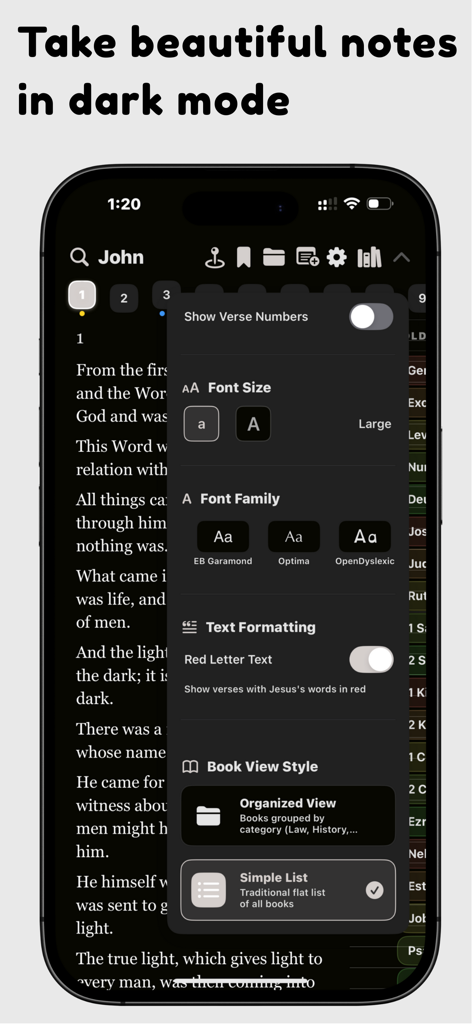
글꼴 크기 및 타이포그래피 설정을 위한 사용자 지정 메뉴를 보여주는 다크 모드의 바이블 타일즈 앱 iPhone 스크린샷.
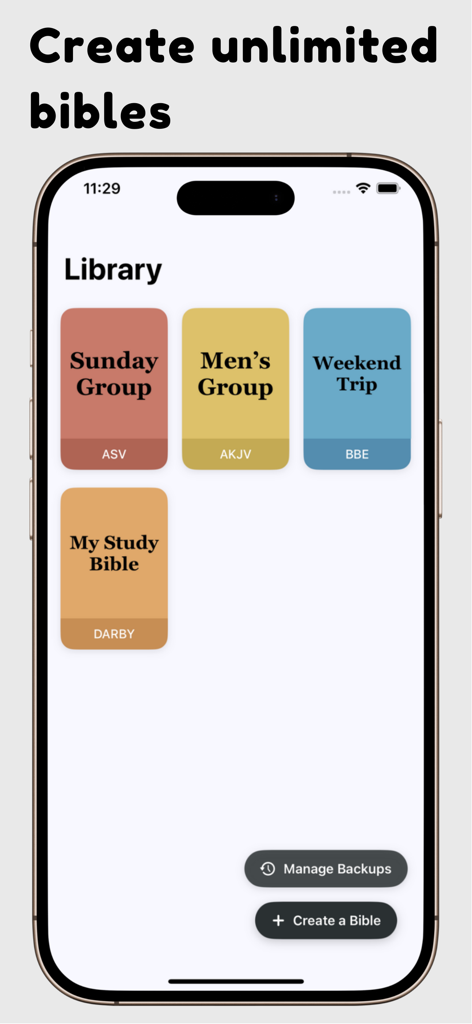
다양한 색상의 개인화된 공부용 성경을 표시하는 바이블 타일즈 앱의 라이브러리 화면
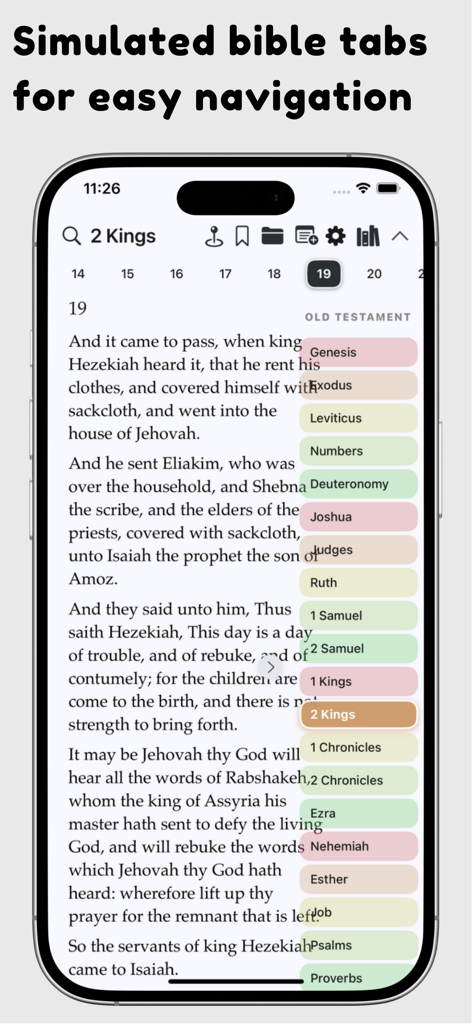
성경 탐색을 위한 시뮬레이션된 다채로운 책 탭을 보여주는 바이블 타일즈 앱 인터페이스
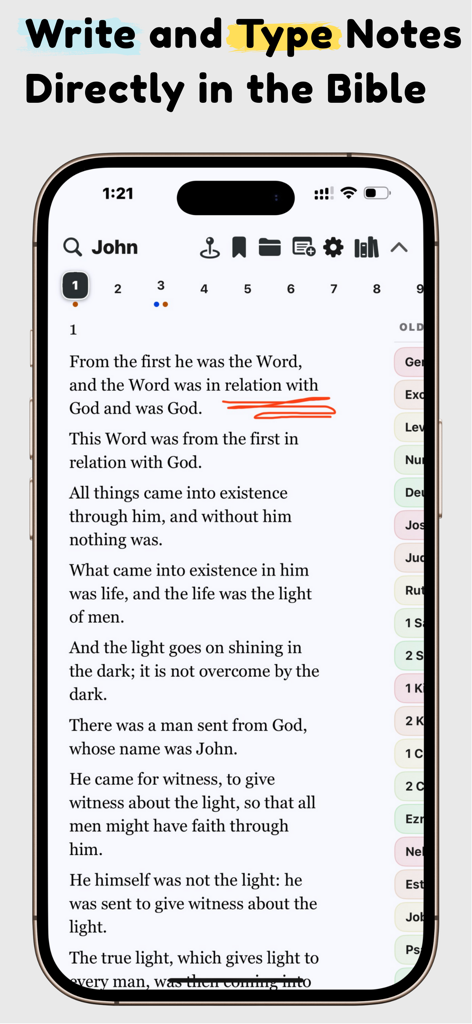
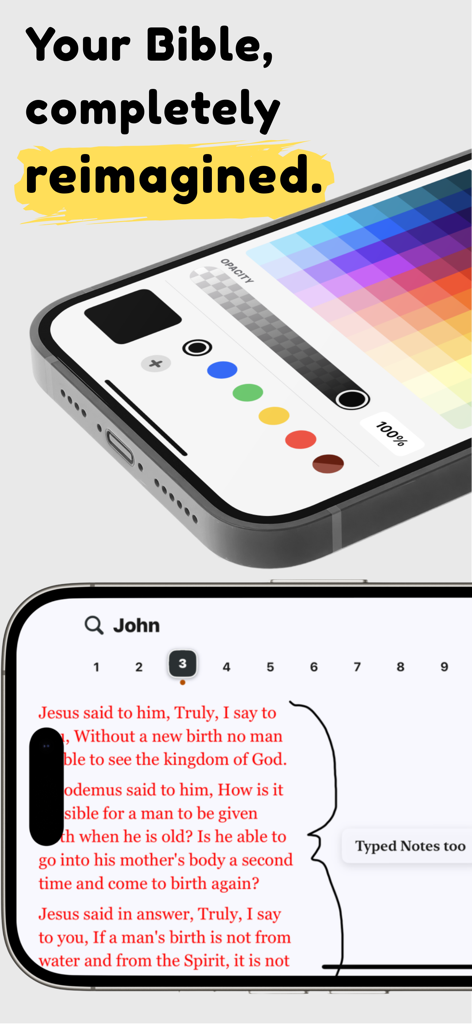
성경 텍스트에 대한 색상 팔레트와 손글씨 주석을 보여주는 바이블 타일즈 앱
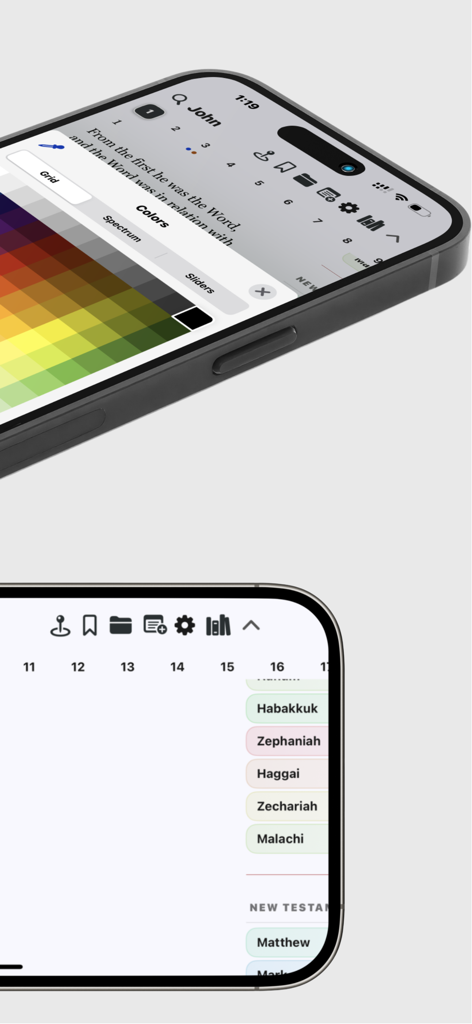
강조 표시를 위한 색상 선택 그리드와 성경 책 탐색 탭이 있는 사이드바를 보여주는 바이블 타일즈 앱의 인터페이스.
모든 구절과의 연결을 심화시키세요
이 앱을 돋보이게 하는 도구, 11K+ 명의 사용자가 선택.
✍️
자연스러운 디지털 필기
Apple Pencil을 사용하여 종이처럼 직관적인 유연한 펜 스타일로 텍스트에 직접 밑줄을 긋고, 강조하고, 저널링하세요.
🎨
올가미 도구의 자유
고정된 텍스트 상자에서 벗어나세요. 올가미 도구를 사용하여 디지털 캔버스의 어디에나 메모나 그림을 선택하고 이동하고 재구성하세요.
🛡️
당신의 데이터를 위한 성소
마음의 평화를 가지고 공부하세요. 추적 제로, 광고 없음, 100% 개인 정보 보호를 제공하여 개인적인 성찰이 당신과 하나님 사이에서만 유지되도록 합니다.
앱 소개
에 대해 알아야 할 모든 것 Bible Tiles: Draw & Type Notes.
설명
Your Bible, Reimagined.
Do you love the feel of your physical Bible but wish for the convenience of digital? Bible Tiles was born from a passion to bridge that gap – created out of frustration with clunky interfaces and a desire for a truly intuitive, personal, and powerful Bible study experience on your iPhone, iPad, and Mac.
Finally, Digital Notes That Feel Natural:
Bible Tiles revolutionizes digital Bible note-taking. We believe annotating scripture should feel fluid and personal, not frustrating.
Write, Draw, Highlight Freely: Use multiple pen styles and a full color palette just like you would on paper.
The Power of the Lasso: The Lasso tool lets you intuitively select, move, group, or delete anything on the page – handwritten notes, highlights, even typed text – with a simple gesture.
Typed Notes & Scribble: Prefer typing? Add typed notes anywhere. iPad users can use Apple Pencil Scribble to convert handwriting to text instantly in any text field.
Effortless Editing: Made a mistake? A simple two-finger tap undoes your last action.
Immersive Reading & Powerful Study:
Dive deeper into the Word with tools designed for focus and understanding.
Clean & Customizable: Read clearly with adjustable fonts, dynamic text size support, and the option to hide verse numbers. Choose between light and dark modes for comfort.
Zoom & Split Screen: Pinch to zoom for a closer look. Use Split Screen to compare translations side-by-side or view your notes alongside the text.
Extensive Library: Access 40+ Bible translations (and growing!), with the ability to download and use multiple versions simultaneously.
Red Letter Text: Easily identify the words of Christ in the New Testament.
Offline Access: Your Bible, notes, and bookmarks are always available, even without an internet connection. Study anywhere, anytime.
Intuitive Navigation:
Find your way around scripture with ease.
Simulated Bible Tabs: Experience the familiar feel of physical Bible tabs, digitally recreated for quick, visual navigation between books or chapters.
Bookmarks: Save important verses with simple, reliable bookmarks.
Powerful Search: Quickly find verses or keywords.
Seamless & Personal:
Bible Tiles integrates smoothly into your workflow and lets you make it your own.
iCloud Sync: Keep all your notes, highlights, and bookmarks automatically synced across your iPhone, iPad, and Mac using your secure iCloud account (optional).
Native Experience: Feels right at home on Apple platforms, utilizing familiar interfaces like the native iOS toolpicker.
Personalize: Choose custom app themes, Bible cover images within the app, note colors, font styles, and even the layout of verse numbers (left or right).
Our Unwavering Commitment: Free, Private, Open.
100% Free, Forever: Bible Tiles is, and always will be, completely free. No ads, no subscriptions, no features hidden behind paywalls.
Absolutely Private: We believe your study is personal. Bible Tiles collects no user data and performs no tracking. Your notes and data stay on your device or within your own iCloud account.
Offline First: Designed for uninterrupted access, independent of internet connectivity.
Mission-Driven & Community Focused:
Bible Tiles began as a solo passion project and is structured as a California nonprofit corporation (currently obtaining federal 501(c)(3) status). Our mission is simply to provide the best possible tool to help people connect with the Bible.
Support through optional donations is deeply appreciated and directly funds this mission: helping us secure rights for more free Bible translations, continuously improving the app based on feedback, engaging with the user community, and supporting efforts to share the Gospel.
Rediscover Your Bible Study.
Download Bible Tiles today and experience a more intuitive, personal, and powerful way to engage with the Word.
최신 버전
1.0.5
크기
326.5 MB
출시일
2025년 4월 18일
오늘 당신의 가장 개인적인 공부 여정을 시작하세요
현대 디지털 서기 커뮤니티에 참여하세요. iPad, iPhone, Mac에서 종이처럼 느껴지고 마법처럼 작동하는 100% 무료, 개인 정보 보호 우선 성경 앱을 경험하세요.
App information, icons, screenshots, and descriptions displayed on this page are sourced from the Apple App Store and are the property of their respective developers. Download estimates and rankings are based on MWM's proprietary models and may not reflect actual figures. This page is provided for informational and analytical purposes only.
Believe this page infringes your intellectual property? File a dispute