Bombardier Flight Deck 3

Bombardier Flight Deck 3

다운로드: App Store
로고: Bombardier Flight Deck 3

Bombardier Flight Deck 3: 전자식 조종실의 효율성 극대화

전문 비행 승무원을 위한 필수 문서 관리 시스템. 자동 개정 업데이트, 항공기별 데이터, FAA/EASA 규정 준수 감사 추적 기능으로 운영을 간소화하세요. 모든 것이 고성능 iPad 및 iPhone 사용에 최적화되어 있습니다.

개발사

Bombardier Aerospace

카테고리

Reference

다운로드

21K+

사용자 평점

4.7/5

총 평가 수

400

지원 언어

1

한눈에 보는 정확성

이 인터페이스를 사용하는 21K+ 명의 사용자.

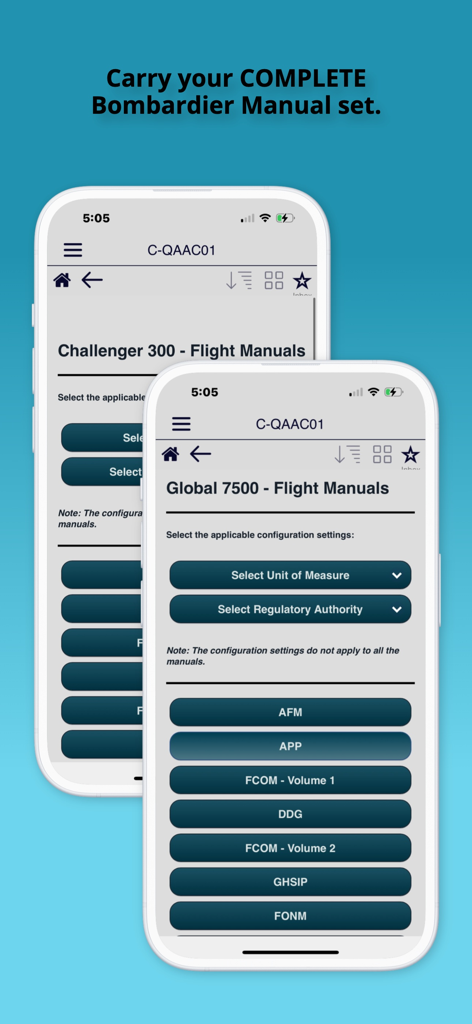
Bombardier Flight Deck 3 앱 인터페이스에 Global 7500 및 Challenger 300 항공기에 대한 비행 매뉴얼이 표시됨

Bombardier Flight Deck 3 앱 인터페이스에 Global 7500 및 Challenger 300 항공기에 대한 비행 매뉴얼이 표시됨

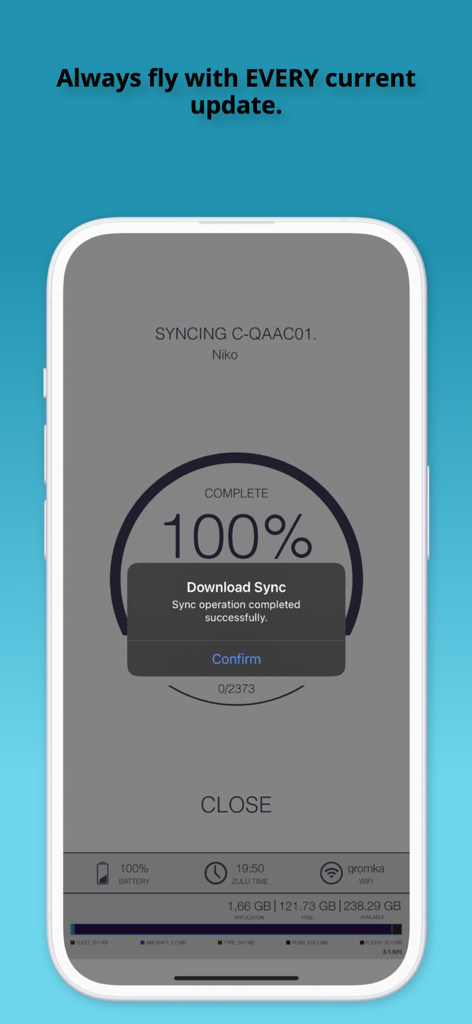
Bombardier Flight Deck 3 앱에서 비행 문서의 100% 동기화 성공을 보여주는 휴대폰 화면

Bombardier Flight Deck 3 앱에서 비행 문서의 100% 동기화 성공을 보여주는 휴대폰 화면

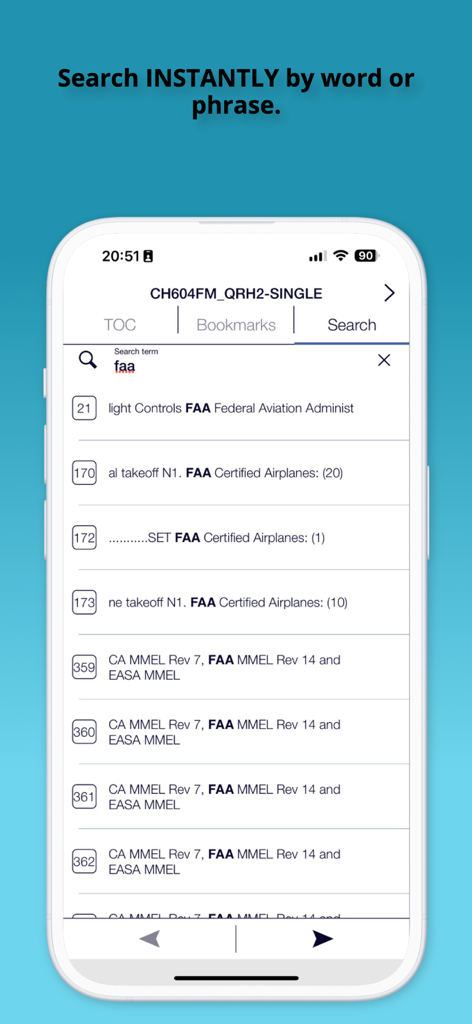
FAA 규정에 대한 결과와 함께 즉각적인 문서 검색 기능을 보여주는 Bombardier Flight Deck 3 앱 스크린샷

FAA 규정에 대한 결과와 함께 즉각적인 문서 검색 기능을 보여주는 Bombardier Flight Deck 3 앱 스크린샷

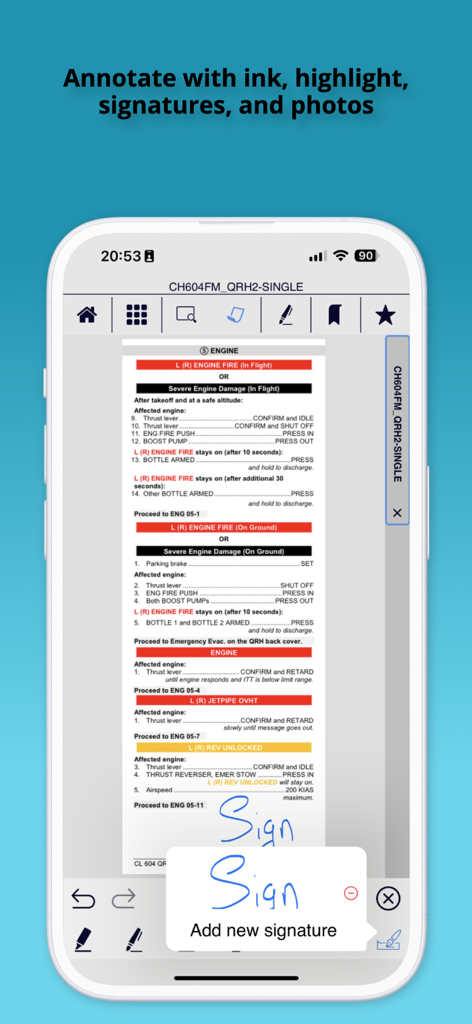
조종사가 항공기 매뉴얼에 디지털 서명을 추가하는 것을 보여주는 Bombardier Flight Deck 3 앱 스크린샷

조종사가 항공기 매뉴얼에 디지털 서명을 추가하는 것을 보여주는 Bombardier Flight Deck 3 앱 스크린샷

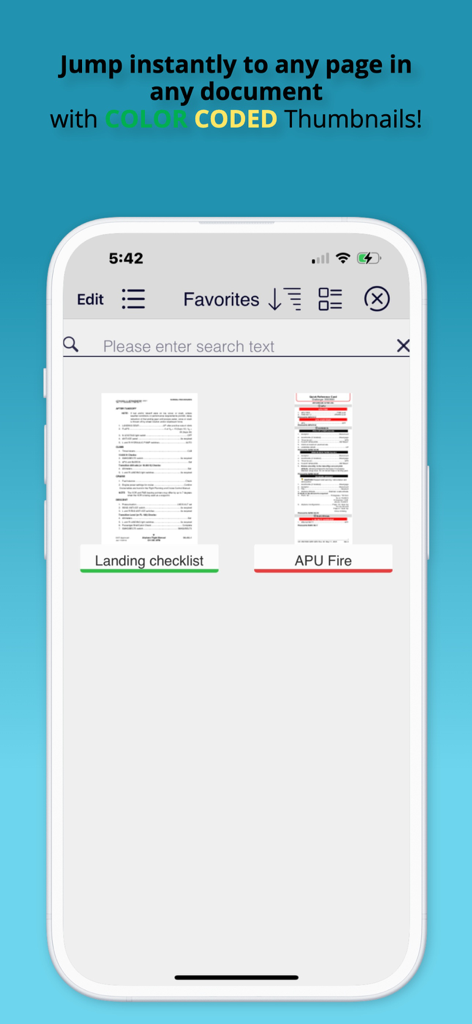
색상 코드로 구분된 문서 썸네일이 있는 Bombardier Flight Deck 3 앱 즐겨찾기 화면

색상 코드로 구분된 문서 썸네일이 있는 Bombardier Flight Deck 3 앱 즐겨찾기 화면

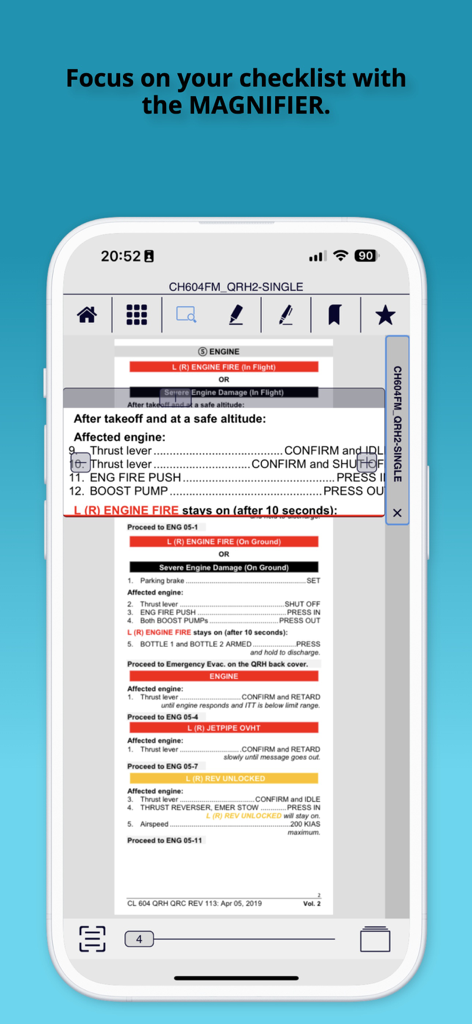
Bombardier Flight Deck 앱에서 조종사를 위한 비행 체크리스트를 강조 표시하는 디지털 돋보기 도구를 보여줌

Bombardier Flight Deck 앱에서 조종사를 위한 비행 체크리스트를 강조 표시하는 디지털 돋보기 도구를 보여줌

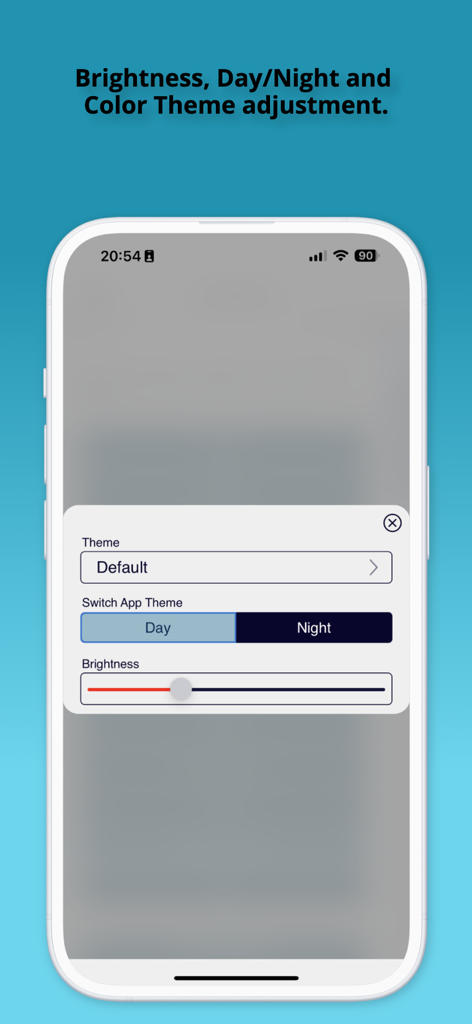
Bombardier Flight Deck 3 앱의 테마 및 밝기 조정 설정 화면으로 주간 및 야간 모드 옵션 표시.

Bombardier Flight Deck 3 앱의 테마 및 밝기 조정 설정 화면으로 주간 및 야간 모드 옵션 표시.

비행 운영 능력 향상

이 앱을 돋보이게 하는 도구, 21K+ 명의 사용자가 선택.

🔄

자동 개정 업데이트

비행 매뉴얼 및 임시 개정(TR)의 자동 동기화를 통해 수동 서류 작업을 없애고 최신 규제 요구 사항에 따라 항상 비행하도록 보장합니다.

✈️

필수 오프라인 액세스

Wi-Fi 없이도 항공기별 전체 라이브러리에 즉시 액세스하세요. 무거운 비행 케이스 대신 iPad 및 iPhone에 최적화된 검색 가능한 디지털 매뉴얼을 사용하세요.

🖋️

정밀 문서 관리

색상 코드로 구분된 태그 및 즐겨찾기를 사용하여 워크플로를 최적화하세요. 신속한 보고 및 원활한 규정 준수 감사 추적을 위해 잉크, 메모 또는 서명을 사용하여 기술 데이터를 주석 처리하세요.

앱 소개

에 대해 알아야 할 모든 것 Bombardier Flight Deck 3.

설명

To enroll in using the Flight Deck app please contact: Bombardier Technical Publications by email bbad.pubs.dist@aero.bombardier.com or phone 1-866-538-1247 or 1-514-855-2999. Bombardier is pleased to announce that the new version 3 of its very popular Bombardier Flight Deck app is now available. It is a complete refactoring of the app, with many new and exciting capabilities. The new version allows you to: - Organize your documents for rapid access using tags, color-codes and favorites - Swipe to the left any document title to tag it, color-code it or mark it as a favorite - Visually search for documents with the new automatic thumbnail feature - Select files easily on smaller devices with large icon view - Annotate your documents with ink, highlighter, text, notes, photos or add a signature in one touch - Select your favorite day and night time theme - Support GDPR privacy legislation - Read PDF files easily and intuitively with one touch full-screen mode and thumbnail page view - Display Supporting Documents - Runs on iPhone Note to flight crews: 1. When you first install this application you MUST press the SYNC icon, which will resync all of your existing files to support the new file formats in this version. Make sure you allow yourself some time for this. 2. After syncing, pilots MUST take the time to read the Version 3.0 Pilot Training publication included on their account when using this version as an EFB as several of the icons have changed location. If you do not have this publication assigned to your device, contact flightdeckapp@aero.bombardier.com. 3. When clicking hyperlinks in a document, note that the hyperlink button has been moved to the navigation pane. 4. Check with your local authority for regulatory compliance of the new Bombardier Flight Deck app version 3 before deleting the previous version 2. ------------------------- Bringing Paperless¹ Efficiency to Pilots No more carrying pounds of aircraft manuals and documents on-board. No more waiting for Temporary Revision (TR) updates. With the Bombardier Flight Deck* application, Bombardier* aircraft pilots can enjoy the benefits of going paperless¹ by being able to store and access manual data and other documentation instantly from their iPad® - without Wi-Fi. No other solution combines automatic TR updates, user control of content and aircraft serial number-specific information into one application. Bombardier Flight Deck* also includes all required FAA, EASA and TC compliant audit trails for paperless¹ operations. All documents. All accessible. All in one Place. Fast and easy, you can drag and drop electronic versions of aircraft documents, manuals and forms into online folders. Pilots simply enter a license code, then push a sync button on the iPad® and the updated documents are automatically downloaded and cataloged. In less time than it takes to send a fax, pilots can sign documents, add text and email it to the fleet manager. Automatic Revision Updates No more manually inserting revisions or Temporary Revisions (TRs) into Bombardier’s flight manuals. These are automatically inserted into the correct sections and distributed across every iPad® in the operator’s fleet by Bombardier Technical Publications. Valuable time is saved and pilots are always ready to fly in accordance with the latest regulatory requirements. ¹ Paperless refers to the process identified in the relevant airworthiness requirement pertaining to paperless cockpits, including but not limited to FAA-AC-91-78. Use of the Bombardier Flight Deck* application does not relieve operator and its flight crew of their responsibility to comply with the applicable airworthiness authority approved documents.

최신 버전

3.1.14

크기

122.6 MB

출시일

2019년 8월 19일

조종실 효율성을 높일 준비가 되셨나요?

오늘날 수천 명의 Bombardier 조종사와 함께하세요. 업계를 선도하는 EFB를 다운로드하여 조종실 운영을 간소화하고, 매뉴얼 개정을 자동화하며, 규정 준수를 완벽하게 보장하세요.

다운로드: App Store

App information, icons, screenshots, and descriptions displayed on this page are sourced from the Apple App Store and are the property of their respective developers. Download estimates and rankings are based on MWM's proprietary models and may not reflect actual figures. This page is provided for informational and analytical purposes only.

Believe this page infringes your intellectual property? File a dispute