Cardiograph Heart Rate Monitor

Cardiograph Heart Rate Monitor


다운로드: App Store
로고: Cardiograph Heart Rate Monitor

심박수 측정기 카디오그래프: 언제 어디서나 즉각적인 맥박 추적

스마트폰 카메라만으로 단 몇 초 만에 심장 건강을 확인하세요. 고가의 웨어러블 기기 없이도 맥박을 측정하고, 이력을 저장하며, 읽기 쉬운 건강 그래프로 안심할 수 있습니다.

개발사

ExaMobile S.A.

카테고리

Medical

다운로드

977K+

사용자 평점

4.4/5

총 평가 수

3K+

지원 언어

3

한눈에 보는 활력 지수

이 인터페이스를 사용하는 977K+ 명의 사용자.

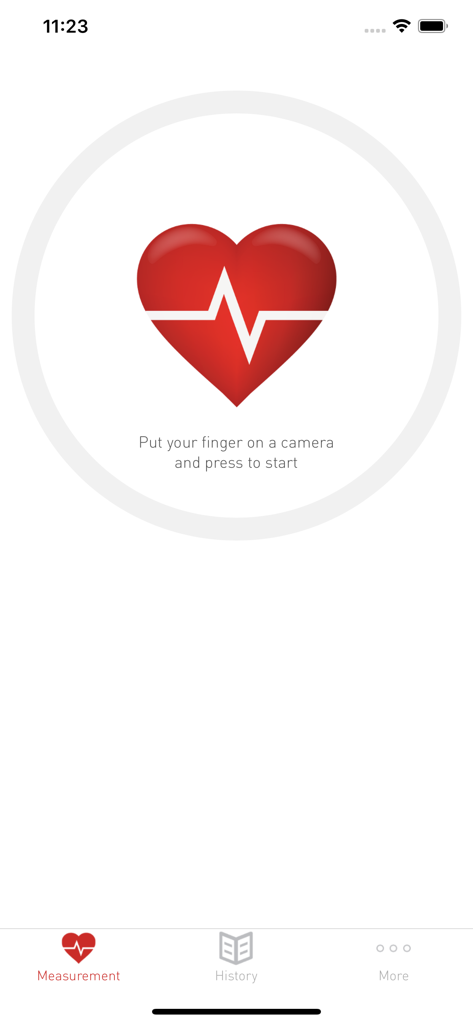
하트 아이콘과 맥박선 안내가 있는 카디오그래프 앱 화면

하트 아이콘과 맥박선 안내가 있는 카디오그래프 앱 화면

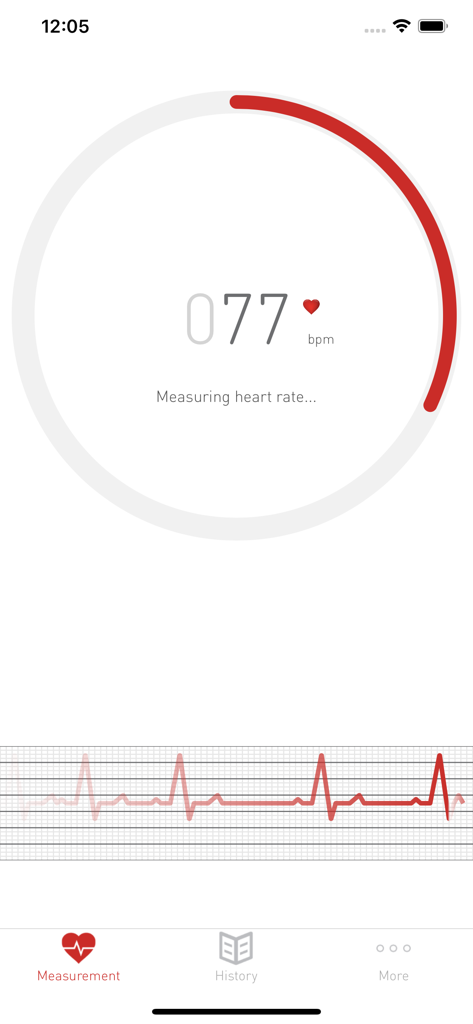
실시간 맥박 그래프와 함께 77 bpm으로 심박수를 측정 중인 카디오그래프 앱 스크린샷

실시간 맥박 그래프와 함께 77 bpm으로 심박수를 측정 중인 카디오그래프 앱 스크린샷

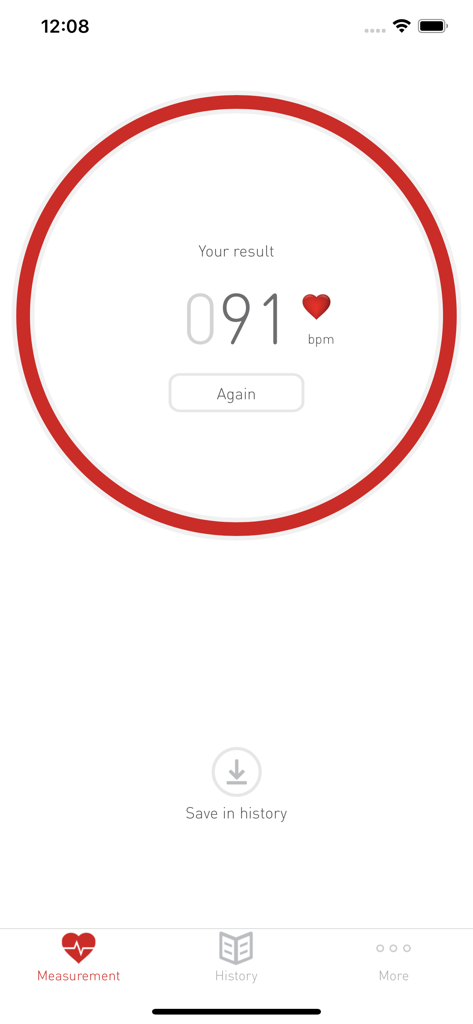
빨간색 원 안에 91 bpm의 심박수 결과가 표시된 카디오그래프 앱 인터페이스

빨간색 원 안에 91 bpm의 심박수 결과가 표시된 카디오그래프 앱 인터페이스

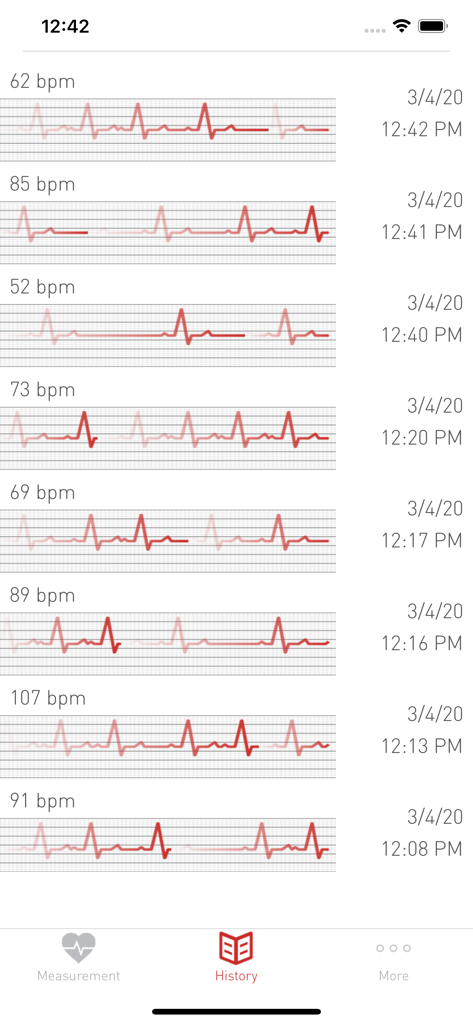
BPM 수치와 파형 그래프가 포함된 심박수 측정 기록을 보여주는 카디오그래프 앱의 히스토리 화면

BPM 수치와 파형 그래프가 포함된 심박수 측정 기록을 보여주는 카디오그래프 앱의 히스토리 화면

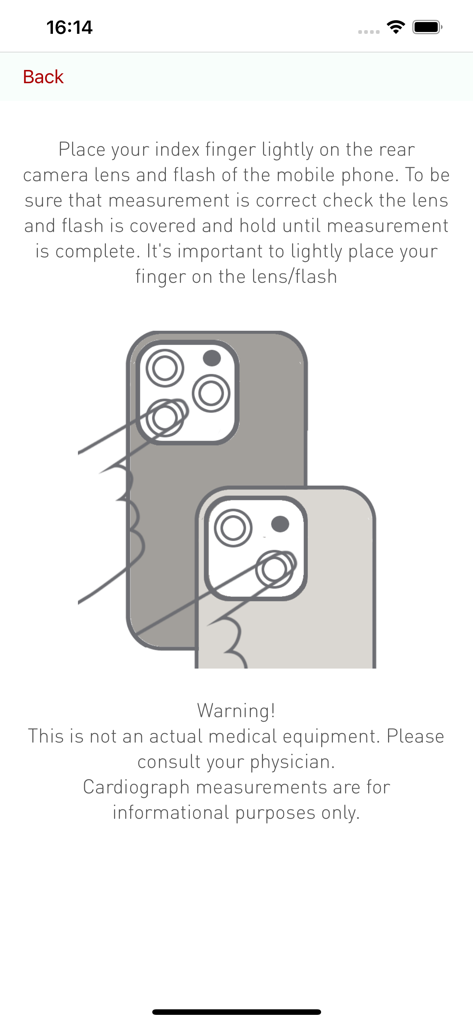
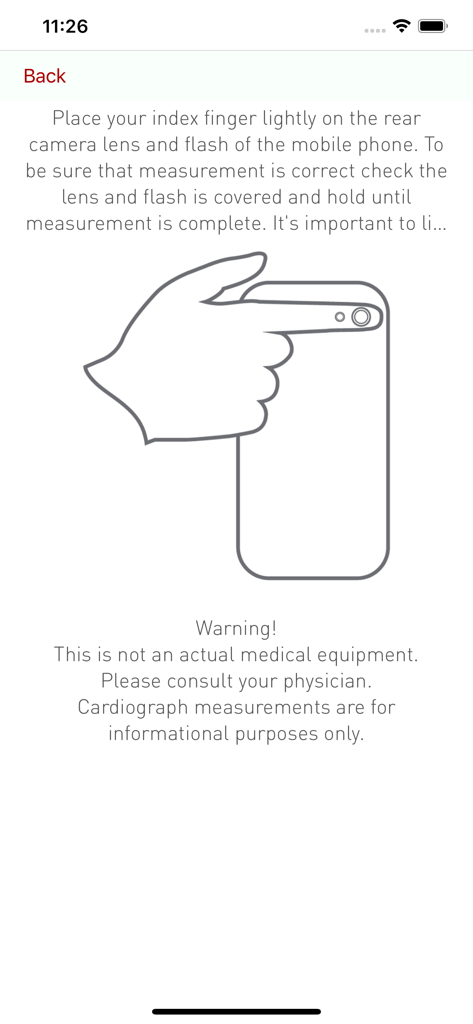
카디오그래프 앱에서 맥박 측정을 위해 카메라 렌즈 위에 손가락을 올리는 방법을 보여주는 시각적 가이드

카디오그래프 앱에서 맥박 측정을 위해 카메라 렌즈 위에 손가락을 올리는 방법을 보여주는 시각적 가이드

심박수 측정을 위해 휴대폰 카메라에 손가락을 대는 방법과 그림이 포함된 모바일 앱 화면 안내

심박수 측정을 위해 휴대폰 카메라에 손가락을 대는 방법과 그림이 포함된 모바일 앱 화면 안내

손끝으로 확인하는 심장 건강

이 앱을 돋보이게 하는 도구, 977K+ 명의 사용자가 선택.

📸

웨어러블 기기 불필요

스마트폰을 강력한 심박수 측정기로 변신시키세요. 언제 어디서나 카메라 렌즈에 손가락을 올리기만 하면 즉시 정확한 측정이 가능합니다.

📈

시간에 따른 추세 추적

상세한 이력과 그래프로 상태를 파악하세요. 결과를 저장하여 건강 패턴을 확인하거나 다음 진료 시 중요한 데이터를 의사와 공유할 수 있습니다.

🧘

스트레스 및 피트니스 관리

산책 후 안정시 심박수를 확인하거나 바쁜 하루 중 스트레스 수치를 모니터링할 때, 단 몇 초 만에 필요한 안도감을 얻으세요.

리뷰 분석

사용자 리뷰 인사이트.

감정 점수

33%
부정적

요약

Overall, user sentiment for this heart rate monitoring app is largely negative, primarily due to inconsistent performance and inaccurate readings. Many users report the app frequently fails to work, gives false readings (e.g., for inanimate objects), or provides numbers wildly different from actual heart rates, especially for higher BPMs or lower ones (<40). A recurring concern is also device compatibility, with reports of issues on various iPhone models (iPhone 6, 8, 9, 12, 12 Pro) and iOS 15, often related to multi-camera setups or inadequate finger-sensing. While a few users found the app easy to use and accurate, the overwhelming majority experienced significant reliability issues, making it unsuitable for consistent or medically relevant monitoring.

주요 테마

General Satisfaction(5)
Reading Accuracy(3)
Ease of Use(3)
Concept/Idea(2)
App Performance(1)
Device Compatibility(1)

앱 소개

에 대해 알아야 할 모든 것 Cardiograph Heart Rate Monitor.

설명

Cardiograph Heart Rate Monitor - is an application that measures the pulse of your heart, whenever you need ! Cardiographs calculates the pulse or heart rate using the built-in smartphone sensors and devices (camera, LED flashlight, etc.). You can save your results to check history of pulse results and view graphs of your measurements Heart Rate Monitor. The clear and intuitive interface, how to use: - lightly put your finger on the rear camera lens and on the flashlight, - hold your fingerprint until measurement is complete, - do not touch too hard - blood circulation (pulse) can be changed and affect the results - using a smartphone or tablet without an LED flashlight, make measurements in a well lit area - during the measurement, stay calm, try don't move and don't talk, because it may interfere with measurement accuracy. Pulse measurement is useful during exercise, when you are stressed or if you suffer to heart diseases or it may satisfy your curiosity. Check how fast your heart beat and stay healthy !!! Warning ! This is not professional medical equipment. Value of the application measurements are estimated; if you have any doubts, you should consult with a specialist doctor or your personal physician, who can perform a professional medical examination.

최신 버전

1.8

크기

9.0 MB

출시일

2015년 11월 20일

지금 바로 심장 건강 관리를 시작하세요

고가의 웨어러블 기기 없이 즉석에서 맥박을 모니터링하는 약 백만 명의 사용자와 함께하세요. 카디오그래프를 다운로드하고 더 건강한 삶을 위한 여정을 시작하세요.

다운로드: App Store

App information, icons, screenshots, and descriptions displayed on this page are sourced from the Apple App Store and are the property of their respective developers. Download estimates and rankings are based on MWM's proprietary models and may not reflect actual figures. This page is provided for informational and analytical purposes only.

Believe this page infringes your intellectual property? File a dispute