CertiEye


개발사
카테고리
Lifestyle다운로드
472K+사용자 평점
총 평가 수
400지원 언어
10이 인터페이스를 사용하는 472K+ 명의 사용자.
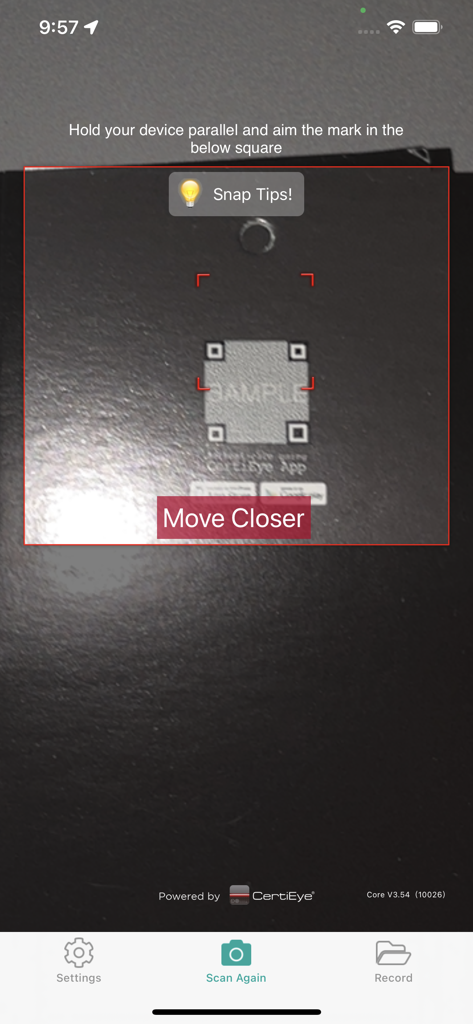
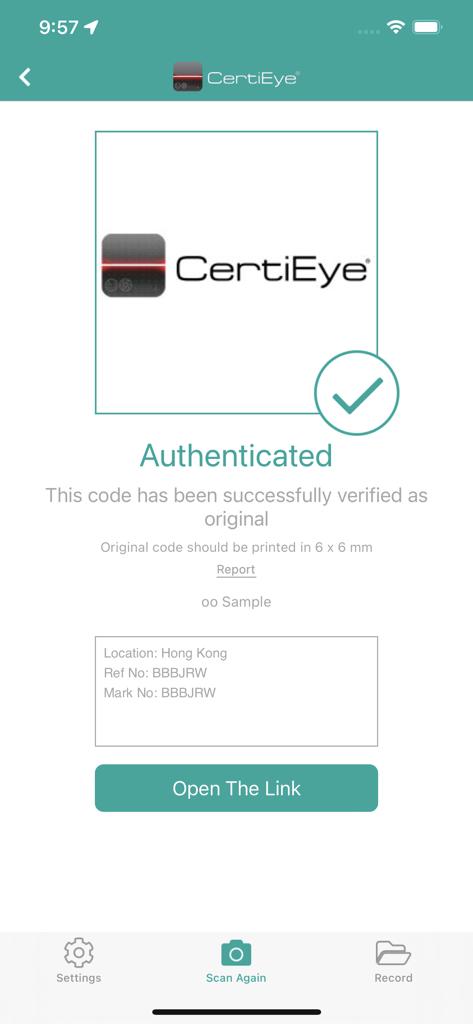
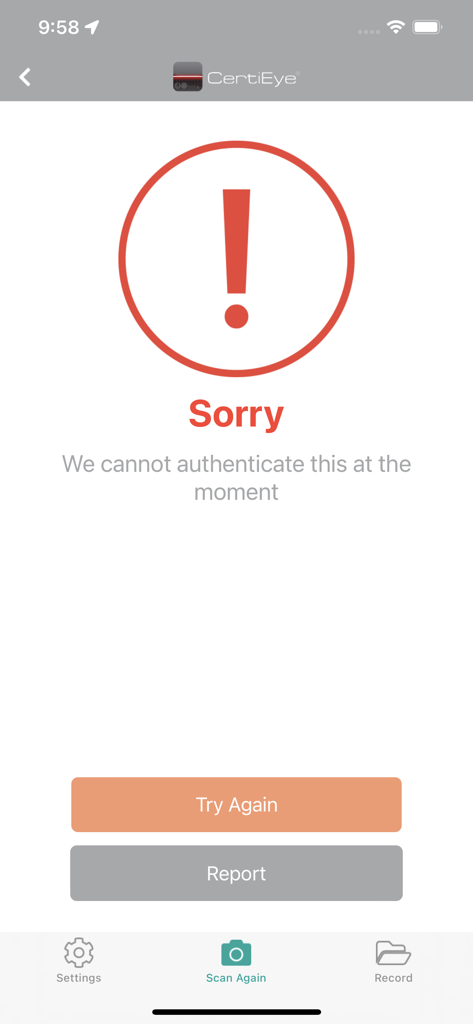
이 앱을 돋보이게 하는 도구, 472K+ 명의 사용자가 선택.
몇 초 안에 진위 여부를 확인하기 위해 Certi-mark를 스냅하세요. 명품과 건강 제품이 진짜임을 알면서 완벽한 평온을 얻으세요.
브랜드 소유자가 직접 선별한 숨겨진 바우처, 프리미엄 제품 동영상 및 특별 혜택에 액세스하려면 스캔하세요.
모든 스캔의 영구 기록을 유지하세요. 스냅 기록을 디지털 영수증으로 사용하여 고급 중고 시장에서 진위 여부를 증명하세요.
사용자 리뷰 인사이트.
감정 점수
요약
The app receives largely negative feedback, primarily due to widespread issues with its core scanner functionality, often described as slow, unresponsive, or failing to recognize items. Many users report significant app instability, including frequent crashes, auto-closing, and prolonged loading times, particularly affecting various iPhone models such as the iPhone 12 Pro, 13, 15, and 15 Plus. A recurring concern is that recent updates have introduced new bugs, rendering the app unusable for many, with specific complaints from iPhone 13 users experiencing force closes and iPhone 12 Pro (iOS 17.4.1) users reporting the app not working post-update. While some users found the newest version working well on iPhone 14 Pro Max, many express frustration over the app's verification reliability, with some reporting genuine items being flagged as fake and a perceived lack of official authorization for its verification process.
주요 테마
에 대해 알아야 할 모든 것 CertiEye.
설명
최신 버전
6.40
크기
78.5 MB
출시일
2012년 11월 23일
가짜 상품에 타협하지 않는 470,000명 이상의 사용자와 함께하세요. 오늘 CertiEye를 다운로드하여 자신만의 보안 전문가가 되고 모든 구매가 100% 정품임을 보장하세요.
에 대해 알아야 할 모든 것 CertiEye
CertiEye는 즉각적인 제품 인증 및 정보 검색을 위한 모바일 보안 애플리케이션입니다. 사용자는 스마트폰으로 제품 정품 여부를 확인하고 이미지를 스캔하여 세부 정보, 혜택 또는 바우처에 직접 액세스할 수 있습니다.
CertiEye는 "Authentication Snap" 기능을 사용하여 제품을 인증합니다. 사용자는 Certi-mark에 스마트폰 카메라를 겨누고 화면에 표시된 네 지점을 정렬하기만 하면 됩니다. 그러면 앱에서 몇 초 안에 인증 결과를 제공합니다.
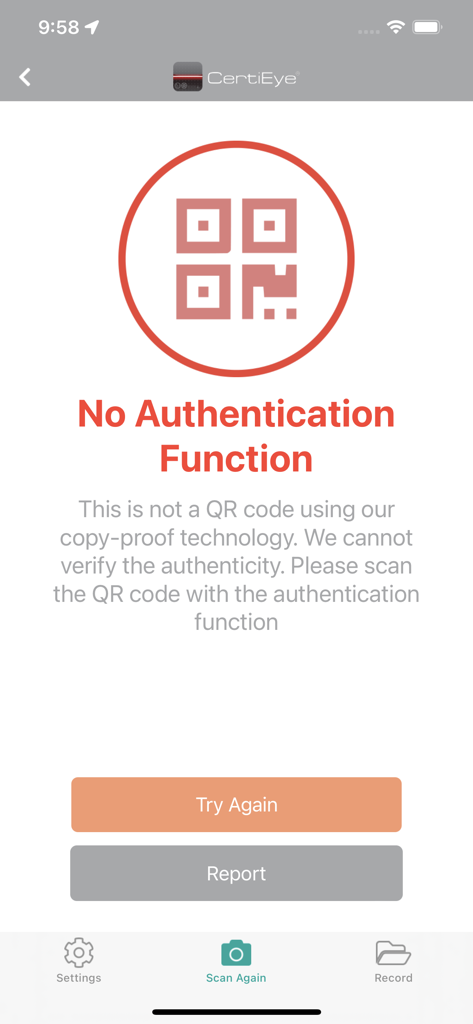
아니요, CertiEye의 복사 방지 기술은 일반 QR 코드를 인증하지 않습니다. "Super QR" 코드는 제품 정보를 스캔할 수 있지만, CertiEye 자체는 인증 목적으로 독점 Certi-mark 코드를 인증하는 데 사용됩니다.
CertiEye의 "Information Scan" 기능은 이미지에서 텍스트, 사진 또는 비디오 형식으로 제공될 수 있는 자세한 제품 정보, 독점 혜택 또는 바우처를 포함한 내장 데이터를 검색합니다.
예, CertiEye는 모든 스캔 기록을 유지합니다. 사용자는 'History'를 선택하여 "Snap History"에 액세스하여 스캔된 모든 항목의 모든 과거 인증 결과 및 세부 정보를 검토할 수 있습니다.
CertiEye는 여러 언어를 지원하므로 사용자는 'Setting' 메뉴에서 원하는 언어를 선택할 수 있습니다. 지원되는 언어는 영어, 중국어 번체, 중국어 간체 및 이탈리아어입니다.
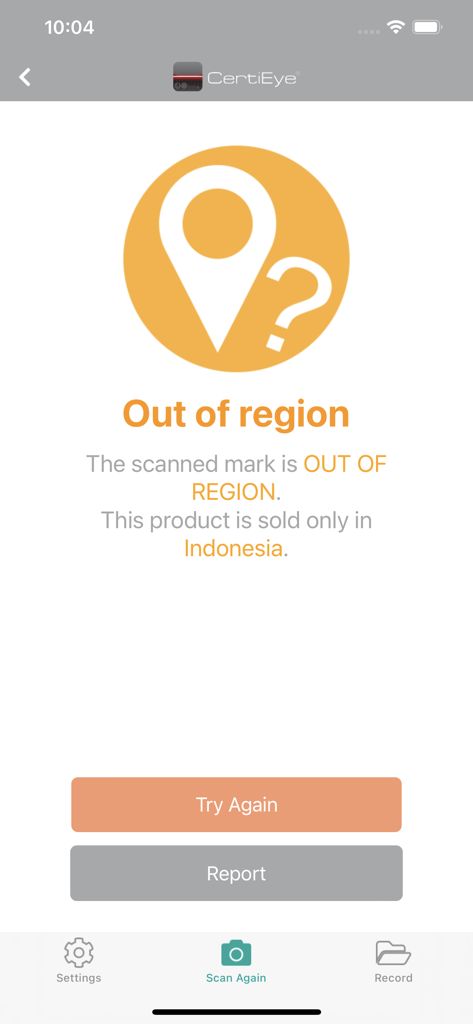
CertiEye는 스캔된 마크가 특정 지역 판매로 제한된 제품을 나타낼 때 "Out of region" 오류를 표시합니다. 이는 제품이 지정된 지역에서만 판매되도록 의도되었음을 의미합니다.
성공적인 인증 후 CertiEye는 사용자가 더 자세한 제품 정보에 액세스할 수 있도록 합니다. 인증 결과 페이지에서 'More Product Info'를 클릭하면 사용자는 텍스트, 사진 또는 비디오를 포함한 포괄적인 정보를 볼 수 있습니다.
예, CertiEye는 다양한 브랜드 소유자의 혜택 및 바우처를 포함한 보상 정보를 제공합니다. 사용자는 앱의 설정 페이지를 통해 이러한 업데이트 구독을 쉽게 관리할 수 있습니다.
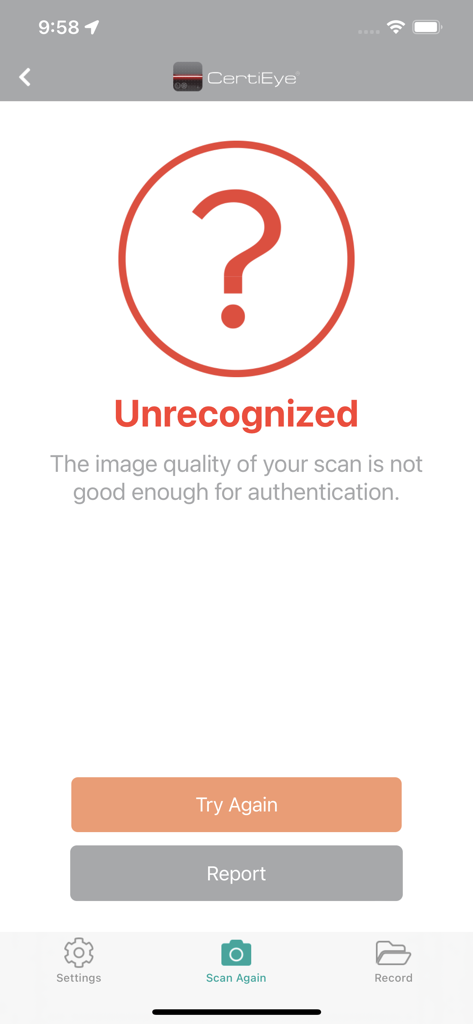
CertiEye가 제품을 인증하지 못하면 이미지 품질 불량, "No Authentication Function" 또는 "Out of region"으로 인해 "Sorry We cannot authenticate this" 또는 "Unrecognized"와 같은 오류 메시지가 표시될 수 있습니다.
유사한 기능과 사용자 경험을 가진 앱

TSENTR RAZVITIYA PERSPEKTIVNYKH TEKHNOLOGI, OOO

Servico Federal de Processamento de Dados (SERPRO)
LEGIT APP LIMITED

CheckCheck LLC
Inverid B.V.

Meltem Arslan
Shenzhen Fenqi Zhongyue Culture Media Co.,Ltd.

Enovate Consulting, Inc
ICHECK JOINT STOCK COMPANY
App information, icons, screenshots, and descriptions displayed on this page are sourced from the Apple App Store and are the property of their respective developers. Download estimates and rankings are based on MWM's proprietary models and may not reflect actual figures. This page is provided for informational and analytical purposes only.
Believe this page infringes your intellectual property? File a dispute