Chordi

Chordi

다운로드: App Store
로고: Chordi

Chordi: 복잡한 화음을 마스터하고 음악적 창의력을 발휘하세요

작곡가와 프로듀서를 위한 영구 무료, 구독 없는 코드 도우미. 장벽 없이 음악 이론을 탐색하고, 녹음 버튼의 부담 없이 아이디어를 포착하며, 영감과 DAW 사이의 격차를 해소하세요.

개발사

Krzysztof Sadowski

카테고리

Music

다운로드

2K+

사용자 평점

4.9/5

총 평가 수

0

지원 언어

1

당신의 창의적인 캔버스

이 인터페이스를 사용하는 2K+ 명의 사용자.

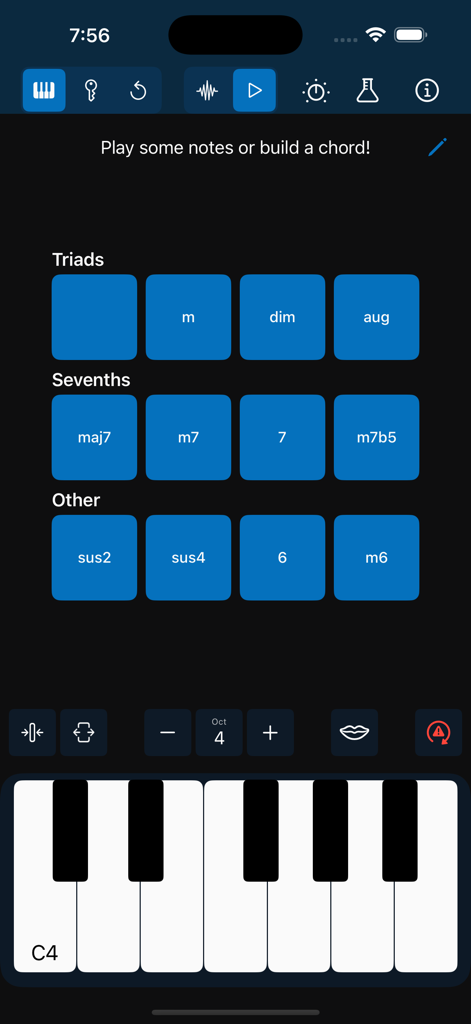
Chordi 앱 인터페이스에 디지털 피아노 건반 위에 삼화음 및 7화음 버튼이 표시됨

Chordi 앱 인터페이스에 디지털 피아노 건반 위에 삼화음 및 7화음 버튼이 표시됨

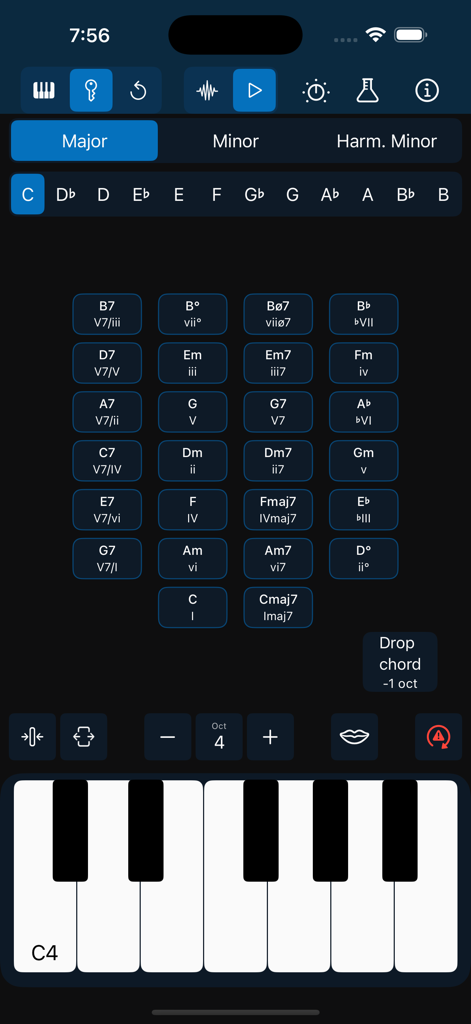
Chordi 앱 인터페이스에 어두운 모드의 음악 코드와 피아노 건반 그리드가 표시됨.

Chordi 앱 인터페이스에 어두운 모드의 음악 코드와 피아노 건반 그리드가 표시됨.

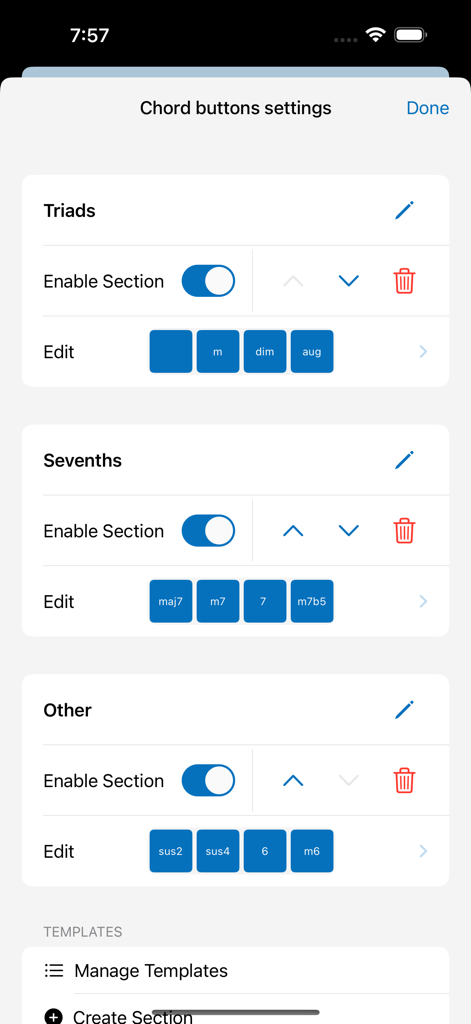
Chordi 앱에서 삼화음 및 7화음을 포함한 코드 버튼 사용자 지정을 위한 설정 화면

Chordi 앱에서 삼화음 및 7화음을 포함한 코드 버튼 사용자 지정을 위한 설정 화면

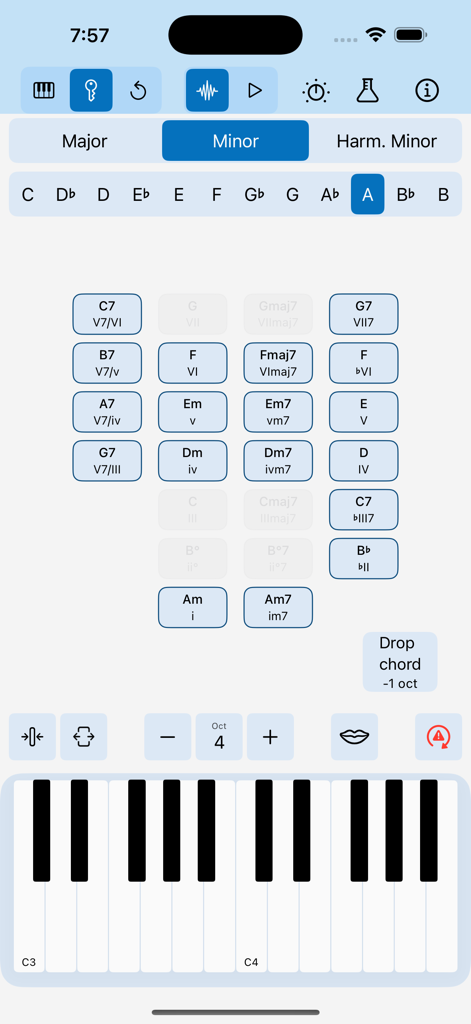
Chordi 앱 인터페이스에 A 단조의 제안 코드 그리드와 피아노 건반이 표시된 키 모드 기능이 표시됨

Chordi 앱 인터페이스에 A 단조의 제안 코드 그리드와 피아노 건반이 표시된 키 모드 기능이 표시됨

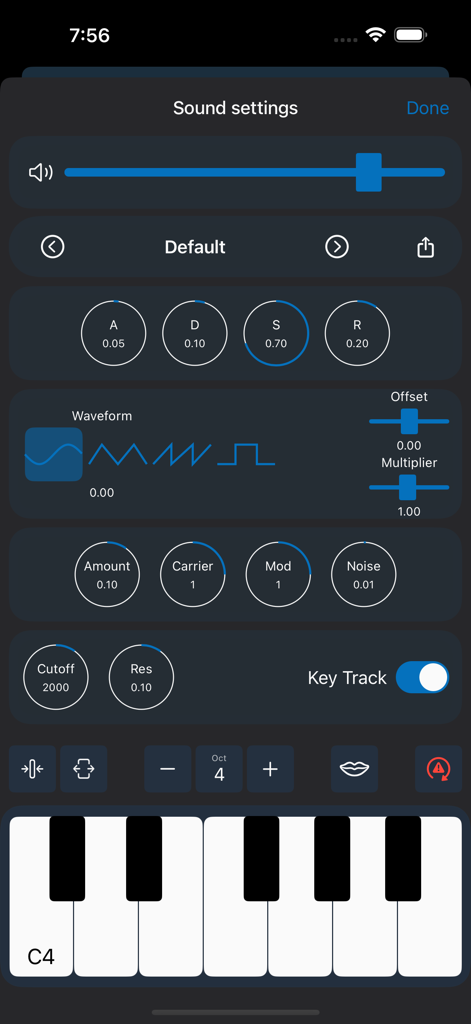
Chordi 앱 사운드 설정 인터페이스에 ADSR 엔벨로프 및 파형 선택 기능이 있는 내장 신디사이저 컨트롤이 표시됨

Chordi 앱 사운드 설정 인터페이스에 ADSR 엔벨로프 및 파형 선택 기능이 있는 내장 신디사이저 컨트롤이 표시됨

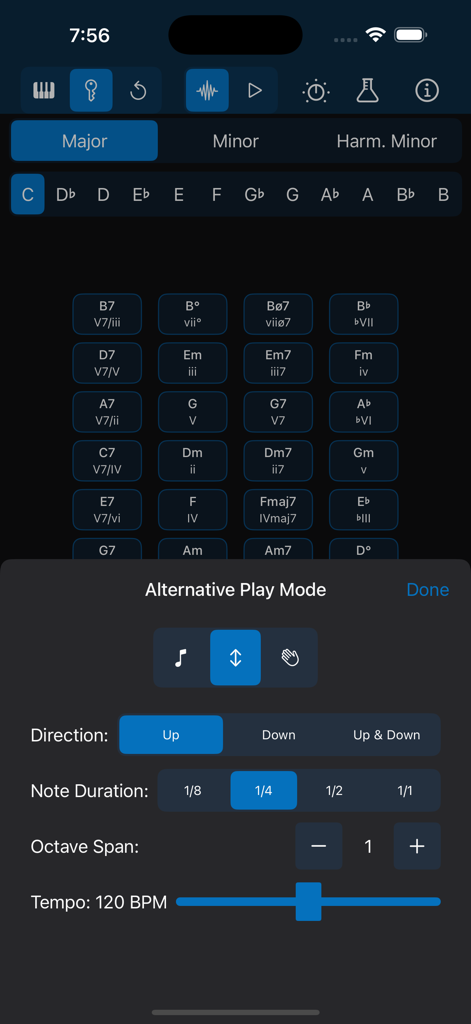
Chordi 앱 인터페이스에 노트 방향, 지속 시간 및 템포를 위한 아르페지에이터 설정이 표시됨.

Chordi 앱 인터페이스에 노트 방향, 지속 시간 및 템포를 위한 아르페지에이터 설정이 표시됨.

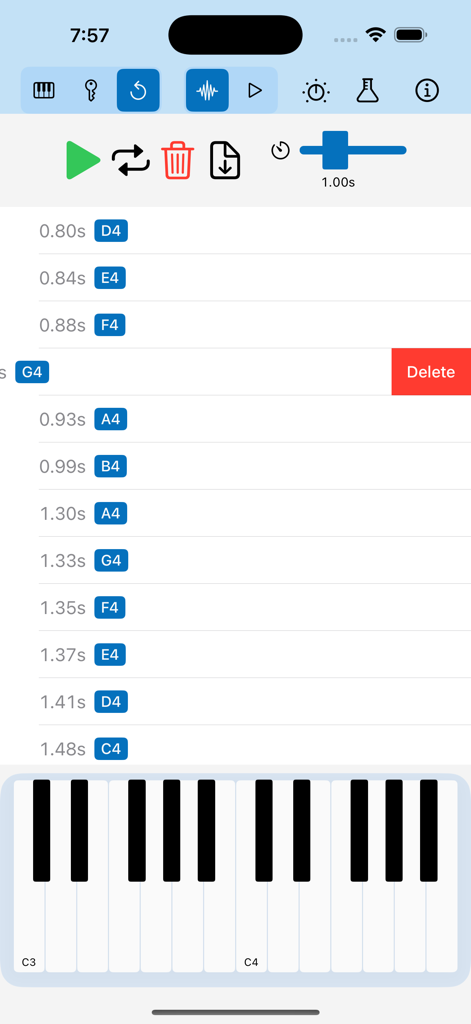
Chordi 앱의 녹음된 음표를 편집하기 위한 모바일 인터페이스로, 타임스탬프와 피아노 건반이 있는 노트 목록이 표시됨

Chordi 앱의 녹음된 음표를 편집하기 위한 모바일 인터페이스로, 타임스탬프와 피아노 건반이 있는 노트 목록이 표시됨

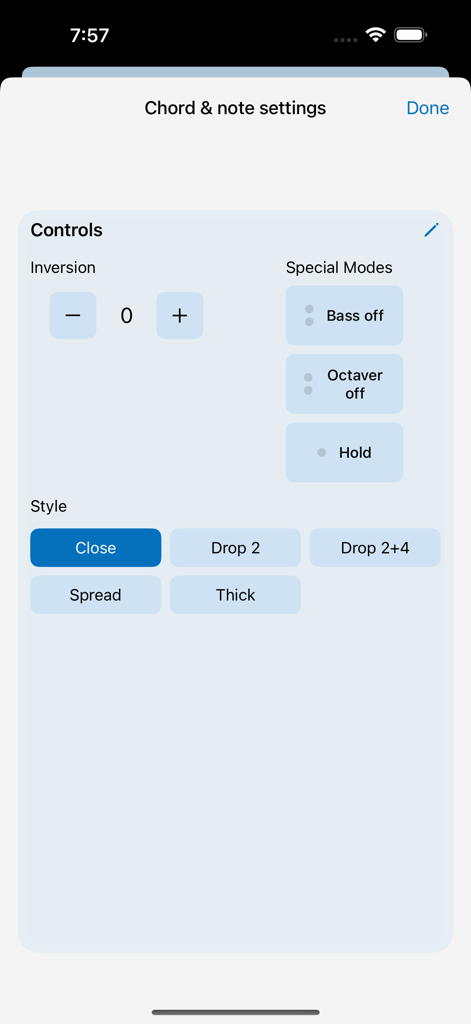
Chordi 앱의 코드 및 노트 설정 화면으로, 전위 컨트롤과 보이싱 스타일이 표시됨

Chordi 앱의 코드 및 노트 설정 화면으로, 전위 컨트롤과 보이싱 스타일이 표시됨

전문가처럼 작곡하고 자연스럽게 연주하세요

이 앱을 돋보이게 하는 도구, 2K+ 명의 사용자가 선택.

🎹

간단한 프로 하모니

피아노 훈련 몇 년 없이도 키 모드를 사용하여 복잡한 코드와 모달 인터체인지를 탐색하세요. 키를 선택하고 안내를 따르기만 하면 됩니다.

스트레스 없는 아이디어 포착

'빨간 버튼' 불안감은 잊으세요. 리플레이 모드는 연주하는 모든 것을 자동으로 저장하여 나중에 최고의 아이디어를 다시 방문하고, 개선하고, 루프할 수 있도록 합니다.

🔌

원활한 제작 워크플로우

구독도, 장벽도 없습니다. USB MIDI를 통해 좋아하는 DAW에 연결하거나 세션을 MIDI 파일로 내보내 GarageBand에서 트랙을 완성하세요.

앱 소개

에 대해 알아야 할 모든 것 Chordi.

설명

Why I created Chordi? As a bass and ukulele player, I always found the piano the easiest way to explore theory—if only I could actually play it! But every tool I tried felt too complex and fiddly, getting in the way of creativity. So, my inner nerd took over, and Chordi was born—an app that makes music exploration easier, no matter your skill level. Whether you’re a beginner or a seasoned musician, Chordi helps you unlock new ideas, spark your creativity, and build music effortlessly. I believe music and education should be accessible to everyone. That’s why Chordi is FREE FOREVER—no subscriptions, no locked features. Just a tool to help you explore and create music without barriers. What to expect? Supported Devices (iPadOS/iOS) - Optimized for iPad in landscape orientation - iPhone Support (for those who dare to create music on-the-go, even in portrait mode!) - Light & Dark Mode Just Play! Tap notes on the keyboard or create full chords effortlessly. - Press and hold chord quality buttons (like maj7 or m) before selecting a root note. - Choose different chord inversions and voicings. - Add bass notes or octaves up/down with the Octaver and Bass buttons. - Experiment with Hold mode to layer melodies over chords. Creative Modes Take your creativity even further with these powerful modes: - Free Mode – Play freely—just tap notes or build chords without any restrictions. - Key Mode – Select a scale and key, and let Chordi guide you through fitting chords. From triads and sevenths to secondary dominants and modal interchange, you’ll always have the right options at your fingertips. Chordi even suggests what to play next based on chord progression rules. - Replay Mode – A creative alternative to traditional loopers—perfect for those who find the red record button intimidating. Any notes played in Free Mode or Key Mode are automatically stored. Enter Replay Mode to revisit your ideas, delete individual events, add a gap at the end for a smooth loop, or export your session as a MIDI file. Capture inspiration without pressure and refine your ideas with ease. Beware, leaving that mode starts recording again. Rhythm Modes Explore chord rhythms and experiment with musical textures in these modes: - Normal Mode – Play single notes or full chords with available modifiers. - Arpeggiator Mode – Transform chords into arpeggios. (Experimental) - Strummer Mode – Strum your chords like a guitar or harp. (Experimental) Customize - Fine-tune sections of the app to fit your needs. Reorder, resize, and modify elements to create your perfect workspace. MIDI Integration Plug in your MIDI keyboard or connect Chordi to your DAW (USB MIDI input/output supported). Sound Engines Let’s make some noise.Let’s make some noise. - Soundfont Player – Play with handpicked sampled sounds: Rhodes, Wurlitzer, Organ, and Grand Piano. - Synthesizer – Create your own sounds with Chordi’s built-in synth. (Experimental, may have occasional issues) - Sound Settings – Control effects and tweak sound parameters. Note: For the best audio experience, speakers or wired headphones are recommended. Wireless Bluetooth headphones may introduce small latency. In case of emergency… - Panic Button – Instantly stop all sounds, reset the audio engine, and clear any highlights. - Shake device for Help – Always one shake away from guidance. - Need More Support? – Check out the support page, or reach out directly—I’m always happy to help. Privacy policy: https://chordiapp.com/privacy-policy Terms of use: https://www.apple.com/legal/internet-services/itunes/dev/stdeula/

최신 버전

1.2

크기

107.1 MB

출시일

2025년 2월 3일

지금 바로 창의적인 흐름을 잠금 해제하세요

피아노 레슨이나 구독이 필요 없으며, 잠긴 기능도 없습니다. 지금 Chordi를 다운로드하고 머릿속에서 들리는 음악을 무료로 만들어 보세요.

다운로드: App Store

App information, icons, screenshots, and descriptions displayed on this page are sourced from the Apple App Store and are the property of their respective developers. Download estimates and rankings are based on MWM's proprietary models and may not reflect actual figures. This page is provided for informational and analytical purposes only.

Believe this page infringes your intellectual property? File a dispute