CloudBeats: Cloud Music Player

CloudBeats: Cloud Music Player

다운로드: App Store
로고: CloudBeats: Cloud Music Player

CloudBeats: 나만의 개인 음악 스트리밍 클라우드

음악 컬렉션에 대한 제어권을 되찾으세요. 구독료 없이 클라우드 스토리지 또는 NAS에서 직접 고음질 오디오를 스트리밍하거나 라이브러리를 다운로드하여 오프라인으로 감상하세요.

개발사

Roman Burda

카테고리

Music

다운로드

360K+

사용자 평점

4.6/5

총 평가 수

14K+

지원 언어

13

구속되지 않은 나만의 라이브러리

이 인터페이스를 사용하는 360K+ 명의 사용자.

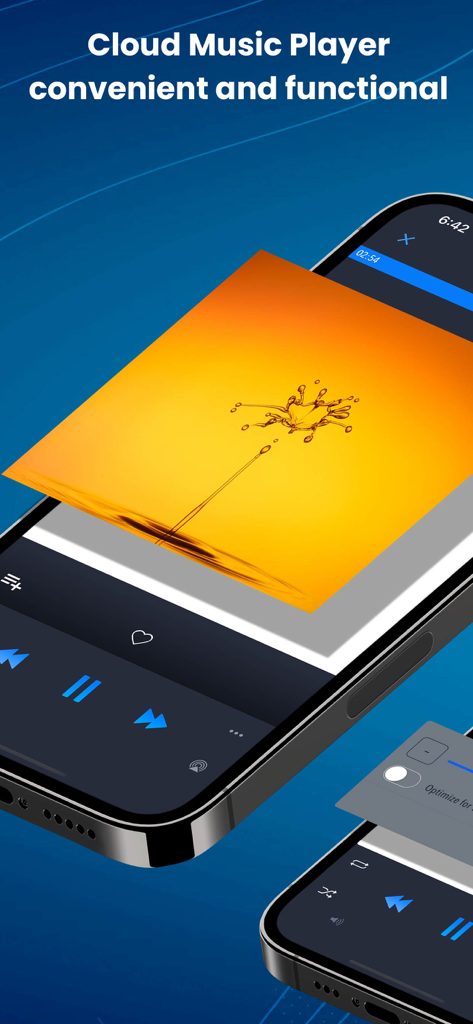
재생 컨트롤과 생생한 앨범 아트를 보여주는 iPhone의 CloudBeats 음악 플레이어 앱 인터페이스

재생 컨트롤과 생생한 앨범 아트를 보여주는 iPhone의 CloudBeats 음악 플레이어 앱 인터페이스

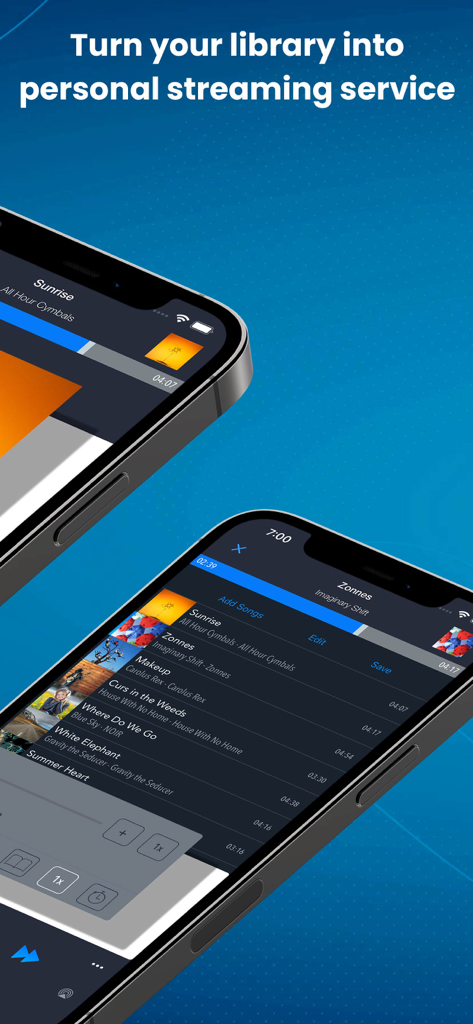
개인 음악 스트리밍을 위한 CloudBeats 앱 인터페이스를 표시하는 두 대의 iPhone

개인 음악 스트리밍을 위한 CloudBeats 앱 인터페이스를 표시하는 두 대의 iPhone

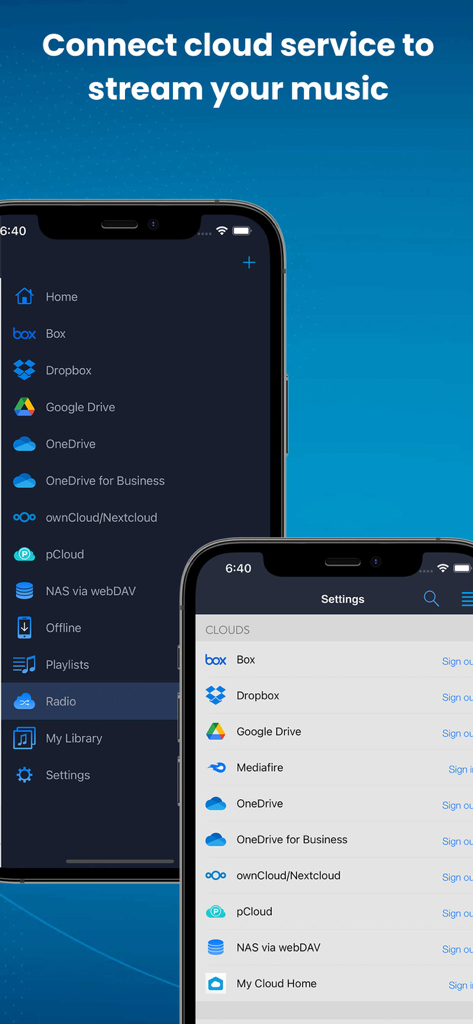
음악 스트리밍을 위해 Google Drive 및 Dropbox와 같은 클라우드 서비스 연결 옵션을 표시하는 CloudBeats 앱 인터페이스

음악 스트리밍을 위해 Google Drive 및 Dropbox와 같은 클라우드 서비스 연결 옵션을 표시하는 CloudBeats 앱 인터페이스

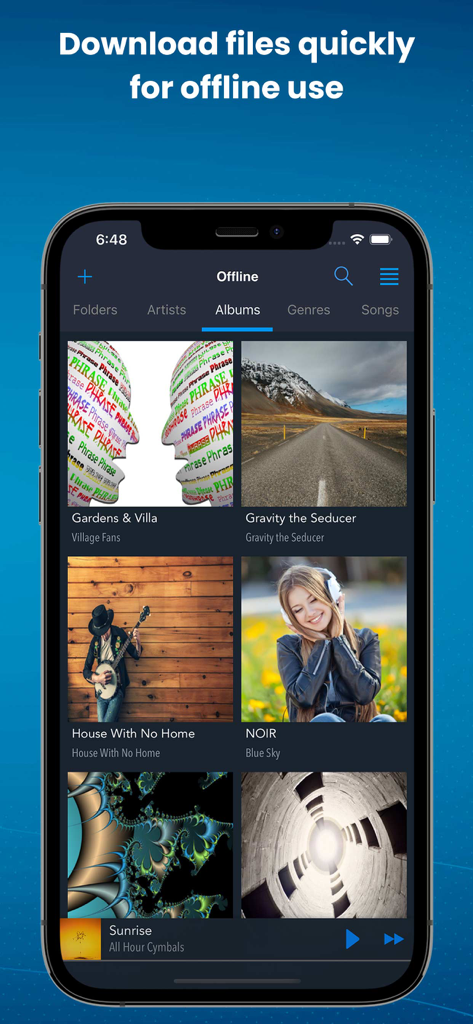
오프라인 재생을 위해 다운로드된 음악 앨범을 보여주는 CloudBeats 앱 인터페이스

오프라인 재생을 위해 다운로드된 음악 앨범을 보여주는 CloudBeats 앱 인터페이스

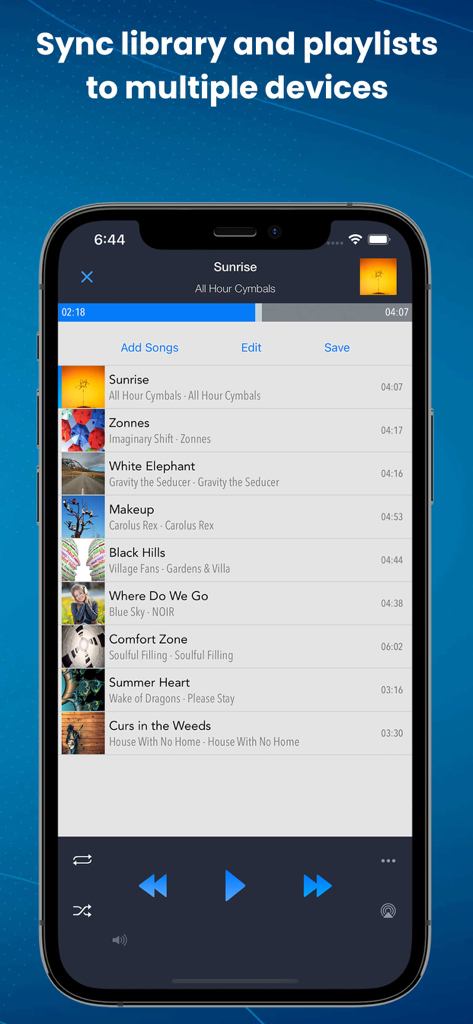
동기화 옵션 및 재생 컨트롤이 있는 음악 재생 목록을 보여주는 CloudBeats 앱

동기화 옵션 및 재생 컨트롤이 있는 음악 재생 목록을 보여주는 CloudBeats 앱

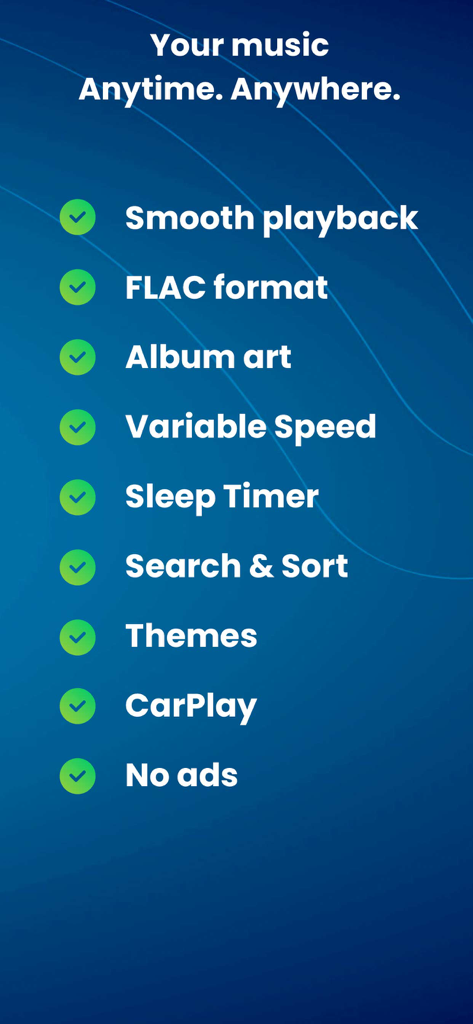
원활한 재생, FLAC 형식 지원, CarPlay 통합 및 가변 속도 제어를 포함한 CloudBeats 기능 목록

원활한 재생, FLAC 형식 지원, CarPlay 통합 및 가변 속도 제어를 포함한 CloudBeats 기능 목록

나만의 비공개 음악 라이브러리 완벽 제어

이 앱을 돋보이게 하는 도구, 360K+ 명의 사용자가 선택.

📡

무제한 클라우드 및 NAS 스트리밍

WebDAV를 통해 Google Drive, Dropbox 또는 홈 NAS에 연결하세요. 비싼 iPhone 저장 공간 업그레이드 비용 없이 전체 컬렉션에 액세스하세요.

🎼

오디오 애호가를 위한 재생 기능

놀라운 디테일로 음악을 경험하세요. 최고의 청취 경험을 위해 무손실 FLAC 및 ALAC 형식과 끊김 없는 재생을 지원합니다.

🚗

이동 중 및 비행 중 사용에 완벽함

앨범을 다운로드하여 오프라인으로 사용하고 원활한 CarPlay 통합을 즐기세요. 출퇴근 중이든 30,000피트 상공에 있든 음악이 함께합니다.

앱 소개

에 대해 알아야 할 모든 것 CloudBeats: Cloud Music Player.

설명

EASIEST WAY TO STREAM & ORGANIZE YOUR MUSIC Take control over your music and enhance your music listening experience with CloudBeats – cloud music player. Whether you need an offline cloud music player listener, or a music cloud player to sync all your music albums and download mp3 songs on multiple devices, CloudBeats is the only app you need. It simply allows you to create your own music streaming service. All you audiophiles and die-hard music fans finally have a simple app that will organize and play your vast music collection the way you want it. Anywhere. Anytime. It’s time to easily upload, store and access your music on the cloud seamlessly with CloudBeats. ► CLOUD MUSIC PLAYER ● Works with the popular cloud services for music streaming: Dropbox, Google Drive, OneDrive, OneDrive for Business, Box, pCloud, HiDrive. Personal clouds that support webDAV, including ownCloud and NextCloud. Network-Attached Servers (NAS) by Synology, QNAP, Western Digital (WD) and others that support webDAV protocol. These integrations make our cloud music internet song player one of the most versatile cloud music song organizers. ● Plays audio files in different formats: Our free local music player offline app allows you to play mp3, m4a, wav and lossless FLAC and ALAC audio. Meaning our music cloud player can play almost any song you have on your iPhone. ● Works online and offline: Want to enjoy cloud music with no wifi? Well our no wifi music cloud player allows you that. Simply swap between offline and cloud tabs. Also supports shuffle mode & CarPlay. ► MUSIC MANAGER & ORGANIZER ◉ Sync music libraries: The cloud music organizer app auto detects all the music on your phone and syncs all your music libraries. All songs are grouped by artist, album, genre. ◉ Create playlists: Want to organize your music and create cloud playlists? Add files and entire folders to playlists, change the order of the tracks in the Playlist section of our free music player. ◉ Organize & download music, audiobooks, podcasts: download and sync any of your music across multiple devices on the cloud with this cloud music organizer. Our intuitive song manager & song organizer will give amazing control and effectively organize your music the way you want it. It also supports audiobooks and podcast file formats so you can listen offline without wifi. ► ALL FEATURES: ・Supports most cloud services, personal clouds and servers. ・Works without internet. Download albums, playlists, folders or files onto the device for playback in offline mode ・Playlist maker. ・Sync your music library with connected network accounts. ・Supports mp3, wav and m4a, lossless FLAC & ALAC ・Advanced buffering technologies to provide smooth gapless playback ・Repeat all, repeat one and shuffle mode. Shuffle the entire library, a single folder, artist or album. ・Sleep timer to automatically stop music when the timer ends ・Playback speed control (tempo) within the 0.5x-3.0x range ・Play offline–no internet or WiFi needed ・Add music to your favorite playlist ・Carplay ・Siri and Shortcuts “Sync Multiple Devices” is an optional service to keep your Playlists and My Library database in sync between multiple devices. It can also be used to backup and restore your music data. CloudBeats account is required for this service. We offer 1-year auto-renewing subscription for $6.99 per year. The price may vary from country to country. If you choose to purchase “Sync Multiple Devices”, payment will be charged to your iTunes account. You will be charged the same price for renewal within 24-hours prior to the end of the current period. Your subscription automatically renews unless auto-renewal is turned off at least 24 hours prior to the end of the current period. Subscriptions may be managed and auto-renewal may be turned off at any time by going to the user’s Account Settings in the App Store after purchase. CloudBeats privacy policy and terms of use: https://www.cloudbeatsapp.com/privacy-policy/

최신 버전

2.55.11

크기

39.1 MB

출시일

2012년 11월 5일

나만의 음악 컬렉션 제어하기

라이브러리 임대를 중단하세요. 진정한 오디오 애호가를 위해 제작된 플레이어로 Google Drive, Dropbox 또는 개인 NAS에서 무손실 파일을 스트리밍하세요.

다운로드: App Store

App information, icons, screenshots, and descriptions displayed on this page are sourced from the Apple App Store and are the property of their respective developers. Download estimates and rankings are based on MWM's proprietary models and may not reflect actual figures. This page is provided for informational and analytical purposes only.

Believe this page infringes your intellectual property? File a dispute