Coach Video Analysis

Coach Video Analysis

다운로드: App Store
로고: Coach Video Analysis

코치 영상 분석: 전문가 수준의 기술 인사이트로 모든 움직임을 마스터하세요

엘리트 코치, 운동선수, 물리치료사를 위해 설계된 나란히 비교, 정밀 마크업, 프레임별 분석으로 기술을 향상시키세요.

개발사

michal bojanowicz

카테고리

Sports

다운로드

3K+

사용자 평점

3.9/5

총 평가 수

0

지원 언어

1

모션의 정밀성

이 인터페이스를 사용하는 3K+ 명의 사용자.

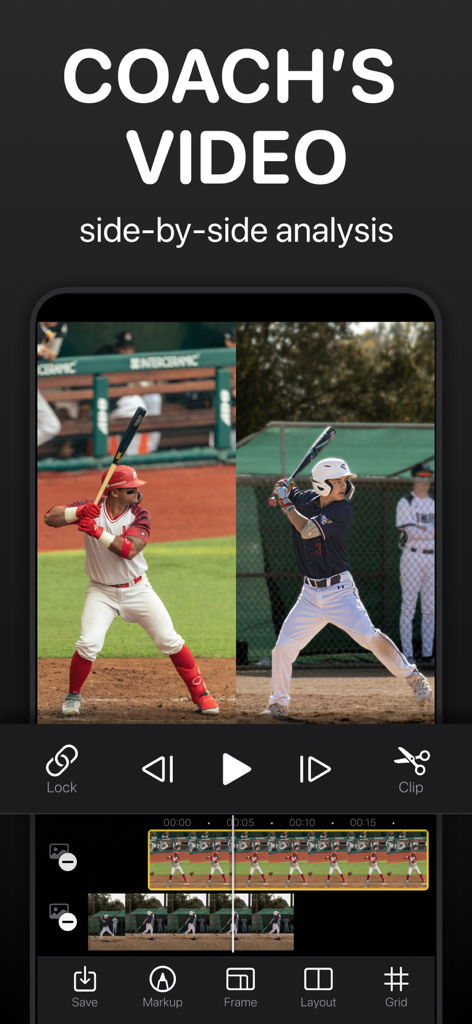
코치 비디오 분석 앱 인터페이스에서 야구 선수들의 나란히 영상 분석

코치 비디오 분석 앱 인터페이스에서 야구 선수들의 나란히 영상 분석

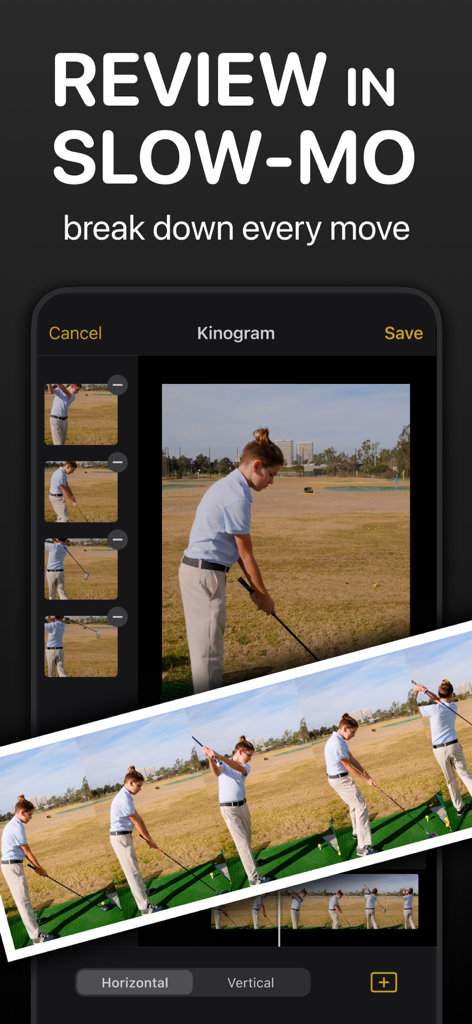
코치 비디오 분석 앱에서 골프 스윙의 슬로우 모션 영상 분석

코치 비디오 분석 앱에서 골프 스윙의 슬로우 모션 영상 분석

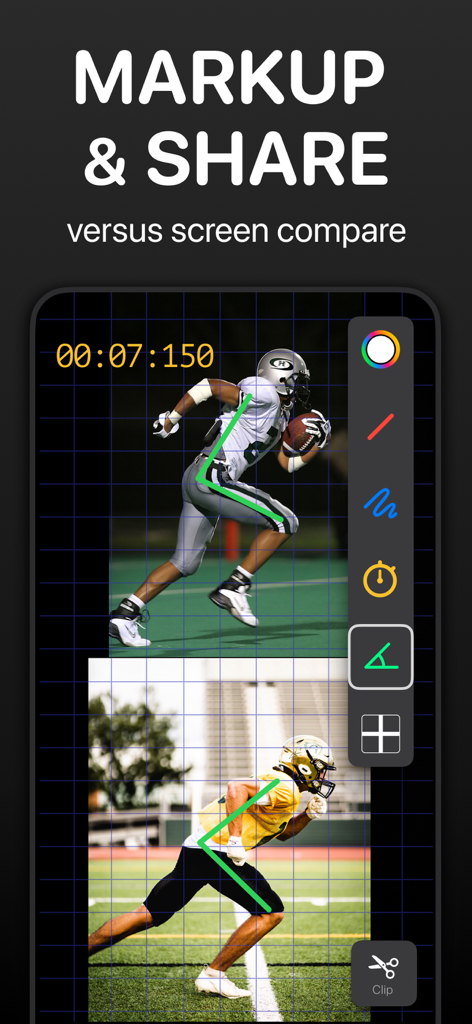
코치 비디오 분석 앱에서 각도 마크업 및 그리드 오버레이가 있는 축구 선수들의 나란히 영상 비교

코치 비디오 분석 앱에서 각도 마크업 및 그리드 오버레이가 있는 축구 선수들의 나란히 영상 비교

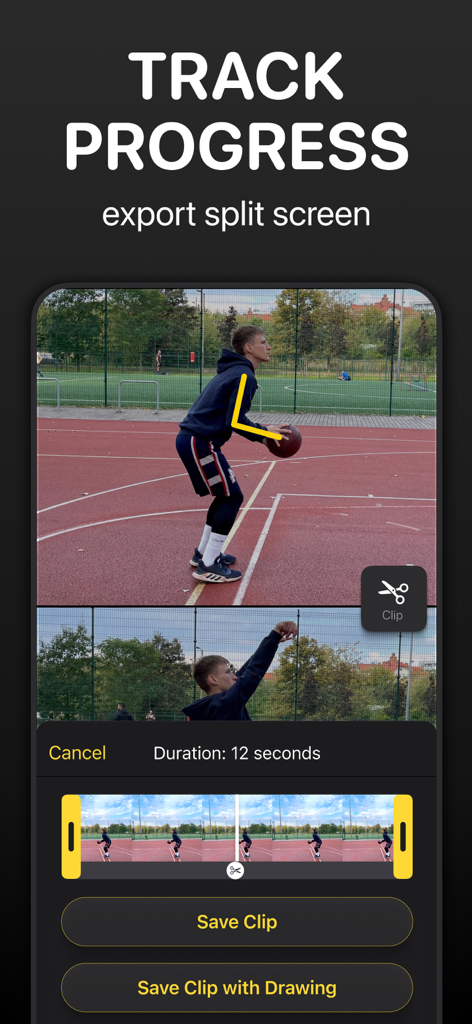
코치 비디오 분석 앱 인터페이스에 각도 그리기 마크업 및 클립 내보내기 옵션이 있는 농구 선수 분할 화면 영상 표시

코치 비디오 분석 앱 인터페이스에 각도 그리기 마크업 및 클립 내보내기 옵션이 있는 농구 선수 분할 화면 영상 표시

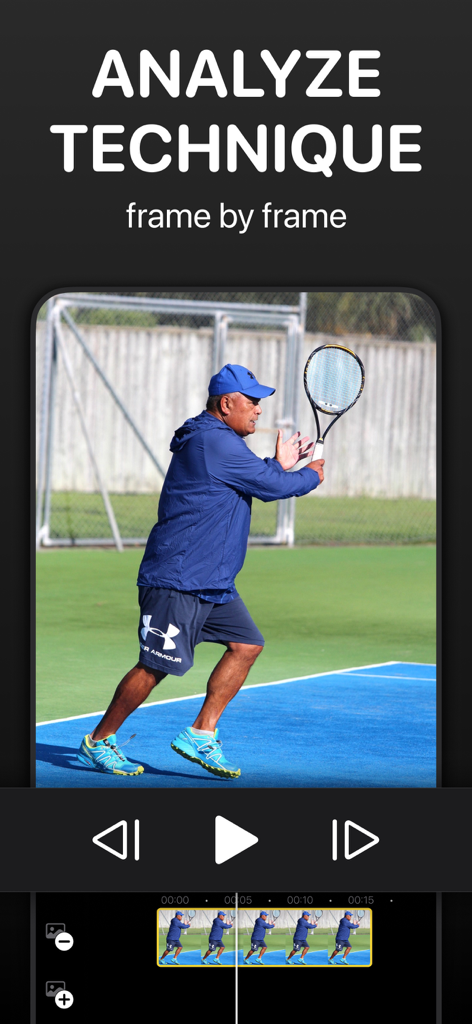
코치 비디오 분석 앱에서 프레임별 재생을 사용한 테니스 선수 기술 분석

코치 비디오 분석 앱에서 프레임별 재생을 사용한 테니스 선수 기술 분석

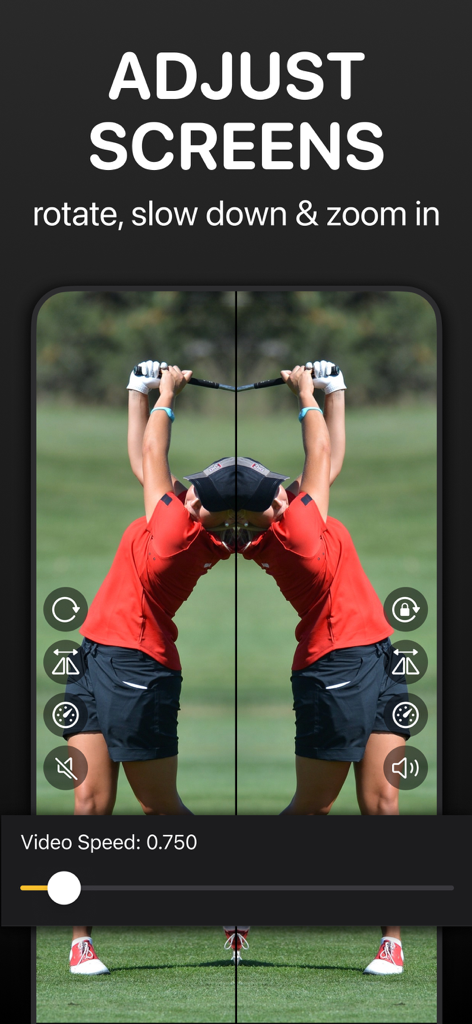
슬로우 모션 속도 제어가 있는 골퍼 스윙의 나란히 미러링 영상 분석

슬로우 모션 속도 제어가 있는 골퍼 스윙의 나란히 미러링 영상 분석

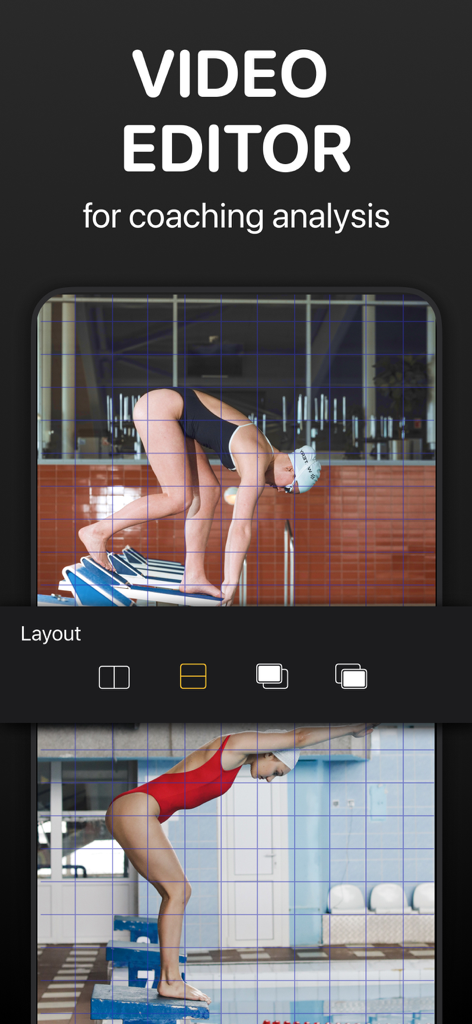
코칭 분석을 위한 그리드 오버레이가 있는 두 명의 수영 선수들의 나란히 비교

코칭 분석을 위한 그리드 오버레이가 있는 두 명의 수영 선수들의 나란히 비교

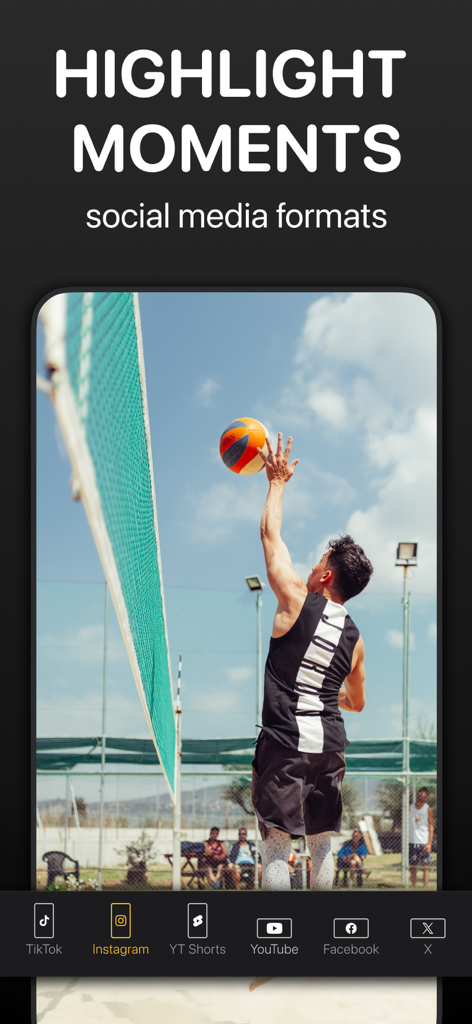
TikTok 및 Instagram과 같은 소셜 미디어 플랫폼용 내보내기 옵션이 있는 배구 선수 스파이크

TikTok 및 Instagram과 같은 소셜 미디어 플랫폼용 내보내기 옵션이 있는 배구 선수 스파이크

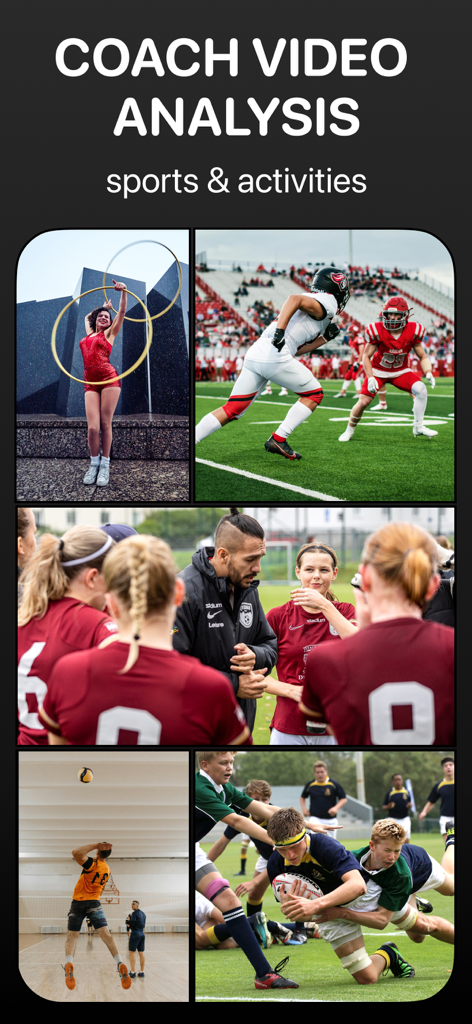
기술 분석을 위한 체조, 축구, 럭비 등 다양한 스포츠를 보여주는 콜라주

기술 분석을 위한 체조, 축구, 럭비 등 다양한 스포츠를 보여주는 콜라주

프로처럼 분석하기

이 앱을 돋보이게 하는 도구, 3K+ 명의 사용자가 선택.

🔄

나란히 벤치마킹

정확한 개선 영역을 식별하기 위해 프레임 단위 동기화로 전문가 또는 이전 세션과 기술을 비교하세요.

📐

정밀 마크업 도구

비디오에 직접 그림을 그리고, 각도를 측정하고, 다채로운 가이드를 추가하여 기술 개발을 가속화하는 명확하고 실행 가능한 피드백을 제공하세요.

📸

키노그램 및 샷 내보내기

복잡한 움직임을 정적 프레임의 단일 고품질 이미지로 변환하여 메커니즘을 시각화하고 진행 상황을 운동선수나 채용 담당자와 쉽게 공유하세요.

앱 소개

에 대해 알아야 할 모든 것 Coach Video Analysis.

설명

Elevate Your Sports Analysis and Feedback! Designed with professional sports in mind, Coach's Video empowers you to refine technique like never before. Synchronize and compare two videos to analyze motion and mechanics. Whether you're a coach, physiotherapist, athlete, or someone striving for peak performance, Coach's Video has your back (and swings)! BENEFITS: >>Compare side-by-side or overlay Track Skill Development: Review videos from various training sessions and track athletes' progress. Identify improvements and areas that still need work. Visual Benchmarking: Compare your videos with videos of top players in your sport. See the differences in techniques, movements, and strategies, and specify topics requiring polishing. >>Clip a Moment Export a short highlight with or without the markups. >>Export Kinogram Our unique export method lets you curate a set of static shots from the video. Select frames showing the different stages of movement, arrange them horizontally or vertically, and save them as one picture. Track athletes' improvement in mechanics over time and provide visual feedback. Compare and discuss kinematic positions with other trainers. Create highlights of the game's best moments for parents. >>Mark It Up Add drawings to pinpoint the details. Provide colorful guidance, whether correcting a baseball hit, refining a golf swing, or perfecting a dance move. >>Slow It Down Slow-motion analysis helps understand the mechanics of movements and identify subtle changes in technique or form, which might not be apparent at a regular rate. >>Analyze Frame by Frame Scrub through videos to break down complex movements or analyze difficult positions. Use frame-by-frame navigation to synchronize videos down to the second. * Provide Personalized Feedback Provide more effective and targeted feedback, leading to faster progress and success on the field or in any discipline. * Track Physiotherapy Progress Sports therapists can track an athlete's progression over time to gradually increase exercise intensity and ensure a safe return to training. Whether striving to reach the level of top players or working towards recovery and getting back to peak performance, VideoCoach can be a valuable companion in an athlete's journey. * Revolutionize your analysis, enhance your feedback, and empower your performance. Experience the power of VideoCoach – an app streamlined to fit the needs of modern video review and coaching. Coach's Video Features: Link: Synchronize and link two media files. / The app automatically trims the beginnings and endings when merging videos to match the shorter file. Reverse the process by unlinking / Markup: Add drawings, measure angles or time. Mirror sketches from one video to another as you draw. Clip: Quick save button for short highlights. Slo-mo: Adjust the playback speed of individual videos. Rotate or Flip videos horizontally for better alignment. Layout: Upload two videos or live photos and review them side by side (vertically or horizontally) or overlaid. Aspect ratio: Choose from various formats. Export: Save files to the Photos folder in 4 formats /If you want to export the side-by-side videos, link them first/ * Kinogram & chronogram methods let you save a set of video frames as one photo. Frame-by-Frame: Scrub through videos step by step Zoom: Zoom in and out with your fingers. Double click doesn't reset the zoom. Grid View: Align videos for precise side-by-side comparison. Video Timelines: * Grab timeline borders to trim the video. * Zoom in on the timeline for precise analyses and linking. * Slide timelines separately or simultaneously. To slide two videos at once, grab between timelines.  /Timelines must be unselected if you want to play videos simultaneously/ Terms of services: https://www.apple.com/legal/internet-services/itunes/dev/stdeula/

최신 버전

1.2.0

크기

9.2 MB

출시일

2023년 9월 27일

최고의 퍼포먼스를 위한 메커니즘 마스터하기

정밀하고 프레임별 인사이트를 위해 VideoCoach를 신뢰하는 엘리트 코치 및 운동선수와 함께하세요. 지금 다운로드하여 모든 훈련 세션을 경쟁 우위로 전환하세요.

다운로드: App Store

App information, icons, screenshots, and descriptions displayed on this page are sourced from the Apple App Store and are the property of their respective developers. Download estimates and rankings are based on MWM's proprietary models and may not reflect actual figures. This page is provided for informational and analytical purposes only.

Believe this page infringes your intellectual property? File a dispute